• Welcome to Photrio!
    Registration is fast and free. Join today to unlock search, see fewer ads, and access all forum features.
    Click here to sign up

How to measure approximate film speed with a step wedge?

The Hot Waters

A
The Hot Waters

  • 2
  • 2
  • 85
The Hot Waters

A
The Hot Waters

  • 3
  • 1
  • 96

Recent Classifieds

Forum statistics

Threads
204,458
Messages
2,868,978
Members
102,283
Latest member
MTLMan
Recent bookmarks
0
I’d love to make H&D curves for each developer with some films, but unfortunately I don’t have a densitomiter to do it.

There are plenty of alternatives to a densitometer -- and you might already have one. If you have a hand-held meter it might have an enlarger attachment. Since you have an enlarger, do you have an enlarger meter? If not, these start at around $10. Color analyzers can also be used. Some of these are more fine-tuned than others -- hand-held meters are usually in 1/3 increments -- but that should work fine for your purposes, just like your step table.
 
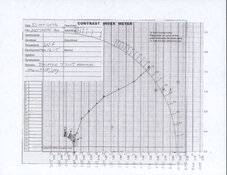
Using just eyedropper tool with the photo you uploaded, this is what the graph looks like to me.

You might get better estimates looking at the negative and original scale by eye.

If you have an enlarging meter such as Ilford EM-10 or Omega CS-10 you could read a null on the scales for better comparison.

But it looks like very contrasty, you might cut down development time next time.
 

Attachments

  • 2026-04-27-0002.jpeg
    2026-04-27-0002.jpeg
    368.6 KB · Views: 69
Using just eyedropper tool with the photo you uploaded, this is what the graph looks like to me.

You might get better estimates looking at the negative and original scale by eye.

That's what I'd also do, BUT make sure to make a photo or scan that doesn't suffer from strong flare and reflections, like the photo posted earlier in the thread.
 
Hi all,
Thanks for your generous attention and time!

(And thanks/sorry to OP for letting me dip into your thread. It seems we are benefiting from similar questions/stages of development, and the generous community here!)

I intend to do the test again when I am organized for my next film development, and do it more carefully.

I scanned this on the Epson V500. I was tempted to adjust settings to make the whole strip more visible. I am afraid that the Epson software may have made the adjustments anyway, given the image that was included.

I do have an X-rite 331 densitometer that produces somewhat erratic and inconsistent readings, but if I make a series of readings on I can eliminate some of the errata and inconsistent readings from.

I don't have photoshop, but the Epson-scan software does have a preview eyedropper ("densitometer") tool.

Here are some of the uncorrupted and readable ("before") values from use of that tool: (Are these reliable densitometer readings?)

19: 129
18: 138
17: 149
16: 161
15: 173
14: 182
13: 192
12: 200
11: 207
10: 213
9: 220
8: 223
7: 226
6: 229
5: 231
4: 232

The film base has a reading of 236

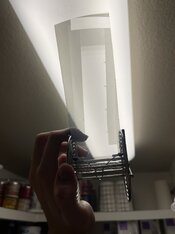
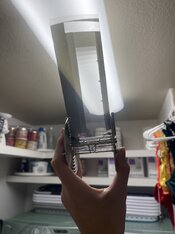
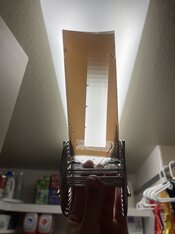
img040.jpg
 
Sensitomitry is hard :/
 

Attachments

  • IMG_5831.jpeg
    IMG_5831.jpeg
    165.3 KB · Views: 8
  • IMG_5833.jpeg
    IMG_5833.jpeg
    206.1 KB · Views: 9
  • IMG_5834.jpeg
    IMG_5834.jpeg
    194.5 KB · Views: 9
  • IMG_5835.jpeg
    IMG_5835.jpeg
    168.4 KB · Views: 11
Looks good! Did you find a way to estimate densities?
So far I’ve overexposed and underexposed it. I’m narrowing down the correct exposure. As far as getting densities, I’m going to send it to someone I know who has a densitomiter.
 
You haven’t overexposed. You need to give more exposure. You need to give about six more stops of exposure. You want to expose so much that you have something to measure on almost every step.
 
You haven’t overexposed. You need to give more exposure. You need to give about six more stops of exposure. You want to expose so much that you have something to measure on almost every step.
Yeah, I realized after a little bit of looking now that I am fully awake that I have been under exposing all of these. This is turning out to be really annoying actually.
 
I have a good exposure now, yay!
 

Attachments

  • IMG_5837.jpeg
    IMG_5837.jpeg
    140.2 KB · Views: 0
Photrio.com contains affiliate links to products. We may receive a commission for purchases made through these links.
To read our full affiliate disclosure statement please click Here.

PHOTRIO PARTNERS EQUALLY FUNDING OUR COMMUNITY:


Ilford ADOX Freestyle Photographic Stearman Press Weldon Color Lab Blue Moon Camera & Machine
Top Bottom