A colleague was just showing me his latest results from ChatGPT so I thought I would try removing dust and scratches compared to my Coolscan.
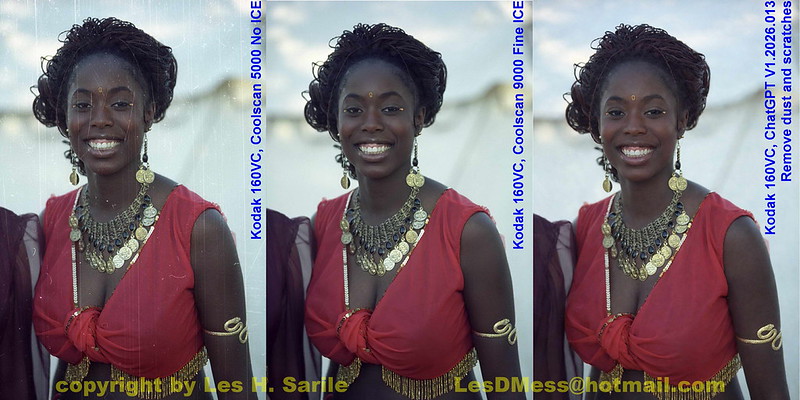 Kodak 160VC-06-36 9K ICE vs ChatGPT
 by
Les DMess, on Flickr
With a ChatGPT subscription, the processing time takes about less than a minute compared to additional 30-40 seconds to the scan with ICE enabled.
However, Coolscan's ICE does not work with true b&w films so that can save in post processing for those types of films as shown below. Granted my b&w sample is not as badly scratched but the results look good. I always hated spotting my prints . . .

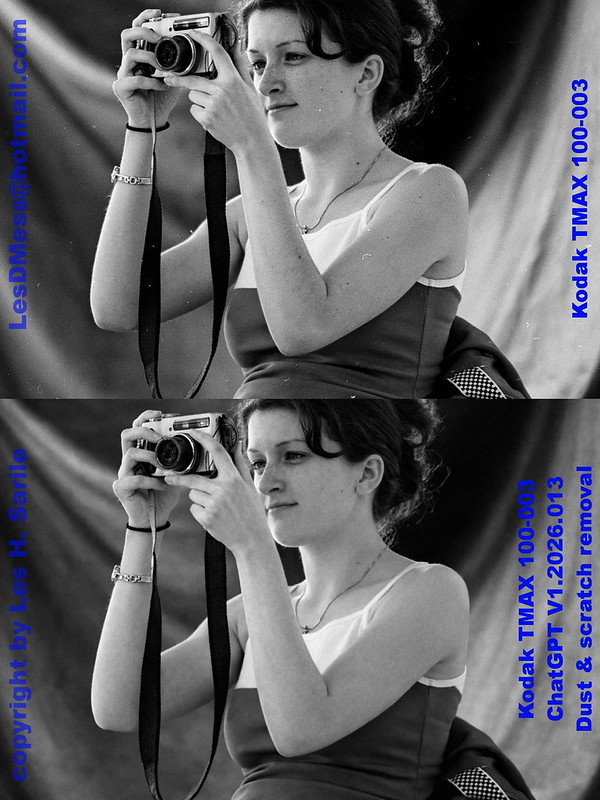 Kodak TMAX 100-003 ChatGPT D&S removal
 by
Les DMess, on Flickr
However, there is a big shortcoming and that is the current maximum image size of 1536 X 1024. My 4000dpi scans are typically 5200 X 3600 ±200 pixels for cropping the borders. I suppose I can use another AI powered tool to increase the resolution . . .

While playing with this, I thought I would try to see if ChatGPT can also do something with badly focused or blurred images. Over the years, I've tried to do something with these types of images with less then optimal results. A year or two ago new AI tools started coming up promising to focus images but those that I've tried didn't produce any results I would even consider useful. To my surprise it looks like we now have a tool that can address this!
This was a badly focused image I took on Kodak 160VC many years ago and ChatGPT handles it very well I think.
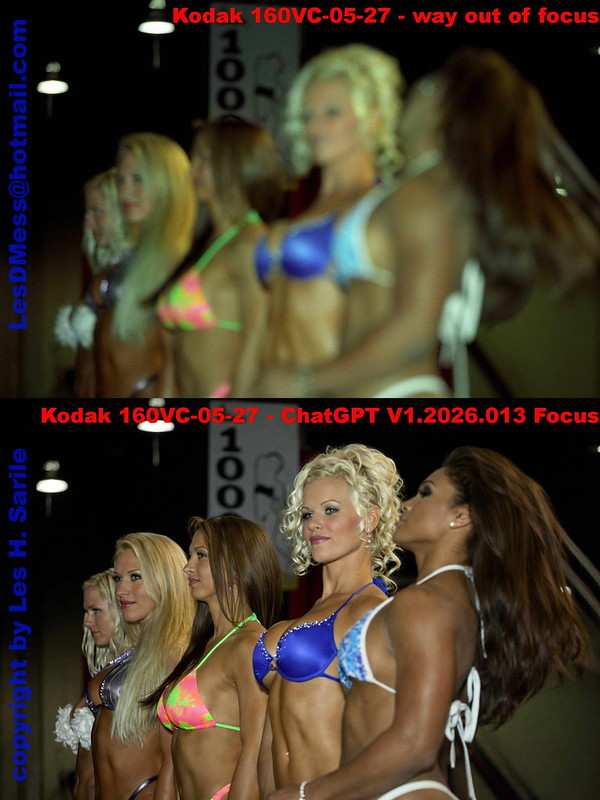 Kodak 160VC-05-27 ChatGPT Focus
 by
Les DMess, on Flickr
It goes without saying that with images this bad, ChatGPT is making "guesses" at what the image should be - filling in details. I have other clearly focused images of these contestants and the guesses were reasonably close. So, if the guesses close enough then great and if not then not so great. The pixel limit still applies here too.
I think for these two purposes, this tool can be very handy. What do you thin? Have you tried any others? Have any results to share?
Here are other pics of two that you can judge for yourself what I considered a reasonable guess . . .
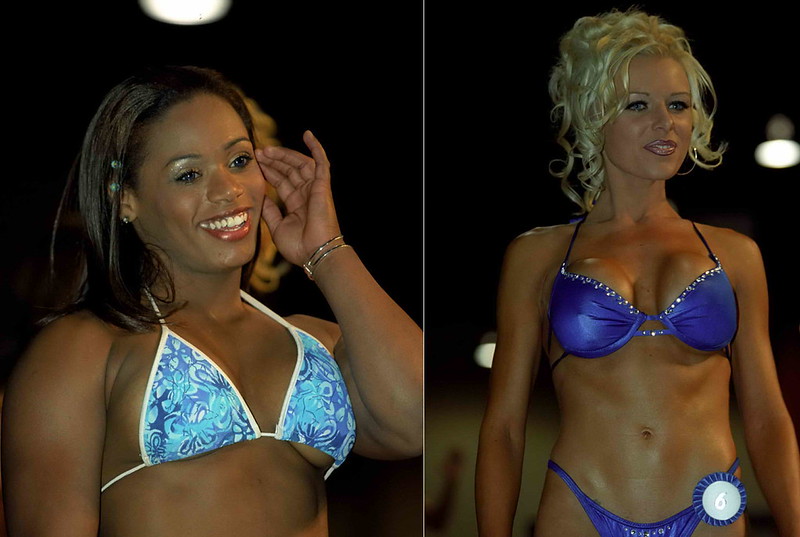 Kodak 160VC-05-27 ChatGPT Focus different angle
 by
Les DMess, on Flickr