• Welcome to Photrio!
    Registration is fast and free. Join today to unlock search, see fewer ads, and access all forum features.
    Click here to sign up

negative carrier issue

Recent Classifieds

Forum statistics

Threads
203,371
Messages
2,853,593
Members
101,807
Latest member
Giaco60
Recent bookmarks
1

tballphoto

Member
Allowing Ads
Joined
Mar 16, 2021
Messages
264
Location
usa
Format
35mm
I did some prints, 5x7 image size on 8x10 paper. noticed things when processing was done.

the finished images have image lines around them.

the best way to describe them, i dont feel like scanning one tonight. Is like someone put a 5x7 piece of notebook paper on top of a 5.5x7.7 piece, and a 5.75x8 inch piece of paper then tossed a sheet of 8x10 paper on top, and simply traced the edges of the papers to make an image.

is this a light leak from the negative carrier? the film IS loose in it, its rather old and about 1/8" to much distance between the pins that are supposed to hold the negative strip in place
 
[QUOTE="the best way to describe them, i dont feel like scanning one tonight. Is like someone put a 5x7 piece of notebook paper on top of a 5.5x7.7 piece, and a 5.75x8 inch piece of paper then tossed a sheet of 8x10 paper on top, and simply traced the edges of the papers to make an image.[/QUOTE]

Perhaps it is me, but the time it will take to decipher this sentence will take longer than you making a scan

plus, it will help to tell which enlarger you're using. No negative should lay loose. Either something is missing or you're doing something wrong
 
Sounds like it might actually be the wrong carrier for the format you are printing, but without more information and pictures. it's all just blind speculation on our part...
 
Last edited:
Years ago some folk paid extra for a larger carrier to get black edges to show the entire negative was part of the composition of your art:D work.
Usually the carrier should measure slightly smaller than your negative: iE A 6X6 negative carrier should be around 55mm square, 35mm is actually 24X36
so the carrier would be about 23X35mm.
 
I love it when people ask for help and then ghost their own thread...
 
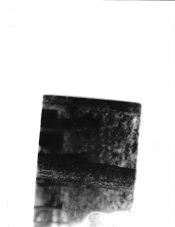
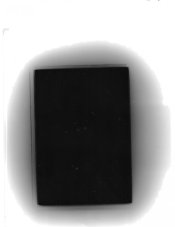
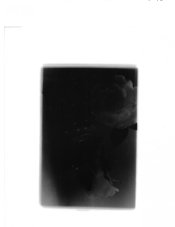
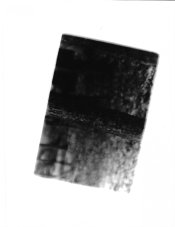
tired as can be, heres a scan of one of the worse examples, but its on ALL of them to some degree. goodsample2.jpg badsample2.jpg
 
on the bad ones its easy to see, even on the good ones you can see it, although its more like a three images were layed on top of each other without making sure the edges were squared up with eachother.badsample1.jpg goodsample1.jpg
 
The name of your enlarger?

Let's say it is a Leitz Valoy II or Focomat Ic (because you write about pins that should hold the negative in place): these enlargers have a condenser pressing down on the negative and flattens it. But this condenser needs to be lowered onto the negative properly.

This is just to illustrate what the problem could be, you may not have these enlargers at all. But there's an above average chance someone here will have your enlarger. And will understand the problem.
 
These may be a consequence of what you are struggling with in the other thread - getting your enlarger to focus properly.
They may also be partly due to light reflecting off the edge of a negative carrier.
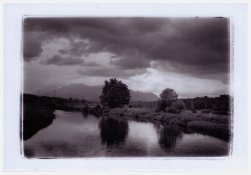
I used to put that latter characteristic to good effect with my Omega D6 carriers:
Coquitlam River-Round 36 - Front.jpg
(scanned from a postcard size print)
 
These may be a consequence of what you are struggling with in the other thread - getting your enlarger to focus properly.
They may also be partly due to light reflecting off the edge of a negative carrier.
I used to put that latter characteristic to good effect with my Omega D6 carriers:
View attachment 293985
(scanned from a postcard size print)

nearly the issue i am having, although on mine there is a more pronounced appearance of multiple images at the edges that were not adjusted to overlay correctly.
 
What Matt posted is exactly what I get from printing 35mm negs, using a standard Omega 35mm carrier, but including the whole thing in the easel. Nikon or Leica negatives.
This is with negs whose image area is larger than the carrier opening. If the opening is larger than the negs, a black line prints (a popular style in earlier decades - proof of full frame printing.)
The lines will vary from image to image, maybe, as suggested, because of image areas reflecting on the inside edge of the carrier.
 
And the OP is getting a more obvious example because he is printing with the focus set wrong but the aperture stopped down in order to bring the image closer but not quite into focus.
 
And the OP is getting a more obvious example because he is printing with the focus set wrong but the aperture stopped down in order to bring the image closer but not quite into focus.

Stepping the aperture down with my equipment setup, does two things, it shrinks it down from being 8x10 or larger, and makes it sharp, otherwise its like looking at a 300% enlargement of a postage stamp painting.
 
Stepping the aperture down with my equipment setup, does two things, it shrinks it down from being 8x10 or larger, and makes it sharp, otherwise its like looking at a 300% enlargement of a postage stamp painting.
We understand what you are trying to do. But the method you are employing is what is leading to the problem with the borders, as well as leading to problems with exposure and contrast.
The root cause of these problems is most likely your inability to have the enlarger head at an appropriate height.
Fix that, and a lot of the rest will resolve itself.
 
If you could be more specific in your location, perhaps there's a member nearby who can give you an intro to darkroom work.
 
OP where are you in the US? In the past I thought that you were in the Los Angeles area. If so I or others could come over to help you.
 
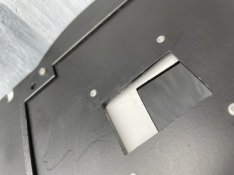
Those are reflections from the edges of the negative carrier opening.

Paint them black!
 

Attachments

  • 855007A0-D4C6-484A-A8F2-B11A01A759A4.jpeg
    855007A0-D4C6-484A-A8F2-B11A01A759A4.jpeg
    57.7 KB · Views: 118
I did some prints, 5x7 image size on 8x10 paper. noticed things when processing was done.

the finished images have image lines around them.

the best way to describe them, i dont feel like scanning one tonight. Is like someone put a 5x7 piece of notebook paper on top of a 5.5x7.7 piece, and a 5.75x8 inch piece of paper then tossed a sheet of 8x10 paper on top, and simply traced the edges of the papers to make an image.

is this a light leak from the negative carrier? the film IS loose in it, its rather old and about 1/8" to much distance between the pins that are supposed to hold the negative strip in place

Yes, you have light leaking around the edges of your negative carrier. The neg should be held tightly to keep it flat. There should be a lever on the enlarger near the lens stage to tighten up the neg carrier.

It's possible you have the wrong negative carrier for your enlarger.

What make and model of enlarger are you using? What film format? There's probably someone here who will know it. You could also search the web for a manual. If you don't know or can't find a make/model for the enlarger, perhaps take a few pictures of it and post it here.

Good luck and have fun. :smile:
 
Those are reflections from the edges of the negative carrier opening.

Paint them black!
Yep...and perhaps there will still some light piping by. Most folks crop it out with the paper easel.

 
Photrio.com contains affiliate links to products. We may receive a commission for purchases made through these links.
To read our full affiliate disclosure statement please click Here.

PHOTRIO PARTNERS EQUALLY FUNDING OUR COMMUNITY:


Ilford ADOX Freestyle Photographic Stearman Press Weldon Color Lab Blue Moon Camera & Machine
Top Bottom