• Welcome to Photrio!
    Registration is fast and free. Join today to unlock search, see fewer ads, and access all forum features.
    Click here to sign up

Embracing the blues: tips for using Ektachrome E100

Recent Classifieds

Forum statistics

Threads
203,062
Messages
2,849,328
Members
101,629
Latest member
Evgenymv
Recent bookmarks
0
E100 is accurately balanced for Kodak's official Daylight of 5500 K. It is not blue-biased with respect to that standard, but neutral. Shadows under a blue sky are in fact blueish. If you want it to look warmer, simply add a warming filter. The Tiffen 812 is kinda the nuclear option; they are worth trying, but might overdo it. Often a gentler 2A skylight filter or 81A warming filter is plenty strong. Experiment relative to your own taste.

Many landscape pros loved the emphasis of old Ekatachrome 64, which was much bluer than E100. That was prior to the Fujichrome revolution, with its saturated greens.

I'm actually not surprised that you say this. Light is often a lot bluer than we think (as in the sky), and skin tones turn out good looking in E100 which is also an indication that it is fairly balanced. I also like the grain structure more than many slide films; the grain looks slightly sharper in my scans, a bit like in Kodachrome, so you can tell that the original image came from film.
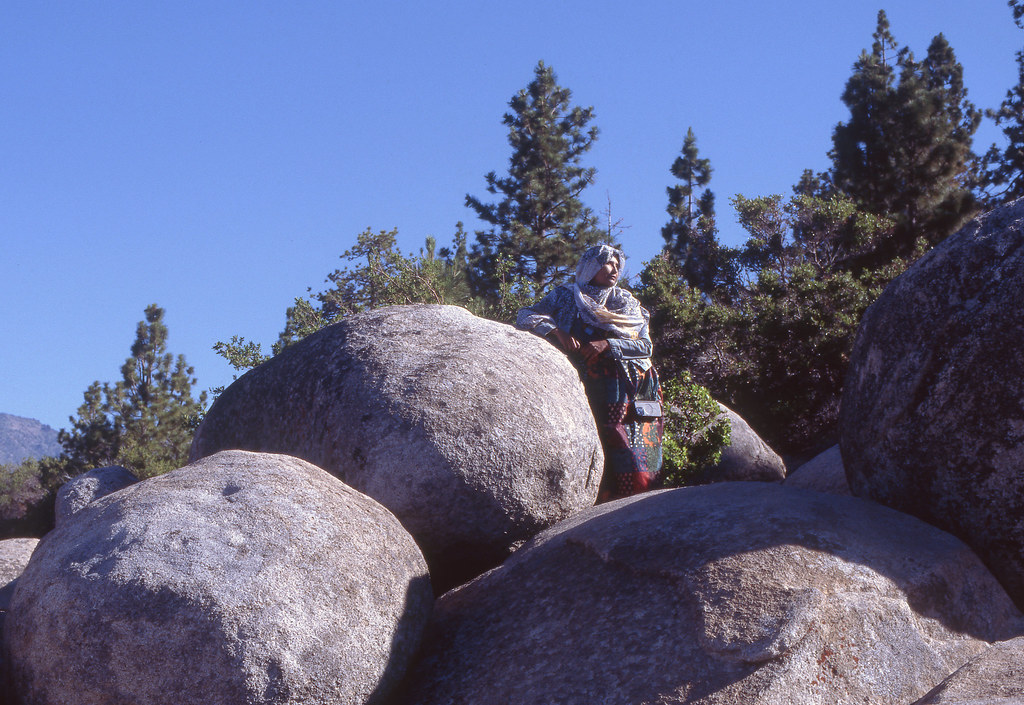
 
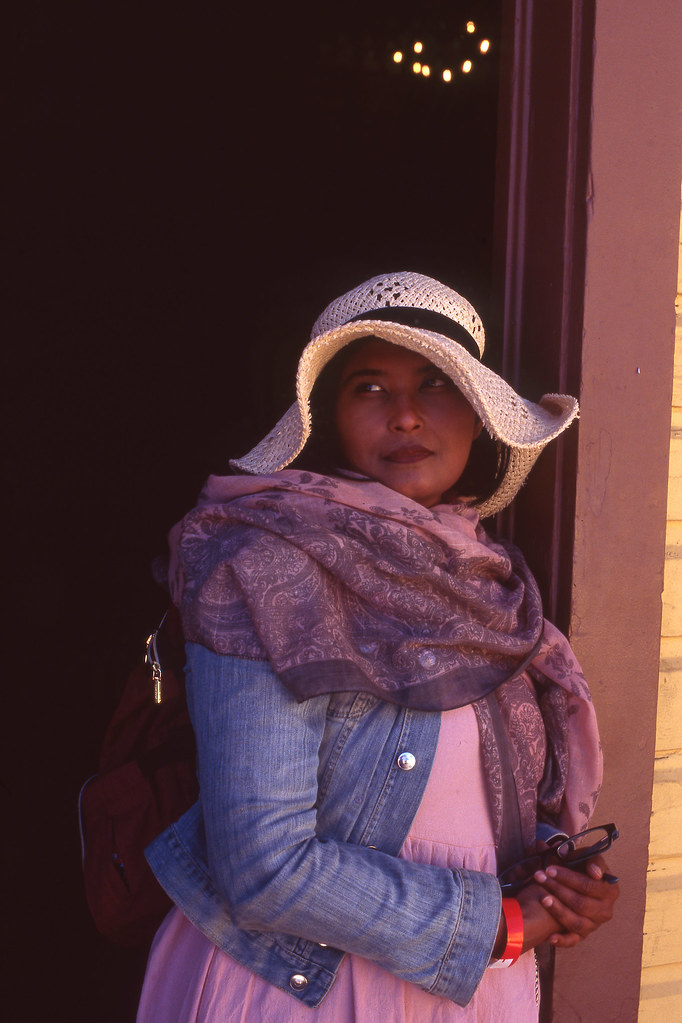
I kind of like the blues from the film, and sometimes I sort of lean into it. This is not a very extreme example, but I like the composition.

53848665046_092138f283_b.jpg
 
But the warm colors of the film also look good. I think this is typical of relatively cool films: the balance works when the light is warm. Sorry for rambling.

53847779972_2dd7873b04_b.jpg
 
Depends on what sea, what weather, what time of day. It gets a pretty intense blue here on the central CA coast in Oct and Nov, when the angle of light is lower and the typical fog has subsided. Even at 12,000 ft, the sky is rarely as blue as it once was in my own memory. And even in the Southwest, it's getting harder to find really clear air. In recent years the veil of smoke in the air has often rendered a beautiful "Godfather movie" amber look to outdoor scenes all by itself, much like an 81A filter. But I avoid those conditions for health reasons. I've already endured more than my fair share of forest fires.
 
Another example of the intense blues of this film. I like that it's a neutral blue (I warmed this up a little after the way the scan turned out, the slide is even more intense blue). Reminds me of my cobalt blue oil color.

53847797077_fcc62f4a5a_b.jpg
 
Last edited:
You'll need to get it calibrated then. I got my E100 calibration chart here http://www.targets.coloraid.de/

I'm just gonna mention this again because I keep seeing threads about E100. You need a calibration chart for E100 so the scanned slides will look true to its color. This has solved a lot of problems for me because it gives consistent results without needing to adjust a lot of parameters like you would do if you are scanning color negatives.

@trondsi Seems like the photos you posted has a red mask over them. A quick photoshop curve autocorrection to these images give: autocurve1.pngautocurve2.jpgautocurve3.jpg

Also how are you exposing the film? Seems like all the images the blacks are not very black. Can you show us what they look like on a light table?
 
Last edited:
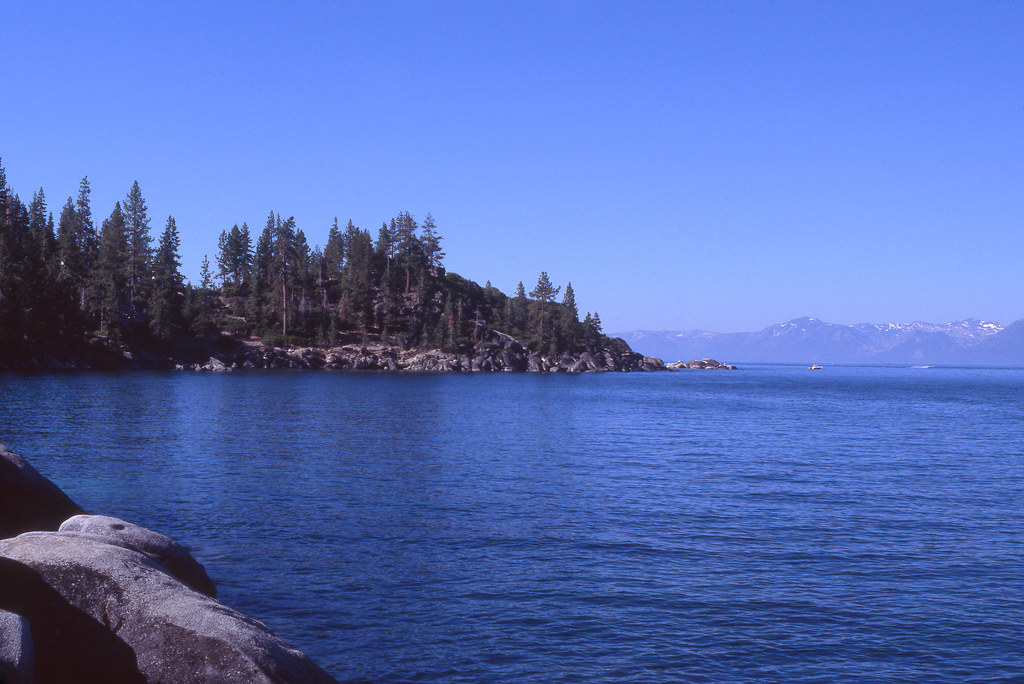
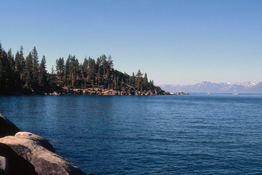
Yola - per somewhat "open shadows", note that in one instance direct light off bright granite boulders is bounced into the shadows of adjacent boulders, while in the lake shot, the reflective water surface might be doing something similar. Such distinctions are what handheld one-degree spotmeters are so useful for detecting.

Reddishness in areas of the lake shot (Lk Tahoe?) are characteristic of the warming effect of haze, especially drifting forest fire or campfire smoke, which is apparent behind the background mountains.

Put enough light behind any slide, and you might discover that none of the blacks are really black. Even black paint is rarely really black or even neutral gray - just dilute it somewhat or add some white to discover that fact.

To test for the accuracy of Ektachrome in that respect, you need to shoot a true neutral gray scale all the way from deep black to bright white under specified 5500K lighting, and then check the result over a fully corrected industry standard 5000K light box (most light boxes are way off, despite marketing claims). I've done that several times for the current E100, and it is indeed exceptionally well grayscale balanced, better so than any Fuji slide films, with the exception of the discontinued Astia line.
 
Last edited:
Seems like the photos you posted has a red mask over them

There's a clear magenta cast to them, yes. And as you also pointed out the black point isn't at black. None of this has anything to do with atmospheric conditions, nature of the film etc; they're purely digital artefacts. If that's how @trondsi likes their images, however, there's no argument. I personally would prefer a more true-to-life look.

I suspect the actual slide looks a bit like this:
1722586449269.png


A quick photoshop curve autocorrection

This has introduced non-linear color casts all over the place, tending mostly towards green and yellow and with very poor shot-to-shot consistency (a big problem when frame-by-frame scanning color negative film for similar technical reasons as what we see here). In the end of course it's still a matter of taste, but frankly, if this is the direction someone would want to take it in, I'd don't bother with film anymore, especially not slide film, and just shoot digitally and then twist curves in digital post to your heart's content.
 
Shadows and often distant objects are indeed blue. The brain automatically corrects to give the viewer the original color. Film and camera are too stupid to make this adjustment. It takes a great deal of concentrated study for a painter to see the actual colors of a scene to include the bluishness.
 
For those interested in deciding which chrome film to use between Provia 100 and Ektachrome 100 in cloudy sky. Provia warmer with orangey reds and Ektachrome has greener greens and redder reds.
 

Attachments

  • Wheels coimparison.  Levels adjusted in scan.  No post scan edits.jpg
    Wheels coimparison. Levels adjusted in scan. No post scan edits.jpg
    783.5 KB · Views: 84
Koraks - none of us know exactly what the actual film shot looks like because all we have is a scanned and altered web image. If it was taken where I think it was, overall mid-elevation warm background haze would be more common than not - a contributing factor, not necessarily the full story.
 
Understood, Drew, and you're right; neither of us can compare the actual slide to our screens. Magenta tinges certainly are very possible in reality.
 
Koraks, the PS autocorrection was just a quick way to see how the image would look if the red cast was removed.

Drew, the red mask is also very apparent in the second photo. Whether the rest are caused by drifting forest fire, the red cast seem be an scanning issue rather than where the location it was shot at.

I think we are all agreeing on the same thing that scanned images will look different if the calibration to the scanner was not done in a standardized way. I love shooting slides so I hope OP manages to solve his issue and continue shooting E100.
 
Everything would have to be match-calibrated in the workflow to see what is really going on. But yes, I can detect the red on my screen too. Probably several variables are at work.

One thing which hasn't been brought up yet is the effect of relatively high-altitude UV on Ektachrome. And that is one thing I haven't specifically tested for in this current E100 product. But I did have lots of experience with the previous E100G, which is quite similar. And in that case, a barely amber multi-coated "colorless" UV filter did a better job preventing a hue shift than the pinkish 1B skylight filters which worked best with Fuji chromes. It used to be that there was a significant difference in atmospheric clarity above the typical smoke and pollen zone around 8,000 ft and higher up. I did most of my testing around 12,000 ft elevation. But now our horrible mega-fires sometimes dramatically alter that.
 
I suspect the actual slide looks a bit like this:
View attachment 375318

This one looks fairly OK, but none of the versions of this particular photo is close to the slide. Looks like my scanner is really failing on this one, so let's see if I can calibrate it to E100. I suspect that won't do though. Other adjustments by others above are way too yellow/green and don't look like E100 to my eyes. I'm not really going for a neutral look.

The way I think: I generally try to make my (fairly basic) scans look like the slides on the light table (the lake photo is a fail). The exception is if the slide looks a bit off but can be "saved" in scanning somehow. I primarily photograph for myself, although sharing online is nice of course. I occasionally print, so then I try to adjust again.

Overall, I think the close-up portrait of my wife (post #28) looks the closest to the actual slide. That is, if I look at it with a white frame on the computer.

To the comments on shadows: the shadows in the boulders are NOT 100% black in the slide.
 
E100 just wants you to nail the exposure.

As does any slide film. Nice pics btw, especially the first one.

I will agree that the blueing of shadows with E100 does seem more emphasised than with Fujichromes though.

As a general point of agreement with others in the thread too: I think a calibrated workflow is very important when digitising slides.
 
E100 just wants you to nail the exposure. Go a little under and it cools more.

Fantastic shots. I recall you did a review when the film was released in 120 and pictured it well, but can't for the world of me find it again.

A very unscientific comparison of warming filters, I just held my KR1.5 in front of the screen and the slight warming does neutralise quite a bit of the blues. When my Provia is done, and if the unavailability of Fujichrome continues this way, I probably will just do Ektachrome when craving slides.
 
Yep! His name is Moses, we call him MoMo. He's a psychopath but we love him.

We have a European-style Pyrenees female (too much black in the fur to be considered "proper" by American standards). She's super strong and stubborn; definitely not for beginners, but awesome in every other way.
 
I'm not a pro, but I love shooting with film, and I thought we could share some tips on the use of Ektachrome here in this thread. I used to dislike the blue cast of Kodak's E100 film, but since I love slide film in general, I have started to look for subjects where I can use this to good effect.
One idea is to look for subjects with colors that will stand out against a blue-ish backdrop.

I am shooting color-reversal film for decades. When new Ektachrome E100 was introduced, I did countless comparison tests with it to its forerunner E100G, to Provia 100F, Astia 100F, all Velvias (including 100F).
New E100 is indeed more on the cooler side with its color rendition, emphazising blue.
If you don't like that fact, you have two options:
1) Using a warming filter.
2) Using a lens with a warmer color transmission (the differences in that regard between lenses can often be very clear and visible).
 
This thread is going to be helpful to me when I can no longer get Provia 100f ... which I prefer over Ektachrome. In the EU, Provia 100f in 120 size (I make stereo slides for viewing in an optical viewer) is also about half the cost of Ektachrome at all the major online stores like FotoImpex, Maco, Retro etc, around €11 a roll compared with €22+ for Ektachrome (120 size).
 
A lot of the tips here have to do with filters and/or fixing the blue cast in post, which is all fine (and probably what pros would do in many cases).

But few notice what I'm actually suggesting: lean into it. There is a reason why painters like Alwyn Crawshaw starts his paintings with blue, because this color is widespread in nature. The blues of E100 are actually (IMO) great looking blues. If you can find some what to make it contrast with you subject (e.g. blueish shadows), or otherwise emphasize your subject (e.g. subject is itself blue) then the results often turn out better-looking than many other films.
 
Photrio.com contains affiliate links to products. We may receive a commission for purchases made through these links.
To read our full affiliate disclosure statement please click Here.

PHOTRIO PARTNERS EQUALLY FUNDING OUR COMMUNITY:


Ilford ADOX Freestyle Photographic Stearman Press Weldon Color Lab Blue Moon Camera & Machine
Top Bottom