

logan2z
Subscriber
Unfortunately, they're not local to me so I'd need to ship it there and back - again. I may end up doing that, however, so they can evaluate it.Take the film back to the lab and ask.


Unfortunately, they're not local to me so I'd need to ship it there and back - again. I may end up doing that, however, so they can evaluate it.Take the film back to the lab and ask.
Are they on the emulsion side or the base (shiny) side of the negative?
Also, it might help if you could post an image of the film strip, something like this:
View attachment 282985
(not my image)

Depends on how you intend to print them, if at all. If you are printing digitally, it seems like a simple thing to fix in Photo Shop. If printing wet, then it would be worthwhile to send back the negatives--it could be a washing problem.At this point I'm not sure there's any point in doing that. The damage appears to be done and I'm obviously not going to use the lab again anyway.
Good point, there are a couple of frames that I would like to wet print (I don't print digitally).Depends on how you intend to print them, if at all. If you are printing digitally, it seems like a simple thing to fix in Photo Shop. If printing wet, then it would be worthwhile to send back the negatives--it could be a washing problem.

I did consider the possibility of a film issue as well although, like you say, they are very rare. I do know that there have been issues with 120 film in the past related to backing papers, but this doesn't look like that.If it was a processing issue, it would be on every frame, and in between the frames.
If it was a camera issue, it would be on every frame.
Which leaves it as a film issue. Sometimes films do have quality issues - rare unless it is the garbage that Shanghai Film puts out.

Yup, that did cross my mind - especially given that straight line down the frame that I posted earlier in this thread. But I don't see anything obvious when looking at the negatives that would indicate they had been kinked or wrinkled. And I'm not sure how a dip-and-dunk processor like the one they use at the lab would result in such damage to the negatives.The one type of developing problem that seems more likely to me is something that leads to kinked or wrinkled film.
Do you have the name of the lab?And I'm not sure how a dip-and-dunk processor like the one they use at the lab would result in such damage to the negatives
I do, but I feel a bit uncomfortable sharing it as they're currently working diligently to figure out what might have happened here. To their credit, they've offered to cover my shipping costs to send the negatives back to them for inspection.Do you have the name of the lab.
Fair enough, the lab is 'The Icon' in Los Angeles. The lab's General Manager has been very responsive and has been working with me to try and get to the bottom of this.I'm absolutely sure that they would be happy if you shared their name.
Labs who work with a customer to deal with any problems that may unexpectedly arise are very valuable, and deserve to have their names spread around.
 I'm honestly not sure what good it will do anyway, I don't see how they can fix these negatives. I'm leaning towards just chalking it up to experience and developing at home going forward...
Quick follow-up: The lab made good on their offer to send me a pre-paid FedEx label to return the film to them. I have to admit I'm reluctant to ship it back, though. With my luck FedEx will lose the entire package
+1Why not avail of their very generous offer?
They appear to be bending over backwards to help resolve the problem. Also, they may want to see that if they caused the problem, they want to find out what caused it so that it doesn't happen again. That way if you send back your negatives you could be helping yourself and future customers/photographers.
Why not avail of their very generous offer?
They appear to be bending over backwards to help resolve the problem. Also, they may want to see that if they caused the problem, they want to find out what caused it so that it doesn't happen again. That way if you send back your negatives you could be helping yourself and future customers/photographers.
Why not avail of their very generous offer?
They appear to be bending over backwards to help resolve the problem. Also, they may want to see that if they caused the problem, they want to find out what caused it so that it doesn't happen again. That way if you send back your negatives you could be helping yourself and future customers/photographers.
Exactly!

Will do.Great. I look forward to hearing the results
Be sure to post the labs reply, please.
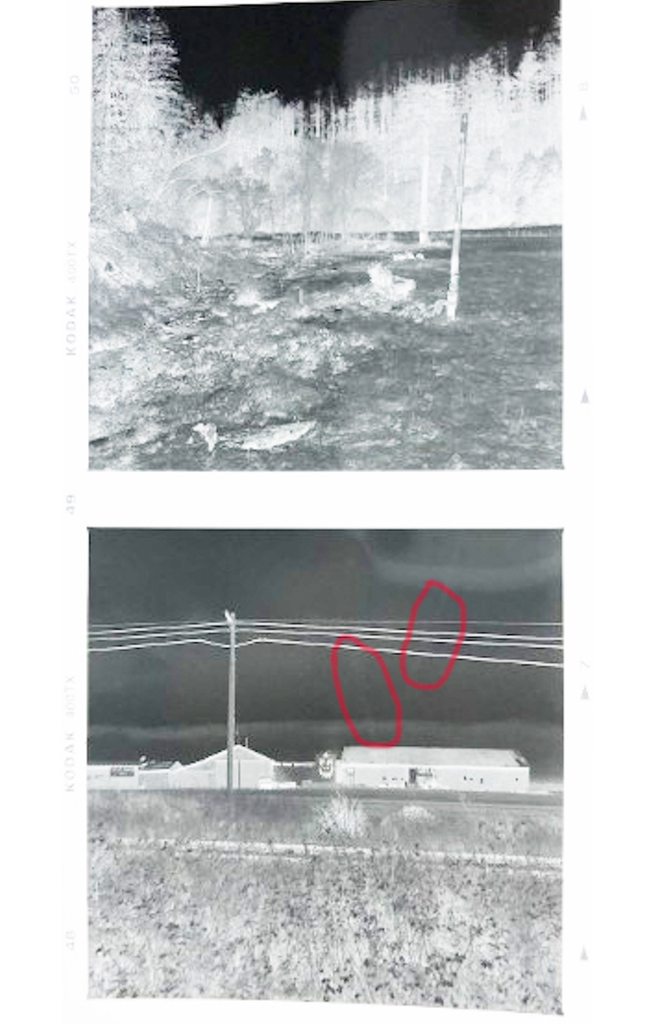
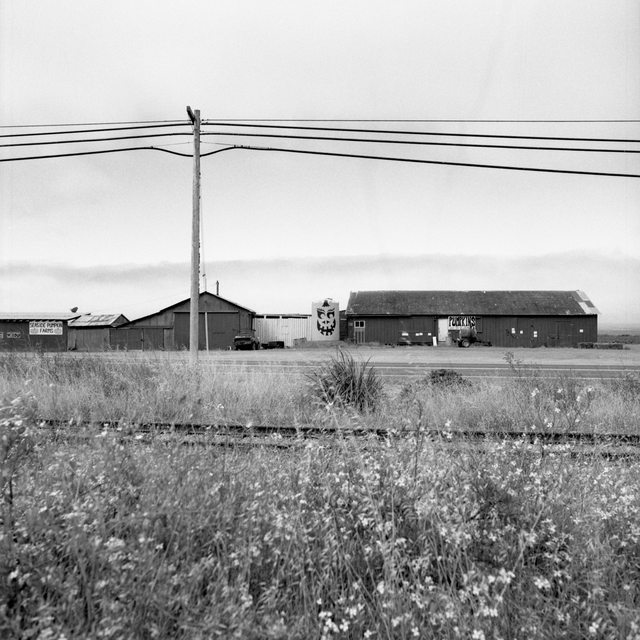
I don't know how useful this is going to be as the streaks are very subtle on the negative but plainly visible in the scan. I ramped up the brightness of this photo to try and make them visible and circled them in red. The negative with circled areas is the one with dark vertical streaks in post #13.
FWIW, I consulted with David Odess about this and he said he doesn't think there's any way these issues were caused by a camera fault and that it is likely a processing problem. I also contacted the lab and showed them scans and they asked me to send them the negatives so they could scan them and have a look. At this point I'm not sure there's any point in doing that. The damage appears to be done and I'm obviously not going to use the lab again anyway.
My photo of the negative may have caused some confusion, there is no 'cloud' in the lower image that extends from the top image, those are artifacts of my lousy attempt to photograph the negative. I highlighted the problem areas in red in my earlier post to hopefully draw attention to the real issues.Processing or film. If you look at the top image you’ll see what looks like a cloud on the right side of the image that extends down to the lower image. It doesn’t show up in the border because it is subtracting density, not adding it. Since there is no exposure on the border, there is no density to subtract. I think its the film.

| Photrio.com contains affiliate links to products. We may receive a commission for purchases made through these links. To read our full affiliate disclosure statement please click Here. |
PHOTRIO PARTNERS EQUALLY FUNDING OUR COMMUNITY:  |
