


The Yashica Mat 124 (I’ll write « Mat » for now to save space) was my first TLR (long story short : I won the bid on eB*y because I was frustrated I could not get hold of any Zorki … ) and I loved it as it opened new ways of seeing the world.
When it began acting, I sent it for a CLA which was fine until a few months later the shutter started getting sticky again. I fixed the issue by myself but did no longer trust the camera, so I traded a Sinar F for a Rolleiflex 3.5. Then I felt the Mat was one camera to much so I sold it.
I came to cameras maintenance for fun (see the other thread) and recently found a cheap enough Mat, the same I had some years ago. So I pulled the trigger and soon enough I’ve got a new (to me) Mat in need of a thorough CLA.
What I could see immediately :
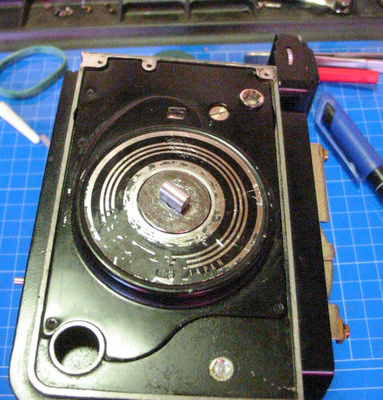
When I open the camera, I could see LOTS of grease, which seem way too much for me (I like mechanism lubricated just enough) so I plan to do a clean up, which may cure the stiff focusing in the mean time.
On the image below, notice I’ve already replaced the broken wire for the meter, which did not solve the issue (but the « window » is still in a wrong place).
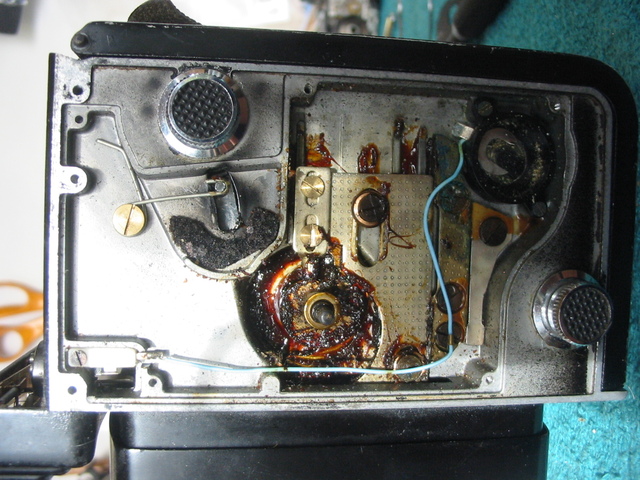
The first thing I did was to remove the meter assembly, and get the window back in place, held with some Pliobond (I hate this glue, as it smells awful, but it does the job) and… TADAAAA !!!* the meter works !
* ( I know, several exclamation marks are the indication of a deranged mind, according to St Terry, but well, I never pretended to be sane ! )
This is really encouraging as it shows the camera’s issues may be solved at home...
To help me in the CLA, which will be a first one as I plan on fixing the shutter myself, I looked for information sources :
- Benoit Suaudeau has a tutorial about opening Yashica TLRs : Yashica mat disassembly
- LearnCameraRepair.com has a nice tutorial about CLAing the same cameras : Yashica mat CLA tutorial by E.Pate It covers the shutter disassembly
- Spoiler alert : the same site has a Copal SVE guide, which does not really apply to the Copal SV (don’t ask me how I know) so you can spare the expense.
- YashicaTLR.com is a good source for information : yashicatlr.com
- The general diagrams for the camera are available in many places (but I can’t find a link at the moment, I’m working from a download…)
Note : anything beyond this point may damage the camera, so you are on your own…
Be careful with the solvents you use, make sure you’re working in a well ventilated room.
Removing the cover plate is easy, especially since there was no leatherette… Five screws and you’re done.
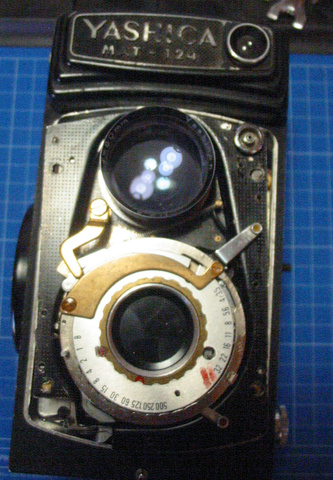
Next step is removing the lenses plate, which leaves you with an almost empty shell and the lenses and shutter on their plate.
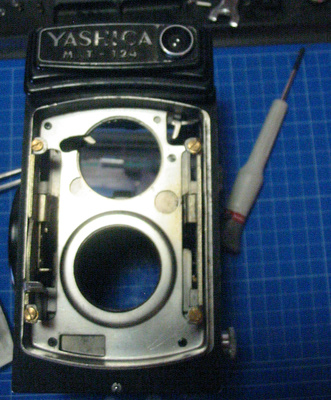
Not show here : under the lens plate are some washers which manage the parallelism between the lens plate and the film plane… Make sure you do not lose them and you know where they go. The best way I found is that I put them back in place and screwed the screws back in place to hold them.
On the back of the plate, remove the ring that secures the shutter assembly and is used as a light baffle at the same time.
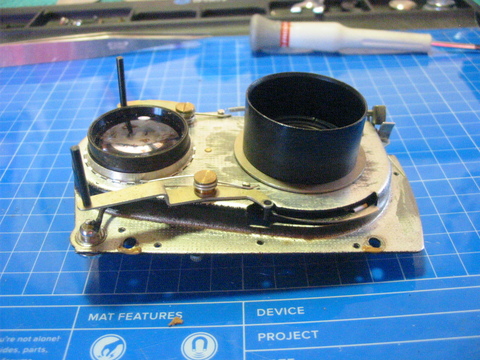
The ring you see there is part of the winding mechanism and is also used in the management of the triggering/winding process. Remove the tiny spring before you remove the ring.
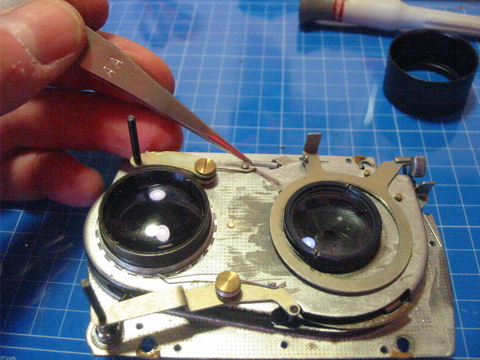
Or course, you will also remove the two parts of the lens. A spanner is indicated, my Mat shows sign of careless disassembly in this area.
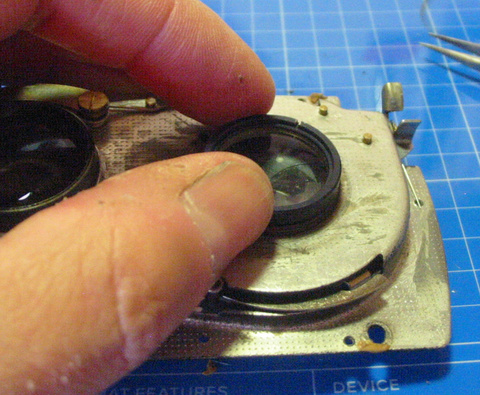
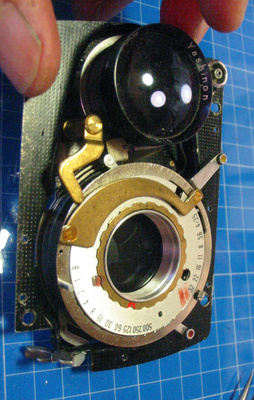
Next step is to remove the sync wire. My soldering iron is ugly and a bit big, but it does a good job as it’s powerful enough to unsolder in a second, which causes less damage than a weak iron that takes ages.
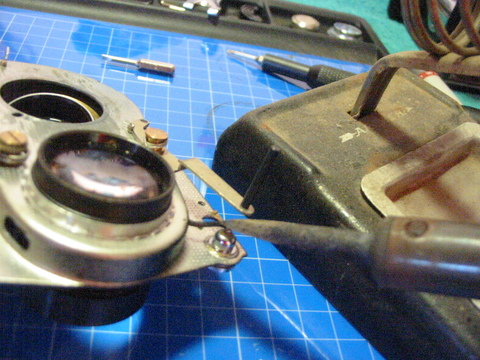
Note the viewing lens is still in place. I did not remove it so that I did not have to synchronize it again with the taking lens. YMMV…
When the shutter is free, it’s time to remove everything until you can access the leaves for it and the aperture. This step is a bit scary, as one always wonders if they will be able to put everything back in place…
Important notice : take many pictures, and write down every f***ing step and every bloody detail you can imagine. You WILL miss some information at one moment, the goal is to miss as few as possible…
I followed the tutorial for this, so I won’t show everything. The reassembly will be covered with more details (but you still need to write everything down!)
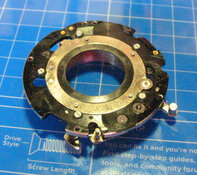
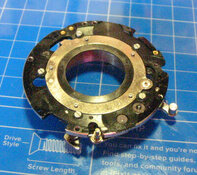
At one moment, your work mat will look something like this :
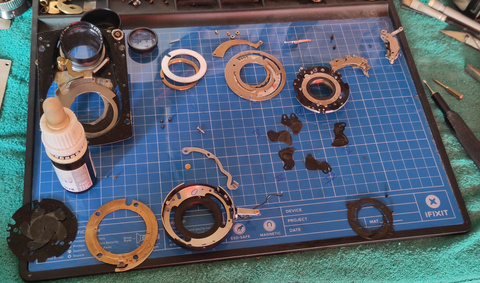
My mat is the "iFixit" one, as are many of my tools. It's magnetic, which can be a blessing to avoid loosing parts, but may tiny parts of the Yashica are not magnetic (screws especially) so it will not be a 100% guarantee. Sometimes, magnetism will be a curse, for example when you move the shutter assembly a little and leaves fall apart again... Don't ask me how I know.
I think that's it for this post, stay tuned for the next
When it began acting, I sent it for a CLA which was fine until a few months later the shutter started getting sticky again. I fixed the issue by myself but did no longer trust the camera, so I traded a Sinar F for a Rolleiflex 3.5. Then I felt the Mat was one camera to much so I sold it.
I came to cameras maintenance for fun (see the other thread) and recently found a cheap enough Mat, the same I had some years ago. So I pulled the trigger and soon enough I’ve got a new (to me) Mat in need of a thorough CLA.
What I could see immediately :
- missing screws (on the hood but not only)
- meter « window » not in proper place
- meter not working (see above…)
- speed and aperture « window » missing
- sticky shutter that would sometimes operate fine, but even in these cases winding it was necessary to have the leaves close fully.
- Missing leatherette except on the back.
- Focus was a bit stiff.
- Somebody tried to do a paint job, I don’t know if they wanted it to look like a 124 « G » but they applied black paint in many places. I have no images of the initial status of the camera but this one gives you an idea...
When I open the camera, I could see LOTS of grease, which seem way too much for me (I like mechanism lubricated just enough) so I plan to do a clean up, which may cure the stiff focusing in the mean time.
On the image below, notice I’ve already replaced the broken wire for the meter, which did not solve the issue (but the « window » is still in a wrong place).
The first thing I did was to remove the meter assembly, and get the window back in place, held with some Pliobond (I hate this glue, as it smells awful, but it does the job) and… TADAAAA !!!* the meter works !
* ( I know, several exclamation marks are the indication of a deranged mind, according to St Terry, but well, I never pretended to be sane ! )
This is really encouraging as it shows the camera’s issues may be solved at home...
To help me in the CLA, which will be a first one as I plan on fixing the shutter myself, I looked for information sources :
- Benoit Suaudeau has a tutorial about opening Yashica TLRs : Yashica mat disassembly
- LearnCameraRepair.com has a nice tutorial about CLAing the same cameras : Yashica mat CLA tutorial by E.Pate It covers the shutter disassembly
- Spoiler alert : the same site has a Copal SVE guide, which does not really apply to the Copal SV (don’t ask me how I know) so you can spare the expense.
- YashicaTLR.com is a good source for information : yashicatlr.com
- The general diagrams for the camera are available in many places (but I can’t find a link at the moment, I’m working from a download…)
Note : anything beyond this point may damage the camera, so you are on your own…
Be careful with the solvents you use, make sure you’re working in a well ventilated room.
Removing the cover plate is easy, especially since there was no leatherette… Five screws and you’re done.
Next step is removing the lenses plate, which leaves you with an almost empty shell and the lenses and shutter on their plate.
Not show here : under the lens plate are some washers which manage the parallelism between the lens plate and the film plane… Make sure you do not lose them and you know where they go. The best way I found is that I put them back in place and screwed the screws back in place to hold them.
On the back of the plate, remove the ring that secures the shutter assembly and is used as a light baffle at the same time.
The ring you see there is part of the winding mechanism and is also used in the management of the triggering/winding process. Remove the tiny spring before you remove the ring.
Or course, you will also remove the two parts of the lens. A spanner is indicated, my Mat shows sign of careless disassembly in this area.
Next step is to remove the sync wire. My soldering iron is ugly and a bit big, but it does a good job as it’s powerful enough to unsolder in a second, which causes less damage than a weak iron that takes ages.
Note the viewing lens is still in place. I did not remove it so that I did not have to synchronize it again with the taking lens. YMMV…
When the shutter is free, it’s time to remove everything until you can access the leaves for it and the aperture. This step is a bit scary, as one always wonders if they will be able to put everything back in place…
Important notice : take many pictures, and write down every f***ing step and every bloody detail you can imagine. You WILL miss some information at one moment, the goal is to miss as few as possible…
I followed the tutorial for this, so I won’t show everything. The reassembly will be covered with more details (but you still need to write everything down!)
At one moment, your work mat will look something like this :
My mat is the "iFixit" one, as are many of my tools. It's magnetic, which can be a blessing to avoid loosing parts, but may tiny parts of the Yashica are not magnetic (screws especially) so it will not be a 100% guarantee. Sometimes, magnetism will be a curse, for example when you move the shutter assembly a little and leaves fall apart again... Don't ask me how I know.
I think that's it for this post, stay tuned for the next