• Welcome to Photrio!
    Registration is fast and free. Join today to unlock search, see fewer ads, and access all forum features.
    Click here to sign up

What's so great about XTOL?

Recent Classifieds

Forum statistics

Threads
202,038
Messages
2,834,233
Members
101,086
Latest member
lyrical.outdoors
Recent bookmarks
0

Anon Ymous

Member
Allowing Ads
Joined
Feb 7, 2008
Messages
3,680
Location
Greece
Format
35mm
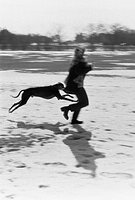
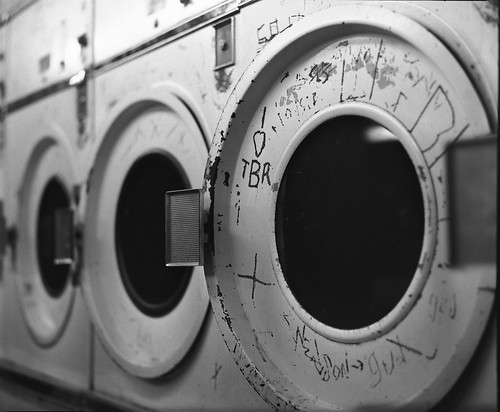
I routinely shoot Tri-X at 1600 and 3200 and develop in Rodinal using stand development. I get wonderful results. They have more grain than that image, but then again, I want the grain. Here is one I shot between 1600 and 3200 (no exposure meter):

...

Developed in Rodinal 1+100 for 70 minutes with no agitation. Again, I like the look of Rodinal. Maybe that's why I don't like the look of XTOL.

It certainly looks good to me, although these photographs are not necessarily comparable. I didn't have an opportunity to see an example like that.

Finally, what is important is what you said about grain. You like grain and rodinal is more than good for you. Xtol is something different. Not something bad. Grainophobes love it.
 
Last edited by a moderator:
OP
OP
kodachrome64

kodachrome64

Member
Allowing Ads
Joined
Jun 2, 2008
Messages
301
Location
Dallas, TX
Format
Medium Format
Wirelessly posted (BlackBerry 8300: BlackBerry8300/4.5.0.55 Profile/MIDP-2.0 Configuration/CLDC-1.1 VendorID/102)

Anon Ymous said:
I routinely shoot Tri-X at 1600 and 3200 and develop in Rodinal using stand development. I get wonderful results. They have more grain than that image, but then again, I want the grain. Here is one I shot between 1600 and 3200 (no exposure meter):

...

Developed in Rodinal 1+100 for 70 minutes with no agitation. Again, I like the look of Rodinal. Maybe that's why I don't like the look of XTOL.

It certainly looks good to me, although these photographs are not necessarily comparable. I didn't have an opportunity to see an example like that.

Finally, what is important is what you said about grain. You like grain and rodinal is more than good for you. Xtol is something different. Not something bad. Grainophobes love it.

Yes, I am definitely no grainophobe. I have never tried to push Tri-X with XTOL though...maybe I'll try it.
 

Robert Budding

Member
Allowing Ads
Joined
Dec 27, 2004
Messages
475
Location
Arlington, M
Format
Medium Format
XTOL works perfectly well for me. I'm able to expose films at box speed and I retain detail in the shadows. The grain is very fine and I get nice tonal separation. But I did run film tests first with a densitometer.
 
OP
OP
kodachrome64

kodachrome64

Member
Allowing Ads
Joined
Jun 2, 2008
Messages
301
Location
Dallas, TX
Format
Medium Format
Wirelessly posted (BlackBerry 8300: BlackBerry8300/4.5.0.55 Profile/MIDP-2.0 Configuration/CLDC-1.1 VendorID/102)

What benefit would a densitometer give me? Letting me know proper development? How much do they cost?
 

waynecrider

Subscriber
Allowing Ads
Joined
Feb 8, 2003
Messages
2,580
Location
Georgia
Format
35mm
It's a great developer that will give somewhere between a 1/3 and a 1/2 stop more film speed. It's also much less toxic then other developers. In my comparisons with TriX in D76 and in Xtol, the grain is finer in Xtol. Another trait of Xtol is dilution doesn't decrease sharpness much and the grain is still fine. You must tho test your film for the proper E.I.. Concerning scanning, it's the film that determines your resultant file output. One of my favorite films with Xtol is FP4+ at the right dev time.
 

vdonovan

Member
Allowing Ads
Joined
Jan 8, 2008
Messages
607
Location
San Francisco
Format
Traditional
It works for me. I shoot TXP 320 at box speed and overdevelop in XTOL 1:2 by about 10%. I love the range of tones I get and I love printing the negs.
 

pelerin

Member
Joined
Sep 11, 2004
Messages
343
Format
Multi Format
I routinely shoot Tri-X at 1600 and 3200 and develop in Rodinal using stand development. I get wonderful results. They have more grain than that image, but then again, I want the grain. Here is one I shot between 1600 and 3200 (no exposure meter):


2944633487_27ba0cede6.jpg


Developed in Rodinal 1+100 for 70 minutes with no agitation. Again, I like the look of Rodinal. Maybe that's why I don't like the look of XTOL.

Hi,
I think you have concisely answered your own question. Xtol and Rodinal are not interchangeable with respect to grain and apparent sharpness in small prints. Their highlight gradation is also different. If you like one you may well not like the other. Having a strong preference may also make it difficult to perceive why others like the product that you do not.

The suggestions as to improving your process control would likely benefit your photography. Improving your exposure and development would certainly help with eliminating consistently flat and lifeless negs. It will not make the two developers produce identical results. You may still dislike Xtol even if you calibrate your process to the n'th.

There is another important consideration that has been introduced in this thread. Mr Kadillak summarized the problem most eloquently:

The issue here is not the developer but the inability to translate the results to hard data - ie a print. When you have the ability to see the results in your prints then make the post.

I don't think he meant this as a pejorative comment about your working digitally. Making negatives that serve as a departure for digital imaging and ones that print well in the darkroom are different tasks. (as is making negatives for cyanotype or carbon printing) You seem to suggest that you consider digital imaging as a stopgap. If that is so I think his advice would be well heeded. What pleases you in the context of photoshop + digital prints on color paper you may well find less pleasurable when you finally return to the lab. (if this really is not in the cards - carry on)

However, as you chosen a digital workflow, your statement in the OP that ...any negative I have scanned using XTOL has looked flat, lifeless, lacking in sharpness, etc. begs the question as to what tonal adjustments, sharpening, etc you are applying... questions that are better left unexplored here. (but which might find useful suggestions at the sister forum linked in the bar at the top)
Celac
 
OP
OP
kodachrome64

kodachrome64

Member
Allowing Ads
Joined
Jun 2, 2008
Messages
301
Location
Dallas, TX
Format
Medium Format
Celac,

Thank you for your post. The digital part is a stopgap for now, hopefully, and I can be crafting my own prints in the darkroom soon. One thing I didn't mention is that I prefer not to make any adjustments at all to my scanned photos. My Rodinal, HC-110, D76 and TMAX developed negatives all pretty much look great without any adjustments in PS. It could be that negatives developed in XTOL and are scanned need some adjustment to look their best. For instance, the Rodinal neg scan above was not adjusted. That is the output from the scanner software. I'm sure some sharpening is done in the digitizing process, but I did not do any in PS. That is a pushed negative, so not the best example, but I never get those blacks with XTOL and nowhere near the sharpness.

Assuming no adjustments are made to any of the images, it seems like it could be a valid basis for comparison. I know they aren't the same as darkroom prints, but negatives from the other developers look great when scanned as they are, but XTOL is different. It may be that I just don't like the look.

Thanks again!
Nick
 

Paul Verizzo

Member
Joined
Jan 20, 2008
Messages
1,648
Location
Round Rock, TX
Format
35mm
I'm probably asking a stupid question here (not the firs time), but if you are scanning and going digital after that, what is the issue with tones? Can you not bump or depress as you wish in Photoslop? Of course, that's presuming the negative is basically decent. Changing contrast, gamma, and low, middle and high densities would seem to be easy to attain.

I've never done this with B&W film, but Lordy, thousands of digital.
 

srs5694

Member
Allowing Ads
Joined
May 18, 2005
Messages
2,718
Location
Woonsocket,
Format
35mm
One thing I didn't mention is that I prefer not to make any adjustments at all to my scanned photos.
...
Assuming no adjustments are made to any of the images, it seems like it could be a valid basis for comparison.

You're working under a false assumption. All negative scans are "adjusted" in one way or another -- it's just that a lot of these adjustments are made transparently by the scanning software. That's why I mentioned in an earlier post about tweaking the setting in scanning software. The settings that work well for one film/developer combination may not work well for another.

If you're saying you don't want the hassle of running the scans through post-scanning software (Photoshop, the GIMP, or whatever) to make them look good, then that's fair enough, and picking a film/developer combination that scans well with your scanner and scanner software is perfectly reasonable. Just don't make the assumption that whatever your scanner (and its software) spits out is a perfect representation of what's on the negative, and don't judge the film or development in any absolute way based on scans. Adjusting the scanner software, post-scanning manipulation, or printing traditionally could produce much better (or worse) results. (Of course, there are lots of variables when printing traditionally, too!)
 
OP
OP
kodachrome64

kodachrome64

Member
Allowing Ads
Joined
Jun 2, 2008
Messages
301
Location
Dallas, TX
Format
Medium Format
I've looked at the Epson TWAIN software and it doesn't appear that there are any controls for the adjustments it may make automatically (other than changing exposure, contrast, etc which I have set to manual). If I don't make changes to those settings, I don't think it does anything on its own. I may be wrong though. I don't want to have to make contrast adjustments and tone adjustments in Photoshop; I really don't want to mess with them at all. I am able to do that using the other developers; I guess I'll just stick to those, even though I would like the mix of properties that XTOL offers.
 
Joined
Jan 21, 2003
Messages
15,715
Location
Switzerland
Format
Multi Format
If you scan them as 'raw' files, same as an E6 positive, and then do nothing but invert them, perhaps dust spot, rotate, trim borders - that could be considered 'untouched'. When I do that I always end up with a positive with a very compressed tonal scale, but it's an accurate representation of the densities in the negative.
However, when I print in the darkroom I manipulate the heck out of the negatives, so why not do it digitally? If one developer gives me slightly flatter negatives, I bump it while printing. That's how I've gotten Xtol, DD-X, Rodinal, and Pyrocat to produce similar looking prints.
- Thomas
 

Ian Grant

Subscriber
Allowing Ads
Joined
Aug 2, 2004
Messages
23,418
Location
West Midland
Format
Multi Format
Thomas, you have hit the nail on the head :D

Over the years I've used Rodinal, Xtol and Pyrocat and my prints from APX100, EFKE PL25, Fortepan 400, Tmax100 and Delta 100 all look very similar in quality. Any slight differences from the film/developer are ironed out in the printing. If you use a hybrid work flow then you can do the same digitally.

Ian
 

aparat

Member
Allowing Ads
Joined
Sep 5, 2007
Messages
1,177
Location
Saint Paul,
Format
35mm
I realize that APUG is not the best place to discuss scanning, but I do believe that you raise a very interesting point. I am going to offer my experience with BW film, developers, and scanning.

I have tried several different films, developers, scanners, and software. From my personal experience, the hybrid workflow significantly influences (reduces) some of the inherent film/developer/silver print characteristics. In the hybrid workflow, I have gotten the best results by using general-purpose developers, such as XTOL, D76, and DDX because they produce negatives that have small grain (scanners hate grain), good speed, rich tonality, good highlight and shadow detail. The scanner is able to capture those characteristics really well. However, in order to take full advantage of the scan, I use Vuescan and scan as 16-bit grayscale linear files. Why linear? Because I can then extract most tonality with specialist software, such as ColorNeg. ColorNeg, essentially, allows you to apply very sophisticated curves to your linear scan. If your scan does not have clipped highlights or shadows (you need to control these with exposure, development, agitation, etc.), you can get almost any tonality you want from your scans. This *greatly* reduces the typical differences among film-developer pairs. I often see posts where someone claims they used a "straight" scan. There's no such thing as straight scan, except for the linear data.

The bottom line is this: if you can get a good, non-clipped, linear scan, your final result depends mostly the the curve you apply to the linear data. In short, you can get very similar tonality and contrast of, say HP5+, regardless of whether you have used XTOL or D76. So if your XTOL scans are flat, but they do not contain clipped data, you should be able to get perfectly good tonality and contrast out of them.

As to which scanner works best with traditional BW negatives, I think it is perfectly possible to get good results with any modern dedicated (i.e., non-flatbed) scanner. Most modern scanners capture a great deal of dynamic range and detail. Of all the different scanning techniques I have tried, wet mounting improves scan quality the most.

 

Robert Budding

Member
Allowing Ads
Joined
Dec 27, 2004
Messages
475
Location
Arlington, M
Format
Medium Format
Wirelessly posted (BlackBerry 8300: BlackBerry8300/4.5.0.55 Profile/MIDP-2.0 Configuration/CLDC-1.1 VendorID/102)

What benefit would a densitometer give me? Letting me know proper development? How much do they cost?

A densitometer makes it possible to really nail film speed and development times. It also makes it easy to figure out what times to use when you want to push or pull a film. I don't own one - I just make a trip to my local photo school and borrow one whenever needed..
 
OP
OP
kodachrome64

kodachrome64

Member
Allowing Ads
Joined
Jun 2, 2008
Messages
301
Location
Dallas, TX
Format
Medium Format
I realize that APUG is not the best place to discuss scanning, but I do believe that you raise a very interesting point. I am going to offer my experience with BW film, developers, and scanning.

I have tried several different films, developers, scanners, and software. From my personal experience, the hybrid workflow significantly influences (reduces) some of the inherent film/developer/silver print characteristics. In the hybrid workflow, I have gotten the best results by using general-purpose developers, such as XTOL, D76, and DDX because they produce negatives that have small grain (scanners hate grain), good speed, rich tonality, good highlight and shadow detail. The scanner is able to capture those characteristics really well. However, in order to take full advantage of the scan, I use Vuescan and scan as 16-bit grayscale linear files. Why linear? Because I can then extract most tonality with specialist software, such as ColorNeg. ColorNeg, essentially, allows you to apply very sophisticated curves to your linear scan. If your scan does not have clipped highlights or shadows (you need to control these with exposure, development, agitation, etc.), you can get almost any tonality you want from your scans. This *greatly* reduces the typical differences among film-developer pairs. I often see posts where someone claims they used a "straight" scan. There's no such thing as straight scan, except for the linear data.

The bottom line is this: if you can get a good, non-clipped, linear scan, your final result depends mostly the the curve you apply to the linear data. In short, you can get very similar tonality and contrast of, say HP5+, regardless of whether you have used XTOL or D76. So if your XTOL scans are flat, but they do not contain clipped data, you should be able to get perfectly good tonality and contrast out of them.

As to which scanner works best with traditional BW negatives, I think it is perfectly possible to get good results with any modern dedicated (i.e., non-flatbed) scanner. Most modern scanners capture a great deal of dynamic range and detail. Of all the different scanning techniques I have tried, wet mounting improves scan quality the most.

Thanks for your experience. It makes sense. I guess I was just hoping I could control all of the variables with developing. I don't have a dedicated scanner yet, but I my Epson flatbed does a good job at least with MF negs. SF leaves much to be desired but the bigger negative looks pretty good. I hope to get a good dedicated scanner soon and, better yet, a traditional printing setup.
 

2F/2F

Member
Allowing Ads
Joined
Apr 29, 2008
Messages
8,031
Location
Los Angeles,
Format
Multi Format
I do like it. It is very advanced: on paper it sounds like a dream developer. It is good for pushing (which is the main reason that I tried it), and according to the chart it gives the T-Max advantage of high shadow detail, but without the T-Max disadvantages of high grain and lower sharpness. However, HC is just so bloody convenient, versatile, and close enough in quality that I can't see myself switching. First I used Kodak's, and now I use Ilford's.
 
OP
OP
kodachrome64

kodachrome64

Member
Allowing Ads
Joined
Jun 2, 2008
Messages
301
Location
Dallas, TX
Format
Medium Format
I guess that's what I'm thinking. The convenience of developers really weighs in with me. That's why 90% of the time I am going for Rodinal, HC-110, or TMAX. I think I can cover most bases with those three. Actually, when I look at the Kodak chart, TMAX gives the most shadow detail (more than XTOL) which is why I like it for pushing. It gives just about as much sharpness as XTOL and D76, and its grain is about the same as D76 (the only place XTOL wins by a clear margin). Since I don't care that much about grain, I think I can make due with TMAX and HC-110. Maybe D76 too, but HC-110 should be able to do most of what D76 can do.
 

srs5694

Member
Allowing Ads
Joined
May 18, 2005
Messages
2,718
Location
Woonsocket,
Format
35mm
I guess I was just hoping I could control all of the variables with developing.

Not by a long shot, at least not with roll films. Whether you scan or print conventionally, you'll need to adjust contrast, exposure, etc. when you make your final images. Consider two shots of the same scene, one taken on a cloudy day and the other the next day in bright direct sunlight. The contrast will vary and may need adjustment, depending on the effect you want to achieve. If one shot is overexposed and the next is underexposed, you'll need to adjust exposure in your print (or make equivalent adjustments in the scan). Scanner software can try to do this automatically, but it often doesn't succeed.

As I understand it, the Zone System is intended to produce negatives that print in nearly identical ways, eliminating (or at least reducing) the need for such adjustments. It's mainly useful with sheet film, though, since it involves matching both exposure and development to specific scenes, which isn't practical with roll films (medium format, 35mm, etc.). That said, I've never used the Zone System, so my understanding of it is very limited; maybe I've got it completely wrong!

In the end, though, if you find that XTOL doesn't work as well for your purposes as T-Max developer, then by all means use T-Max. You might want to re-evaluate this judgment if/when you set up a wet darkroom for printing, though; it's entirely possible that what works well for scanning won't work well for printing, and vice-versa.
 

dynachrome

Member
Allowing Ads
Joined
Sep 16, 2006
Messages
1,849
Format
35mm
X-TOL

X-TOL is one of a long line of phenidone based developers. At one time Kodak probably wanted X-TOL to replace D-76. By replacing the metol and hydroquinone of D-76 with phenidone and ascorbic acid Kodak was able to make a general purpose developer which is less environmentally harmful and also less toxic to work with. Phenidone has always had some advantage for film speed but some disadvantage when it came to grain. For slow and medium speed film the extra grain wasn't a problem. Fast films were another story. The current version of Tri-X has finer grain than the version before it or than any previous version. This gives the Tri-X user more choices when it comes to developers. Any developer is a compromise. X-TOL has finer grain than PC-TEA because PC-TEA has no sulfite.

Ilford Microphen is a good developer for pushing and for general use with the right films. Other good phenidone based developers include Acufine, UFG, Clayton F60, NACCO Super 76, Ilford DD-X and FG-7. By varying the dilution you can get the effect you like with any of these developers and take advantage of phenidone's properties. I have used X-TOL but I find that other phenidone based developers are more convenient to use.
 

fschifano

Member
Allowing Ads
Joined
May 12, 2003
Messages
3,196
Location
Valley Strea
Format
Multi Format
What's so great about XTOL? Well, D-76 is one of my favorite all around developers. XTOL is a better D-76. It gives finer grain, because it is less caustic and lessens grain clumping. It is easier to mix from powder because you can do it with much cooler water. Contrary to what many still believe, the stock solution has good shelf life in completely full bottles. To top it all off, I get slightly better shadow detail. I like it best with Kodak's TMax films, but I'm equally pleased by its performance with just about every other film I've tried it with, and that includes Ilford's conventional and Delta films. I've found it particularly good with FOMA 200 and FOMA 400, which both need a bit of help to reach their claimed speeds. True, there have been times when my negatives had a bit less contrast than I'd have liked, but adjustments to development times have fixed that.
 
OP
OP
kodachrome64

kodachrome64

Member
Allowing Ads
Joined
Jun 2, 2008
Messages
301
Location
Dallas, TX
Format
Medium Format
Wirelessly posted (BlackBerry 8300: BlackBerry8300/4.5.0.55 Profile/MIDP-2.0 Configuration/CLDC-1.1 VendorID/102)

I guess I had a different experience with the mixing, but I found it harder to mix than D-76. Yes, the temperature is lower but I had a heck of a time getting it to dissolve. Just my experience.
 

clayne

Member
Allowing Ads
Joined
Sep 4, 2008
Messages
2,764
Location
San Francisc
Format
Multi Format
I use Vuescan and scan as 16-bit grayscale linear files. Why linear? Because I can then extract most tonality with specialist software, such as ColorNeg.

Couple questions: Exactly what is a grayscale linear file? Is it just a standard 16-bit grayscale TIFF or DNG? I've always scanned with VueScan by following the same procedure every time and have never come across an option for making anything more linear than I've been able to devise on my own (which usually means turning every corrective option off).

Second, I wasn't aware ColorNeg supported BW films. Does it? Usually post-scan, I bring it into Lightroom and correct anything with curves. If a neg is flatter than it should be, either due to my own error in EI or developing, I'll use a standard contrast curve, but I usually don't go crazy with things (i.e. no sharpening or any of that nonsense).
 

SuzanneR

Moderator
Subscriber
Allowing Ads
Joined
Sep 14, 2004
Messages
5,977
Location
Massachusetts
Format
Multi Format
I use x-tol, and have been very happy with it and Tri-x, both 400 and 320. One thing not mentioned, and this is true, I suspect, of all developers is how you agitate. I've been using it lately semi-stand. At a dilution of 1:2, I roughly double the recommended time and agitate every five minutes. So, with TXP rated at 320, I develop for 23 minutes, and for TXT rated at 320, I develop for 20 minutes with agitation every five minutes. This is an excellent combination for glowing skin tones.

I've had issue with airbells along the side of the film, but seem to have solved that by adding a few drops of LFN in the developer. Seems to build shadow detail nicely, and controls the highlights. That said, I've noticed that the TXP really doesn't like a lot of highlights (white clothes!!); t's a great technique for low key portraits.
 

stormbytes

Member
Allowing Ads
Joined
Mar 31, 2005
Messages
242
Location
New England,
Format
Multi Format
That's what I was thinking...I was expecting some pretty orgasmic results in order to go through the trouble of mixing the two powders in 5 L batches!

I used a milligram scale to separate both parts into halves & quarters. It's a lot easier to mix a 1.25 or 2.5L batch.
 
Photrio.com contains affiliate links to products. We may receive a commission for purchases made through these links.
To read our full affiliate disclosure statement please click Here.

PHOTRIO PARTNERS EQUALLY FUNDING OUR COMMUNITY:


Ilford ADOX Freestyle Photographic Stearman Press Weldon Color Lab Blue Moon Camera & Machine
Top Bottom