• Welcome to Photrio!
    Registration is fast and free. Join today to unlock search, see fewer ads, and access all forum features.
    Click here to sign up

Underexposed film

Street photo Nashville

A
Street photo Nashville

  • 2
  • 0
  • 47
Rome

A
Rome

  • 2
  • 2
  • 63

Recent Classifieds

Forum statistics

Threads
202,545
Messages
2,842,154
Members
101,374
Latest member
winterwood
Recent bookmarks
0
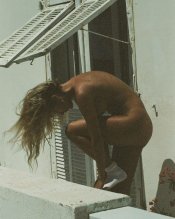
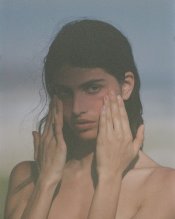
They look underexposed to me, but these are scans and you could set the scan to look like this from a well exposed neg.
Ditto. This looks like the classic digital film look where the blacks are made to look more like they’re a dark gray because somebody thinks that’s how film looks.
 
My experience with Portra 400/800 is that you can go 4 stops underexposed and it won't show the apparent excessive grain as exhibited in some of the pictures. I believe that properly scanned - by not trying to make a dark scene bright, that these could turn out even better then they are.
Do you have control of the scans? Are these done in a minilab? Minilab scans generally over process and try to make a dark scene brighter then it should be due to their automatic settings.
 
If you can control the scans, move the black and white points to the ends of the histogram. If the scans are automatic, do the same in Photoshop with the Levels palette.
 
If you can control the scans, move the black and white points to the ends of the histogram.

I'd rather have the scans "exposed to the left" by decreasing exposure time. Vuescan has "lock exposure" setting which apparently I don't have in the Pakon software.
 
To underexpose a normal exposed frame without tweaking black point or midtones. I have never tried this before though.

Just to be sure, "expose to the left" is a practice of digital camera shooters so as not to blow out highlights. Film - particualry most color negatives and b&w, have practically unlimited amount of overexposure tolerance by comparison as shown below.

large.jpg


As you can see, I have overexposed Kodak Portra 400 +10 and with very little effort (white balance and autolevel) render a reasonable result. OTOH digital RAW results are completely unusable by +3 or so. BTW, I've performed this test with more recent models and they've hadly imrpoved on this.

So your scans should be to maximize what you can get from the film. In fact, you could even do an over and under exposure on the film in the scan or in post to achieve all that the frame of film has captured.

For instance, in this single frame of Kodak Portra 400, I could post process shadow and highlights to get more of the shadow or highlight details if I wanted to.

large.jpg


Hopefully your software allows some manual controls or some exposure adjustment. If not you could also do it in post.
 
How would you achieve this? Just underxpose in camera?
 

Attachments

  • underexposed.jpg
    underexposed.jpg
    251.7 KB · Views: 260
Those are film for sure
 

Attachments

  • underexposed3.jpg
    underexposed3.jpg
    200.4 KB · Views: 253
  • underexpose2.jpg
    underexpose2.jpg
    220.2 KB · Views: 244
Photrio.com contains affiliate links to products. We may receive a commission for purchases made through these links.
To read our full affiliate disclosure statement please click Here.

PHOTRIO PARTNERS EQUALLY FUNDING OUR COMMUNITY:


Ilford ADOX Freestyle Photographic Stearman Press Weldon Color Lab Blue Moon Camera & Machine
Top Bottom