• Welcome to Photrio!
    Registration is fast and free. Join today to unlock search, see fewer ads, and access all forum features.
    Click here to sign up

Saving paper.

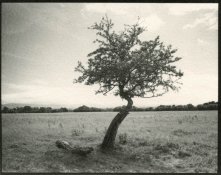
Rainy Day Trees

A
Rainy Day Trees

  • 3
  • 0
  • 33
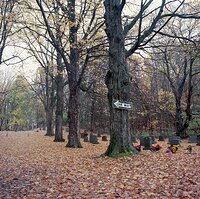
One Way

A
One Way

  • 1
  • 1
  • 26

Forum statistics

Threads
203,147
Messages
2,850,543
Members
101,696
Latest member
Chreger
Recent bookmarks
0
tkamiya's not a judgmental person, so that's not what he meant at all.

I think he's saying you can get more experience on the same budget using less expensive paper. You can work faster, take more chances and try everything. Then you will make good use of better paper, some point in the future of your journey.

I personally recommend always using the best paper. Once I used expired/old paper and the fog made me think I was terrible. It shattered my confidence. Since then I always print on the best paper and have been very happy about that decision.

I made many prints on a Tetenal RC paper, because it is cheap, and I thought it was a good idea to use cheap paper just for portfolio or as simple, and I wasn't very happy with the result. And I though it was me until I try Ilford Multigrade IV fiber and I realised that the paper make a lot of difference. Cheap paper now only for contact print or to play in the darkroom.

I want try other papers but Ilford Art 300 is what I have on my hands now. :smile:
 
When you enlarge, flare will reduce the overall contrast, so you can't always compare a contact print to what will be a larger print.

I occasionally make reduced prints from 4x5 onto postcard paper. I have a different mentality when printing miniature. It is not easy for me to visualize dodging and burning at that size, so I wind up making straight prints.

I'm uncomfortable with the small prints, because after scanning a print to share here, it's not obvious what size the original print was. So it just looks like I was lazy and didn't use printing controls.

My solution to this problem is to make 11x14 prints most of the time. Many excellent photographers take the opposite tactic; they consider each print on its own merit and choose the appropriate size for each individual print.
 
I occasionally make reduced prints from 4x5 onto postcard paper. I have a different mentality when printing miniature. It is not easy for me to visualize dodging and burning at that size, so I wind up making straight prints.

I bet they look great.
 
I bet they look great.

You know, they aren't as bad as I make them out to be.

marciofs,

This would be a good way to conserve paper: Start making a series of 5 in x 7 in prints.
 
5x7 is exactly the enlarge size I have printed so far. And I like small prints because they look charming, expecially in a chunck frame.

I got 7x9 Ilford Art 300 because I didn't find on the size 5x7. I didn't start print on it yet because I still have to find largers tanks to to fit the paper in for developing, stop, fix, wash, toning. The ones I have fit exactly 5x7 papers size.

But I just thought now about to cut the paper in a half so I will have 3.5x5.5 in print size. :smile:
 
Art 300 is Ilford's Warmtone emulsion on the textured paper. You can get close for the basic exposure using Ilford MG Warmtone. But, MG Warmtone isn't very much cheaper than the Art 300.
 
I whole-heartedly suggest getting a Neutral Density filter, it will help you keep reasonable enlarging times without having to use f/22.

I often use a 2-stop No. 96 gelatin filter, but find it is not enough density. I wish I had a 3 or 4 stop filter.
 
If what I said was offensive, I sincerely apologize. It was not my intention to judge or offend anyone.
 
If what I said was offensive, I sincerely apologize. It was not my intention to judge or offend anyone.

What you said was not offensive at all.
I just thought you were judging that I was going to try to use an specific paper without have trying and practice with other papers before.
I have being print for only 2 months about but I have printed hundreds photographs already. :smile:

As I said, I know that some of my questions sound silly. I knew that there is no paper which will have the exactly same time exposition and development. But since I am not a master who know everything, I gave a chance to see if somebody have found a solution to save paper based on their experience.

I actually printed for the first time on ART 300 today and love it. :smile:
 
Is this filter the same we use on camera lens?

If you have one for your camera lens you can use it. In the darkroom, a square gelatin filter would work as well (since you are not walking around with it on the camera).
 
I've tried to save paper for years and not succeeded. My Beseler analyzer gets me in the ballpark with exposure. Test strips too small doesn't tell me enough information. From my experience, proper exposure and development saves me time, paper and aggravation. Maybe someone will make an enlarger meter iPhone app that works better than my Beseler PM2L.
 
I printed 5 images and this was the first one and the one I like the most.

7745637_orig.jpg

But the paper doesn't scan well. :sad:
 
Nothing wrong with using a ND filter to increase exposure times but I'd have thought that with Ilford Art and either dichroic head filtration or Ilford multigrade filters at the 5x7 print size, using two or three stops down (f8 or f11)would give reasonable times without the need for f16 or f22

pentaxuser
 
Photrio.com contains affiliate links to products. We may receive a commission for purchases made through these links.
To read our full affiliate disclosure statement please click Here.

PHOTRIO PARTNERS EQUALLY FUNDING OUR COMMUNITY:


Ilford ADOX Freestyle Photographic Stearman Press Weldon Color Lab Blue Moon Camera & Machine
Top Bottom