
• Welcome to Photrio!
    Registration is fast and free. Join today to unlock search, see fewer ads, and access all forum features.
    Click here to sign up

Metering to create a black background

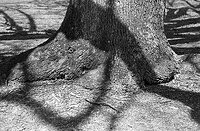
Tree with Big Shadows

Tree with Big Shadows

  • 2
  • 0
  • 38
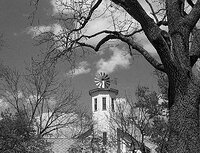
Everal Barn

A
Everal Barn

  • 0
  • 0
  • 38

Forum statistics

Threads
203,453
Messages
2,854,932
Members
101,850
Latest member
psimon
Recent bookmarks
0

Kirks518

Member
Allowing Ads
Joined
Oct 5, 2013
Messages
1,494
Location
Flori-DUH
Format
Multi Format
*Before I begin, my goal is to accomplish this without chimping on my digital camera. IMO, doing that you learn little to nothing, and there's almost no challenge that way.*

I want completely black backgrounds for different things; flowers/macro, portraits, etc., and I want to do it the 'right' way; in camera. The camera(s) I plan to use do not have (or in some cases, I don't have) Polaroid backs, so there wouldn't be much chimping that way either. I want to be out walking about, find a flower let's say, and have the resulting image have a completely or near completely black background. I have a decent array of lighting equipment, but in all honesty, I'm not experience with lighting. Among my lighting I have a Lester Dine Macro ringlight, an assortment of Vivtar 385's, Metz CT-1's, Sunpak 622 with numerous heads, YongNuo YN568EX (similar to a Canon 580EX in power), and I have sturio strobe which I wouldn't expect to be walking about with.

Camera sync speeds are all 1/60, except for the 4x5, the RB67 and the C330 (leaf shutters, so up to 1/500). But I think I'll most likely be using an M645 1000S which is 1/60th sync, along wth the 120mm macro.

So my question come down to how do I do this? I've been over-thinking this for days. Do I meter the ambient, then under-expose by x stops, and bring in the light at the aperture and distance on the flash? Is there a 'minimum' number of stops I would need to under-expose the ambient to get what I'm after? Is there a standard method that will pretty much work in most (all?) ambient situations, or is it a case by case basis?

I know I can use my digital camera to figure it out, but I don't want to. This type of photography has been around longer then the digital camera, and I want to actually learn it and understand it to the point that I can do it 'easily' in most situations, and recognize situations where it won't be possible.

I know subject to background distance is important, but I would think that in most macro situations, there will be enough to allow for light fall-off.

And education is greatly appreciated!
 
If you have, for instance, a yellow filter, a yellow flower is going to appear white. If the flower happens to be in a location where it is sticking out of foliage and the foliage behind it is in shade, you can under expose the flower a little, which will darken the background, and still get an acceptable image of the flower. Obviously an early morning or late evening shot would be best. Later, you can burn the flower in on the print. If you want to do this whilst out and about, I can't see a flash as doing anything but making things worse for what you have in mind. Having a fast lens will help w/ the background blur in any case.

A master printer might have better options for you. Nature is always WYSIWYG, so look for the best opportunities or just get lucky. It's always about what's in front of you vs how you want it to look.
 
Last edited:
Expose for the subject; keep as much difference in brightness between the main subject and the background as you can manage. Four or five stops difference may be adequate; 30 stops difference would certainly be fine. That is all. There is no reason at all to expose the subject other than perfectly. The problem is the background, not the subject, so do what you need to do to make the brightness level of the background right. That may mean, for instance, bringing in something large and dark to shade what's in the background if there's ambient light illuminating it.
 
most 35mm cameras have pretty low flash sincs, unless it's a pro-body, you'll get 250th. Leaf shutter lenses have much higher
flash sincs, upwards of 400 or 500th/sec. Ultimately, it sounds like you plan to light it. For a 35mm, this means going to your
max-flash sinc then using aperture to control your ambient...the flash output is then set to this stopped down aperture.

Eg: 35mm canon EOS1 with 250th sinc.

With 100 speed film, the normal setting might be 250th @ F8. By shooting at say F16 to F22, you've underexposed the ambient
by 2-3 stops. But it has also under-exposed your subject by 2-3 stops...so the subject needs to be lit with flash that is about equal to
the underexposed aperture setting of 16-22, unless you want it a touch darker. Control the background the best you can by blocking light, because it's hard to achieve total blackness through aperture unless you've got some good F-stop range and good strobe power.

Often times when shooting outside with flash, I'll under-expose the ambient by a 1/2 to full stop to create a key-flash effect.
Eg: Meter says 250th @ F5.6
I shoot 250th @8

With TTL Metering, the cameras TTL flash will match the stopped down setting with a stronger output.

I don't care what people say, using a Digital as a beginner with flash to learn these techniques is not cheating, any more than a Polaroid is.
I call it a "Digiroid". Polaroid, and film are very expensive and turning your back on a good tool is silly.
 
Last edited:
I don't care what people say, using a Digital as a beginner with flash to learn these techniques is not cheating, any more than a Polaroid is.
I call it a "Digiroid". Polaroid, and film are very expensive and turning your back on a good tool is silly.

I totally understand what you're saying there, but part of the reason for wanting to figure it out with a digiroid is I also don't want to carry two cameras when I want to do this.

One tool I always forget about is ND filters. I have them, but always forget to consider them when thinking flash. No matter how I do it, I will still need a flash strong enough to overpower the sun. I didn't mention it earlier, but I also have a Quantum Q-Flash T2, which may be the one I use.

I was doing some more over-thinking, and came up with some ideas. I'll burn a few rolls on Monday to test out some of my ideas, and see how they go.
 
No matter how I do it, I will still need a flash strong enough to overpower the sun.
I think you might be in for some frustration.

That great big yellow ball up there is mighty bright. If it will be lighting your background, unless that background is already black to start with, you are going to need an immense amount of flash power to overpower the sun. And even then, the light from the flash will be likely to be very harsh.

You need to control the backgrounds first. Then work with controlling the light that falls on the background. Then work with adding light to the main subject.
 
Black and white are actually quite simple. If you are shooting slides or other direct to positive media; white is simply an overexposure, black an underexposure.

To get a black background, meter normally and then stop down about 4-5 stops, then leave the camera settings alone and setup your lighting kit to place the main subject where you please at that setting. This works daylight or dark.

The wildcard is negative film. The same concept applies but the people printing need know to peg mid or high tones when printing and let the shadows go black.
 
kirks518 said:
So my question come down to how do I do this? I've been over-thinking this for days.

Yeah, way over-thinking it! :smile:

I will simply comment that in the studio, when your lighting of the midtone background is -3.5EV from the lighting intensity on the subject, the background is black for all intents and purposes.

And when you stop to think about the Zone System, the middle is Zone V and the bottom is Zone I, and Zone 1 (black) is -4EV compared to Zone V. And when you shoot transparency the dynamic range captured becomes compressed a bit.
 
Last edited:
The only way I know how to accomplish this in the studio or outside is to design your light using appropriate shutter speeds, apertures, and light modifiers.

Step zero: read David Hobby's Lighting 101. It applies to film just as it applies to anything else. If you master it with a filmless camera, all you'll have to do is remember the principles and trust your instinct.

http://strobist.blogspot.com/2006/03/lighting-101.html

Step 1: Meter your subject and your background with the fastest sync speed in mind. That will give you base ambient values.

Step 2: Power your strobe so that it is illuminating your subject five stops brighter than the ambient.

Step 3: Adjust your aperture to compensate for the flash.

Step 4: Use a flag or a snoot to keep the strobe light from hitting the background, or ensure that the distance to the subjct is at least five times closer than the light is to the background while metering for any adjustments in power.
 
The only way I know how to accomplish this in the studio or outside is to design your light using appropriate shutter speeds, apertures, and light modifiers.

Step zero: read David Hobby's Lighting 101. It applies to film just as it applies to anything else. If you master it with a filmless camera, all you'll have to do is remember the principles and trust your instinct.

http://strobist.blogspot.com/2006/03/lighting-101.html

Step 1: Meter your subject and your background with the fastest sync speed in mind. That will give you base ambient values.

Step 2: Power your strobe so that it is illuminating your subject five stops brighter than the ambient.

Step 3: Adjust your aperture to compensate for the flash.

Step 4: Use a flag or a snoot to keep the strobe light from hitting the background, or ensure that the distance to the subjct is at least five times closer than the light is to the background while metering for any adjustments in power.

The above information is exactly correct.
The only problem is controlling the flash so that the subject, in this case a flower, appears "natural" in tonality.
That is less a problem of flash exposure and more a problem of the direction and the "softness" of the flash.
Sometimes I carry a black 8x10 mount board in my bag and simply place it behind the flower to isolate it and ditch the flash.
Is that considered cheating in your scenario?
 
Black and white are actually quite simple. If you are shooting slides or other direct to positive media; white is simply an overexposure, black an underexposure.

To get a black background, meter normally and then stop down about 4-5 stops, then leave the camera settings alone and setup your lighting kit to place the main subject where you please at that setting. This works daylight or dark.

The wildcard is negative film. The same concept applies but the people printing need know to peg mid or high tones when printing and let the shadows go black.

+1
 
*Before I begin, my goal is to accomplish this without chimping on my digital camera. IMO, doing that you learn little to nothing, and there's almost no challenge that way.*

I want completely black backgrounds for different things; flowers/macro, portraits, etc., and I want to do it the 'right' way; in camera. The camera(s) I plan to use do not have (or in some cases, I don't have) Polaroid backs, so there wouldn't be much chimping that way either. I want to be out walking about, find a flower let's say, and have the resulting image have a completely or near completely black background. I have a decent array of lighting equipment, but in all honesty, I'm not experience with lighting. Among my lighting I have a Lester Dine Macro ringlight, an assortment of Vivtar 385's, Metz CT-1's, Sunpak 622 with numerous heads, YongNuo YN568EX (similar to a Canon 580EX in power), and I have sturio strobe which I wouldn't expect to be walking about with.

Camera sync speeds are all 1/60, except for the 4x5, the RB67 and the C330 (leaf shutters, so up to 1/500). But I think I'll most likely be using an M645 1000S which is 1/60th sync, along wth the 120mm macro.

So my question come down to how do I do this? I've been over-thinking this for days. Do I meter the ambient, then under-expose by x stops, and bring in the light at the aperture and distance on the flash? Is there a 'minimum' number of stops I would need to under-expose the ambient to get what I'm after? Is there a standard method that will pretty much work in most (all?) ambient situations, or is it a case by case basis?

I know I can use my digital camera to figure it out, but I don't want to. This type of photography has been around longer then the digital camera, and I want to actually learn it and understand it to the point that I can do it 'easily' in most situations, and recognize situations where it won't be possible.

I know subject to background distance is important, but I would think that in most macro situations, there will be enough to allow for light fall-off.

And education is greatly appreciated!
why not apply a Zone System approach;meter the background and place it on Zone I,letting the foreground fall where it may.works in di***** TOO
 
mark, wilt, and rwreich - thanks! I didn't even think of using the zone system for this approach, as it's not something I regularly employ, but it makes total sense. RW, the 4-5 stops sounds like a great starting point, and mirrors the zone approach.

Karl, thanks, a board wouldn't be 'cheating', but it's something I may not carry all the time. I know that would be about the easiest way to do it, but I'm looking for a way to do it spur of the moment. Sometimes you (I) see something and the background kills it, if I have a card/board, great, but if not, I still want the shot I see in my head.
 
"When in doubt, exposure bracket." That's what an old photographer once told me a long time ago.
 
Well, ran a test roll today, and it looks like 5 stops below ambient will do the trick. The two images below are at 4 stops below, and while they're close, they aren't completely black, but I'm pretty happy for my first try.

Equipment was Mamiya M645 1000S, 120mm f/4 Macro, Quantum QFlash T2, Sekonic L-408, Arista EDU Ultra 100, D-76 stock 6:30 min, 68°F.

Image 1
Camera Settings: 1/60, f/22
Flash Settings: Manual, 1/16- power (1/16 -1/3 stop)
Flash at 90° to left
background-test.jpg


Image 2
Camera Settings: 1/60, f/11
Flash Settings: Manual, 1/32 power
Flash at ~45° to left

background-test-2.jpg
 
Well, ran a test roll today, and it looks like 5 stops below ambient will do the trick. The two images below are at 4 stops below, and while they're close, they aren't completely black, but I'm pretty happy for my first try.

Equipment was Mamiya M645 1000S, 120mm f/4 Macro, Quantum QFlash T2, Sekonic L-408, Arista EDU Ultra 100, D-76 stock 6:30 min, 68°F.

Image 1
Camera Settings: 1/60, f/22
Flash Settings: Manual, 1/16- power (1/16 -1/3 stop)
Flash at 90° to left
View attachment 158109


Image 2
Camera Settings: 1/60, f/11
Flash Settings: Manual, 1/32 power
Flash at ~45° to left

View attachment 158110

Awesome! Those look great, and you could probably burn the background to black in the darkroom with the right contrast filter!
 
Cool
 
Results are looking good!

Step 1: Meter your subject and your background with the fastest sync speed in mind. That will give you base ambient values.

Step 2: Power your strobe so that it is illuminating your subject five stops brighter than the ambient.

Step 3: Adjust your aperture to compensate for the flash.

Step 4: Use a flag or a snoot to keep the strobe light from hitting the background, or ensure that the distance to the subjct is at least five times closer than the light is to the background while metering for any adjustments in power.

Just a quick little note:
'Step 3' is either incorrect or in incorrect order. If you first set your shutter speed to meter for dark shadows and then change the aperature after that, you will get a different value for the ambient you originally intended. In your case, of trying to get black backgrounds, closing the aperture is better than opening (but that would need to be compensated with a stronger flash and it's unnecessary), but it's bad technique since one day you might want a different ambient than just black! Step 1 should have included aperture in the metering (and not change it!) and Step 3 should be adjust flash power to expose where you want your illuminated subject to land on exposure scale.
 
KidA is on track here.
 
Results are looking good!


Just a quick little note:
'Step 3' is either incorrect or in incorrect order. If you first set your shutter speed to meter for dark shadows and then change the aperature after that, you will get a different value for the ambient you originally intended. In your case, of trying to get black backgrounds, closing the aperture is better than opening (but that would need to be compensated with a stronger flash and it's unnecessary), but it's bad technique since one day you might want a different ambient than just black! Step 1 should have included aperture in the metering (and not change it!) and Step 3 should be adjust flash power to expose where you want your illuminated subject to land on exposure scale.

I disagree. You meter for the ambient to determine the base combination of aperture, shutter speed, and film speed. Only after you know what the base is, can you know how to proceed adding flash. So, with a flash meter, you determine the base, then adjust the aperture so that you are five stops underexposed. Then, using the flash meter, you test the power output of the flash and make adjustments until your strobe is giving you the power that you meed.

Maybe we're just misunderstanding each other, but I am saying that you want to change your exposure values so that the ambient is pitch black. Only then can you ensure that your flash is illuminating the subject while keeping the background black.

Edit: I don't disagree that the results are looking good, btw.
 
Last edited:
2yxq93m.jpg


I don't know if this is what you would like to get, but I have taken this pic of a yellow rose with a F2AS and a Nikkor 50mm f1.4 metering on the subject, unfortunately the Nikkor has a minimum distance of 0.6m so I couldn't get closer, but I can tell you it was daylight.
 
rwreich, I think you and KidA are saying the same thing.

Essentially:

A) Set the camera to render the background as you please, then leave the camera settings alone.
B) Set the artificial light to render the main subject as you please based on the camera settings you chose in A.
 
rwreich, I think you and KidA are saying the same thing.

Essentially:

A) Set the camera to render the background as you please, then leave the camera settings alone.
B) Set the artificial light to render the main subject as you please based on the camera settings you chose in A.

essentially, yes. Sorry to add to the confusion! Today is a Tuesday that feels a lot like a Monday...
 
I shot a whole roll to try this, and what I did was measured the ambient using 1/60 as my base, and then dropped 4 stops. IIRC, the base was f/8 or f/11. I didn't want to go to f/32 on the lens, so I went to f/22, and then compensated with my flash output, using the flash meter to get the reading to f/22 and whatever shutter it said. I also played around with different apertures and flash settings, but got the best results (the two pictured) by doing the above.

So it looks like to get the black background, the steps are:

1) meter ambient at sync speed
2) drop 4-5 stops via aperture
3) adjust flash power to give you a flash meter reading of the f/stop selected
4) take picture
 
I don't know if this is what you would like to get, but I have taken this pic of a yellow rose with a F2AS and a Nikkor 50mm f1.4 metering on the subject, unfortunately the Nikkor has a minimum distance of 0.6m so I couldn't get closer, but I can tell you it was daylight.

Are you saying you did this without a flash? Was the background dark or in shadow?
 
Photrio.com contains affiliate links to products. We may receive a commission for purchases made through these links.
To read our full affiliate disclosure statement please click Here.

PHOTRIO PARTNERS EQUALLY FUNDING OUR COMMUNITY:


Ilford ADOX Freestyle Photographic Stearman Press Weldon Color Lab Blue Moon Camera & Machine
Top Bottom
