
• Welcome to Photrio!
    Registration is fast and free. Join today to unlock search, see fewer ads, and access all forum features.
    Click here to sign up

Dirty Photography

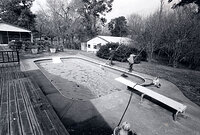
Ellis Island 1976

H
Ellis Island 1976

  • Tel
  • Jan 26, 2026
  • 3
  • 7
  • 45
Facades

A
Facades

  • 7
  • 0
  • 74

Recent Classifieds

Forum statistics

Threads
201,972
Messages
2,833,030
Members
101,039
Latest member
juanfarrias888@gmail
Recent bookmarks
0
OP
OP
jaydebruyne

jaydebruyne

Member
Allowing Ads
Joined
Dec 8, 2013
Messages
150
Location
London, UK
Format
35mm
I think you'll learn more about how to expose and develop film correctly if you're physically using the negatives to create prints. You'll be more motivated to nail the exposure and not blow out the highlights in development if you can't just mask mistakes in PS.

Also, I like the original neg scan below better than the altered one. It's a little flat but could be easily corrected on the enlarger. Maybe a #4 filter for one stop? Anyway, just my 2 cents.

Cheers,
Phil

Hey Phil,

I have no knowledge regarding printing, so I am assuming the #4 filter goes on to the enlarger to lessen the light? Like an ND filter? I completely understand your point. As soon as I started shooting film, I immediately thought more about composition, camera settings etc before I clicked the shutter. I guess because I have to pay for film and paper/chemicals etc, I'm less inclined to shoot for the sake of shooting.

I may just take your advice :wink:

Cheers
Jay
 

gone

Member
Allowing Ads
Joined
Jun 14, 2009
Messages
5,504
Location
gone
Format
Medium Format
Actually, there are NO ethics involved on this one. Just edit it until you get the image where you want it, just like you would in a darkroom. The neg is simply your starting point. If you have the image where you like it, you're done, no matter how you did it. No one has to like it but you, or agree w/ how you've made it that way. The only "rules" are, if you exhibit a print in a gallery (vs posting an online image), it should be a "photograph". Meaning, if you've done anything non photographic to it, such as painting or marking an area w/ a brush or ink, or gluing something to the surface, then it's a mixed media piece, not a photograph, and should be clearly described as such.

It's like that w/ all art, and photography is an art form. The minute you lay a brush to an etching or lithograph, or use any sort of alternative media with, or to, a painting, it's a mixed media piece, no matter what it "looks" like. It's more about proper categories than rules. You have more latitude w/ a negative vs a finished print, as the neg is just an intermediate step in the process. I would imagine that if you marked up, or otherwise altered a negative, and then printed it conventionally, you would still have a photograph. These rules are necessary in order to prevent buyers from buying a pig in a poke. No one wants to purchase one thing, and then find out it's something altogether different once they get home. The art world is full of people trying to fudge the boundaries on all of this.
 
Last edited by a moderator:

pstake

Subscriber
Allowing Ads
Joined
May 5, 2005
Messages
728
Format
Multi Format
Hey Phil,

I have no knowledge regarding printing, so I am assuming the #4 filter goes on to the enlarger to lessen the light? Like an ND filter?
Cheers
Jay

Variable contrast papers allow you to split filter to lay down midtones and then add contrast. Filters go from 0 to 5—2 being normal and 5 being the highest contrast.

One of the books listed below would probably be a worthwhile investment for you if you start printing. Larry Bartlett's book (not sure if it's listed below) is about the best I've read on printing, and can be had pretty cheap.
 

pentaxuser

Member
Allowing Ads
Joined
May 9, 2005
Messages
20,363
Location
Daventry, No
Format
35mm
For what it is worth I think you have a negative that is properly exposed but is naturally of low contrast when you examine the light and the colours. When I click on the thumbnails and get the full size picture then the first looks even more natural. The second is too contrasty but that's only my opinion.

However if you, as opposed to me, were to print this negative you would presumably increase the contrast in the darkroom via filters as you have done in PS so we are seeing what you'd want to present to us as the finished article if it were a darkroom print and that's seems perfectly acceptable to me.

More importantly it is acceptable under APUG rules. However if you can possibly manage to, then do give darkroom printing a go. It opens up another creative world.

pentaxuser
 

baachitraka

Member
Joined
Apr 6, 2011
Messages
3,650
Location
Bremen, Germany.
Format
Multi Format
Second image is way too contrasty with loss of details...
 

Michael W

Member
Allowing Ads
Joined
Feb 11, 2005
Messages
1,594
Location
Sydney
Format
Multi Format
The scans from my first roll of film lacked so much contrast and generally looked awful, even though the negatives actually look quite well exposed/developed.
It's reasonably common for scanned film to look a bit flat and need PS adjustment. It can be complicated depending if you are doing the scanning or some facility is doing it for you. If you do it yourself you can usually change some settings to get a pretty good result right out of the scanner. For the flat contrast I generally just add a bit of levels adjustment in PS, neutralise the B&W (having scanned in colour) and that's about it. I do think your after scan looks a bit overdone, too high in contrast, and perhaps you've given yourself too much work to get there. Perhaps try a simple levels or curves adjustment instead.
 

Ken Nadvornick

Member
Allowing Ads
Joined
Mar 18, 2005
Messages
4,943
Location
Monroe, WA, USA
Format
Multi Format
As others have said, the guidance is pretty simple. If it's possible to do it in the darkroom, you are allowed to simulate it digitally. The difficulty arises when one may not have worked enough in a darkroom to know what is realistically possible with a negative in the first place. It's so easy to just keep clicking until it looks good.

That's why many here are gently recommending giving traditional printing a try. It's good advice. But admittedly a bit daunting at the beginning. The payback, of course, is to bring one much closer to the real (not simulated) hands-on photographic process.

My own approach is even a little more restrictive. For myself I interpret the rule to be, only if it's something that I myself can do in my darkroom will I simulate it digitally for display here.

In other words, just because it's possible to do, say, traditional contrast masking in a darkroom, I haven't done that in my darkroom. So until I have mastered that technique using traditional photographic processes, I won't allow myself to simulate it digitally.

This isn't strictly required, of course. It's just my own ethical interpretation of the guidelines.

Ken
 

Hatchetman

Member
Allowing Ads
Joined
May 27, 2011
Messages
1,553
Location
Chicago, IL
Format
Multi Format
I don't see anything in the second version that would scream "digitally altered." Looks good to me.
 

MattKing

Moderator
Moderator
Joined
Apr 24, 2005
Messages
55,288
Location
Delta, BC Canada
Format
Medium Format
You are permitted to make those digital adjustments that are made necessary by things like the problems that are added by the scanning process, and conversion to digital display. For example, the scanning process reduces acutance, so some artificial addition of acutance (aka "sharpening") is fair.

Plus any adjustments equivalent to the adjustments that you would need to make in the darkroom - cropping, exposure, contrast selection, moderate dodging and burning.

Essentially you are permitted to take reasonable steps to make the result look similar on the screen than it would on a print in your hand.
 

bvy

Member
Allowing Ads
Joined
Jul 22, 2009
Messages
3,285
Location
Pittsburgh
Format
Multi Format
I've rarely been able to produce a print that looks as good/bad as the negative scan. Scanning and correcting paper prints is hard enough. For that reason, I'd be just as happy to see scans banned from the gallery and used only for reference or illustrative purposes in the discussions. I'm sure I'm in the minority.
 
OP
OP
jaydebruyne

jaydebruyne

Member
Allowing Ads
Joined
Dec 8, 2013
Messages
150
Location
London, UK
Format
35mm
Actually, there are NO ethics involved on this one. Just edit it until you get the image where you want it, just like you would in a darkroom. The neg is simply your starting point. If you have the image where you like it, you're done, no matter how you did it. No one has to like it but you, or agree w/ how you've made it that way. The only "rules" are, if you exhibit a print in a gallery (vs posting an online image), it should be a "photograph". Meaning, if you've done anything non photographic to it, such as painting or marking an area w/ a brush or ink, or gluing something to the surface, then it's a mixed media piece, not a photograph, and should be clearly described as such.

It's like that w/ all art, and photography is an art form. The minute you lay a brush to an etching or lithograph, or use any sort of alternative media with, or to, a painting, it's a mixed media piece, no matter what it "looks" like. It's more about proper categories than rules. You have more latitude w/ a negative vs a finished print, as the neg is just an intermediate step in the process. I would imagine that if you marked up, or otherwise altered a negative, and then printed it conventionally, you would still have a photograph. These rules are necessary in order to prevent buyers from buying a pig in a poke. No one wants to purchase one thing, and then find out it's something altogether different once they get home. The art world is full of people trying to fudge the boundaries on all of this.

I agree with you. Thank you Momus.
 
OP
OP
jaydebruyne

jaydebruyne

Member
Allowing Ads
Joined
Dec 8, 2013
Messages
150
Location
London, UK
Format
35mm
As others have said, the guidance is pretty simple. If it's possible to do it in the darkroom, you are allowed to simulate it digitally. The difficulty arises when one may not have worked enough in a darkroom to know what is realistically possible with a negative in the first place. It's so easy to just keep clicking until it looks good.

That's why many here are gently recommending giving traditional printing a try. It's good advice. But admittedly a bit daunting at the beginning. The payback, of course, is to bring one much closer to the real (not simulated) hands-on photographic process.

My own approach is even a little more restrictive. For myself I interpret the rule to be, only if it's something that I myself can do in my darkroom will I simulate it digitally for display here.

In other words, just because it's possible to do, say, traditional contrast masking in a darkroom, I haven't done that in my darkroom. So until I have mastered that technique using traditional photographic processes, I won't allow myself to simulate it digitally.

This isn't strictly required, of course. It's just my own ethical interpretation of the guidelines.

Ken

I quite like the way you've forced yourself to work. I might just adopt that! :wink:
 
OP
OP
jaydebruyne

jaydebruyne

Member
Allowing Ads
Joined
Dec 8, 2013
Messages
150
Location
London, UK
Format
35mm
It's reasonably common for scanned film to look a bit flat and need PS adjustment. It can be complicated depending if you are doing the scanning or some facility is doing it for you. If you do it yourself you can usually change some settings to get a pretty good result right out of the scanner. For the flat contrast I generally just add a bit of levels adjustment in PS, neutralise the B&W (having scanned in colour) and that's about it. I do think your after scan looks a bit overdone, too high in contrast, and perhaps you've given yourself too much work to get there. Perhaps try a simple levels or curves adjustment instead.

I'll give this a try, thanks Michael :smile:
 
OP
OP
jaydebruyne

jaydebruyne

Member
Allowing Ads
Joined
Dec 8, 2013
Messages
150
Location
London, UK
Format
35mm
Generally, we've operated on the honor system, and said, whatever you can do with the equipment and skills you have to represent your actual analogue print accurately is OK. Some people can get something that looks more like the print on screen by scanning the neg and adjusting with an analogue print in hand, at least for relatively "straight" prints. For alt-process prints, toned prints, lith prints, and such, the best option is usually to scan or make a digital photograph of the print for the sake of posting it on APUG, since it's mainly about the print effects.

As far as unethical and manipulative post production, if you've got those analogue skills like airbrushing, hand retouching, stripping, and masking, bring it on! APUG exists to preserve the techniques of analogue photography, and if you know how to make Trotsky disappear without using a computer, we want that information on APUG!

It looks as though I've just opened the door to what is to become my future :smile: Wet printing, here I come! Thanks for the info, David, much appreciated.
 
OP
OP
jaydebruyne

jaydebruyne

Member
Allowing Ads
Joined
Dec 8, 2013
Messages
150
Location
London, UK
Format
35mm
For what it is worth I think you have a negative that is properly exposed but is naturally of low contrast when you examine the light and the colours. When I click on the thumbnails and get the full size picture then the first looks even more natural. The second is too contrasty but that's only my opinion.

However if you, as opposed to me, were to print this negative you would presumably increase the contrast in the darkroom via filters as you have done in PS so we are seeing what you'd want to present to us as the finished article if it were a darkroom print and that's seems perfectly acceptable to me.

More importantly it is acceptable under APUG rules. However if you can possibly manage to, then do give darkroom printing a go. It opens up another creative world.

pentaxuser

Thank you for the feedback, Pantaxuser. I think I will try out some wet printing :smile:
 
OP
OP
jaydebruyne

jaydebruyne

Member
Allowing Ads
Joined
Dec 8, 2013
Messages
150
Location
London, UK
Format
35mm
Variable contrast papers allow you to split filter to lay down midtones and then add contrast. Filters go from 0 to 5—2 being normal and 5 being the highest contrast.

One of the books listed below would probably be a worthwhile investment for you if you start printing. Larry Bartlett's book (not sure if it's listed below) is about the best I've read on printing, and can be had pretty cheap.

I just bought Lary Bartlett's book on Amazon for £4.80 (including delivery) - bargain! Thanks Pstake.
 

Bill Burk

Subscriber
Allowing Ads
Joined
Feb 9, 2010
Messages
9,477
Format
4x5 Format
Difference between Negative Scan and Print

One of the joys of Analog (Black and White) photography is following the footsteps of the masters. When you work in the darkroom, you learn firsthand what it means to "expose for the shadows and develop for the highlights." You learn about paper grades and why many instructors recommended making your negatives so they print easily on Grade 2 paper (filter numbers are about same thing as paper grade numbers).

It doesn't take long to find out it is hard to print from an underexposed/underdeveloped negative, and that encourages you to make better negatives (expose more and develop appropriately).

So now, assuming you have good negatives. What is the worst that can happen if you scan before you print? You might put the cart before the horse and setup an expectation of what you would like the print to look like - an expectation that you can't achieve in the darkroom.

Or you might be discouraged that a particular negative looks flat and lifeless... When all it needs is to be printed with a Grade 3 filter.

For instance, I uploaded a negative scan to the galleries...

caricatu.jpg


The bad thing that happened? I didn't print it until three years later...

IMG_8323s.jpg
 

eddie

Member
Allowing Ads
Joined
Jul 24, 2005
Messages
3,259
Location
Northern Vir
Format
Multi Format
The only "rules" are, if you exhibit a print in a gallery (vs posting an online image), it should be a "photograph". Meaning, if you've done anything non photographic to it, such as painting or marking an area w/ a brush or ink, or gluing something to the surface, then it's a mixed media piece, not a photograph, and should be clearly described as such.

I completely disagree with this (and it would mean 90% of my Gallery posts don't belong :pouty:). I do a lot of hand-painted photographs. They are photographs. Your definition would also disqualify bromoils and gum prints.
 

StoneNYC

Member
Allowing Ads
Joined
Aug 5, 2012
Messages
8,345
Location
Antarctica
Format
8x10 Format
I like very contrasty images, so I intended it to be like that :wink:

If you like contrast, learn to shoot and develop differently to increase contrast in the negative itself, and it will come out in the scan as well, then you are altering less in PS and it can be more "PC" for he analogue folks :smile:
 

StoneNYC

Member
Allowing Ads
Joined
Aug 5, 2012
Messages
8,345
Location
Antarctica
Format
8x10 Format
I completely disagree with this (and it would mean 90% of my Gallery posts don't belong :pouty:). I do a lot of hand-painted photographs. They are photographs. Your definition would also disqualify bromoils and gum prints.

Actually I agree with him, many of your images aren't allowed here and should be on DPUG :tongue: since alternative processes are against the rules here from what I've been told.

Then again, if we are following those rules very strictly, I believe that Kodachrome wouldn't be allowed since it's silver film, BUT then dye's are added to it to make it color.... Which isn't allowed here :wink: technically.....
 

eddie

Member
Allowing Ads
Joined
Jul 24, 2005
Messages
3,259
Location
Northern Vir
Format
Multi Format
Actually I agree with him, many of your images aren't allowed here and should be on DPUG :tongue: since alternative processes are against the rules here from what I've been told.
Huh? My stuff is untouched by any digital methods. It all starts with film, and is printed in the darkroom, on silver gelatin paper.
"Alternative" is allowed. Just not with a digital component. Otherwise, platinum, palladium, bromoil, carbon,gum, cyanotype, glass plates, etc. would be against the rules.
 

Ken Nadvornick

Member
Allowing Ads
Joined
Mar 18, 2005
Messages
4,943
Location
Monroe, WA, USA
Format
Multi Format
What is the worst that can happen if you scan before you print? You might put the cart before the horse and setup an expectation of what you would like the print to look like - an expectation that you can't achieve in the darkroom.

[Emphasis is mine. —Ken]

Should be prominently displayed on the wall in every darkroom.

Ken
 
Photrio.com contains affiliate links to products. We may receive a commission for purchases made through these links.
To read our full affiliate disclosure statement please click Here.

PHOTRIO PARTNERS EQUALLY FUNDING OUR COMMUNITY:


Ilford ADOX Freestyle Photographic Stearman Press Weldon Color Lab Blue Moon Camera & Machine
Top Bottom