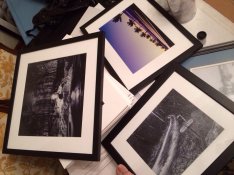
And Stone similar differences can be made with paper grade choices.
This is part of what we are trying to get you to see, this is just one concept of many that can totally change the look of any print.
Well I guess I'll actually blame APUG for this one, because as far as I understand it I'm not really allowed to mess with a negative if I scan it and posted here "legally" or at least that's sort of my perception or has been from the beginning, that I'm not allowed to use Photoshop at all to really adjust any images when posting here, so I've been basically doing street scans with most of my images, I do a little adjustment here and there maybe but nothing significant and nothing that I didn't already preplan when shooting. I basically have the same workflow for my digital images as I do for my film images in fact I've taken a shot with both, adjusted the digital version the way that I wanted it to, and then simply copy the same settings to the film Scanned version with generally fairly similar results assuming I didn't do anything crazy like pushing or pulling the film etc.
To give you a really good idea of what I'm actually doing in process, and I wish I could just video this and put it up but I don't have that kind of technology or whatever to edit, I look at the negatives make sure that it looks to me like it's properly exposed to the way that I've been experiencing properly expose negatives, I put it in the scanner and I Preview scan, I look at the image make sure it looks the way that I had intended it to in my brain, if it doesn't because I've got a lot of bright light or dark light in the image that has caused the auto setting to set things incorrectly, I simply highlight the smaller square of the image where I actually aimed my light meter to get a more proper auto exposure, once I'm satisfied with that, I write down the numbers in the little boxes for the "curves" and then highlight the entire image the way I wanted to be scanned, this of course Rees throws off all of the numbers but since I've written down I simply just input the correct numbers for the exposure that I had planned on, and then scan the film after to get my final result. But I'm not exactly relying on the autoscan to fix anything that I've done wrong, because I've preplanned a certain metering and I simply then force the autoscan to to expose properly for the given area that I had planned on.
Did that make sense? It sounded a little confusing even to me, but it seems so simple when I actually do it.
I would assume this is just like printing, where you have a baseline timeframe that you expose the paper for, based on your standard exposure, and then develop the paper as normal.
If I want there to be any nonstandard exposure, I preplan this ahead of time by exposing and develop the negative the way I want the scan to come out.
Assuming I've done this correctly, someday when I actually start to sit down and do real darkroom printing, I shouldn't have much trouble simply exposing the paper at the standard exposure and still getting a print that is very similar to the scanned version without having to do a lot of adjusting in the darkroom, I could be wrong... But that's the idea...