

Sky blobs may be from film touching itself in areas as it is wrapped around the reel.
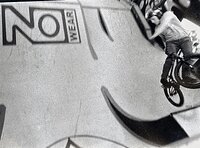
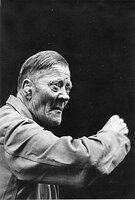
You need to tell us everything you do in your developing process. As others have suggested good random agitation for at least the first 30 seconds is key. I found I got uneven development when I used a water stop bath. I switched to a regular acid stop and it got the issue under control.
I've had mottled looking negatives when I went in and out of a warm house in winter into sub zero temperatures. I believe water condensed on the negative in the camera. There are all sorts of reasons you can have uneven skies that is why it is imperative you tell use everything you have done.
I wouldn't believe the hype about home developing. Yes it is the way to get the best negatives but commercial developed negatives can get you 90% of the way there providing you use a fairly conventional film and shoot it in a conventional manner. If you get some niche B&W film and shoot it at your own personal EI and then try and print it in the darkroom after commercial processing then yes this can be noticeably sub par.
There were three things that really improved my negatives, avoiding "stand" developing, figuring out a good agitation method (not too fast and not too slow), and using an acid stop bath.
The way I see it a good commercal lab will give you evenly developed, dirt and scratch free negatives. Developing at home gets you slightly better tonality and things like shadow detail once you've tweaked your process. Now tell me what would you have a bit better shadow detail or evenly developed skies? The problem with home developing is it deals in subtleties. Starting off with home developing is rough if you don't follow the manufactures instructions to the letter and are careful. It isn't rocket science but just about every corner I cut in the beginning I lived to regret.
The question you have to ask yourself is what are you going to notice more a lack of shadow detail because you didn't get to shoot and develop for your personal EI or a massive patch of unevenly developed sky. If I could go back in a time machine and send my first 30 home developed rolls out for commercial processing I would, but I wouldn't learn anything.
In the end once you get your process down you will save tons of money processing at home. It also expands the realm of films you can try out. And of course you can tweak your whole process to get prints that have an amazing amount of tonality. I shoot digital as well and it really is amazing what you can get from a properly exposed and developed roll of film.
I know this may sound a little far off, but I had trouble loading film onto a steel reel, originally learning on a plastic patterson... I found myself handling the film so much more with the steel reel, and switched to the patterson. I don't know, some people have a similar problem with the patterson, etc.
My point: the scratches seem to be a handling problem, and so therefore, maybe, so are the blobs/smudges, too much handling before the development process.
I personally like how the grain looks, it adds to the atmosphere of the photos and gives them a journalistic look.
Also, i guess i think you're using a metal tank, since you're not using the little stick to rotate the reel, which when you rotate it, it helps release any air bubbles that may be on the film, at which points no development occurs. If you are not presoaking, you may try slamming/hitting the tank, on a surface to release these air bubbles.
also, here's a link you'll really like
http://www.aregeebee.net/negs/eneg.htm
I also can't quite tell from what you've said whether you agitate for the first 30 seconds or not. That's very important.
I'm not quite sure what you consider dark blobs in the shot with the sky. I see grain that could be in the pattern of light and dark areas of sky - clouds on a blue sky aren't hugely different in B&W. If you're printing with an enlarger, how does it look? If you're only scanning, it could be something from that.
In the shot with the guy sitting in front of the billboard, I also see a darker stripe running through the middle third that looks like a drying mark to me. Is your last rinse with distilled water and a few drops of photo-flo? That can help. The white spots by the guy's head on the billboard look like dust. That could be on the negative or on the scanner, tough to tell. Hanging film to dry in a very clean place is important, too.
Boy, is this a lot harder to describe then to show!
To induce rotation, add it as you invert.
Your wrist(s) can turn in two different ways. One will turn a tank in the same way as a turntable would, while the other will cause the tank to invert and then return to vertical. You need to combine the two types as you agitate, and you need to randomize the directions of the turn and the inversion.
If you use two hands to hold the tank for the agitation (one on top, and the other on the bottom) and invert the tank, most likely you will see the rotation happen automatically.
And as for contrast, increasing the time will increase the contrast, while decreasing the time will decrease the contrast.
If you need to experiment with adjusting the time, try adjusting it 10% at a time.

Most spots/blobs are uneven development and/or drying. A good pre-wash will help the development issue, and a good pre-dry squeegee can help reduce water spots. I find 35mm is especially problematic when drying. When I started doing colour processing, in which a pre-wash is a necessary step, I really started to notice the difference it can make.
Careful how you handle the film when loading it onto reels, and what it comes in contact with in the process, so as to reduce finger prints/dust. However, I find dust on the scanner is generally a bigger problem than on the film itself.
I agitate for the first 30, then once a minute. If you're not using a stock developer solution, make sure the working solution is mixed well or else the concentrate may be mostly sitting at the bottom of your graduated cylinder when you start to pour.
Hmmm...I've explained all or almost all of my development process now.
I don't notice a lack of shadow detail from my lab processed B&W. It is consistently good.

No, a TEASPOON is 5ml. A tablespoon is 15ml. If the spoon is labeled with the ml, make sure there isn't a faint 1. There looks to be a large watermark across the shot with the billboard.Tablespoon = 5mL of water.
Also quite important and I haven't seen you write that you do this.Initial agitation of 30 seconds to 1 minute is usually standard. Make sure you start initial agitation as soon as possible. Assuming you are pouring the developer into the tank, do it quickly, and begin agitation right away.
. Did you read the response I gave you? I haven't done that no, that would be why you haven't seen me write that I do it. I'll try it tomorrow, though, and post back my results. I tried agitating more a couple nights ago on my most recently processed film, but the markings still came up occasionally. I will try more rigorous agitation and the pre-wash, though. Hopefully that quells my development issues. . If I had better luck with Ilford XP2, I'd probably switch to that for B&W. But my HP5 and FP4 and Tri-X negs just come out better, with less coarse grain than XP2.
This is all very strange. I don't think I have seen any other person here on APUG say that XP2+ has coarser grain than HP5+, FP4+ or Tri-X. XP2+ is dye based and whereas trad B&W film can be grainier with over development chromogenic film such as XP2+ doesn't react this way. In fact when overexposed it becomes even less grainier
Anyone else care to comment on the OP's finding and reasons why he finds this to be the case?
pentaxuser
The base material of different films will have a different colour and appearance, so yes Tri-X is a bit purple-ish in the clear areas that surround the image. This doesn't matter. But how clear that base material is does matter, your negs should be as clear as the lab based negs all along the whole length of the film. If they have an even slightly milky appearance, like a pale fog, they haven't been fully fixed. Look particularly at difference to the emulsion and the clear edging between yours and the labs. If you want to check you can put a strip of your negs back into fresh fix and see if it comes out clearer compared with the rest of the film (but by now it won't rescue the image).
Look, it may not be the fix, but you do need to eliminate it as this can cause the same sorts of blotches as badly mixed or badly agitated developer. They way to test how fresh your fix is, is to take a discarded film leader (that you would normally throw in the bin), and put a drop of fixer on it. Leave it for six or seven minutes so there can be no doubt the spot has cleared as much as it can. Then drop the whole film leader into the fix and time how long it takes for the rest of the film to clear as much as the spot. If it takes longer than the recommended time your fix is exhausted.
Steve

 ) and recently decided to give XP2 a second go and yeah, it does scan pretty well. It's not grainless, but I don't want grainless anyways. It's less coarse and more graceful. I guess the Epson V600 comes optimized for XP2 out of the box (previous scanner was V500). There's still the issue that I for whatever reason have generally poor results with the images I make on that emulsion except in one neighbourhood of Edmonton.
| Photrio.com contains affiliate links to products. We may receive a commission for purchases made through these links. To read our full affiliate disclosure statement please click Here. |
PHOTRIO PARTNERS EQUALLY FUNDING OUR COMMUNITY:  |