• Welcome to Photrio!
    Registration is fast and free. Join today to unlock search, see fewer ads, and access all forum features.
    Click here to sign up

Canoscan FS4000US opinions?

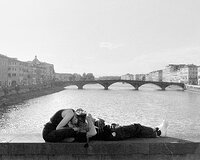
Viaduct.jpg

A
Viaduct.jpg

  • 3
  • 1
  • 48
Durham walk.jpg

A
Durham walk.jpg

  • 0
  • 0
  • 35

Recent Classifieds

Forum statistics

Threads
202,539
Messages
2,842,072
Members
101,369
Latest member
hluvmiku
Recent bookmarks
0
Have you found any after market supplier of the negative holders? Or will ones from any other brand fit? I have seen a number of the scanners for sale on ebay but they do not have their film holders.
I am pretty sure that no other film holders will work. I seem to recall one online source that sold canon film holders, but they were expensive, something like $100 each. They are not available from canon. Sometimes (rarely) they appear on ebay.
 
My point is that all scan parameters are edited either by the scanner or the operator or both.

Not true. It is perfectly possible, with Vuescan for instance, to deactivate all post-processing (by which I mean ALL), set the output to 16bit/channel and output a raw positive linear scan to file. This is the raw output of the scanner's CCD line sensor, without any software corrections (including gamma correction). The only potential non-linearities introduced here will be in the realm of extreme transistor thermal noise so largely irrelevant in normal testing conditions.

Given a raw 48bit linear positive, it is then possible to apply exactly the same set of corrections to all raw files used for the scanner comparison (typically, for a black and white image output, there will be a choice of a colour channel to create the grayscale from followed by gamma correction) and then perform a relative comparison of the scanners' output which won't involve any other scanner- or operator- dependent changes to the output.
 
Last edited:
Not true. It is perfectly possible, with Vuescan for instance, to deactivate all post-processing (by which I mean ALL), set the output to 16bit/channel and output a raw positive linear scan to file. This is the raw output of the scanner's CCD line sensor, without any software corrections (including gamma correction). The only potential non-linearities introduced here will be in the realm of extreme transistor thermal noise so largely irrelevant in normal testing conditions.

Given a raw 48bit linear positive, it is then possible to apply exactly the same set of corrections to all raw files used for the scanner comparison (typically, for a black and white image output, there will be a choice of a colour channel to create the grayscale from followed by gamma correction) and then perform a relative comparison of the scanners' output which won't involve any other scanner- or operator- dependent changes to the output.
Do we know what settings the operator selected?
 
Do we know what settings the operator selected?

Why would we assume the operator would alter the baseline settings for one, but not the other, scanner test? Are you suggesting this particular operator might be biased, incapable of running a comparative test, or something else entirely?
 
Why would we assume the operator would alter the baseline settings for one, but not the other, scanner test? Are you suggesting this particular operator might be biased, incapable of running a comparative test, or something else entirely?
Without knowing the operator settings, the test is meaningless.
 
I'd like to try Negative Lab Pro with this scanner. Should I use Vuescan? Any settings I should use?
 
I still have mine, but since I got an Coolscan 8000ED for medium format scanning it doesn't see much use. In fact, in the last 2 years I've only used it to scan other people's APS film.

As far as I know, there are exactly zero supported SCSI cards for Windows 10, much less Windows 11. I was able to get an Adaptec Driver to work for a while, but I pulled the card a couple of years ago trying to solve what turned out to be an unrelated problem, yes, USB 1 is slow, but most of the time is still spent doing the scan itself. I can't speak to other scanning software -- once I bought Vuescan to address OS incompatibility I stopped looking.

 
I'd like to try Negative Lab Pro with this scanner. Should I use Vuescan? Any settings I should use?
Again, unless you're running Win 2000 (or 98, XP), you cannot install the Canon TWAIN driver needed to run the CanoScan software. As far as I know, Vuescan, with it's FS4000US driver, is the only software available to work with the scanner. If you don't have Negative Lab Pro (NLP) or Vuescan, you can get demo versions to try them out. NLP has instructions for Vuescan settings to get the Raw file that works the best. Works very well for me!
 
I still have mine, but since I got an Coolscan 8000ED for medium format scanning it doesn't see much use. In fact, in the last 2 years I've only used it to scan other people's APS film.

As far as I know, there are exactly zero supported SCSI cards for Windows 10, much less Windows 11. I was able to get an Adaptec Driver to work for a while, but I pulled the card a couple of years ago trying to solve what turned out to be an unrelated problem, yes, USB 1 is slow, but most of the time is still spent doing the scan itself. I can't speak to other scanning software -- once I bought Vuescan to address OS incompatibility I stopped looking.

This is not the case. I'm running Win 10 Pro (I7/32GB) with an Adaptec 29320LPE Ultra320 PCI card. It's installed with the AdaptecAic78xx_for_AHA_29xx driver package. With Vuescan, the FS4000US works perfectly!
 
The easy route would be to buy a Win 7 (or even an XP), PC or laptop on fleabay for 50 bucks. Win 10 is not going to work well at all, if at all, w/o that card and driver package plummerl mentioned. Might be able to find an XP PC w/ SCSI already installed.

Here's a $50 XP laptop, there's a bunch for sale, and the cards run about $15
https://www.ebay.com/itm/154692747403?hash=item240468008b:g:CJsAAOSw3zFhiud4&LH_BIN=1
 
Last edited:
So, what is you experience with this scanner that you can share with us?
What does that have to do with knowing the settings of the sample pictures scanned by two scanners so we can compare the results in an informed way?
 
What does that have to do with knowing the settings of the sample pictures scanned by two scanners so we can compare the results in an informed way?
To help clarify matters, here's what the author of the post on comparison scans at photo.net said: "This scan, and the others below, are all with all sharpening, dust reduction, and other impedimenta turned off on both scanners."
 
To help clarify matters, here's what the author of the post on comparison scans at photo.net said: "This scan, and the others below, are all with all sharpening, dust reduction, and other impedimenta turned off on both scanners."
Thanks for that. We shouldn't take just the initial scans either any more than you can compare raw images from two cameras to decide which one is better. . It's the final results that count. So post editing comparisons should be included. See below. I started to read his whole report which I recommend others to do the same.

Quote: In these cases, the scans as they were saved to disk from the scanners were somewhat different in tone and color, but they become nearly identical when an “Image>Auto Color” is done on each. The pre-processed Nikon scan was fairly blue when scanned with adjustments off. By the way, of course the Canoscan images were scanned some time ago when the machine was still working.

There is little on which to choose between the two scanner results, I think. This was surprising to me, given that the initial price of the Canoscan FS4000US was about one fourth of the original price of the Super Coolscan LS-9000 ED.
 
There is little on which to choose between the two scanner results, I think. This was surprising to me, given that the initial price of the Canoscan FS4000US was about one fourth of the original price of the Super Coolscan LS-9000 ED.

I was in the market for a filmscanner and I recall the FS4000 and Coolscan 4000 were the direct competitors and about the same price. The V, 5000 and 9000 were released early 2000 but Canon didn't release an upgrade. So it's not surprising the 9000 - which is a medium format scanner, would be much more expensive then an earlier release FS4000.
 
My bet is that the old Nikon v is better than any Canon, especially with nikons digital ice system...which does work nicely with VueScan on 10.
 
Last edited:
My bet is that the old Nikon v is better than any Canon, especially with nikons digital ice system...which does work nicely with VueScan on 10.
Unfortunately, I haven't found any direct comparisons, except for the one(s) I linked in my earlier post in which the image quality was about the same in the Canon FS4000us compared to the Nikon Super Coolscan LS-9000 ED. Anything beyond that is, I believe, speculative. Scan speed is definitely superior in the Nikon, probably any model of Nikon, and the IR cleaning in the Canon (using FARE I believe) was not as good as IR cleaning in Nikon (using ICE I believe). However, I don't know if that would still be the case if using vuescan's IR cleaning method.
 
Last edited:
Nikon ICE and Canon FARE cannot be used with normal black and white film. The infra-red channel gets screwed up trying to read through the developed metallic silver as opposed to the dye clouds in C-41 and E-6 films. Curiously enough the Nikon Coolscan performs well using ICE on Kodachrome. This could be a post processing function in Nikon Scan 4.

One or two useful features in Nikon Scan 4 is the ROC (Restore old colours) and GEM (grain reduction - believed to be licenced from Kodak). If you have some desperate old negs these features can save the day in getting good quality scans. There may be equivalent functions in one of the many image processing programs on the market but I'm still using Photoshop CS2 which I don't think has anything similar inbuilt.
 
Nikon ICE and Canon FARE cannot be used with normal black and white film. The infra-red channel gets screwed up trying to read through the developed metallic silver as opposed to the dye clouds in C-41 and E-6 films. Curiously enough the Nikon Coolscan performs well using ICE on Kodachrome. This could be a post processing function in Nikon Scan 4.

One or two useful features in Nikon Scan 4 is the ROC (Restore old colours) and GEM (grain reduction - believed to be licenced from Kodak). If you have some desperate old negs these features can save the day in getting good quality scans. There may be equivalent functions in one of the many image processing programs on the market but I'm still using Photoshop CS2 which I don't think has anything similar inbuilt.
Good points.
 
Nikon ICE and Canon FARE cannot be used with normal black and white film. The infra-red channel gets screwed up trying to read through the developed metallic silver as opposed to the dye clouds in C-41 and E-6 films. Curiously enough the Nikon Coolscan performs well using ICE on Kodachrome. This could be a post processing function in Nikon Scan 4.

One or two useful features in Nikon Scan 4 is the ROC (Restore old colours) and GEM (grain reduction - believed to be licenced from Kodak). If you have some desperate old negs these features can save the day in getting good quality scans. There may be equivalent functions in one of the many image processing programs on the market but I'm still using Photoshop CS2 which I don't think has anything similar inbuilt.

Nikonscan ICE was a product of Digital Science, bought by Kodak and licensed to Nikon and possibly others. I suppose it's a form of post processing as the specs are identified and mapped by IR led and eliminated and saved out. Clearly the speed is exceptional. With my Coolscan 5000, a full res scan without ICE takes about 30 seconds and only about 50 seconds with. The Coolscan's rival Minolta 5400 takes several minutes when ICE is enabled. This is more then double the time it takes my Coolscan V.
I found another speed advantage is that the Coolscans V & 5000 takes strips of up to 6 frames of film without the need for filmholders. Not only is this faster and convenient, but the frames always come out straight - no tilting. The 5000 of course has the ability to take full uncut rolls with an adapter. As well as up to 50 frames of mounted slides with yet another adapter.
I owned the prior model Canoscan FS2720 and scanned many hundreds of frames but found the lack of ICE a nuisance.
 
Last edited:
Yes, it can be made to work and I even noted that I had done so in my response. But it's not supported. See:
https://ask.adaptec.com/app/answers/detail/a_id/17425/~/what-adaptec-products-are-supported-in-windows-10?

I didn't mean to imply that it's "supported" by Adaptec, it's not.
I simply said I'm using it, quite happily, with Vuescan talking to the driver under Windows 10 Pro, 64-bit. I've been an embedded sw engineer for over 40 years, but this did not require any of that skill. For anyone else interested:

https://www.savagetaylor.com/2018/0...-adaptec-29xx-ultra-or-aic-7870-adaptec-78xx/
 
Are you aware of any PCIe SCSI cards? There is one in the link above, Adaptec 29320LPE, however these seem to be $400 on ebay, which is way too much for me.
AFAIAA, that is the only one.
 
Photrio.com contains affiliate links to products. We may receive a commission for purchases made through these links.
To read our full affiliate disclosure statement please click Here.

PHOTRIO PARTNERS EQUALLY FUNDING OUR COMMUNITY:


Ilford ADOX Freestyle Photographic Stearman Press Weldon Color Lab Blue Moon Camera & Machine
Top Bottom