• Welcome to Photrio!
    Registration is fast and free. Join today to unlock search, see fewer ads, and access all forum features.
    Click here to sign up

yet another website critique request

Cool as Ice

A
Cool as Ice

  • 0
  • 1
  • 63

Recent Classifieds

Forum statistics

Threads
202,708
Messages
2,844,532
Members
101,482
Latest member
Jeremizzle
Recent bookmarks
1
the way you've written it is not using iframes as intended.

The intention is to use the name attribute in the iframe tag. e.g. name="myframe" and then when you link to a page which should be in the iframe you give the target attribute of the a tag, the name of the iframe. e.g target="myframe". That way you only need the one html file with menu on it and all the detail pages go in the iframe.

But since iframes are not good for the reason I gave you and you have coded a new containing page for each iframe, then you can just make the iframes a div instead and it should look and work just like it does now. You just put the content in the div instead of creating iframe content pages.
 
But since iframes are not good for the reason I gave you and you have coded a new containing page for each iframe, then you can just make the iframes a div instead and it should look and work just like it does now. You just put the content in the div instead of creating iframe content pages.

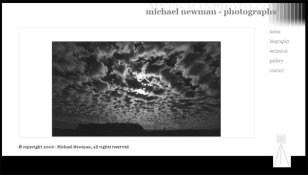
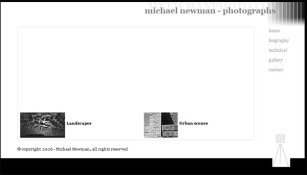
I originally wrote it as a div. I'm trying out the iframe to eliminate the need to scroll the page. Other options are to break the content into shorter, discrete pages or to just quit worring about scrolling. If the pages all had varying vertical dimensions I wouldn't care but right now, only the biography page forces vertical scrolling at browser widths of 800 pixels or more. One thing I very much wanted to avoid is having to scroll to view all of an image..like in the APUG galleries...which I really hate.
 
I originally wrote it as a div. I'm trying out the iframe to eliminate the need to scroll the page. Other options are to break the content into shorter, discrete pages or to just quit worring about scrolling. If the pages all had varying vertical dimensions I wouldn't care but right now, only the biography page forces vertical scrolling at browser widths of 800 pixels or more. One thing I very much wanted to avoid is having to scroll to view all of an image..like in the APUG galleries...which I really hate.

well if thats the case then what you need to consider is that approx 10% of people are still on 800x600 screen res, 40% on 1024x768 and the other 50% higher res. Given that, you need to consider whether its worth doing for the lower 10% who are rapidly becoming a smaller %age everyday. I took the view 1024x768 is the lowest common dominator and sized my images accordingly. At that resolution you get a max of about 600px window height inside your browser before scrolling will be necessary and I make all my images 400px high or smaller if they are panoramics so they fit the width and height in my container div.

Then I defined my container box at 1000px wide by 560px high and went from there defining most things inside the container with absolute positioning rather than relative which you are currently using by default.

You can have scrollling inside a div. Just define it as absolute with overflow=auto. But when you define it as absolute you must specify both height and width and ( top or bottom) and ( left or right)

correction, it doesn't have to be absolute, it can be relative. just specify overflow=auto
 
Last edited by a moderator:
Thanks. My site is designed for 1024x768. I just made a minor and successful effort to avoid vertical scrolling down to at least 800 wide. It was an afterthought and didn't involve compromising the 1024 design.

Thanks for the information about scrolling in a div, now that's something I didn't know!
 
Well that turns out to be something good to know but not workable in this implementation because the requirement to set a width, even if it's auto or a %, messes with the vertical stretchiness of the design. For now, I'm making the content div height:auto and min-height:390px. It only effects one page now but if I add the blog I'll need vertical flexibility anyway.
 
Ok, so I discovered on another box that I still have a couple of browser issues. So I tried to install Firefox 2.0 on this one as a parallel installation...and naturally, it upgraded 1.5. Not what I wanted but what can ya do.

As for the IE6 rendering engine, I'm not sure I downloaded the right item. I downloaded this:

Dead Link Removed

I extracted it but when I run it, it loads but it's all locked up and I have to use task manager to bail. Maybe I downloaded the wrong thing. Maybe I installed it improperly.

Did I want this?:

Dead Link Removed
 
the ie6eolas_nt.zip one should be the one.

It just needs to be unzipped and run directly from where it is. that is, after unzip there is no install to be done.

works fine on w2k.
 
another suggestion,

if you are going to use css etc like you seem to be doing, I would change your dtd to xhtml transitional or strict.

make sure there is nothing above the dtd line.

dreamweaver allows you to use convert which will do it for you.
 
the ie6eolas_nt.zip one should be the one.

It just needs to be unzipped and run directly from where it is. that is, after unzip there is no install to be done.

works fine on w2k.

This is what I'm doing. The result is that it opens, my home page loads...but anything I try to do in the window gives me the error "doink." Cant resized the window, click on a link...anything.
 
another suggestion,

if you are going to use css etc like you seem to be doing, I would change your dtd to xhtml transitional or strict.

make sure there is nothing above the dtd line.

dreamweaver allows you to use convert which will do it for you.

I'm confused because it currently is set to strict.
 
nearly there. the codes looking much leaner and cleaner.

A couple of problems in ie6 on w2k though.

home.jpg

gallery.jpg
 
nearly there. the codes looking much leaner and cleaner.

A couple of problems in ie6 on w2k though.

View attachment 6554

View attachment 6555

Thanks, those are precisely what I'm seeing in 6 on XP, on the basement tower...when I can spend some time down there, I'll fix those. This is what I'd been hoping to do with the 6 standalone on this laptop had that worked out for me.

I will say, that the "IE Tab" Firefox extension is one of my favorites. Another is "Color Picker" in the status bar. Mousing over items and seeing the class displayed is very handy.
 
I use the firefox "web developer" extension the most. Good for checking standards compliance and other stuff. Also good for showing outlines of block level elements so yo can see whats overlapping.
 
I use the firefox "web developer" extension the most. Good for checking standards compliance and other stuff. Also good for showing outlines of block level elements so yo can see whats overlapping.

I use that one too but I'm just getting familiar with it's features.
 
I don't know if I'm commited to the idea of "comments" on my gallery images but I've employed WordPress as a tool for enabling them:

Michael Newman - Gallery

I create a blog article for the image and then put the link to the articles comments in the gallery items caption. I tried to keep it very simple.

This also gives me a place where I can put information about the image/print.
 
You can always switch them off if you don't want them.

How about making the big image from the gallery open in the same window with a return/back button

The one that uses a pop-up now? That's probably beyond my abilities to modify the script. I haven't even been able to modify the script yet so that all popups use the same window, rather than each popping up a new one. Though, a coworker thought that being able to have more than one open, full-sized was a good thing...so I don't know. Within the limits of my PHP skills I'm about as close to where I'd want this to be as I'm going to be able to get, I'm afraid.
 
I decided to make a calling card that reflects the design of the site.

photocardweb.jpg
 
When I made my site at the first time I put something about equipment as you did. Later on I changed my mind and removed it at all. Some bad guys might be spot it so my home is a target for robbers. Also potential customer will not buy a photograph because you use EOS camera. Many even do not know what is it. I think that technical stuff, like equipment, should be avoided and use the space for something that is more close to customers. Just my opinion. Overall I think your site is above average. Good luck.
www.Leica-R.com
 
Photrio.com contains affiliate links to products. We may receive a commission for purchases made through these links.
To read our full affiliate disclosure statement please click Here.

PHOTRIO PARTNERS EQUALLY FUNDING OUR COMMUNITY:


Ilford ADOX Freestyle Photographic Stearman Press Weldon Color Lab Blue Moon Camera & Machine
Top Bottom