

I just purchased a Plustek 7600 ai scanner. I am comfortable with the whole hybrid darkroom, since I hopped along the digital path as a photojournalist in the 90's as we moved from scanning negs to shooting digital. So I am no stranger to neg scanners.
I am looking for a good work flow with Silverfast. To be honest, the interface on Silverfast is rather complicated. It is a bit wonky too, with sliders that move almost a bit too far one way or another when you are trying to make subtle changes.
Does anyone have a good workflow with Silverfast and the Plustek worked out? I am scanning B+W negs btw.
So far I am scanning them in the 48>24 Bit Color setting at 7200 DPI, and then downsizing them a bit before saving and working in Photoshop. I use a film setting I like (Kodak Plus-X mode seems to work ok) and scanning them flat and doing curves/levels etc mostly in photoshop in post.
I found this has been the best way to capture the negative data so far.
If anyone out there has any advice, I would be glad to hear it!
steve
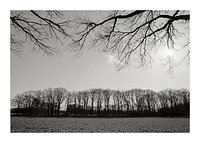
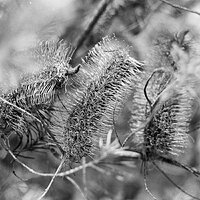
p.s. This is one of the first negs I scanned while testing out the scanner. I really like it!

I am looking for a good work flow with Silverfast. To be honest, the interface on Silverfast is rather complicated. It is a bit wonky too, with sliders that move almost a bit too far one way or another when you are trying to make subtle changes.
Does anyone have a good workflow with Silverfast and the Plustek worked out? I am scanning B+W negs btw.
So far I am scanning them in the 48>24 Bit Color setting at 7200 DPI, and then downsizing them a bit before saving and working in Photoshop. I use a film setting I like (Kodak Plus-X mode seems to work ok) and scanning them flat and doing curves/levels etc mostly in photoshop in post.
I found this has been the best way to capture the negative data so far.
If anyone out there has any advice, I would be glad to hear it!
steve
p.s. This is one of the first negs I scanned while testing out the scanner. I really like it!


