• Welcome to Photrio!
    Registration is fast and free. Join today to unlock search, see fewer ads, and access all forum features.
    Click here to sign up

When printing and increasing contrast grade, how compensate for the highlights

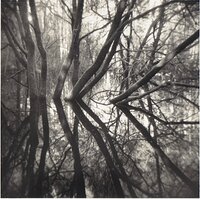
Flooded woodland

Flooded woodland

  • 8
  • 0
  • 59
Babylon

D
Babylon

  • 2
  • 1
  • 62

Recent Classifieds

Forum statistics

Threads
202,836
Messages
2,846,264
Members
101,559
Latest member
gnafin61
Recent bookmarks
0

silvercloud2323

Member
Allowing Ads
Joined
Oct 4, 2018
Messages
188
Location
Europe
Format
35mm
Hi everyone,

When printing and increasing contrast grade, how compensate for the highlights?

For example , when I increase contrast by one grade, the print will look more white for the highlights and more black for the dark tones.
How do I compensate this difference to get the exact same highlights values as the initial print.


thank you,
 
With variable contrast materials, if you are using speed matched filters, or speed matched settings on a light source, an increase in contrast should leave the highlights mostly unchanged.
 
With variable contrast materials, if you are using speed matched filters, or speed matched settings on a light source, an increase in contrast should leave the highlights mostly unchanged.

Yes.
Ilford's filters keep zone 6 or 7 the same among filters below grade 4.

Mark
 
I agree with Pieter. I have found split grade printing (even with my very basic understanding of it) to be the most straight forward way to work with highlights and shadows and change one without affecting the other.
 
For most situations, increase or decrease the exposure. Lambrecht and Woodhouse's "Way Beyond Monochrome" has a chapter on how highlight exposure is adjusted as contrast is changed via filters. They have tables related to Ilford Multigrade IV (now hard to find), but it gives an idea how it works for Zone VIII. I used the f-stop version of the table when I used MG IV, with initial exposure and contrast based on a test strip. For some years now, I use an RH Design Analyzer Pro, calibrated for various papers, and the exposure is adjusted automatically when changing the contrast. The steps are about 1/6 stop for a half-step in contrast, but this is approximate and the steps are not symmetrical, but close.

Unless you are burning or dodging and switching filters, or want a finer overall contrast grade (like 2.75), split printing offers no advantage and it takes longer.
 
Hi everyone,

When printing and increasing contrast grade, how compensate for the highlights?

For example , when I increase contrast by one grade, the print will look more white for the highlights and more black for the dark tones.
How do I compensate this difference to get the exact same highlights values as the initial print.


thank you,

Unfortunately,speed-matched filters are mostly a myth and what you describe is a common problem. You may want to read the attached to master the issue.
 

Attachments

  • PrintExposure&ContrastEd2.pdf
    1.6 MB · Views: 216
Other than adjusting the exposure, as others have mentioned and which will make one tone of your highlights the same but still leave you with the whole range of highlights having increased contrast, flashing the paper will flatten the highlights. But often, burning is the easier and/or better solution, especially split-grade burning.
 
Thanks Ralph! Always good to hear from you.

I’d make a new test strip (start over). To the original question, why did you change grades if you want to match the original print? If you felt the blacks weren’t black enough, then with the new test strip, try to match the highlights you were happy with. The blacks will go darker in that case.
 
It's not clear to me what you are trying to do. Are you...

1. trying to increase print contrast overall in both highlights and shadows, but when you do, the highlights get lighter? If so, just increase exposure to bring the highlight values to where you want them. If the shadows are then right, you've got the right contrast. If not, then change contrast (and exposure) again. As suggested, if you change contrast, a new test strip is usually required to find the right exposure time for the highlights.

2. trying to keep the contrast you already have in the upper midtones and highlights while increasing the contrast of the lower mid-tones and shadows? This is a more difficult situation. Here's where split-grade printing techniques will help. If you have the print exposure correct and the highlights/upper mid-tones where you want them but need to boost contrast in the shadows, then I'd burn the shadows with a higher-contrast filter. This will deepen the blacks without affecting the mid-tones and lighter areas in those areas much.

Or, you can give the print more exposure with a higher-contrast filter, letting the highlights go too white, and then burn the highlights back down with a lower contrast filter. This is much the same as above, but can be subtly different. The choice is yours.

FWIW, I find that with most VC papers, the contrast in the extreme highlights, i.e., the areas just almost white but not quite that are down low on the toe of the paper, doesn't change much in contrast compared to the mid-tone and lower values when you change contrast filtration. This is something that I miss very much about premium graded papers of the past. It's hard to get subtle separations in the highlights with VC paper while keeping those values close to paper-base white. I find I have to print down a bit more than I'd really like to. The old Oriental Seagull G could get the whitest parts paper-base white and then give a quick contrast change to the next lower value. I use bleach more now.

Best,

Doremus

 
Last edited:
I strongly recommend doing split grade printing. I use the strongest Magenta filter followed by the strongest Yellow filter.
 
As already described, use test strips to determine exposure for the highlights, then contrast grade for the shadows. Then - because nothing in this world is perfect - you have to tweak both until you are satisfied.

I don't think anyone has mentioned that jumping a whole contrast grade is a big step. I constantly wish there were quarter-grade filters. Using split-grade technique you can determine contrast grade precisely, without steps. The result may still not satisfy you because you are trying to cram the long tonal scale of the negative into the shorter one of the paper, so you have to mess about with subtle changes of exposure and contrast, pre-flashing, dodging and burning until you reach the stage of "Hell, that will do" - which I reach when I've used about £10's worth of paper. And even then, you may not be satisfied.

It's a wasteful process, but that's what keeps photopaper manufacturers in business (thankfully).
 
Photrio.com contains affiliate links to products. We may receive a commission for purchases made through these links.
To read our full affiliate disclosure statement please click Here.

PHOTRIO PARTNERS EQUALLY FUNDING OUR COMMUNITY:


Ilford ADOX Freestyle Photographic Stearman Press Weldon Color Lab Blue Moon Camera & Machine
Top Bottom