
• Welcome to Photrio!
    Registration is fast and free. Join today to unlock search, see fewer ads, and access all forum features.
    Click here to sign up

Web Site

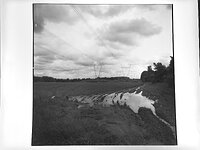
Puddle

Puddle

  • 0
  • 2
  • 29

Recent Classifieds

Forum statistics

Threads
202,713
Messages
2,844,596
Members
101,485
Latest member
minhnk1990
Recent bookmarks
0

Chuck_P

Member
Allowing Ads
Joined
Feb 2, 2004
Messages
2,369
Location
Kentucky
Format
4x5 Format
I have pretty much finished my site enough to go ahead put it out there; the "Sales" page is incomplete as it seems to be the hardest for me to even think about.

It is a pretty simple looking site, but I found putting it together to be somewhat tedius, yet fun at the same time, probably because I've never done it before. I guess these things are a work in progress for later additions or subractions as time passes. I would like to add a "Still Life" page at some point, but one of my favorite subjects are abadoned farm houses that dot the countryside where I live

For now, it is here : www.chuckporterphotography.com


I welcome any insight or constructive criticism that will make the site better or more interesting to visitors, please point out any glaring mistakes that i may have made----this is all new to me but I'm having fun with it.

Chuck
 
Loads quickly and is easy to navigate. No gimmicks, just WYSIWYG and yet not impersonal. I like it.

pentaxuser
 
following the forward and backward arrows is a pain because the position of the arrows move with each image. Either make a fixed height and width container for the images or make all the images the same height and width.
The second option can be done by placing the images on a background of consistent height and width before saving them.
 
Some feedback is better than none at all I guess, thanks :smile:.

If nothing else, I've learned a bit more about how web sites function.
 
I like the clean design, no flashy stuff. Very nice photographs, and very well scanned. I agree with Rob about the navigation buttons moving around as you switch between photos in the galleries - it took me a while to get rid of that effect on my own site. One cosmetic issue - in my browser (firefox on ubuntu 7.04 linux) the technical information page has line breaks in odd places, so that multiline paragraphs alternate long and short lines.

Mark

http://www.mseverson.com
 
Chuck, great site and images. No problem for me with the arrows. Maybe it is my computer.

Jim

Thanks Jim,

No, it's not your computer. I did have some button issues but the site as it is today is a bit different than when I first posted. The placement of the buttons is very consistent now.

Chuck
 
Now I would make the background grey a little darker as it's too similar to many of the images. That will make them jump off the page a little more.
 
HI Chuck, you must have fixed the arrows because I had no problem with that. It looks really nice to me. You did it yourself? You did a good job! One thing that may be helpful is if, at the end of gallery 2, there was a link either back to home or to the "galleries" section so you don't have to keep hitting the back arrow through all the images.

There are some really nice ones in there. Ya' done good!

Janet
 
Hi Chuck

as rob says a bit darker on the background as you have a style of print that has a lot of middle greys which do fight a bit with the background.
I would like to see a lot more images in the galleries but I am sure your wife will let you get around to it in time.
I really like the site for its simplicity.
We just had our main site finished and I know the pain in doing this.

I am working on a new site for my Wife and I , and I am torn between a very simplistic approach, or one that is quite animated.
But content is what is needed for any viewer and I think your site is well on the way.

Bob


Now I would make the background grey a little darker as it's too similar to many of the images. That will make them jump off the page a little more.
 
I appreciate the thoughts and advice given---fixing the buttons, navigating advice, and background color. They have all made a difference.

Thanks
Chuck
 
Rob,

I forgot to mention that I do like the "drop shadow" idea but I can't seem to get it to work in Photoshop Elements. The effect is just not visible when I try to do it, IDK.
 
I don't know how or if photshop elements can do it. I would have guessed it could.
Basically, create a new layer under the image layer. Then make the canvas size bigger by 10 pixels all round. Then fill the new background layer with the background colour of your web page (#808080) and then apply the drop shadow on the image layer. You would need to experiment in elements to see if it works.
 
Hello Chuck, nice web site! I like the photograph "Tin Window", well done.
Regarding the site: it looks elegant and simple. Although at first I did not see the menu on top (I have my browser alter the colors so that the background is black and the text pale yellow), but got around it.

One solution for your galleries is simpleviewer, a Flash image viewing application.
I use it for the gallery on my site, I am not a fan of Flashy sites, but it does not get in the way as other flash applications. Anyway it works for me, it may work for you.
 
Photrio.com contains affiliate links to products. We may receive a commission for purchases made through these links.
To read our full affiliate disclosure statement please click Here.

PHOTRIO PARTNERS EQUALLY FUNDING OUR COMMUNITY:


Ilford ADOX Freestyle Photographic Stearman Press Weldon Color Lab Blue Moon Camera & Machine
Top Bottom
