• Welcome to Photrio!
    Registration is fast and free. Join today to unlock search, see fewer ads, and access all forum features.
    Click here to sign up

The New APUG, Welcome Back! (info, known issues, bug reports, feature requests)

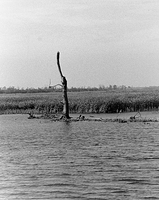
Horicon Marsh-5

A
Horicon Marsh-5

  • 2
  • 0
  • 62
Millstone, High Water

A
Millstone, High Water

  • sly
  • Dec 17, 2025
  • 7
  • 5
  • 130

Recent Classifieds

Forum statistics

Threads
201,247
Messages
2,821,208
Members
100,620
Latest member
UK-Tog
Recent bookmarks
0

RobC

Member
Allowing Ads
Joined
Nov 5, 2007
Messages
3,880
Location
UK
Format
Multi Format
How to find out whether a moderator is online? (To send a PM, in cases a !-report is not necessary.)

In the past one could look up the moderators list, and test everyone for being online. This feature no longer exists at the new staff-list.
Thers's an option in the "customise sidebar" menu to show online mods
 

pdeeh

Member
Allowing Ads
Joined
Jun 8, 2012
Messages
4,770
Location
UK
Format
Multi Format
How to find out whether a moderator is online? (To send a PM, in cases a !-report is not necessary.)

In the past one could look up the moderators list, and test everyone for being online. This feature no longer exists at the new staff-list.

If you're ok to have a sidebar, you can set your sidebar to show staff members online (go to your preferences to do this)
 

RobC

Member
Allowing Ads
Joined
Nov 5, 2007
Messages
3,880
Location
UK
Format
Multi Format
If you're ok to have a sidebar, you can set your sidebar to show staff members online (go to your preferences to do this)

it can either be found at bottom of sidebar or you can goto "control panel" in your preferences and "customise sidebar" is in there too. (I discovered).
 
OP
OP
Sean

Sean

Admin
Admin
Allowing Ads
Joined
Aug 29, 2002
Messages
13,501
Location
New Zealand
Format
Multi Format
How to find out whether a moderator is online? (To send a PM, in cases a !-report is not necessary.)
Or should that Report Feature be used in not-spam/harrasment cases too?

In the past one could look up the moderators list, and test everyone for being online. This feature no longer exists at the new staff-list.
on line staff are now listed in the sidebar, you may have to add that
 

MattKing

Moderator
Moderator
Joined
Apr 24, 2005
Messages
54,743
Location
Delta, BC Canada
Format
Medium Format
How to find out whether a moderator is online? (To send a PM, in cases a !-report is not necessary.)
Or should that Report Feature be used in not-spam/harrasment cases too?

In the past one could look up the moderators list, and test everyone for being online. This feature no longer exists at the new staff-list.

My sidebar shows the "Staff" that are online "Now".

That being said, I've made regular use of the "report post" to contact the moderators about administrative matters like requests for Thread Title correction, threads being started in the wrong sub-fora and others, and have never sensed that that was a problem.
 
OP
OP
Sean

Sean

Admin
Admin
Allowing Ads
Joined
Aug 29, 2002
Messages
13,501
Location
New Zealand
Format
Multi Format
This is now double posted as I think maybe I should have put it here instead of in its own topic. Anyhow...

Is there any way to stop the pop up when you mouseover topic titles? I find this very annoying, especially as it always shows only first post in topic and not last. (but I'd prefer to be able to switch it off altogether).
We're making this an option right now stay tuned
 

AgX

Member
Allowing Ads
Joined
Apr 5, 2007
Messages
29,972
Location
Germany
Format
Multi Format
*update, sidebar can be removed in settings

Has vanished, but there still is a placeholder. Thus there still is space at the left "spilled".
With sidebar completely vanishing one would have more useful space on the creen, as in the old system, where the posters info lined up at the left.
 

RobC

Member
Allowing Ads
Joined
Nov 5, 2007
Messages
3,880
Location
UK
Format
Multi Format
Has vanished, but there still is a placeholder. Thus there still is space at the left "spilled".
With sidebar completely vanishing one would have more useful space on the creen, as in the old system, where the posters info lined up at the left.
first checkbox in the sidebar config screen allows you disable it completely and then your space will be used.
 
OP
OP
Sean

Sean

Admin
Admin
Allowing Ads
Joined
Aug 29, 2002
Messages
13,501
Location
New Zealand
Format
Multi Format
Has vanished, but there still is a placeholder. Thus there still is space at the left "spilled".
With sidebar completely vanishing one would have more useful space on the creen, as in the old system, where the posters info lined up at the left.

edit your sidebar in your control panel and select it to be hidden, looks like your were caught between a code update. your control panel is here: (there was a url link here which no longer exists)
 

AgX

Member
Allowing Ads
Joined
Apr 5, 2007
Messages
29,972
Location
Germany
Format
Multi Format
My fault! You are correcting things, setting up new buttons faster than I can realize.

Great work, thank you!
 

MattKing

Moderator
Moderator
Joined
Apr 24, 2005
Messages
54,743
Location
Delta, BC Canada
Format
Medium Format
There may be some problems with links to old threads.

The old hierarchy was something like "(there was a url link here which no longer exists)s/forum41/68661-flat-under-enlarger-3.html" (as an example - taken from a photo net thread.

That is, however, an archived thread, and one cannot access it.

I note that the current structure is something like "(there was a url link here which no longer exists)...." (note "forum" rather than "forums")

Is this something that will resolve over time?
 
OP
OP
Sean

Sean

Admin
Admin
Allowing Ads
Joined
Aug 29, 2002
Messages
13,501
Location
New Zealand
Format
Multi Format
There may be some problems with links to old threads.

The old hierarchy was something like "(there was a url link here which no longer exists)s/forum41/68661-flat-under-enlarger-3.html" (as an example - taken from a photo net thread.

That is, however, an archived thread, and one cannot access it.

I note that the current structure is something like "(there was a url link here which no longer exists)...." (note "forum" rather than "forums")

Is this something that will resolve over time?

Hi Matt, most items will redirect automatically from an old link. Some may not and we'll take a small hit there but over time google will re-index etc..
 

MattKing

Moderator
Moderator
Joined
Apr 24, 2005
Messages
54,743
Location
Delta, BC Canada
Format
Medium Format
You must be feeling optimistic - I don't see any sign of the Soap Box!:wink:

And where are the "whistling" and "popcorn "emoticons" ?????? (NB. lowest priority)
 
OP
OP
Sean

Sean

Admin
Admin
Allowing Ads
Joined
Aug 29, 2002
Messages
13,501
Location
New Zealand
Format
Multi Format
You must be feeling optimistic - I don't see any sign of the Soap Box!:wink:

And where are the "whistling" and "popcorn "emoticons" ?????? (NB. lowest priority)
it's there i must have screwed up the permission settings heh, not a priority right now heh
 

RobC

Member
Allowing Ads
Joined
Nov 5, 2007
Messages
3,880
Location
UK
Format
Multi Format
there seems to be an odity with search facility. If I do a search for all my posts it returns approx 200 results in 7 pages. It shows a button at bottom of page 7 to show older posts which if I click it shows another 200 results in 7 pages. So the number of pages never exceeds 7 but each block of pages are always numbered 1 to 7 but the posts in those pages are a new set of older posts.
Why doesn't it use the usual "First 1,2,3,4,etc....99 Last" type of listing for pages for all your posts so you can see how many total pages there are and know how far through your old posts you are?
 

Wayne

Member
Allowing Ads
Joined
Jul 8, 2005
Messages
3,622
Location
USA
Format
Large Format
I like to "mark all read" in one click. Its asking for confirmation, shades of Vista

Even worse, sometimes its a 2 step process where I have to choose "mark___forum name__" read or mark all forums read.
 

shutterfinger

Member
Allowing Ads
Joined
Feb 25, 2013
Messages
5,020
Location
San Jose, Ca.
Format
4x5 Format
My bookmark from before the upgrade kept coming up the Site is Down for Upgrade Chat login. I googled APUG and got a links page which the first link brought me to the current site where I clicked on Forums then made a fresh bookmark. It may be because the old bookmark was for the English Forums.
 

Wayne

Member
Allowing Ads
Joined
Jul 8, 2005
Messages
3,622
Location
USA
Format
Large Format
On the plus side, I don't hate the new look. :smile: And I really like that clicking the thread title takes me to the first new post by default.
 

scheimfluger_77

Member
Allowing Ads
Joined
Mar 21, 2006
Messages
839
Location
mid-Missouri
Format
Pinhole
Thanks Sean for your hard work. I'm having a curious problem, it seems I need to double-tap (iPad) a link to get it to go. I didn't have this issue previously, is anyone else experiencing this?
 

MattKing

Moderator
Moderator
Joined
Apr 24, 2005
Messages
54,743
Location
Delta, BC Canada
Format
Medium Format
The new look is nice.

The link at the top right corner that indicates "New" posts seems to frequently read one too many. When it should be 2, it reads 3. When it should be zero, it reads 1.
 
OP
OP
Sean

Sean

Admin
Admin
Allowing Ads
Joined
Aug 29, 2002
Messages
13,501
Location
New Zealand
Format
Multi Format
I like to "mark all read" in one click. Its asking for confirmation, shades of Vista

Even worse, sometimes its a 2 step process where I have to choose "mark___forum name__" read or mark all forums read.

Hi Wayne, this happens when you click here?

Screen Shot 2016-02-10 at 1.17.30 PM.png
 
OP
OP
Sean

Sean

Admin
Admin
Allowing Ads
Joined
Aug 29, 2002
Messages
13,501
Location
New Zealand
Format
Multi Format
The new look is nice.

The link at the top right corner that indicates "New" posts seems to frequently read one too many. When it should be 2, it reads 3. When it should be zero, it reads 1.
I'll have to look into that one, could be a min refresh time on it..
 
OP
OP
Sean

Sean

Admin
Admin
Allowing Ads
Joined
Aug 29, 2002
Messages
13,501
Location
New Zealand
Format
Multi Format
there seems to be an odity with search facility. If I do a search for all my posts it returns approx 200 results in 7 pages. It shows a button at bottom of page 7 to show older posts which if I click it shows another 200 results in 7 pages. So the number of pages never exceeds 7 but each block of pages are always numbered 1 to 7 but the posts in those pages are a new set of older posts.
Why doesn't it use the usual "First 1,2,3,4,etc....99 Last" type of listing for pages for all your posts so you can see how many total pages there are and know how far through your old posts you are?
still needs adjusting.. will look into it soon
 
Photrio.com contains affiliate links to products. We may receive a commission for purchases made through these links.
To read our full affiliate disclosure statement please click Here.

PHOTRIO PARTNERS EQUALLY FUNDING OUR COMMUNITY:



Ilford ADOX Freestyle Photographic Stearman Press Weldon Color Lab Blue Moon Camera & Machine
Top Bottom