

• Welcome to Photrio!
    Registration is fast and free. Join today to unlock search, see fewer ads, and access all forum features.
    Click here to sign up

So frustrated!

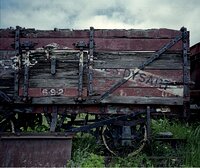
A coal wagon

A
A coal wagon

  • 1
  • 0
  • 15
Morning Birdie

D
Morning Birdie

  • 0
  • 2
  • 16

Forum statistics

Threads
203,142
Messages
2,850,471
Members
101,692
Latest member
eviosl
Recent bookmarks
0

jackie_like_the_chan

Member
Allowing Ads
Joined
Oct 14, 2011
Messages
19
Format
Multi Format
I have a project due on Thursday, I need 6 prints of landscapes, whatever, got the negs I'm happy with them. I spend a total of ten hours in the darkroom the other day getting them all done, I look and my tired eyes are okay with them. Today I go to press and take them home so they don't get tossed out accidentally and low and behold, fixer stains! Fixer stains all over my prints! and little dust marks! I know I should be thankful that I have until thursday and I actually have a day off on tuesday and wednesday to make it happen but still! I can't remember all the details because I was too cocky to keep notes! I know I should have replaced the fixer but I had already done it once and thought it'd be okay, it's just frustrating to know that ten hours were spent dicking around. Oh well, at least I have my postcards ready to be sent out!
 
Depends on what kind of stains were talking here. Yellowing or other stuff as a result of improper fixing, no that won't wash out. You could attempt to refix in fresh fix but if it's print out stains it's game over.

But look at it this way, it wasn't a total waste of time. If you have to reprint it'll go much faster because you have recent memory of what needs to be done.
 
I feel your pain. Two-bath fixing solves this. First bath is the old stuff. Second bath is always fresh fixer mixed up for the session. Pour the second bath into the bottle first then as much of the first bath as still fits. Recycle the rest. Only need one bottle since you make the second bath fresh every time.

... Twice today I flick off the light switch thinking it will turn off the water. ...
 
If you took notes it shouldn't take you very much time to reproduce the prints. Just reprint the negatives using the times and settings in your notebook.

If you put one of your spoiled prints in the easel and the matching negative in the enlarger you simply move things around until the two images line up. Dial in the aperture and time. Set up your filter and hit the button. You should be able to finish all those reprints in an afternoon's work.

Another hint: Always make a backup print. Once you have worked up a good print, it's a small matter to stick anohter sheet of paper into the easel and hit but button once more. A second print takes very little time to make and, in a situation like this, you might have been able to grab your backup and save the day.

I do agree with the rest. Make sure you fix your prints properly. Use clean fixer and rinse the prints well afterward.
In a community darkroom it's not uncommon for the fixer to exhaust quickly. If you've got four or five people developing prints, the stuff wears out in no time.
Don't be afraid to pester your teacher or lab assistant to replace the chems when they need it. If the darkroom is busy, it might be necessary to change out chemistry every half hour.

If you got stains on your prints from dead fixer, chance are other people have stained prints too.
 
Photrio.com contains affiliate links to products. We may receive a commission for purchases made through these links.
To read our full affiliate disclosure statement please click Here.

PHOTRIO PARTNERS EQUALLY FUNDING OUR COMMUNITY:


Ilford ADOX Freestyle Photographic Stearman Press Weldon Color Lab Blue Moon Camera & Machine
Top Bottom
