

• Welcome to Photrio!
    Registration is fast and free. Join today to unlock search, see fewer ads, and access all forum features.
    Click here to sign up

Scratching film in enlarger

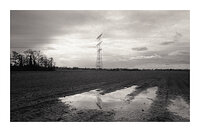
Pond

H
Pond

  • 0
  • 0
  • 0
1000002053.jpg

A
1000002053.jpg

  • 2
  • 0
  • 47

Recent Classifieds

Forum statistics

Threads
202,696
Messages
2,844,370
Members
101,475
Latest member
Melascha
Recent bookmarks
0

tkamiya

Member
Allowing Ads
Joined
Oct 3, 2009
Messages
4,284
Location
Central Flor
Format
Multi Format
I seem to scratch my negative while I print. My negative carrier is a sandwich type (non-glass) Omega D2 kind. I'm careful to open up the sandwich slightly when I move the negative to adjust its position.

Are there any tricks to avoid this? I thought about using masking tape or something around the opening but then I might get some glue on film.....
 
Yes --CLEAN, CLEAN, and CLEAN everything, then do not move the film after it is in the carrier. Make sure there isn't any dust or other grit on the film or carrier. If you have any type of anti-static cloth or brush- this is the place to use them.

Rick
 
What Rick says; If you need to move the film, remove the carrier from the enlarger, make the adjustment only when the negative is not sandwiched.
 
Has the opening been filed out? Perhaps it needs some additonal work.
 
No, I didn't file the opening. It's the standard 35mm carrier. That being said, this thing is older than me. Although it doesn't feel rough to touch, it is entirely possible there may be microscopic imperfections. I'll thoroughly clean it and see what happens.
 
Maybe if you polish the carrier, then seal it with something-varnish or laquer, or an enamel, might help. My carriers are enameled except for my 35mm full frame, its bare aluminum.

Rick
 
I'll polish it with automotive paste wax containing polishing compound, then use alcohol to remove the wax. That should get it very smooth without damaging the surface, don't you think? Mine has painted surfaces.
 
Sounds good, as long as it doesn't create static cling(shouldn't with high humidity).

Rick
 
Touching it while being grounded (uh, like holding a radiator), usually diminishes static problems.
 
I seem to scratch my negative while I print. My negative carrier is a sandwich type (non-glass) Omega D2 kind. I'm careful to open up the sandwich slightly when I move the negative to adjust its position.

Are there any tricks to avoid this? I thought about using masking tape or something around the opening but then I might get some glue on film.....

*********
I have used Omega carriers to cut string the edges can be that sharp. Remove the carrier and take the top part off to make adjustments or to change negs.
 
Polish this, clean that, and you know what? If you drag the film strip through the negative carrier, it will get scratched. Don't do it and the film won't get scratched. It's that simple.
 
I will use my top secret plutonium nuclear polisher to make the surface ultra-super-special smooth, then pull the film through it at half the speed of light. I will report back later with the results. :wink: :wink: :wink:
 
I will use my top secret plutonium nuclear polisher to make the surface ultra-super-special smooth, then pull the film through it at half the speed of light. I will report back later with the results. :wink: :wink: :wink:

*******
Or just get a Beseler........:rolleyes:
 
Well, I use 4x5, 120 square, and 35mm glassless Omega carriers all the time. The 35mm is fairly new (bought new in 1980, painted bottom black and top white, I think - or visa versa - it's down in the darkroom), the other two are very old, just aluminum matte finish. I move and adjust negs all the time, and for many years, by taking the carrier out of the enlarger, holding vertical as I look through the neg, and loosely, so the film is relaxed inside, make the adjustment, put it back in. Never a scratch, ever, not once.

Makes me think yours have been burred, or somehow defaced, maybe just a bit but enough. I'd be tempted to polish as others have suggested. You could put in a wet neg (solid black), move it around a bit, and maybe locate the offending spot. :confused:
 
You could put in a wet neg (solid black), move it around a bit, and maybe locate the offending spot. :confused:

I would think that the location of the scratches on your existing negs should give you a pretty good idea of where your problem(s) lie. If it's just a single spot it should be pretty easy to fix. If they are all over the place, it is either a handling error or your carrier is in really (really) bad shape. (but it doesn't sound like it from your description) One way or the other, I'm betting dollars to donuts that you'll have the problem solved before the weekend is done.

Cheers,
 
A little 400 grit emery cloth around the opening to smooth it.

But the real key is to take the top off, move the film, replace the top. If you slide film, there is always the possibility of scratching whether is is rough surface or some small debris get cought.

If you reall must pull film thru, there was a special carrier made for that that will be hard to find today. It may have been aftermarket item. There are troughs for the rolls at each end. I have seen one in 50 years.

I suppose you could ceate a tape channel for the film. but flatness will be worse and film not being flat, will tend to rub the top anyway.

So bevel the opening a little, re blacken, and stop sliding film thru.
 
Photrio.com contains affiliate links to products. We may receive a commission for purchases made through these links.
To read our full affiliate disclosure statement please click Here.

PHOTRIO PARTNERS EQUALLY FUNDING OUR COMMUNITY:


Ilford ADOX Freestyle Photographic Stearman Press Weldon Color Lab Blue Moon Camera & Machine
Top Bottom
