
• Welcome to Photrio!
    Registration is fast and free. Join today to unlock search, see fewer ads, and access all forum features.
    Click here to sign up

Problem with second set of negatives..

Vertical WPC

A
Vertical WPC

  • sly
  • Jan 30, 2026
  • 1
  • 1
  • 21
Conversations.

A
Conversations.

  • 8
  • 4
  • 74

Recent Classifieds

Forum statistics

Threads
202,046
Messages
2,834,409
Members
101,089
Latest member
SilvieF
Recent bookmarks
0

cepwin

Member
Allowing Ads
Joined
May 26, 2012
Messages
336
Format
35mm
I scanned in my second set of negatives and noticed there was an issue. I ran into brown stains (which from my research implied I didn't have it in the fixer long enough as this is only the second use of that fixer so it shouldn't be exhausted) and some "dots" on some of the images, especially at the edges. I managed to rescue many of them in LR4 with cropping (I also did some exposure adjustments.)

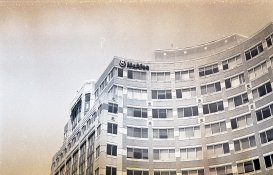
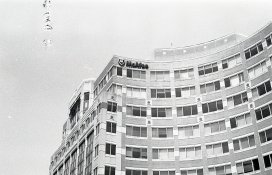
Here is a picture directly from the camera that shows this. I should also add I'm not sure if the film went on the spool 100% correctly. Were the dot's also caused by lack of fixing time? I was using ilford fixer and I'm sure I had it in for at least 30 sec. I should also add that it was probably 75F degrees in the house so the chemistry was probably warmer than usual. Thoughts??

bwtmax031.jpg
 

Alan W

Subscriber
Allowing Ads
Joined
May 16, 2009
Messages
554
Location
Tennessee
Format
Medium Format
Only 30 sec in the fix?I fix everything for at least 4 minutes.Having said that,the white dots don't look like a fixer problem to me.The central area of the negative does look underfixed.
 

tkamiya

Member
Allowing Ads
Joined
Oct 3, 2009
Messages
4,284
Location
Central Flor
Format
Multi Format
What kind of film is this? Traditional grain film just starts to clear in rapid fixer in about 30 seconds and takes at least 2 minutes to completely clear. If you are using T-grain film like Tmax, then double or triple that.... Ilford makes at least two different fixers... which one are you using?

When you look at your film, does it look milky? If so, it's way under fixed.

Dots can be anything.... but I think the first order of business is to make sure your steps and processes are right.

If you tell us what film you are using and chemistry (and how long in each), some of us can help you.
 
OP
OP

cepwin

Member
Allowing Ads
Joined
May 26, 2012
Messages
336
Format
35mm
I was using t-max 400 (so I expect a little graininess.)
developer was Koday t-max developer - a little over 6 min
stop bath was kodak professional stop bath - roughly 30 seconds
fixer was Ilford rapid fixer - between 30-60 seconds
photo flo was used in the final rinse which did prevent the water spot issues I had last time.
The negatives appear fine..not milky.
The developer and final rinse were made up with filtered water...the stop bath and fix were re-used from last time (second use) and I had made them up with tap water.
As I mentioned it was about 75+ (F) in the room so warmer than last time.
 

Alan W

Subscriber
Allowing Ads
Joined
May 16, 2009
Messages
554
Location
Tennessee
Format
Medium Format
You're not fixing for long enough.Try 4-5 minutes.
 

tkamiya

Member
Allowing Ads
Joined
Oct 3, 2009
Messages
4,284
Location
Central Flor
Format
Multi Format
Hi,

One of your BIG problem is fixing. If you put Tmax 400 in fix, you'll see at 45 second mark, the emulsion will START to clear. It takes about 2 to 2 1/2 minutes to completely clear. Rule of thumb is double that number. I do 6 minutes.

Fix it again for 5 minutes. Wash again, then photoflo.

By the way.... Tmax400 is an amazingly fine grained film. So much so that it's almost as good as traditional ASA100 film. You should be fine on grain department.
 
OP
OP

cepwin

Member
Allowing Ads
Joined
May 26, 2012
Messages
336
Format
35mm
Interesting....so fixer can even "fix" the negatives after they've been photo-floed and dried?
 

hoffy

Member
Allowing Ads
Joined
Jan 21, 2009
Messages
3,073
Location
Adelaide, Au
Format
Multi Format
Whooo nelly - 30 secs in the fix? Even the Ilford literature suggests 2-4 mins. I have found that even conventional grain films don't clear in 30 seconds.

I think you need to satisfy yourself and do a clip test. Pour some of you diluted fix into a beaker and cut off around 2 or 3cm's of film (use a waste piece - a leader off of a roll of 35mm will do). Put a small drop of the fix on the centre of your film cutting, wait a few seconds and then drop it in the fix. Observe and time how long it takes for the film to clear. You can tell when its pretty much done, as the drop in the middle and the rest of the film will look the same. From my experience, conventional grain film (FP4, HP5, ect) will take between 30 secs to 45 secs on fresh fix. T/Delta/ non conventional grain films can take up to a minute and a half.

The suggestion is that you should go at least twice the time it takes for the film to clear - but longer doesn't hurt either.

I personally go really long on the fix - 4 to 5 minutes on conventional grain films, 8 to 10 minutes on non conventional films (using 2 bath). This is more a bit of OCD behavior, as opposed to what is necessary - but 30 secs is way to short in anyones language. There is evidence that too long a fixing will start to bleach the highlights - I haven't found this in my experience. I am open to suggestion though!
 

tkamiya

Member
Allowing Ads
Joined
Oct 3, 2009
Messages
4,284
Location
Central Flor
Format
Multi Format
Interesting....so fixer can even "fix" the negatives after they've been photo-floed and dried?


Oh, yes. Fixer removes undeveloped emulsion. So... if your firstfix was insufficient, you still have undeveloped emulsion left on your film. You can fix it again and that will come off. This is why I asked if your film looks milky. Milky may not be the right word to describe it although it's a common expression on APUG. There's no way Tmax can be completely fixed in 60 seconds.

If you are curious, take a small piece of undeveloped film, like the film leader you clipped off when loading film into the tank. Soak it in your fixer under normal light. If you keep pulling it out, you'll see it will progressively become clear. This is called "clearing test". You time how long it'll take for the film to become completely clear. Then multiply that time by 2 to get the proper fix time.

It's really hard to tell from scanned image but it looks murky to me. What I think should be white looks gray and grainy. I think that's undissolved (unfixed) stuff.
 
OP
OP

cepwin

Member
Allowing Ads
Joined
May 26, 2012
Messages
336
Format
35mm
Thank you folks! Since I'm planning on attempting printing this weekend where I'm going to use the same fix I'll do some tests and run the negatives back though it ...re photo-flo/dry and see what happens. I've got the originals on the computer already so it's worth a go.
 

MattKing

Moderator
Moderator
Joined
Apr 24, 2005
Messages
55,343
Location
Delta, BC Canada
Format
Medium Format
Thank you folks! Since I'm planning on attempting printing this weekend where I'm going to use the same fix I'll do some tests and run the negatives back though it ...re photo-flo/dry and see what happens. I've got the originals on the computer already so it's worth a go.

Don't re-use for printing the fix that you have already used for film.

Most of us use the same type of fixer for film and printing, but we mix a fresh batch (from the concentrate or stock) for the printing.
 

hoffy

Member
Allowing Ads
Joined
Jan 21, 2009
Messages
3,073
Location
Adelaide, Au
Format
Multi Format
Don't re-use for printing the fix that you have already used for film.

Most of us use the same type of fixer for film and printing, but we mix a fresh batch (from the concentrate or stock) for the printing.

I thought it was the otherway around? Regardless, I don't use film fix for paper and I don't use paper fix for film.
 

polyglot

Member
Allowing Ads
Joined
Jun 12, 2009
Messages
3,467
Location
South Australia
Format
Medium Format
Fixer from film is NOT suitable for printing because it's typically used to a much higher silver-loading, plus there are chems from the films (apparently, I know not what) that are problematic for the archival safety of the paper. Fixer from paper can be used to fix film, but you need to filter it really carefully. Paper leaves behind lots of debris that will mean you get nasty spots on your negs that never come off. Best option is to have a bottle of film-fix and a bottle of paper-fix and keep them to their separate purposes.

To the OP, you should have a read of the FAQ in my signature. People have pretty much covered the fixing-duration thing (8 mins for TMAX, no less than 5 mins if it's totally fresh) and don't forget that fixer has reduced capacity for TMAX films (about 12/L instead of 20/L).
 
OP
OP

cepwin

Member
Allowing Ads
Joined
May 26, 2012
Messages
336
Format
35mm
I checked the fixer and it calls itself paper fixer but *specifically* says it's for paper and film which would be consistent with paper fixer being OK for film but not the other way around. So it sounds like I can use the fixer I had made up for the film but then mix up a fresh batch for the paper and store that in a separate container.
 

Darkroom317

Member
Allowing Ads
Joined
Mar 2, 2009
Messages
653
Location
Mishawaka, IN
Format
Large Format
So are the dots in the photo showing up on the actual negatives or just in your scans? If they are in the actual negatives, I would suggest you clean the inside of camera. You should also probably take a look at the lens you used. It looks like dust has gotten on the film at some sometime in the process or it may be on the lens and thus in the negative. Or it could simply have collected on the film while it was drying.

I scan all of my negatives for archival reasons as well as for web use. The dust that I see in my scans does not show up when I go to the darkroom to actually print them. It is almost always dust on the scanner.
 
Last edited by a moderator:
OP
OP

cepwin

Member
Allowing Ads
Joined
May 26, 2012
Messages
336
Format
35mm
They are on or were on the negatives. I just took the negatives and had them party for 6min with the fixer then I washed and photo-floed them...they're drying now... I'm going to re-scan the most egregious ones and see if i fixed it. I have a rocket blower so I can give it a good dusting before I put the next roll in. I also have a kit on order that will allow me to also replace the foam by the door hinge inside that is not in great shape.
 
OP
OP

cepwin

Member
Allowing Ads
Joined
May 26, 2012
Messages
336
Format
35mm
Yep that was the problem:

before: bwtmax01.jpg

afterbwtmax2040.jpg

even the "dots" were reduced:
before: bwtmax031.jpg

after: bwtmax2036.jpg

So thank you all again! Lessons learned!
 

MattKing

Moderator
Moderator
Joined
Apr 24, 2005
Messages
55,343
Location
Delta, BC Canada
Format
Medium Format
Thanks Michael.

I would point out, however, that I do re-use film fix (Ilford Hypam currently). I keep careful track of how many rolls I have fixed - my capacity target is about 2/3 of the manufacturer's recommendation. I monitor clearing time. I also watch out for any sediment or build up of "crud" - if any appears I stop re-using that batch.

Unlike some others, I also use HCA with film.

In short, I fix films in re-used film fix but, IMHO, I am careful and conservative about how I do so, and have the knowledge and experience that permits me to do it safely.


Matt is correct. OP is using Ilford Rapid Fixer. It is diluted 1+4 to fix either film or paper. But do not use the same working solution to fix both film and paper. Mix it fresh for each application. At the 1+4 dilution, a fresh working solution will easily fix TMAX films in 4 minutes. 5-6 minutes is fine, but significantly longer times can result in bleaching. Proper agitation during the fixing process is important. Many people neglect this. For paper, a fresh working solution of Ilford Rapid Fixer (1+4 dilution) will fix a sheet of FB paper in 60 seconds. It is very important not to exceed the capacity of a given volume of working solution. Refer to Ilford's technical literature.

In addition to using proper agitation when fixing, it is also important to thoroughly mix the working solution. When mixing working solutions from liquid concentrates, it is easy to overlook the importance of good mixing. However, even in liquid form, standard acidic rapid fixers do not mix with water as easily as one might assume. Ilford has a very useful technical publication (on the website) which discusses this. Don't just pour the fixer concentrate into water, give a quick stir and expect it to be properly mixed. Mix it well.
 

tkamiya

Member
Allowing Ads
Joined
Oct 3, 2009
Messages
4,284
Location
Central Flor
Format
Multi Format
cepwin:

I'm not sure if you have this.... The fixer is good for film and paper. It's the same chemical. It may even be the same dilution. But, once the bottle of working solution in the bottle is used for one media (film or paper), it may NOT be used for the other. Mix up the fresh batch, separate them into two bottles and label them "for film" and "for paper". Then you can re-use them until they are exhausted.
 

hoffy

Member
Allowing Ads
Joined
Jan 21, 2009
Messages
3,073
Location
Adelaide, Au
Format
Multi Format
Matt is correct. OP is using Ilford Rapid Fixer. It is diluted 1+4 to fix either film or paper. But do not use the same working solution to fix both film and paper. Mix it fresh for each application. At the 1+4 dilution, a fresh working solution will easily fix TMAX films in 4 minutes. 5-6 minutes is fine, but significantly longer times can result in bleaching. Proper agitation during the fixing process is important. Many people neglect this. For paper, a fresh working solution of Ilford Rapid Fixer (1+4 dilution) will fix a sheet of FB paper in 60 seconds. It is very important not to exceed the capacity of a given volume of working solution. Refer to Ilford's technical literature.

In addition to using proper agitation when fixing, it is also important to thoroughly mix the working solution. When mixing working solutions from liquid concentrates, it is easy to overlook the importance of good mixing. However, even in liquid form, standard acidic rapid fixers do not mix with water as easily as one might assume. Ilford has a very useful technical publication (on the website) which discusses this. Don't just pour the fixer concentrate into water, give a quick stir and expect it to be properly mixed. Mix it well.

This is a question I have always meant to ask - define proper agitation for fixing? I think the Ilford PDF's suggest to agitate in the same manner as developer (I.E., agitate for 10 seconds per minute), which is what I do.

Cheers
 

MattKing

Moderator
Moderator
Joined
Apr 24, 2005
Messages
55,343
Location
Delta, BC Canada
Format
Medium Format
This is a question I have always meant to ask - define proper agitation for fixing? I think the Ilford PDF's suggest to agitate in the same manner as developer (I.E., agitate for 10 seconds per minute), which is what I do.

Cheers

And from Kodak (in this case, j109 which is the XTol datasheet):

"Fixer - Agitate continuously for the first 30 seconds and for 5 seconds at 30-second intervals after that."
 

cmacd123

Subscriber
Allowing Ads
Joined
May 24, 2007
Messages
4,331
Location
Stittsville, Ontario
Format
35mm
Ilford rapid fixer has for quite a while had a confusing label that refers to "Ilford Paper fixer" inside. Ignore that label.

There is a page on http://www.ilfordphoto.com/products/product.asp?n=45&t=Fixers+&+Sundry+Chemicals which should allow you to download the data sheet for the Product, (the page gives a popup link which I could not access)

(try http://www.darkroom.ru/info/manuals/ilford_rapid_fixer_manual_eng.pdf ) Sugused for film is 1+4 mix (One part Concentrate to 4 parts water) with a time of 2-5 minutes, any film with Delta or Tmax in it's name should be fixed AT LEAST 5 minutes in fresh fixer.

All the "T-Grain" or Delta Grain films require more time than given.
 

andrew.roos

Member
Allowing Ads
Joined
Jan 4, 2011
Messages
572
Location
Durban, Sout
Format
35mm
I think you confused fix times for film and print. Ilford recommends 30 seconds for prints, 2-5 minutes for film. I use 3 minutes but do a clip test about every second film. My clip test typically gives a clearing time of around 40 seconds with fresh fixer, and minimum fix time should be twice the clearing time.
 

Rafal Lukawiecki

Member
Allowing Ads
Joined
Feb 23, 2006
Messages
789
Location
Wicklow, Ireland
Format
Multi Format
Could the dots also be related to air bells during development? Do you tap the tank, relatively hard against a surface, at the beginning, after pouring developer in, and after agitations?

Edit: sorry, just looked at the photo again, realised OP attached a positive, not a negative. Developer air bells would be white on a negative. Must read posts more carefully...
 
Last edited by a moderator:
Photrio.com contains affiliate links to products. We may receive a commission for purchases made through these links.
To read our full affiliate disclosure statement please click Here.

PHOTRIO PARTNERS EQUALLY FUNDING OUR COMMUNITY:


Ilford ADOX Freestyle Photographic Stearman Press Weldon Color Lab Blue Moon Camera & Machine
Top Bottom