

• Welcome to Photrio!
    Registration is fast and free. Join today to unlock search, see fewer ads, and access all forum features.
    Click here to sign up

print border has small dark spots

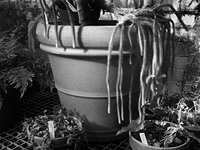
Ferns

H
Ferns

  • 0
  • 0
  • 17
between takes

H
between takes

  • Tel
  • Mar 21, 2026
  • 2
  • 0
  • 35

Recent Classifieds

Forum statistics

Threads
202,866
Messages
2,846,767
Members
101,578
Latest member
Reaton
Recent bookmarks
1

seedsie

Member
Allowing Ads
Joined
Oct 16, 2011
Messages
5
Format
35mm RF
hi all
seriously frustrated!
I'm getting small black spots on my print Borders. They occur in random locations and always only on the UNEXPOSED part of the paper.

The spots vary... in some are more faded grey some more deeply black.

I'm printing with large Borders and need them pristine, right now I'm wasting paper!

can someone please advise?
many thanks

....
Process steps:
Ilford mg FB warmtone paper
ilford mulitdev 3mins 20deg c
kodak stop bath 1min
ilford hypam 3mins
wash 5mins filtered water in Nova washer
Hypo clear 10 mins
Wash 30 mins filtered water in Nova washer
 
Try some Farmers reducer to spot bleach them out. Also check the bottom of your easel blades for contamination.
 
I'm makin contact prints and have a mask made. contamination on the mask was my first thought but i have clean it and got another made up and still get same problem. it is random - some prints don't have any some have one and a few prints have 2 or 3 spots.
I was thinking it might me a problem with one of my chemicals..?. and was hoping someone had come across a similar problem?
 
Dear Seriously Frustrated,

All seriousness aside, seriously post a scan so that we can seriously help you.


Serious and Sincerely,

Seriously Serious


P.S. Older papers that have seriously gone "off" may seriously exhibit this. Losing serious contrast, they can only be used seriously if they don't seriously affect a serious image, and one is seriously concerned about the quality of their serious print, if that is seriously your problem. Seriously.
 
Have you checked your developer concentrate for undissolved crystals?
 
1 minute in the stop bath is rather long. I just dip the print in, turn it over, then transfer to the fix, probably about 20-25 seconds. I'm not sure this is your problem, though.
 
If you just take a paper and not expose it, but run it through the process, does it have this dots?
After the fix, you can turn on the light. Do you already see those dots?

Ilford WT is a liquid developer. So I'd assume there are no particles floating around. Is that a correct assumption or has it degraded or participate has formed?
 
Along with the other suggestions could it be something on your fingers? Are you using tongs or handling the paper from one tray to another and then touching a new sheet?

http://www.jeffreyglasser.com/
 
Along with the other suggestions could it be something on your fingers? Are you using tongs or handling the paper from one tray to another and then touching a new sheet?

http://www.jeffreyglasser.com/

I was going to make a similar suggestion.

If you are handling fresh paper with hands that have been in developer or fixer, you could be putting invisible spots on your prints that don't show up until they are developed. The same goes for tongs and utensils.

I learned the hard way... :sad:

So, now what I do is use chopsticks. Put the ends in a pencil sharpener and sharpen them just enough to round the tips off. Not enough to put a point on them. Get a dozen of them. You can usually buy them at the grocery store.

Keep them in a beaker full of water. Instead of resting them on the side of your developing tray, return them to the beaker and rinse them off between uses. It takes a little bit of practice to be able to "chopstick" your prints but, once you learn, you'll always have a clean, fresh supply of utensils to handle prints without getting your fingers wet.

You can get blue Nitrile gloves at Lowes/Home depot for less than $10.00 per box of 100. They're cheap enough that you can change them a couple of times per session.

Finally, I have developed the habit of handling wet paper with only one hand. I manipulate the prints in the chemistry with my right hand, using the chopsticks. I keep my left hand in my back pocket. Then, when I handle dry, unexposed paper, I only use my left hand, keeping my right hand in my back pocket.

That's a habit I developed when working on live electrical circuits like TVs, etc., to keep from getting accidentally shocked. Then I transferred that habit to the darkroom when I started noticing spots on my prints.

I agree with the others. Post some example pictures so we can tell what's going on.
 
Hi seedsie! I am having the exact same problem, and it's driving me insane. Did you ever find out what the problem was? I'd be really grateful if you could share any insights... Many thanks!!
 
hi all
Process steps:
Ilford mg FB warmtone paper
ilford mulitdev 3mins 20deg c
kodak stop bath 1min
ilford hypam 3mins
wash 5mins filtered water in Nova washer
Hypo clear 10 mins
Wash 30 mins filtered water in Nova washer

Seedsie:
What hypo clearing agent are you using in your process? 10 minutes seems long to me.
 
You have resurrected an ancient thread.

seedsie was last seen:
Mar 12, 2012
 
Photrio.com contains affiliate links to products. We may receive a commission for purchases made through these links.
To read our full affiliate disclosure statement please click Here.

PHOTRIO PARTNERS EQUALLY FUNDING OUR COMMUNITY:


Ilford ADOX Freestyle Photographic Stearman Press Weldon Color Lab Blue Moon Camera & Machine
Top Bottom
