




Andreas Thaler
Subscriber
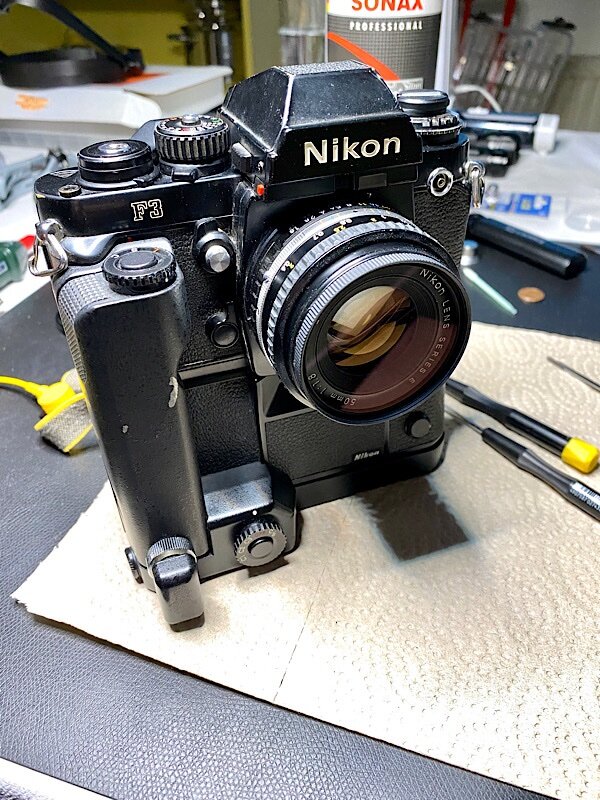
Nikon F3 with motor drive MD-4.
The Nikon F3, introduced in 1980, is considered one of the great SLR classics.
Built to the highest standards, durable, reliable, almost entirely made of metal, embedded in arguably the largest system program for an SLR, and produced for 21 years.
So it's not surprising that the F3 is still widely used today.
Unfortunately service and repairs
aren't looking good these days.
Nikon no longer supports the F3, and only a few repair shops accept it, often with the note that spare parts are no longer available.
That's not quite right, however, as spare parts - as with other older SLR - are taken from cameras of the same type. Spare parts suppliers are plentiful on the market, although these days the prices are higher.
Brand new spare parts are occasionally offered, but they are expensive and not necessary for a repair.
Service or repairs are often expensive and involve long wait times. Therefore, DIY is often the only option, and it's not the worst. The F3 is very service-friendly and built with replaceable modules.
Here, I summarize my service and repair experiences with the F3 so far.
Defective LCD
The LCD, reflected in the viewfinder of the F3 shows the automatically set exposure times with aperture priority, the manually set times and +/- symbols for exposure adjustment.
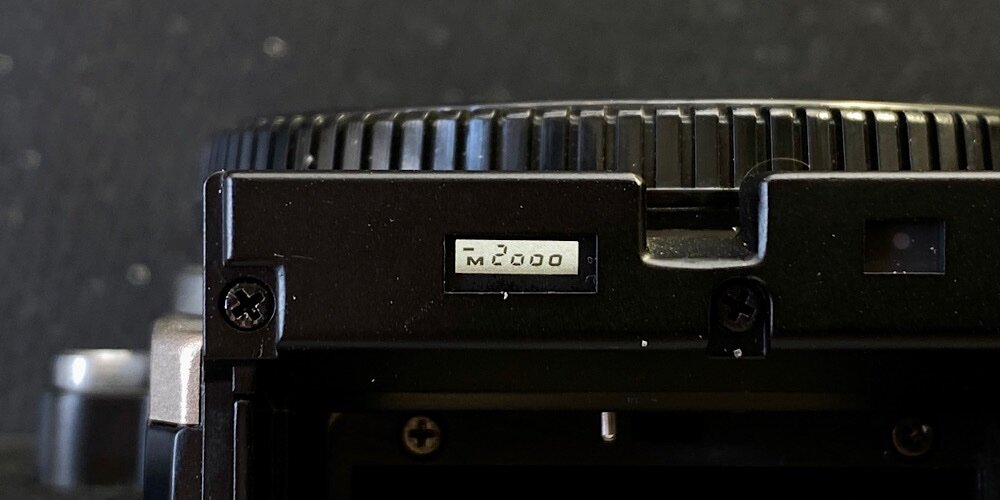
If the LCD fails, the F3's use is limited.
Although Nikon states a lifespan of around seven years, the LCDs mostly last until today.
The digits may become faint or partially fail.
The latter case can be caused by corrosion of the LCD contacts. Or the pressure of the LCD against the contacts via conductive rubber strips is too weak. The contacts may also be oxidized.
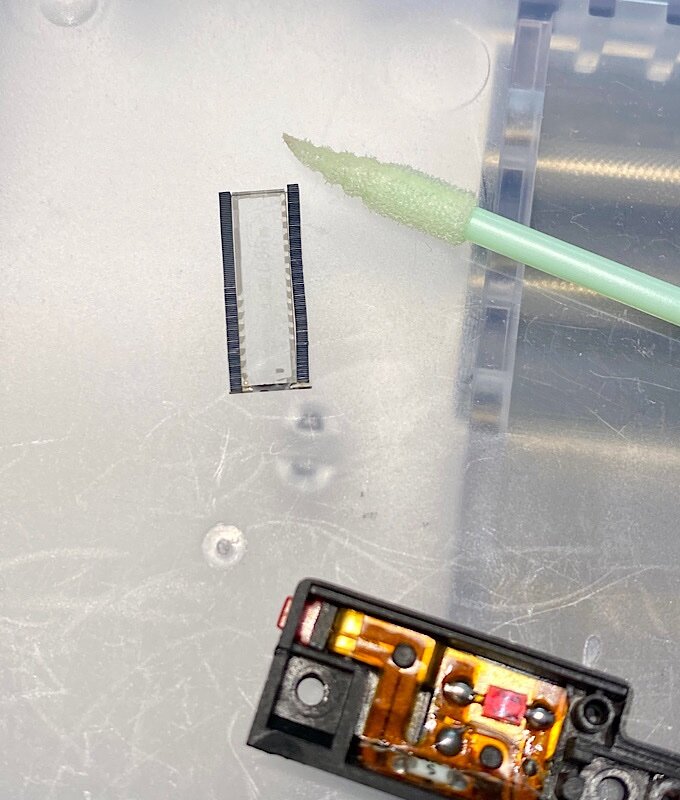
The LCD can be removed, inspected and cleaned; the effort involved is manageable.
If the LCD can no longer be repaired, it can be replaced with one from a donor F3.
Tutorial Nikon F3(AF): Replacing the LCD
LCD backlight weak, flickering, has failed
This is usually due to dirt or oxidation of the contact, which is activated by the small red button on the viewfinder.
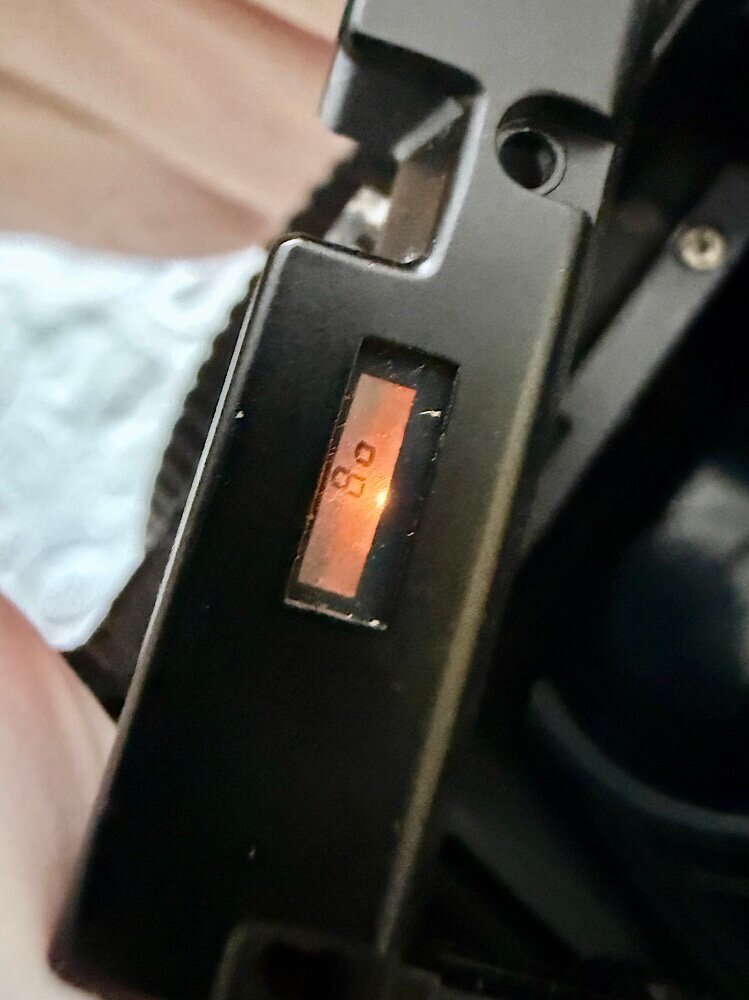
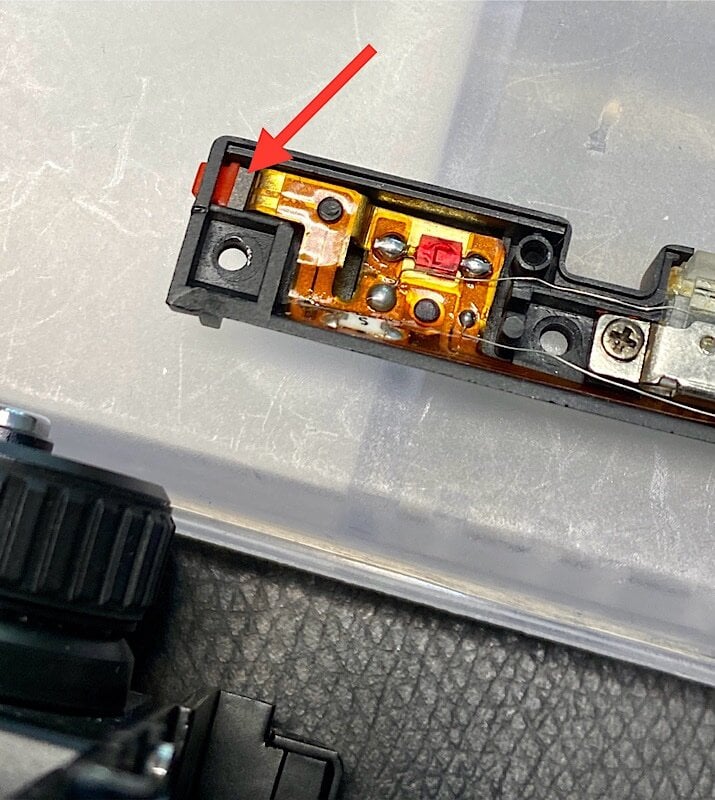
The contact consists of a plate that generates voltage when pressed (a piezoelectric element, red arrow) and a mating contact surface. Removal and electronics cleaner will solve the problem.
If the contact is intact, a light press on the red button is sufficient to activate the illumination.
Electronic fault that cannot be repaired
I had a problem with the LCD in an F3AF displaying incorrectly. An attempt to repair the circuit board was unsuccessful.
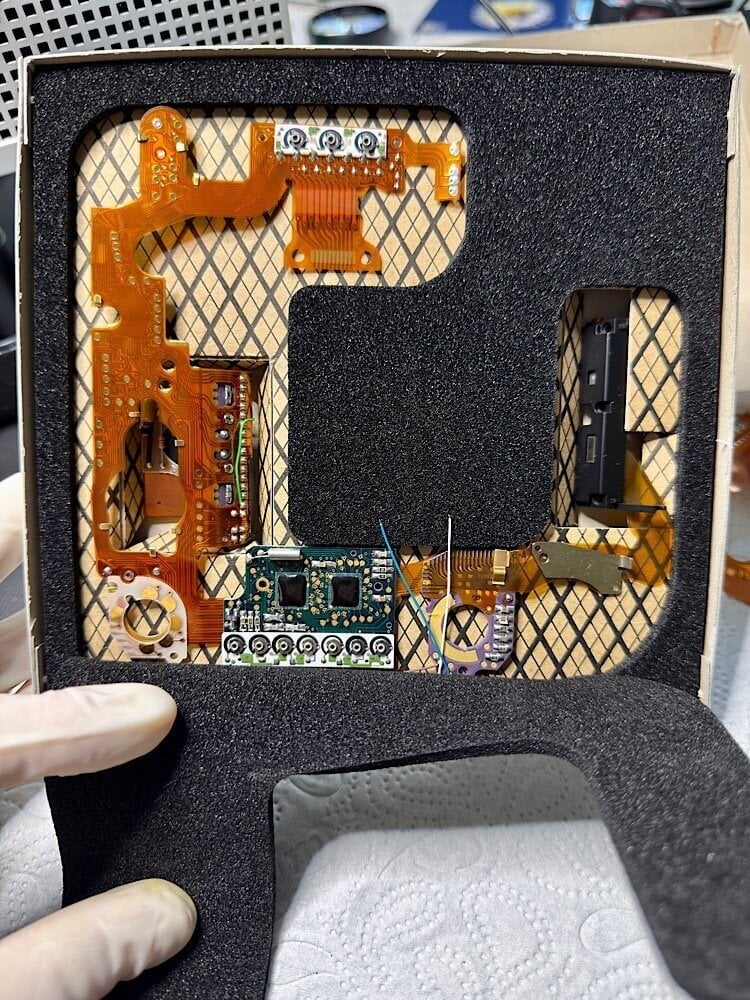
Circuit board of the F3.
Since the F3's electronic control system consists of a single circuit board, it can be replaced in one go. The effort required is minimal compared to other SLRs. The two top covers and the adjustment elements underneath them must be removed, as well as the front panel with the mirror box.
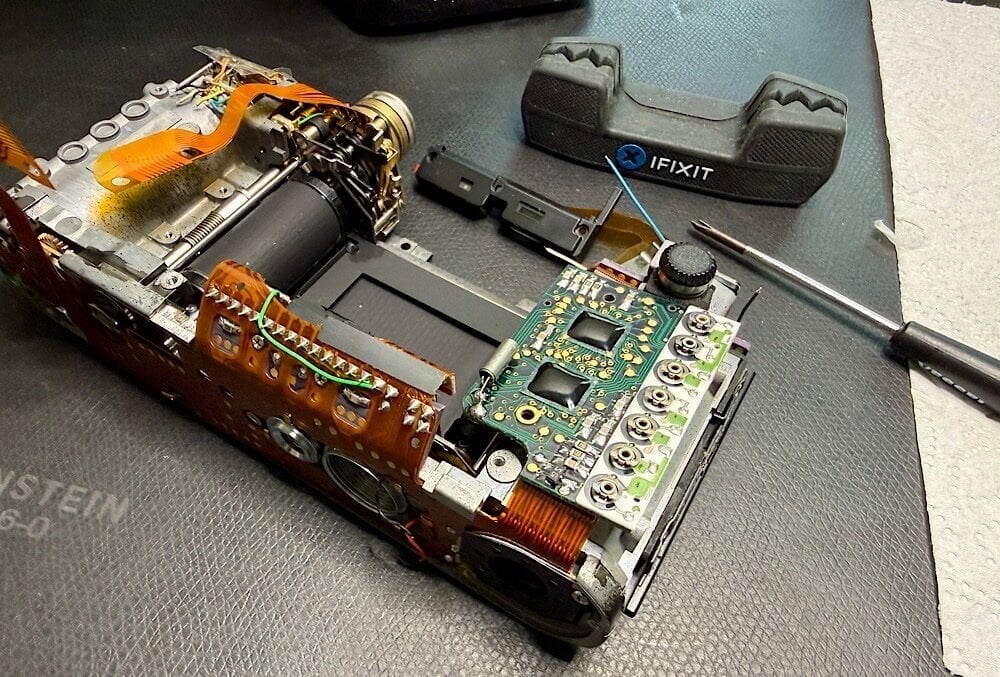
The electronic control can be replaced relatively easily.
Then, after desoldering and loosening screws, the circuit board can be removed from the housing.
I installed an original circuit board, and the problem was solved.
This also makes it possible to remove the circuit board from an F3 for spare parts and install it in another F3. All versions should be compatible with all F3 variants.
Nikon F3AF: All electronics replaced
Mechanical problems
If there are errors in the shutter/film transport sequence, the module based F3 can be easily disassembled to locate the problem.
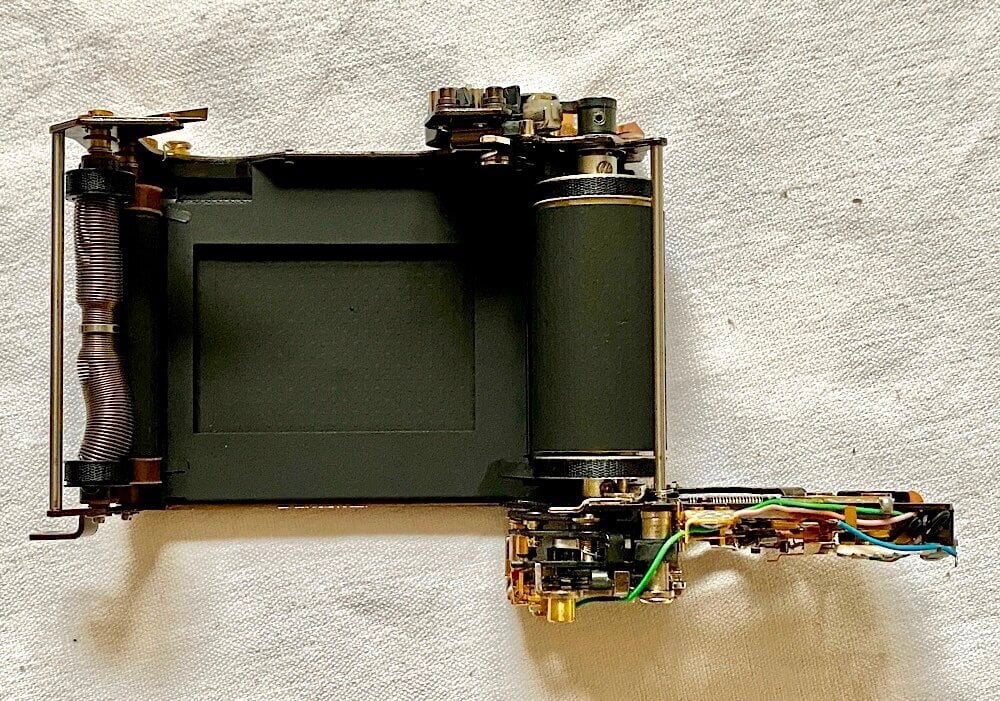
Horizontal focal plane shutter.
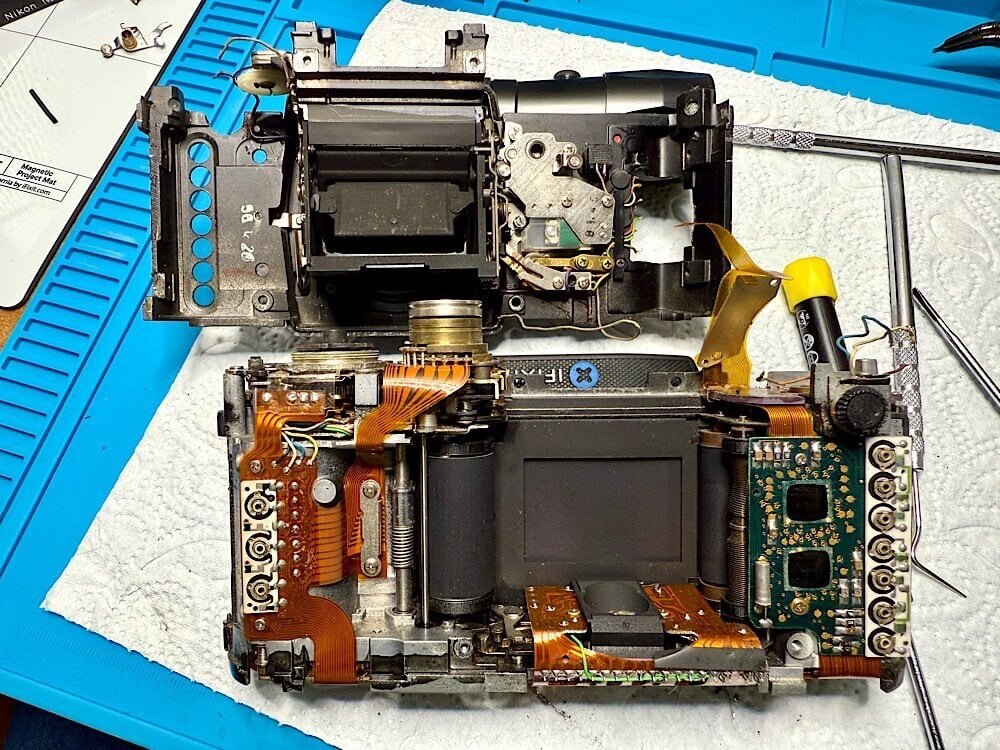
Front plate with mirror box, separated from the housing.
These modules include the frame counter, the shutter and its mechanism, the front panel with the mirror box, the electronic control system, the film transport system with the lever mechanism for the shutter and mirror, and the housing.
If there are any defects, I would replace these modules in their entirety, especially the front panel with the mirror box and the shutter, which are factory-adjusted.
Service
With intensive use, depending on the ambient conditions, I would thoroughly clean the F3 annually and check for compliance with the shutter speeds.
The curtains travel times are mechanically generated and can be adjusted using two adjusting screws after removing the base plate. A camera tester is required for this.
The electronics can be adjusted using ten potentiometers; Nikon did this fully automatically.
These factory settings should not need to be readjusted over the camera's lifetime. If necessary, this can be done manually.
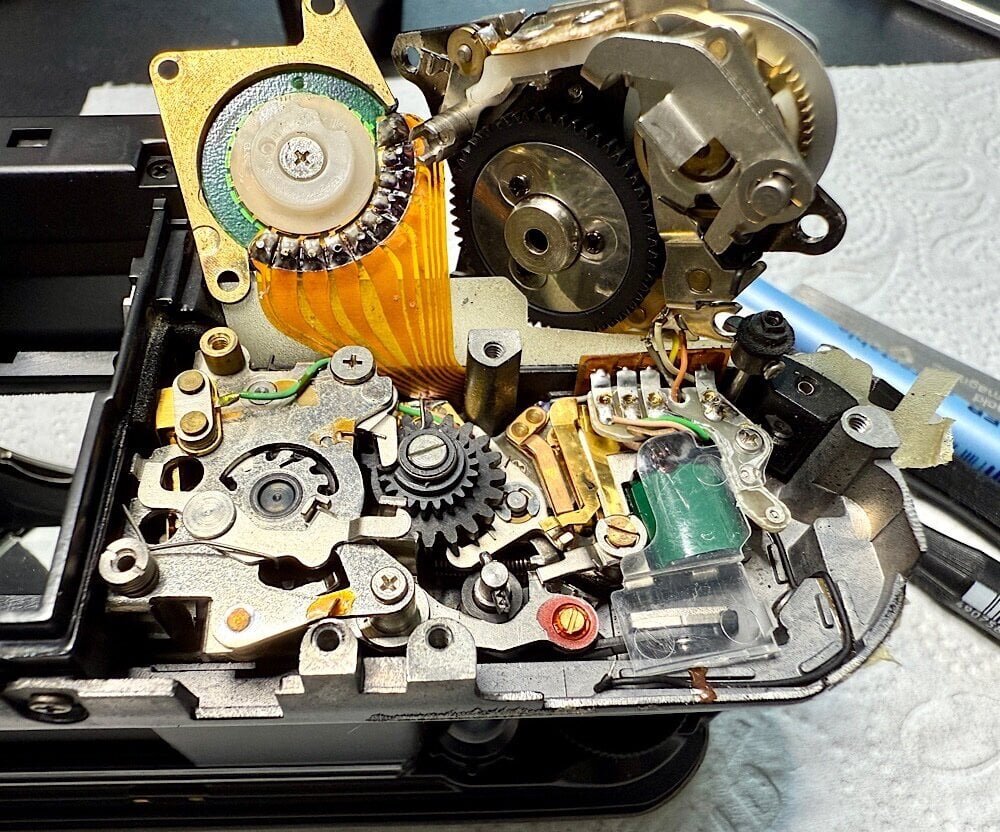
Frame counter mechanism, folded up (right), and shutter solenoid below (green).
The F3 has two solenoids, one for the mirror release and one for the shutter.
These electro/hybrid magnets can become dirty, making them unreliable. The camera then doesn't fire properly, or the shutter speeds are no longer correct. I would clean them as soon as problems arise.
Nikon F3/T: Clean, lube, adjust (CLA)
Technical literature on the F3
Complete documentation is available for the F3, including instructions for adjustment, disassembly, and troubleshooting.
- SPT Journal: May - June 1985
- C & C Electronic Troubleshooting Guid
- Nikon F3 Technical Manual
- Nikon F3 Repair Manual
 A word of caution
Please keep in mind that you’ll be using highly flammable solvents for service work, and their fumes are harmful to your health. Soldering also produces fumes that should not be inhaled. Dangerous high voltages can be present when handling electronics, especially in conjunction with electronic flash units and mains. Therefore, familiarize yourself with the safety regulations beforehand and ensure your safety. Depending on the activity, protective gear may be advisable.
All information provided without guarantee and use at your own risk.
Acknowledgments
Without the work of Master Larry Lyells, in particular, we wouldn’t have the detailed technical information we need today for service/repair of SLRs.
The SPT Journal and The Camera Craftsman, which he helped shape significantly as an author, and which contain all the necessary information and instructions are available for a fee through Learn Camera Repair.
We owe our access to them to Eugene Pate, the founder of Learn Camera Repair.
Last edited:

