
• Welcome to Photrio!
    Registration is fast and free. Join today to unlock search, see fewer ads, and access all forum features.
    Click here to sign up

Need opinions about appearance of pictures on my website.

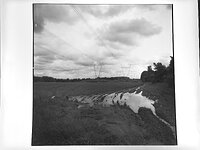
Puddle

Puddle

  • 2
  • 2
  • 70

Recent Classifieds

Forum statistics

Threads
202,728
Messages
2,844,711
Members
101,487
Latest member
Bmattei
Recent bookmarks
1

ZoneIII

Member
Allowing Ads
Joined
Jan 7, 2007
Messages
264
Location
Illinois
Format
Large Format
This is one of those questions that really doesn't fit into any categories that I can find on APUG but I want to post it here because I have found that APUGs members are the most knowledgeable people to go to with something like this. I realize that my question dips into the digital realm because it's about how scanned images look on a website but I only shoot film. I am an analog photographer exclusively.

I have a client that asked that I get something on the Internet so that their buyers can choose pictures to purchase. I had promised myself to build a website for years but never got around to it so, in desperation, I got some pictures together and got hosting and a domain and uploaded a Jalbum portfolio within 24 hours. (It isn't what I eventually want as far as a comprehensive website goes but at least it got something online for that client.)

Most people say the images look fine (technically) but two people say that the images look really bad.. too dark, etc. (I am not asking for a critique of my pictures. I am asking about how they appear from a technical standpoint... i.e. calibration.) Two weeks ago, a photographer who has a calibrated monitor said that the images on my website look terrible from a calibration standpoint - brightness, contrast, color, saturation, etc. Because he calibrates his monitor with a Spider, that concerned me.

A week ago, I went to my daughter's house and looked at my website using her monitor. They looked terrible! They were dark, too contrasty, over-saturated, and murky. But other Internet pictures look fine on her monitor. I asked her why she hadn't mentioned this to me before and she was surprised by my question because she thought they looked good which demonstrates that subjective judgments are difficult to go by. (They looked REALLY bad!)

I don't have a Spider or other monitor or calibration tool and I just use a program that came with my Samsung monitor. It's much better than Adobe Gamma but it's still subjective, of course. My pictures look about the same on my new monitor as they did on my old one that failed recently. But here's what really has me stumped: If my monitor was adjusted incorrectly, shouldn't other pictures that I view on the Internet look bad on it? But everything looks fine on my monitor. My pictures look good and so does other Internet pictures that I view. On my daughter's monitor, everything looks good except pictures on my website (???)

So now I'm not sure what's going on. I want to be confident that what I see is approximately what other people see, of course. I'm planning a comprehensive website so this is a problem I want to solve.

I would really appreciate it if some APUG members could go to Dead Link Removed and let me know if it looks like I have a serious calibration problem. Again, I do not want a critique of the pictures. I just want to know if there appears to be a calibration problem. Some pictures simply could be adjusted better so I'm not asking about very fine calibration things. I got those the pictures together and up so fast that they aren't all adjusted exactly the way I would like them. I'm asking if the pictures IN GENERAL look too dark, contrasty, saturated, etc. And I would also appreciate any suggestions that might explain what may be going on. Being an old analog person, I don't fully understand calibration, color spaces, and all of that. For now, I just want to know how to ensure that my website pictures look O.K. on any well calibrated monitor. BTW, I noticed that some of the thumbnails look dark on my monitor but the pictures look O.K. when opened. That may have something to do with the compression of the thumbnails so be sure to open a few images. Please check a few b&w images too. I'm very curious to see if I have real problem on my hands or if the monitor's that they look bad on might be calibrated incorrectly.

Thanks
 
Looks good to me!

Tom,
My main computer is a Mac Mini with a 24" Dell LCD monitor, calibrated with a Gretag-Macbeth i1. I currently use this display for a digital archiving project; the color and monochrome images I scan, from large and medium format, are reviewed on other people's calibrated monitors as well. I have complete trust in my monitor's color profile.

On my monitor most of your images display with seemingly accurate color and density. There are some individual images that look slightly underexposed to me, such as Beach, Prince Edward Island, but that's not so much a function of the monitor as it is the individual's taste for a particular photograph.

I hope this helps; I'm not sure why images that look good on my system would look bad on another accurately calibrated display.
 
I have a new HP with a 24" monitor and the shots do look a little "harsh". I'm not techie, but I was once told that images for the web should only be about 100 dpi. I did note that the images took a couple of seconds to fully download even with a relatively fast computer - could it be that there's too much info for a screen to handle unless it's calibrated, (mine isn't). I would also think that the majority of clients etc viewing your web site would NOT have calibrated monitors.

BTW - excellent photographs. I may just chuck it in!!!!
 
Looks pretty good on my monitor. I have calibrated my monitor. I really like "Bishop Hill, IL", I think it's really gorgeous light.
I don't really think anything looks "harsh", but a couple things look maybe a little sort of oversharpened, like "Badlands National Park, SD", for instance. Your color work is really lovely.
 
They look good here; some may appear different in terms of exposure or saturation from what I might have chosen, but they don't look "off'". I'm running (as of fairly recently) an Acer 20" LCD monitor. So far, my calibration has consisted of setting it up with a step chart .GIF file on screen. Some day when I am afflicted with too much surplus cash I may invest in a real calibrator.

That "Fall Colors, Road, Keweenaw Peninsula, MI" could have been taken here in Pennsylvania, has a nice "I've been there" sense to me.

DaveT
 
A few tips:

- If you are making money with your pictures, and are seriously concerned about the exact appearance of the pictures on the internet, there really is no excuse for NOT buying a calibration device. Get one, even a cheaper 99 dollar version of the Spider or ColorMonki or something will be better than what you do yourself.

- Second, get a colormanagement aware software package. Now Photoshop CS is probably overkill, so get Photoshop Album.

- Third, after having these things done, start working AdobeRGB colorspace during scanning. This is not that difficult, since most scanners scan to AdobeRGB anyway, or have a setting for that.

- Fourth, now working in AdobeRGB is OK for "home-printing", as it will allow brighter greens than sRGB, but NOT for display on the internet. You need to CONVERT each image from the AdobeRGB colorspace to sRGB. This should be an option in Photoshop Album. Save these as separate images from the originals. In Photoshop CS(1-4), you could do this in batch by choosing "File/Scripts/Image processor."

Currently, your images DO NOT have an included colorspace, as I checked that in Photoshop. This will mean that the images are displayed without guarantees about color rendering, even if the user has a calibrated monitor and colormanaged webbrowser. If you convert to sRGB, you don't have this issue since most monitors approximately match the sRGB colorspace, see the next point, Jeffrey has written a really good article about this.

- Fifth, read this excellent introduction to colormanagement and display of images on the web and why it can go wrong by Jeffrey Friedl, I think it will explain a lot about your issues. It is a seven page blog article, I recommend you to read it all, it will definitely help and he explains things in a understandable way, better than I can do in a short post here:

http://regex.info/blog/photo-tech/color-spaces-page1

- Six: even if you do all this, you should be aware that, even with well calibrated monitors on both computer platforms, there may be a noticeable difference between Apple and Windows machines. This has to do with the way especially older Macs used to be calibrated, which differed from Windows (technical term Gamma, that differed)

The good thing: On my calibrated monitor, most images look fine, maybe the colors a bit oversaturated, but that maybe how you intended it, but it may also be related to not having included the colorspace and converted to sRGB.
 
I've got an iMac and your B&W section is as sumptuously rich as the best sites I've visited. Easily as good as Lynn Radeka's site, which is saying a lot!!

Murray
 
i calibrate my monitor about every two weeks with color munki.
They look fine.
Lots of pop.

A couple in the people gallery seem a bit contrasty, but that could just be a personal thing. (certainly a lot better than a lot of flat stuff out there on the "air wave".
 
On my calibrated Cinema display, the images look properly color-balanced, though I find some of them a bit dark for my taste. A few of them also look oversharpened. These last two observations are a matter of taste, of course. No really overwhelming technical problems I can see.

I was shocked when I looked at my website (link from my signature) on the piece-of-sh-t ancient LCD screen at the computer where I work. They are waaaay too bright, with whites uniformly blown across the board. It is tough to think that, with all the effort you put into images--which look great one's own monitor--the vast majority of web visitors, including many in the image business who should know better, are viewing them on appallingly atrocious monitors.

Life had to have been much easier when you could just show them prints or trannies.
 
I was shocked when I looked at my website (link from my signature) on the piece-of-sh-t ancient LCD screen at the computer where I work. They are waaaay too bright, with whites uniformly blown across the board.

Although bad monitors definitely exist, the most common cause of what you describe is not a bad monitor, but a bad monitor setting.

Almost all computer monitors have an "on-screen-display-menu" (OSD).

This is NOT a windows setting / menu!!!!

You usually have to press a button at the front or sides of the monitor itself (maybe with "OK" or "Menu" on it) to access this factory monitor menu.

Now find a menu option or setting like "Color" or "Color temperature". Quite often, it turns out that this setting is set to "9300K" (Kelvin) instead of the required "6500K" that is needed for viewing photo's and doing a monitor calibration.

Reset it to 6500K and your monitor will most likely no longer show "blown out" highlights and have a more natural color appearance, with warmer colors as they should be.

The 9300K was added by manufacturers for more easy / higher contrast viewing of screens under bad lighting conditions with for example direct sunlight hitting the screen, but is unsuited for viewing of photos.
 
Zone,
The B/W look pretty good to me. Did someone say "harsh?" Yes. A trifle. But that makes some of them spectacular to look at on my el cheapo monitor---like the image, Traintracks, Aurora, IL.
 
Tom: I just browsed through your black and white landscape portfolio. You noted that you are not asking for a critique of the photographs, but I need to say that they are very nice anyway.

Now to your question: on my iMac, I would judge the pictures to be bright enough, but some of them seem to lack enough contrast. For example, "Ironton, CO" there is some contrast in the foreground foliage and front of the barn. But since the photograph was taken on a sunny day, I would also expect to see some contrast in the trees and the side of the mountain behind the barn.
Dan
 
Richard,

Thank you very much! That's a big help especially since you monitor is calibrated properly. Some of my pictures don't look optimal on my monitor either and I think the Prince Edward Island picture is one that looks off on mine too. There are a few that I have been meaning to re-scan and re-adjust and if I remember correctly, that's one of them. There are others too. I really appreciate you taking the time to help me with this.

Tom
 
John,

Thanks much! What you are saying is consistent with what I am seeing too because some of them are a bit harsh on my monitor too. The Redwood picture, for example, looks too harsh. But I feel more confident now that, in general, they look fairly good. This thing has had me concerned.
 
Marco,

That's a HUGE help! Thanks for the tips. I thought I was scanning my images in sRGB but I don't really understand that stuff very well. I'll check out the links you mentioned and I'll try to set my colorspace to sRGB even though I thought that's what they were. I don't print my photographs with a printer. I print my own b&w in a darkroom and I have West Coast Imaging do my printing after they make drum scans. And you are absolutely right that I have no excuse for not having a calibration tool and I'm gong to get one soon. I should have had one all along. But until recently, this wasn't an issue for me but now that potential buyers will see my pictures online, I have to deal with it. Thanks again.
 
Mike,

Some them look too dark and over-sharpened to me too so that's actually good news because we are seeing the same thing. I had been meaning to re-work some of the pictures but hadn't got around to it yet. I really appreciate your feedback and it's very helpful. Thanks much!
 
I ordered a Spyder 3 Elite. I should have had a calibration tool all along but I just kept putting it off. I wasn't sure which Spyder to get but I elminated the Spyder 2 because I see it's older technology than the Spyder 3 models. It appears that the Spyder 3 Pro and Spyder 3 Elite use the same calibration tool but the Elite just has more elaborate software. I probably won't need those extra features and I don't even understand them but I figured I may find them useful at some point in the future and the $50 or so difference in price is not that big.

After placing the order, I realized a couple advantages I will have once I have the tool and learn how to use it. For one thing, I can now upload my files to my lab (West Coast Imaging) and have prints made with confidence. I have WCI drum scan my film and make exhibition prints but now I can upload less critical images that I have scanned myself and know that what I see on my monitor will be close to what the print will be. I'm in the dark when it comes to all this calibration stuff so I have a lot to learn. For example, I'll have to find out how to use the profiles provided by WCI. I have no idea how to do that now but I'm at least aware of it.

Another benefit will be that I will now be able to have WCI drum scan my film and send the scan to me and then I can do the PS work rather than having WCI do that. I'm glad that I was encouraged here to finally get a calibration tool because that suggestion was what finally got me off my butt to get one.
 
Photrio.com contains affiliate links to products. We may receive a commission for purchases made through these links.
To read our full affiliate disclosure statement please click Here.

PHOTRIO PARTNERS EQUALLY FUNDING OUR COMMUNITY:


Ilford ADOX Freestyle Photographic Stearman Press Weldon Color Lab Blue Moon Camera & Machine
Top Bottom
