

Hello!
First time poster here.
I've been on a journey reviving some classic Apple Power Mac computers. My current project is a beige G3. I wanted to get a negative scanner to enable me to scan and edit photos on this machine.
This is going to be a bit of a story, but here it is.
I found a Minolta DIMAGE Scan Elite II on ebay Canada and bought it. It was listed as untested so I wasn't expecting much. It arrived with all of the accessories. I plugged it in and the power LED and controls didn't do anything. I opened up the case and found the ribbon cable that connects the front control panel disconnected. I reconnected that cable and then the buttons started working.
The Mac running OS 9.2.2 (again, this is just fun hobby stuff for me) and the Minolta DIMAGE scanning software (version 1.0.1, I believe) couldn't find the scanner at all via firewire. Next I installed the trial version of VueScan on a Windows 10 machine and connected the scanner via USB. The first time I launched it, it didn't recognize the scanner. I reseated all of the cables inside of the scanner and noticed that one of the proximity sensors, the one for the upper-most carriage, had the little circuit board tweaked. I'm surprised the internal sensor wires didn't break. I reflowed solder on that board and put it all back together. With the scanner powered on, I launched VueScan again and this time it detected the scanner by name and asked me to close the door on the front of the scanner. I did that and the scanner made a few more noises and then went silent. I ran the calibration operation and heard various motors in the scanner doing their thing and the calibration failed and locked up the software completely. I force-quit VueScan and power-cycled the scanner. Trying it all again, it then passed the calibration. Next it told me to insert the negative holder strip. When I did that, it grabbed it and pulled it in to position. I clicked Preview, and it made some noises, and started scanning the first negative. It stopped about half-way through, locked up the software, and the power LED on the front of the scanner was blinking rapidly in a 5-blink pattern. That was the only time I got the scanner to go that far. It then proceeded to stop doing anything other than making a high-pitch whirring noise (sounded like the small motor that's evidently inside the actual scanner head) for a couple seconds and then stopped. After reseating things again and getting slightly desperate, I tapped on the scanner head gently with a plastic screwdriver butt, and it successfully went through the calibration process but failed when trying to do a Preview.
I don't really have much to lose, and am thinking about opening up the scanner head but it has screws that have red paint on them which usually means something has been factory calibrated or adjusted. Do you guys think there's anything inside I might possibly be able to "unstuck" or get working? The mildly frustrating part is there are so many sensors/limit switches on this thing that I can't run it completely disassembled to observe what's happening, only partially disassembled.
I looked over all of the capacitors with a magnifying glass and none of them look like they have leaked or are corroded...doesn't mean they aren't bad though.
If I can get it working reliably on the PC, I'll be moving it back to the Mac for use with Photoshop 7.
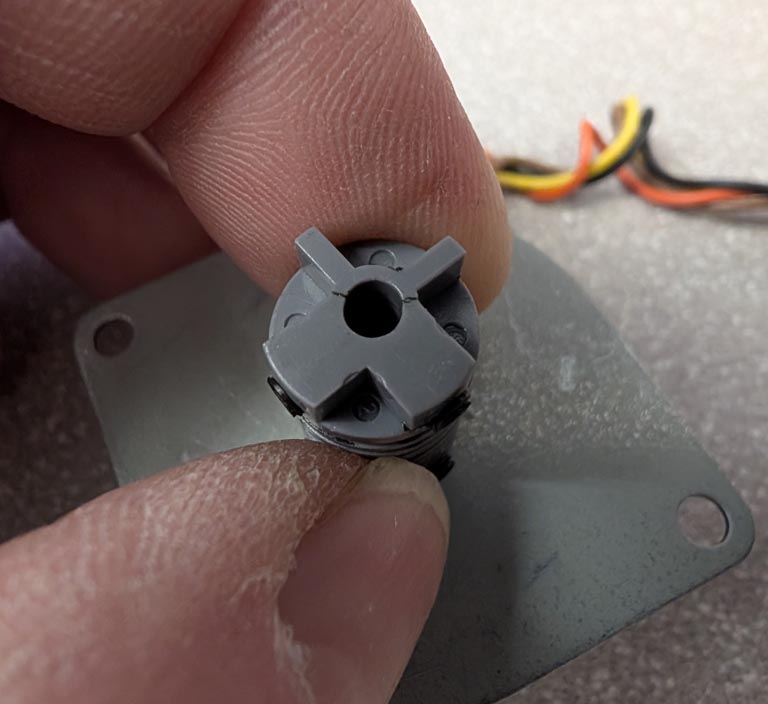
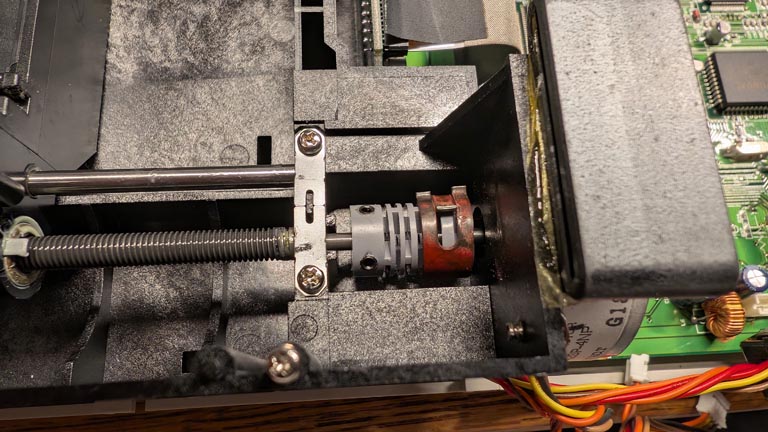
P.S. I will add that I jogged all three of the exposes stepper motors "off station" with the power off, and when I powered the unit back up, they all reset and stopped at what looked like a precise position based on observation of the proximity sensors, so that part of the system appears to be ok. All of the guide rails also have a layer of silicone grease that is still in good condition (liquid, slippery).
First time poster here.
I've been on a journey reviving some classic Apple Power Mac computers. My current project is a beige G3. I wanted to get a negative scanner to enable me to scan and edit photos on this machine.
This is going to be a bit of a story, but here it is.
I found a Minolta DIMAGE Scan Elite II on ebay Canada and bought it. It was listed as untested so I wasn't expecting much. It arrived with all of the accessories. I plugged it in and the power LED and controls didn't do anything. I opened up the case and found the ribbon cable that connects the front control panel disconnected. I reconnected that cable and then the buttons started working.
The Mac running OS 9.2.2 (again, this is just fun hobby stuff for me) and the Minolta DIMAGE scanning software (version 1.0.1, I believe) couldn't find the scanner at all via firewire. Next I installed the trial version of VueScan on a Windows 10 machine and connected the scanner via USB. The first time I launched it, it didn't recognize the scanner. I reseated all of the cables inside of the scanner and noticed that one of the proximity sensors, the one for the upper-most carriage, had the little circuit board tweaked. I'm surprised the internal sensor wires didn't break. I reflowed solder on that board and put it all back together. With the scanner powered on, I launched VueScan again and this time it detected the scanner by name and asked me to close the door on the front of the scanner. I did that and the scanner made a few more noises and then went silent. I ran the calibration operation and heard various motors in the scanner doing their thing and the calibration failed and locked up the software completely. I force-quit VueScan and power-cycled the scanner. Trying it all again, it then passed the calibration. Next it told me to insert the negative holder strip. When I did that, it grabbed it and pulled it in to position. I clicked Preview, and it made some noises, and started scanning the first negative. It stopped about half-way through, locked up the software, and the power LED on the front of the scanner was blinking rapidly in a 5-blink pattern. That was the only time I got the scanner to go that far. It then proceeded to stop doing anything other than making a high-pitch whirring noise (sounded like the small motor that's evidently inside the actual scanner head) for a couple seconds and then stopped. After reseating things again and getting slightly desperate, I tapped on the scanner head gently with a plastic screwdriver butt, and it successfully went through the calibration process but failed when trying to do a Preview.
I don't really have much to lose, and am thinking about opening up the scanner head but it has screws that have red paint on them which usually means something has been factory calibrated or adjusted. Do you guys think there's anything inside I might possibly be able to "unstuck" or get working? The mildly frustrating part is there are so many sensors/limit switches on this thing that I can't run it completely disassembled to observe what's happening, only partially disassembled.
I looked over all of the capacitors with a magnifying glass and none of them look like they have leaked or are corroded...doesn't mean they aren't bad though.
If I can get it working reliably on the PC, I'll be moving it back to the Mac for use with Photoshop 7.
P.S. I will add that I jogged all three of the exposes stepper motors "off station" with the power off, and when I powered the unit back up, they all reset and stopped at what looked like a precise position based on observation of the proximity sensors, so that part of the system appears to be ok. All of the guide rails also have a layer of silicone grease that is still in good condition (liquid, slippery).