
• Welcome to Photrio!
    Registration is fast and free. Join today to unlock search, see fewer ads, and access all forum features.
    Click here to sign up

metering in the snow / the digital is debilitating !!

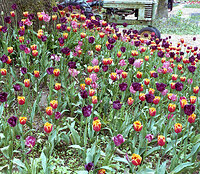
Tractor & Tulips

A
Tractor & Tulips

  • 0
  • 0
  • 22
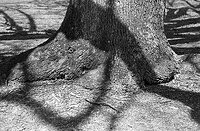
Tree with Big Shadows

Tree with Big Shadows

  • 3
  • 0
  • 80

Forum statistics

Threads
203,456
Messages
2,855,040
Members
101,852
Latest member
keith1420
Recent bookmarks
2

Deit39

Member
Allowing Ads
Joined
Nov 4, 2009
Messages
13
Format
Medium Format
Are there any general rules of thumb for metering in fresh fallen snow? I woke up earlier than I usually do today to run about after the puny blizzard we had here in North New Jersey.. using a Minolta Autocord TLR and a Bronica Zenza (S2? not sure the model) metering with my Sekonic L-308B light meter.. and I am a child of the digital age (I'm 23) and I have a general knowledge of exposure.. unfortunately I've been crippled by technology and my knowledge of exposure fell short today!! .. I knew that all the snow and light reflecting off the snow would need to be compensated for and that my meter would try to read the bright white snow for middle gray.. So I factored in a stop or two depending on the situation.. But I just developed the two rolls I shot and it looks like I didn't compensate nearly enough... Really dark negatives.. overexposed but still readable.

the more I think about this, the more I feel the need to start reading about, and getting into, the zone system. I'm too carefree and lazy.

So.. what are your tips for shooting in the snow?

AND! - side topic - "Kids these days!!!" (of which I'm guilty) You can teach them (me) exposure.. but when will they begin to THINK in terms of exposure when the digital LCD tells them what adjustments are to be made?! When will they (me) realize that they've got to get back to the fundamentals!
 
Last edited by a moderator:
it looks like I didn't compensate nearly enough... Really dark negatives.. overexposed but still readable.

It looks like you compensated too much if they are over exposed.

The general idea is to compensate about +1.5 to +2 stops if the scene is predominantly white (for an ambient light reading) so it sounds like you did the right thing.

Have you printed any yet? It may be that all the snow is making the negative appear too dark but in reality, it may be correct.


Steve.
 
So I factored in a stop or two depending on the situation.. But I just developed the two rolls I shot and it looks like I didn't compensate nearly enough... Really dark negatives.. overexposed but still readable.

Your negatives should be dark! The snow is white, and thus the negative must be dark in those parts to render a light white snowy scene in your paper positive.

You probably did OK, and should not overexpose more than you did... you may though, have overdeveloped the negative somewhat if you really feel they are to dark, but the best judge for that would be to make a quick contact print and see how that turns out and how printable they are.
 
Use your meter in incident mode (white bulb over the sensor) and measure the light falling on the snow instead of the reflected one (bulb should be pointed towards the camera). Apply no corrections, negative will cope with the contrast.
 
I take an incidental reading and add 1/2 a stop.
 
Your negatives sound fine. Snow is white, so should be dark on a negative.
 
So far, everybody is right. You should have a dense looking negative. It may even look very contrasty depending on subject matter.

Rick
 
On the other hand, if you are shooting snow and nothing but snow, the negs will indeed be dark, but there will be almost no contrast.
 
P.S. Digital is not debilitating. Reflected light meters (particularly in-camera ones) are, if you do not know how to use them fairly precisely. This holds true for digital and film. I do not know if debilitating is the right word for what I mean, however. "Do not give optimum results in most circumstances" is probably how I would phrase it.
 
It depends on what you want to show but, if you're shooting negs: If you want to show a brilliant white landscape then overexpose 3 or 4 f/stops from what the meter tells you. If you're trying to show more shadow detail then meter the shadow area and adjust exposure accordingly... common rule-of-thumb is minus 2 f/stops but depends. If you're trying to show "slightly" more textural and tonal detail in the snow then only over expose 2 f/stops. If you want to show "lots" of textural and tonal detail (little sparkles and texture) then only overexpose 1 f/stop or expose normally and overdevelop to increase contrast to accentuate textures. The latter is really only if there are no objects showing that matter and you're just concerned about the snow itself.

Slides require a different approach, of course.

Keep your feet and hands warm :smile:
 
Well to really understand exposure, you need a darkroom to print in (or a scanner to make a digital print onto a computer screen).

The only job of the film is to capture information. And it did that.

Now you have to take that information and successfully transfer it onto another media. Thats where differences in exposure will be a factor.
 
Last edited by a moderator:

I agree with WolfTales. Before digital existed I used to tell people first starting out in photography to put their cameras on manual, shoot slides and have them processed at a consistently good lab. Slides don't lie and can be the best teacher for understanding and controlling basic exposure. Once they understood this then I told people to process and print their own B&W. If someone else is correcting their mistakes they'll never learn how to prevent them.
 
Haven't had challenges relative to exposure. However, just thought I would stick my oar in here, when capturing in color, what I have to notice & correct is color temp. especially if it's a bright sunny day after a snow. I find that snow can be a little blue in color.

Have a wonderful week.
 
Not sure if this will help, but in difficult lighting situations, I like to meter of the back of my hand to get my exposure in the ballpark, and then compensate a little if I need to from there.
 
well thank you to all who replied
and yes, snow is white and I expected dark negs, but some of mine are a bit TOO dense.
and I can't print yet, saving up money for darkroom equip.. should be ready after the holidays.
So in a months time, the real fun will begin and I'll get back to printing!
 
I re-read your original post. If you only overexposed 1 or 2 f/stops and your negs are really that dense then something else is awry. Maybe the cold weather is affecting your shutter speed or aperture... slow/sticky/jamming? And... you did set the appropriate ISO on the meter, right? :smile:
 
Not sure if this will help, but in difficult lighting situations, I like to meter of the back of my hand to get my exposure in the ballpark, and then compensate a little if I need to from there.

It's good general advice to meter from the palm of the hand rather than the back as the palm skin colour doesn't vary much with regard to overall skin colour. With this method it is usual to add one stop of exposure.

However, if you are lucky enough to have a skin tone which has the same reflectance as a standard grey card, then you are in luck!


Steve.
 
It depends on what you want to show but, if you're shooting negs: If you want to show a brilliant white landscape then overexpose 3 or 4 f/stops from what the meter tells you. If you're trying to show more shadow detail then meter the shadow area and adjust exposure accordingly... common rule-of-thumb is minus 2 f/stops but depends. If you're trying to show "slightly" more textural and tonal detail in the snow then only over expose 2 f/stops. If you want to show "lots" of textural and tonal detail (little sparkles and texture) then only overexpose 1 f/stop or expose normally and overdevelop to increase contrast to accentuate textures. The latter is really only if there are no objects showing that matter and you're just concerned about the snow itself.

Slides require a different approach, of course.

Keep your feet and hands warm :smile:

For slides of skiers and snow boarders, take a reading of the palm of your and a reading of a dark parka and average, unless of course you find an appropriately dark gray parka.

Steve
 
... metering with my Sekonic L-308B light meter...I knew that all the snow and light reflecting off the snow would need to be compensated for and that my meter would try to read the bright white snow for middle gray.. So I factored in a stop or two depending on the situation.. But I just developed the two rolls I shot and it looks like I didn't compensate nearly enough... Really dark negatives.. overexposed but still readable. ...

Reading this, I'm a bit confused. IF you took an incident reading and compensated, you've done too much. The incident reading if done right, will give you all you need.

But I'm not sure about which WAY you compensated, either. If you added exposure, yes, you would get overexposed negatives. But you say you didn't compensate enough, which suggests that you may have given LESS exposure and don't think you went far enough. Were you to have cut your exposure, you might well have UNDERexposed. Just don't compensate and you should do fine, but be sure that you are pointing the incident meter AWAY from the camera if you stay at the camera position and are in the same light, or, if you go to the subject you'd point the meter toward the camera. Note that in both these cases the meter would be pointing in the same direction.

Using a reflected light meter, yes, whatever you meter is assumed in the design of the meter to be middle gray. Using an incident meter is far more reliable when working in snow or other unusual conditions. Fog too.
 
Are there any general rules of thumb for metering in fresh fallen snow?
So.. what are your tips for shooting in the snow?

OK, take it from basic principles.

Snow is white, so you want it to look white in the print (metering without exposure compensation will render it as grey in your print).

You want the snow to show texture in the print? Open up (let in MORE light: use a smaller "f" numer, i.e. a larger opening in the aperture) 2 to 2.5 stops.

None or little texture? Open up 3 stops.

Taking it another way.

Snow is white = 90% reflectivity (meter assumes 18%).

So, snow reflects 5x more than expected, so increase exposure time 5 times.

(Hence, for example, 1/250th becomes 5 x 1/125th = 1/25th :smile:

In the negatives, snow should look dark as snow is a "highlight". :smile:
 
Last edited by a moderator:
OK, take it from basic principles.

Snow is white, so you want it to look white in the print (metering without exposure compensation will render it as grey in your print).

You want the snow to show texture in the print? Open up (let in MORE light: use a smaller "f" numer, i.e. a larger opening in the aperture) 2 to 2.5 stops.

It will already show texture when you take your reading directly off the snow itself, i.e. put it in the middle of the scale.
No need (on the contrary) to open up the aperture for that.
 
If your negatives are super dense, you may be over-developing. I'm surprised no one mentioned that yet.

Have you run tests with this film and developer combo? Does it give you consistent results in other high contrast situations?
 
If you read the snow on the middle of the scale it will certainly show texture but it will land in that part of the curve (straight line) where tones are separated the most. Also, all those dark things like trees, skiers, space aliens, schmoos, will be featureless black (holes in the world). What you'd naturally do then in the darkroom as an intuitive remedy to a vastly underexposed negative would be to increase the contrast to bring it back up to a full scale, and then your snow will look like chromium plated on sandpaper. Try it and see.

You've got a meter capable of straight incident reading. All you have to do is use it.
 
ok. my temp of chemicals was roughly 70F and according to D-76 I required 14 mins.. I did an initial water wash for a minute then developer I did an initial 30 sec agitation and then 10 seconds every minute for the remaining 13.5 mins.. Sprint stop for 2 mins, Ilford Rapid Fixer 1:9 for (from memory) 10 mins, wash for 3 mins, Hypo clear for 3 mins, another wash for 5 mins dumping frequently, then photoflo for 30 secs or so..
 
Photrio.com contains affiliate links to products. We may receive a commission for purchases made through these links.
To read our full affiliate disclosure statement please click Here.

PHOTRIO PARTNERS EQUALLY FUNDING OUR COMMUNITY:


Ilford ADOX Freestyle Photographic Stearman Press Weldon Color Lab Blue Moon Camera & Machine
Top Bottom