

Hi all,
I've been using Pan-F at ISO32 in Rodinal on 35mm and it works very nicely - prints decently to 12x18". Looks better at 11x14" than HP5 does at 8x10".
However, I recently ran 2 rolls of the same through my RZ and got poor results, specifically the shadows look as if the density is heavily quantized - areas of quite flat, constant density with sharp boundaries with their neighbours, nothing smooth. Now, the negatives were pretty contrasty as I was photographing waterfalls surrounded by dark unlit wet rocks (the rocks and grass are the problem), so I was printing at about grade 0.5 to get highlights and shadows all onto the print. Inspecting the negative tells me there's plenty of detail in the shadows but they've been lost in the printing process.
Is the problem that I'm printing at such a low grade, causing small variations to be lost? How does one go about printing such a contrasty negative? The pattern of the waterfall is pretty complicated with a lot of misty subtlety so I'm not sure how I'd go about burning it down and using a higher grade.
Would developing less help with the global contrast problem without destroying local contrast? I exposed for ISO25 (probably over-estimated reciprocity failure on a few), souped in Rodinal 1+49 for 9:00 but the negatives are too thick; previously I'd used ISO32 and 1+49 for 10:00 with good results.
Is there some other newbie error I might be making?
I can post a digital photograph of the print but scanning the neg is a little interesting as I haven't finished making the missing neg-holder for my film scanner, though I could maybe scan the offending part of the neg using the 35mm holder. Let me know if you think images would help.
thanks...
I've been using Pan-F at ISO32 in Rodinal on 35mm and it works very nicely - prints decently to 12x18". Looks better at 11x14" than HP5 does at 8x10".
However, I recently ran 2 rolls of the same through my RZ and got poor results, specifically the shadows look as if the density is heavily quantized - areas of quite flat, constant density with sharp boundaries with their neighbours, nothing smooth. Now, the negatives were pretty contrasty as I was photographing waterfalls surrounded by dark unlit wet rocks (the rocks and grass are the problem), so I was printing at about grade 0.5 to get highlights and shadows all onto the print. Inspecting the negative tells me there's plenty of detail in the shadows but they've been lost in the printing process.
Is the problem that I'm printing at such a low grade, causing small variations to be lost? How does one go about printing such a contrasty negative? The pattern of the waterfall is pretty complicated with a lot of misty subtlety so I'm not sure how I'd go about burning it down and using a higher grade.
Would developing less help with the global contrast problem without destroying local contrast? I exposed for ISO25 (probably over-estimated reciprocity failure on a few), souped in Rodinal 1+49 for 9:00 but the negatives are too thick; previously I'd used ISO32 and 1+49 for 10:00 with good results.
Is there some other newbie error I might be making?
I can post a digital photograph of the print but scanning the neg is a little interesting as I haven't finished making the missing neg-holder for my film scanner, though I could maybe scan the offending part of the neg using the 35mm holder. Let me know if you think images would help.
thanks...
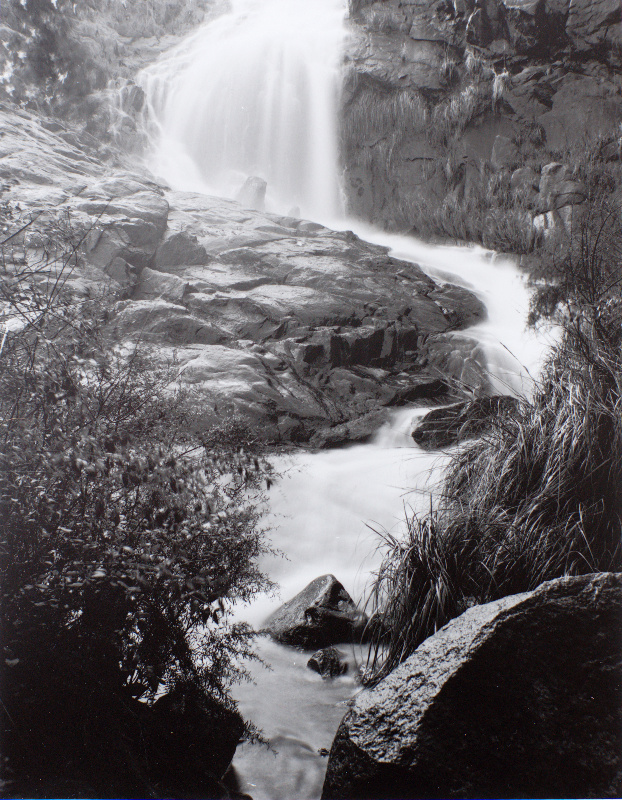
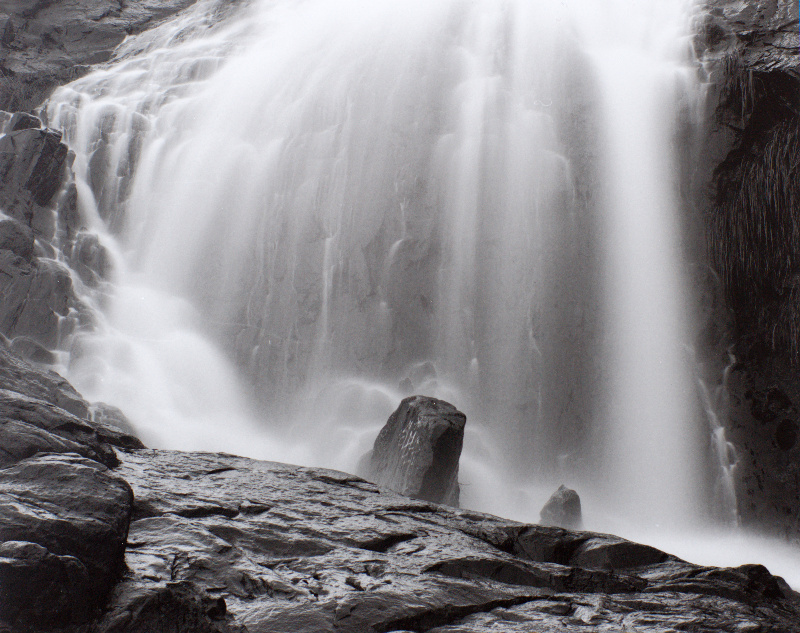


 ... it's all an adventure, though I do want to get one of these printed at high quality for a competition in 2 weeks. wrt your last paragraph though... surely using a lower contrast filter (lower grade) will compress the tones, i.e. put a wider range of tones-on-film into a given range of tones-on-paper? And higher contrast filters expand the dynamic range: narrow range of tones-on-film into a wide range of tones-on-paper. So my problem is that to get my highlights and shadows without clipping one or both, I used a very low grade, but in doing so I compressed what would have been detail into basically one tone.


