boyooso said:
I have a few ideas how to do it with any film.
I would recommend stressing the film, leave it in the hot hot car.
Also, use old uncoated optics, that tends to do something strange.
Also, having he control to change color balance yourself will help a great deal.
Or use a light sepia filter.
Just a few ideas,
Corey
well that's what you'd do to make the film look faded a bit. But
in every decade, when films were newly processed, they looked
quite neutral and clean.
From what I hear (and it makes sense), the difference is that
modern films have that linear straight part of the curve much longer,
so when you expose you can put almost your entire printable image on the straight part of the curve, which makes the image look linear and smooth.
The old films had the toe and sholder longer, and the linear part was much shorter, so the shadows and highlights were somewhat distorted in an interesting way, which now looks "retro" to us.
Same goes for slide films.
The most noticable effects of this is how the blacks quicky faded to black.
Modern films have smooth gradations in shadows that slowly fade to black, while older films, just give you cartoon-like blobs of black.
Same goes for highlights. Modern highlights look more like video, they burn out in a linear way, and with older films they get compressed more and more as they go to white, which again gives you pleasant warm white blobs.
Best example is comparing backlit images now and then.
When you try to remodel the curve in photoshop all you get is a change in contrast. Instead of twisting an existing curve, you are supose to have the light being recorded on an already twisted curve, which I don't think you can do in photoshop. But there must be a way if you start out with some kind of a low contrast raw scan of the negative. I just didn't see anyone figure it out yet

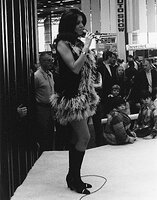
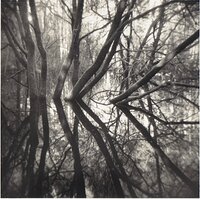
 To me, AGFA RSX50 was the most retro-looking one, but where it is today?


