• Welcome to Photrio!
    Registration is fast and free. Join today to unlock search, see fewer ads, and access all forum features.
    Click here to sign up

Issues with Durst M70 enlarger stabiliser unit

Train

A
Train

  • 1
  • 1
  • 22
Train Station 1

A
Train Station 1

  • 0
  • 0
  • 24

Recent Classifieds

Forum statistics

Threads
201,784
Messages
2,830,152
Members
100,946
Latest member
李添翼
Recent bookmarks
0

JSL93

Member
Allowing Ads
Joined
Sep 7, 2023
Messages
3
Location
UK
Format
Analog
The stabiliser unit of my durst modular 70 enlarger has failed recently, resistor burned, and I can’t turn on the lamp if I’m connected to the unit. I’m now trying to reroute the cables to bypass it. There are lots of colour cables, does anyone know how should I connect them? Many thanks in advance!
 

ic-racer

Member
Joined
Feb 25, 2007
Messages
16,728
Location
USA
Format
Multi Format
Need to see a picture of what you have. Not a good idea to bypass a blown resistor.
 
OP
OP

JSL93

Member
Allowing Ads
Joined
Sep 7, 2023
Messages
3
Location
UK
Format
Analog
If it uses a regular 240V bulb, just cut the cord to the head and put a regular plug on it (DIY store).

Thanks for the recommendation, but sadly the enlarger has an embedded transformer, and the circuit that I’m trying to work out is after the transformer.

Need to see a picture of what you have. Not a good idea to bypass a blown resistor.

I have completely bypassed the voltage stabiliser unit which is an optional component to add into the enlarger, so I reckon removing the whole thing won’t affect the general function of the enlarger. The only thing left is to correctly connect the cables back together which were connected to the unit before to complete the circuit. that’s is where im struggling with.. but anyway, thanks for the advice!
 

Steve906

Subscriber
Allowing Ads
Joined
Mar 2, 2015
Messages
100
Location
Leicester England
Format
Multi Format
Hi,
Fixed my stabiliser a few weeks ago by replacing a few faulty old caps.

If you want to take it out, remove its three wires (green. yellow and black) from 1,2 and 4 of the connector block, then place a link of equally thick wire between terminals 1 and 3 on the block linking the yellow and 2x violet wires still on the other side of the block.

FYI -
The transformer puts out 17v ac on the green wire used only by the stabiliser to provide regulated 11.7 v on the yellow.
12 ac is output from the transformer on the violet wire now linked to the yellow which goes via the multi plug in the front of the lamphouse back to the bulb (white wire). The other side of the bulb is directly connected to the black wire on terminal 2 of the connector block (transformer common).

Steve.
 
OP
OP

JSL93

Member
Allowing Ads
Joined
Sep 7, 2023
Messages
3
Location
UK
Format
Analog
What's the primary and secondary voltage (or windings ratio) of the transformer?

Maybe post some pictures of what you're working with.
Sorry I missed your message, I tried to upload some photos of the enlarger but the file size is too big, is it allowed here to attach links to image websites? I didn’t upload the circuit diagram since I drew it myself and I’m not sure if it’s correct or not.


Hi,
Fixed my stabiliser a few weeks ago by replacing a few faulty old caps.

If you want to take it out, remove its three wires (green. yellow and black) from 1,2 and 4 of the connector block, then place a link of equally thick wire between terminals 1 and 3 on the block linking the yellow and 2x violet wires still on the other side of the block.

FYI -
The transformer puts out 17v ac on the green wire used only by the stabiliser to provide regulated 11.7 v on the yellow.
12 ac is output from the transformer on the violet wire now linked to the yellow which goes via the multi plug in the front of the lamphouse back to the bulb (white wire). The other side of the bulb is directly connected to the black wire on terminal 2 of the connector block (transformer common).

Steve.

Hi Steve,

Thanks for the step-by-step guide. As I have played around in the connector block myself, I don't know if my setup is the same as yours at the moment. Here is a table outlining what the connectors are in my setup. Texts in bold are the wire I unplugged and now trying to reconnect the rest. I tried routing the thick yellow wire to connect it with the thick green wire, guess that's why the lamp blew..

I am also using the M70 Micro, will the connections be different in this case?

Green (to stabiliser) empty Black (to stabiliser) Yellow (to stabiliser)
Green (from transformer) Grey (from transformer) Violet (to the bridge connecting M70 Micro unit) Black (to transformer) Black (from bulb) Yellow (from the bridge connecting M70 Micro unit)
 
Last edited:

MattKing

Moderator
Moderator
Joined
Apr 24, 2005
Messages
55,156
Location
Delta, BC Canada
Format
Medium Format
Sorry I missed your message, I tried to upload some photos of the enlarger but the file size is too big, is it allowed here to attach links to image websites? I didn’t upload the circuit diagram since I drew it myself and I’m not sure if it’s correct or not.

Welcome to Photrio.
Yes, you can attach a link to a particular image in a website - use the icon at the top of the posting box that looks like
this:
1695402132255.png

If you resize your photo down to a jpeg with 80 quality, 1000 pixels on the long edge, it should be easy to upload it directly.
Links to websites themselves are usually okay, but they may delay your post from showing. Us the icon at the top of the posting box that looks like
this:
1695402288675.png
 

Steve906

Subscriber
Allowing Ads
Joined
Mar 2, 2015
Messages
100
Location
Leicester England
Format
Multi Format
Sorry I missed your message, I tried to upload some photos of the enlarger but the file size is too big, is it allowed here to attach links to image websites? I didn’t upload the circuit diagram since I drew it myself and I’m not sure if it’s correct or not.


Hi Steve,

Thanks for the step-by-step guide. As I have played around in the connector block myself, I don't know if my setup is the same as yours at the moment. Here is a table outlining what the connectors are in my setup. Texts in bold are the wire I unplugged and now trying to reconnect the rest. I tried routing the thick yellow wire to connect it with the thick green wire, guess that's why the lamp blew..

I am also using the M70 Micro, will the connections be different in this case?

Green (to stabiliser) empty Black (to stabiliser) Yellow (to stabiliser)
Green (from transformer) Grey (from transformer) Violet (to the bridge connecting M70 Micro unit) Black (to transformer) Black (from bulb) Yellow (from the bridge connecting M70 Micro unit)
I cannot recall a grey wire but there are a lot that come from the voltage selector IN to the transformer.
I do not have the micro unit but the only connections that need to be changed for the stabiliser are those as you stated, remove them and put the link to connect remaining yellow to violet. The violet also goes off to the front connector as does the black I believe to power the Micro if fitted.
The yellow goes to the front connector and comes back white through a link if Micro not there, this is removed so that the Micro can switch the lamp when it is installed. I use this as my timer connection in an attempt to shorten warm up as the transformer and stabiliser are always on with just the lamp being switched - as the Micro unit would do.

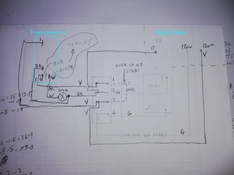
This is the diagram I drew to test without the stabiliser when I fixed it, Relay refers to my timer.
IMG_20230922_183620.jpg
 
Photrio.com contains affiliate links to products. We may receive a commission for purchases made through these links.
To read our full affiliate disclosure statement please click Here.

PHOTRIO PARTNERS EQUALLY FUNDING OUR COMMUNITY:



Ilford ADOX Freestyle Photographic Stearman Press Weldon Color Lab Blue Moon Camera & Machine
Top Bottom