• Welcome to Photrio!
    Registration is fast and free. Join today to unlock search, see fewer ads, and access all forum features.
    Click here to sign up

Is calibration must?

9/50

H
9/50

  • 2
  • 2
  • 26
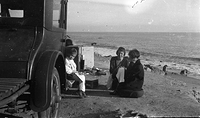
Beachside picnic, 1920's.jpg

A
Beachside picnic, 1920's.jpg

  • 1
  • 1
  • 57

Forum statistics

Threads
201,219
Messages
2,820,672
Members
100,595
Latest member
keithberry
Recent bookmarks
0

Chan Tran

Subscriber
Allowing Ads
Joined
May 10, 2006
Messages
7,134
Location
Sachse, TX
Format
35mm
as I am officially a Southerner now, I'll say:monitor calibration is a bunch of huiand , You'll be just fine with your standard iMac settings.set it to 1998RGB and call it a day.that will save you all kinds of moneyand avoid major headaches.I haven't found anybody yet who was able to claimto truly understanding color calibration.it seems to be a black art,designed to confuse us and get our money.I tried the Spider without much successand now stick to Apple's and Epson'sdefault settings without much of aa problemright out of the box; and I'm a pretty picky guywhen it comes to photographic quality. I will not invest any further money or effort and do more shooting instead.
Perhaps you mostly view B&W images?
 

Mainecoonmaniac

Member
Allowing Ads
Joined
Dec 10, 2009
Messages
6,297
Format
Multi Format
It depends on how particular you or your clients are. If your picky about your color and if you don't calibrate, you'll just end up spending a lot of time and materials to get the colors right along with loads of frustration. However, you're not super particular, there are plenty of ICC profiles for various printer paper combinations and your Apple monitor is already using a calibrated profile. However, as your monitor ages, it will drift from Apple's profile. If you're happy with the color of your monitor and prints, don't worry calibration.
 

jim10219

Member
Allowing Ads
Joined
Jun 15, 2017
Messages
1,632
Location
Oklahoma
Format
4x5 Format
Old thread, but I'll play along.

Calibration would be a must for the OP. He's sending stuff out to be printed and not getting the results he wants. Color calibration will solve that. As a professional printer, I have to deal with this all the time from photographers. Every time a photographer (and to a lesser extend, some graphic designers) send me something to print and the proof doesn't come out like they think it should, they blame me. And they always tell me it looks fine on their screen and for some reason, they usually say something about it being a Mac. Apparently there are people out there who think Macs are self calibrating. Then I have to tell them that we've spent tens of thousands of dollars on color calibration software and hardware alone, and that all of our equipment is calibrated as well as it can be calibrated and constantly recalibrated. Then I tell them that on my calibrated monitor, their photos or designs look just like the proof. Then they ask me what settings they need to use on their monitor for next time, and I tell them to get a color calibration system, because you can't just blindly apply settings and expect to get something that works. They say those are expensive and they'll think about it. Then they send me a new job about a month to a year later, and we go through the entire process again, because they learned nothing and still assume that color calibration isn't really necessary.

However, if you're just printing at home and you're not too picky about your colors, you could just adjust your monitor to look like your prints, and go with that. Calibrating stuff by eye works well enough for some people. And in the controlled environment of your home, you could probably get away with it. But if you're going to send your work out, and expect it to look the same on your monitor as it does on every other monitor, and if you expect your prints to look like your digital files, then actual color calibration is a must.

And that's the whole point of a professional color calibration system. It's not there to get you the best results possible. It's there to make sure everyone else gets the best results possible, just like you.

 

Eric Rose

Member
Allowing Ads
Joined
Nov 21, 2002
Messages
6,842
Location
T3A5V4
Format
Multi Format
It's simply the difference between being a professional and an amateur. When I was shooting for clients I had a fully calibrated system. Right from my camera down to whatever printer was being used. If your not picky just use AUTO correct on your photo editing program.
 

Sirius Glass

Subscriber
Joined
Jan 18, 2007
Messages
50,717
Location
Southern California
Format
Multi Format
I agree that even a casual photographer should calibrate the colors for digital cameras. That way they can see accurate colors on their computers and can either send the images out to be printed or print them themselves and be assured that colors are correct.
 

jtk

Member
Allowing Ads
Joined
Nov 8, 2007
Messages
4,941
Location
Albuquerque, New Mexico
Format
35mm
Calibration is NOT a "must" IF you print your own.

Without calibration it may be necessary to make test prints, and it may become necessary if one has a lot of images that need to be in closely similar tonality. If one is mostly printing B&W, calibration is even less "necessary". Note that if one uses the Nik application along with Photoshop the application itself will probably eliminate a lot of testing.

It's important to view prints in various likely settings (e.g. window light at various times of day, household tungsten etc). Electronics can't whup that reality.
 

RalphLambrecht

Subscriber
Allowing Ads
Joined
Sep 19, 2003
Messages
14,859
Location
K,Germany
Format
Medium Format
Calibration is NOT a "must" IF you print your own.

Without calibration it may be necessary to make test prints, and it may become necessary if one has a lot of images that need to be in closely similar tonality. If one is mostly printing B&W, calibration is even less "necessary". Note that if one uses the Nik application along with Photoshop the application itself will probably eliminate a lot of testing.

It's important to view prints in various likely settings (e.g. window light at various times of day, household tungsten etc). Electronics can't whup that reality.
calibration from monitor to print is the best option and with devices such as the Color Munki extremely easy and reliable.In Addition Photoshop's 'soft proof option becomes a very predictable method in a fully calibrated workflow and paper manufacturer's profile be come more useful and not just a guess. On the other hand, there is little reason not to calibrate.
 

Ko.Fe.

Member
Allowing Ads
Joined
Apr 29, 2014
Messages
3,209
Location
MiltON.ONtario
Format
Digital
.... And they always tell me it looks fine on their screen and for some reason, they usually say something about it being a Mac. Apparently there are people out there who think Macs are self calibrating.

I'm not surprised. Most of professionals I know and business I deal with ditched Macs long time ago. But if boss is a hipster or fashion lady, then Macs getting pushed. And those are not the smartest people I deal with.
 

jtk

Member
Allowing Ads
Joined
Nov 8, 2007
Messages
4,941
Location
Albuquerque, New Mexico
Format
35mm
I don't use a Mac...from what I've seen, Mac monitors (some of them?) are substantially nicer than common PC monitors..which are fine when you get to know them.

I do have a decade of practice specifying color changes in terms of color compensation units (CC) which don't "work" with PD/Inkjet but did train my eyes...which is one reason I don't need calibration.
 

RalphLambrecht

Subscriber
Allowing Ads
Joined
Sep 19, 2003
Messages
14,859
Location
K,Germany
Format
Medium Format
I'm not surprised. Most of professionals I know and business I deal with ditched Macs long time ago. But if boss is a hipster or fashion lady, then Macs getting pushed. And those are not the smartest people I deal with.
calibration is not a platform issue.
 

RalphLambrecht

Subscriber
Allowing Ads
Joined
Sep 19, 2003
Messages
14,859
Location
K,Germany
Format
Medium Format
I don't use a Mac...from what I've seen, Mac monitors (some of them?) are substantially nicer than common PC monitors..which are fine when you get to know them.

I do have a decade of practice specifying color changes in terms of color compensation units (CC) which don't "work" with PD/Inkjet but did train my eyes...which is one reason I don't need calibration.
maybe you had your eyes calibrated?
 

RalphLambrecht

Subscriber
Allowing Ads
Joined
Sep 19, 2003
Messages
14,859
Location
K,Germany
Format
Medium Format
Absolutely. It is - you get it or not.
And according to the person I quoted, MAC users are getting it less. Which is not surprising. It is platform for taking it easy :smile:.
if you can't overdo it, then,there is no reason to do it t all.
 

jtk

Member
Allowing Ads
Joined
Nov 8, 2007
Messages
4,941
Location
Albuquerque, New Mexico
Format
35mm
maybe you had your eyes calibrated?

Yes, in fact my ability to specify color by eyeball has been tested a number of times Vs superb professional color lab printers. We had color specification shoot-outs...recreation among photo geeks. My skills were barely high enough to work in top professional color darkrooms (so for three years I sold lab work exclusively to pros and artists), but they were better than the skills of people who printed for lesser labs.

Shoot-outs like that happened once or twice a year between top labs...
 
Photrio.com contains affiliate links to products. We may receive a commission for purchases made through these links.
To read our full affiliate disclosure statement please click Here.

PHOTRIO PARTNERS EQUALLY FUNDING OUR COMMUNITY:


Ilford ADOX Freestyle Photographic Stearman Press Weldon Color Lab Blue Moon Camera & Machine
Top Bottom