
- Joined
- Jan 26, 2007
- Messages
- 246
- Format
- Medium Format
OK, so, I got sick of digital. Well not totally, but I know it well enough now to know it's limitations, especially when it comes to experimental or off-the-beaten-path stuff. Like pinhole imaging.
The problem though, is that digital has made me picky. So I'm not going to be happy with something unless I can control every aspect of the process. I'm fine with someone processing my film, but I want some say in how it will be printed.
This is how I came to have a roll of Fuji Reala 100 ISO 120 format (shot in 6X6) put through a Holga that I converted to a Pinhole cam. I love the photos that came out of it. And I have the good fortune of working with someone who has an Imacon sitting on their desk. Sweet deal right?
Well, I've got a problem, and that is massive amounts of grain. These negatives were scanned at roughly 1400dpi. I had prints made from these scans at 8X8 (at 300dpi), and the prints are very grainy - the level of grain is comparable to some old 35mm TMax 400 8X10's I made that are sitting around. I don't have a problem with grain, but that's a bit ridiculous.
So, do I:
Until today, I was thinking of the v700, but a lot of folks on here seem to think that's not going to give me sharp and enlargeable 35mm and 120 scans. Oh, and drum scans are just out of the picture - $25 per scan minimum, I ain't made of that kind of cash.
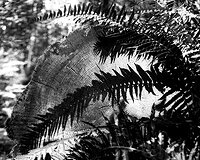
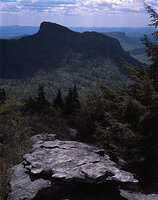
Any and all help/advice is very much appreciated. I'm attaching some samples to illustrate the point. One is a 100% crop (to show grain), the other is a web-sized version of the image (to show context).
Thanks everyone!!!
The problem though, is that digital has made me picky. So I'm not going to be happy with something unless I can control every aspect of the process. I'm fine with someone processing my film, but I want some say in how it will be printed.
This is how I came to have a roll of Fuji Reala 100 ISO 120 format (shot in 6X6) put through a Holga that I converted to a Pinhole cam. I love the photos that came out of it. And I have the good fortune of working with someone who has an Imacon sitting on their desk. Sweet deal right?
Well, I've got a problem, and that is massive amounts of grain. These negatives were scanned at roughly 1400dpi. I had prints made from these scans at 8X8 (at 300dpi), and the prints are very grainy - the level of grain is comparable to some old 35mm TMax 400 8X10's I made that are sitting around. I don't have a problem with grain, but that's a bit ridiculous.
So, do I:
- Tell my friend to make an adjustment on the Imacon? What adjustment?
- Buy a flatbed scanner like an Epson v700?
- Just deal with the grain, ya wuss
Until today, I was thinking of the v700, but a lot of folks on here seem to think that's not going to give me sharp and enlargeable 35mm and 120 scans. Oh, and drum scans are just out of the picture - $25 per scan minimum, I ain't made of that kind of cash.
Any and all help/advice is very much appreciated. I'm attaching some samples to illustrate the point. One is a 100% crop (to show grain), the other is a web-sized version of the image (to show context).
Thanks everyone!!!


