
• Welcome to Photrio!
    Registration is fast and free. Join today to unlock search, see fewer ads, and access all forum features.
    Click here to sign up

HP5 is amazing. Stand dev @6400

Recent Classifieds

Forum statistics

Threads
201,752
Messages
2,829,574
Members
100,926
Latest member
UTILISATEURPRO
Recent bookmarks
1

Gimenosaiz

Member
Allowing Ads
Joined
Feb 4, 2014
Messages
189
Location
Spain - old
Format
Multi Format
Hello!

I want to share with you the results of my first stand development with HP5@6400.
I'm very interested in your experiences with this way of developing.
We celebrated April fair near home. This fair is very special fair in the city of Sevilla, in Andalucia. But it is also celebrated in many cities and villages of the rest of Spain, mainly because it's a fantastic moment to dance "sevillanas", one of the more beautiful dances in the world ... in my opinion.
I don't dance sevillanas but my wife love them!!! She is a wonderful dancer ;-)
So I brought my Rolleiflex with a couple of HP5 rolls. The fair was fine but the light was awful for photography. Dim and yellowish. So I had to push my HP5 to ISO 6400 !!

Just a couple of pics to say that I'm really impressed with HP5 .

Rolleiflex 3.5f : Planar 75/3.5
HP5@6400 : Rodinal 1+100 (120')
Continuous agitation first minute. One inversion each 30'
Epson V500 / Epson Scan
Lightroom contrast, white, shadows and clarity.

1. Contrast, white, shadows and clarity.


2. Contrast, white, shadows and clarity + 0,50 exp.


3. Just Scan:


4. Contrast, white, shadows and clarity.


4. Contrast, white, shadows and clarity + 0,50 exp.


5. Just scan

Cheers!
Antonio
 
Last edited:

pentaxuser

Member
Joined
May 9, 2005
Messages
20,335
Location
Daventry, No
Format
35mm
These look very good but for those of us who print from negatives in a darkroom what does Contrast , white, shadows and clarity + 0.50 exp mean in terms of what would be needed in analogue printing terms?

As you may be a hybrid person then others who can translate the scan details into darkroom print actions feel free to contribute. Thanks

pentaxuser
 
OP
OP
Gimenosaiz

Gimenosaiz

Member
Allowing Ads
Joined
Feb 4, 2014
Messages
189
Location
Spain - old
Format
Multi Format
These look very good but for those of us who print from negatives in a darkroom what does Contrast , white, shadows and clarity + 0.50 exp mean in terms of what would be needed in analogue printing terms?

As you may be a hybrid person then others who can translate the scan details into darkroom print actions feel free to contribute. Thanks

pentaxuser

Hello!
Yes, I guess I'm some kind of hybrid ;-)
The next step in this test is trying to print one of these photos! I hope to do it soon. I need to rearrange my darkroom these days.

Cheers!
Antonio
 

pentaxuser

Member
Joined
May 9, 2005
Messages
20,335
Location
Daventry, No
Format
35mm
Thanks for the reply. I had assumed that the first print might be what a "straight" ( no dodging and burning ) would look like when printed under an enlarger and certainly the second pictures in each case look better but I now wonder if I can draw any conclusions from either picture in terms of producing a darkroom print. I feel that I cannot

pentaxuser
 
OP
OP
Gimenosaiz

Gimenosaiz

Member
Allowing Ads
Joined
Feb 4, 2014
Messages
189
Location
Spain - old
Format
Multi Format
Thanks for the reply. I had assumed that the first print might be what a "straight" ( no dodging and burning ) would look like when printed under an enlarger and certainly the second pictures in each case look better but I now wonder if I can draw any conclusions from either picture in terms of producing a darkroom print. I feel that I cannot

pentaxuser
Hello!

I've edited the original post to add the plain scanned versions.

Cheers
Antonio
 

Fixcinater

Member
Allowing Ads
Joined
Dec 11, 2008
Messages
2,500
Location
San Diego, CA
Format
Medium Format
Looks very good. I wonder if you could get even better results with a bit more agitation to bring the highlights up. A sort of semi-stand.
 

pentaxuser

Member
Joined
May 9, 2005
Messages
20,335
Location
Daventry, No
Format
35mm
Thanks, Gimenosaiz. I look forward to seeing a darkroom print from these negatives in the future. If the direct scan is a good replica of the negative it suggests that the highlights will turn out to be too grey. As fixcinater has suggested it may be that in the darkroom there is no way of "rescuing the negative to give whites" because the blacks are in effect grey. The straight scans have a slightly grey and foggy look which can be corrected in a scanner but can they be corrected in a darkroom?

If the problem stems from what may be underdevelopment due to stand development then there may be no way to rescue a darkroom print but I'd be interested in other darkroom printers' advice as to what might be done to replicate the adjusted scans.

It does suggest that more agitation next time may be the answer. Stand is a "no agitation" method and given how low a contrast film D3200 is, it might not be the best method for those who make darkroom prints.

I appreciate that this is not a problem for hybrid workers.

pentaxuser
 

Adrian Bacon

Subscriber
Allowing Ads
Joined
Oct 18, 2016
Messages
2,086
Location
Petaluma, CA.
Format
Multi Format
These look very good but for those of us who print from negatives in a darkroom what does Contrast , white, shadows and clarity + 0.50 exp mean in terms of what would be needed in analogue printing terms?

As you may be a hybrid person then others who can translate the scan details into darkroom print actions feel free to contribute. Thanks

pentaxuser

In the Lightroom Develop Module, contrast is a slider control that globally adds or removes contrast, white is a slider control that in simplified terms controls brightness of the whites (i.e. zone 10), shadows is a slider control that controls brightness of the shadow regions (I.e. zone 2-3), and clarity is a slider control that adds or removes contrast from the mid-tones (I.e. zones 4-5-6). There is also a highlights slider control and a blacks slider control that all combined with the other sliders, allows you to individually control the exposure of what would map to the various zones in the zone system. Exposure is a slider control that globally adjusts the exposure. Lightroom internally operates in floating point scene referred linear light space, so assuming your samples are correctly linearized, +0.66 exposure means add 2/3 stop exposure.
 

pentaxuser

Member
Joined
May 9, 2005
Messages
20,335
Location
Daventry, No
Format
35mm
Lightroom internally operates in floating point scene referred linear light space, so assuming your samples are correctly linearized, +0.66 exposure means add 2/3 stop exposure.

Thanks for the explanation of how Lightroom works. As one who does not use it ,most of it went over my head unfortunately but I think the key part for reproducing the corrected scans into a darkroom print which resembles the corrected scan is simply an increase in exposure of 2/3 stops. So on a test strip, the correct strip which had been exposed at 2/3 stop more than the strip giving grey on the white dress would be the correct exposure?

Thanks

pentaxuser
 

Adrian Bacon

Subscriber
Allowing Ads
Joined
Oct 18, 2016
Messages
2,086
Location
Petaluma, CA.
Format
Multi Format
Thanks for the explanation of how Lightroom works. As one who does not use it ,most of it went over my head unfortunately but I think the key part for reproducing the corrected scans into a darkroom print which resembles the corrected scan is simply an increase in exposure of 2/3 stops. So on a test strip, the correct strip which had been exposed at 2/3 stop more than the strip giving grey on the white dress would be the correct exposure?

Thanks

pentaxuser

Roughly, yes.

The contrast slider control could be equated to paper grade, you dial in more or less contrast just like you would with VC paper. The blacks, shadows, highlights, and whites slider are equivalent to a dodge/burn of just the parts of an image that fall in the respective zone of exposure. It’s essentially a dodge/burn tool with a super complex mask.

I don’t know of a darkroom technique that does the same thing as the clarity control slider, as it primarily affects contrast of the mid tones, but also the sharpness of the mid tones . When used sparingly on a well exposed and linearized image, it loads it full of sparkle and pop that is hard to ignore. Unfortunately, it has also become one of the most misused things ever as people tend to overuse it instead of getting the exposure and overall contrast correct first.
 

Richard Man

Subscriber
Joined
Sep 24, 2005
Messages
1,322
Format
Multi Format
"Clarity" increases the local microcontrast. There is no darkroom equivalence that I know of. Prior to software post processing, different lens is about the only way to get higher microcontrast that I know of.
 
Last edited:

pentaxuser

Member
Joined
May 9, 2005
Messages
20,335
Location
Daventry, No
Format
35mm
OK it sounds as if a higher graded print via filters is closer to the solution rather than simply extra exposure. In fact once you have the correct exposure for some detail in the print's blacks or "darks" you then switch to repeating that test strip's exposure in progressively higher grades until you get to white or very close to white in the dress. Until you get to grade 4 and with Ilford MG filters the benefit is that the exposure time remains the same, then doubles.

I hope that a large part of the correction in Gimenosiaz' negatives for a darkroom worker lies in increased agitation or simply normal agitation but following the rule that D3200 requires a time that Ilford gives for double the speed so in Gimenosaiz' case the time for 12,800. Unfortunately it all becomes "unknown territory" I suspect as few of us on Photrio may have much experience with using D3200 at 6400 and printing negatives from that EI.

pentaxuser
 

Adrian Bacon

Subscriber
Allowing Ads
Joined
Oct 18, 2016
Messages
2,086
Location
Petaluma, CA.
Format
Multi Format
OK it sounds as if a higher graded print via filters is closer to the solution rather than simply extra exposure. In fact once you have the correct exposure for some detail in the print's blacks or "darks" you then switch to repeating that test strip's exposure in progressively higher grades until you get to white or very close to white in the dress. Until you get to grade 4 and with Ilford MG filters the benefit is that the exposure time remains the same, then doubles.

I hope that a large part of the correction in Gimenosiaz' negatives for a darkroom worker lies in increased agitation or simply normal agitation but following the rule that D3200 requires a time that Ilford gives for double the speed so in Gimenosaiz' case the time for 12,800. Unfortunately it all becomes "unknown territory" I suspect as few of us on Photrio may have much experience with using D3200 at 6400 and printing negatives from that EI.

pentaxuser

That sounds about right. Once you get past about 0.8 contrast with development, you’re better off just going for 1.0 gamma/contrast in development, at least for scans, as then it’s a simple invert and everything is still linear and you don’t have to worry about linearizing it.

For prints, I’d imagine much more than 0.8 to 0.9 contrast and you’d be in print hell. If 0.62 is a grade 2-3, then you’ve really only got 0.72, and 0.82, and 0.52, and 0.42 on either side before you’re way flat or way harsh.
 

mshchem

Subscriber
Allowing Ads
Joined
Nov 26, 2007
Messages
15,979
Location
Iowa City, Iowa USA
Format
Medium Format
For me, this is what digital does well. No doubt modern film is capable of pretty amazing things. Do what makes you happy :happy:
Best Mike
 

Tor-Einar Jarnbjo

Member
Allowing Ads
Joined
Mar 21, 2017
Messages
173
Location
Germany
Format
Medium Format
I am sorry to say, but to to me the scans look as if the film is significantly underexposed or underdeveloped. E.g. almost all detail in the black clothing of the woman to the right seem to be lost.

I have done quite a few tests during the past year trying to replicate the alleged ultra-push capabilites of some films in combination with Rodinal stand development, which is now and then claimed in different blogs and forums. HP5 and Tri-X 400 can according to my experience not be pushed to more than 1600 with Rodinal in stand development. Beyond that, you can still get some details out of the negatives with a good scanner, but the negatives are simply too thin for wet-printing.

At some point, increasing development time, concentration or temperature simply won't bring any more density in the negatives, but will only increase base fog and actually make it even more difficult to scan or print whatever possibly could be salvaged from the exposures.
 

FerruB

Member
Allowing Ads
Joined
Feb 20, 2017
Messages
89
Location
Manchester
Format
Medium Format
"Clarity" increases the local microcontrast. There is no darkroom equivalence that I know of. Prior to software post processing, different lens is about the only way to get higher microcontrast that I know of.

Unsharp Masking is probably the analogue version of "clarity" - both increase local micro-contrast
 

pentaxuser

Member
Joined
May 9, 2005
Messages
20,335
Location
Daventry, No
Format
35mm
Thanks Tor-Einar Jarnbjo. I think you are saying that in terms of getting a darkroom print that looks like the adjusted scan the real method lies in getting the exposure/negative processing right and this neg is just underexposed or underdeveloped. Clearly at 6400 it is underexposed and if that was the EI required for the light conditions and motion involved in the dancing then we purely analogue workers have to hope that the problem is under-development as dropping the EI might bring its own problems.

At EI6400 it is almost inevitable that shadow detail will be lost. Even the adjusted scan does not reveal such detail which may not be there. However the real key to getting a print to look like the adjusted scan is what rescue tools might be available in the darkroom.

I do not possess this negative so cannot experiment with it. Pessimism seems to have been expressed about whether any kind of darkroom tool is even close to "the clarity slider".

Those of us without the negative in our possession can really only guess about what might be done and I appreciate that. It have heard it said that meaningful examination of the negative is better achieved by means of a photograph of the negative as opposed to a scan. It certainly would be helpful if it were possible to determine if this is an under-developed negative.

pentaxuser
 

nimajneb

Member
Allowing Ads
Joined
Nov 13, 2016
Messages
33
Location
Rochester, NY
Format
35mm RF
This is inspiring, they look really nice! I got a Fuji GW690ii recently and would like to shoot at night with it. I've been pushing 35mm Tri-X, HP5, and Kentmere 400 to 3200 a lot, I've done the Kentmere and Tri-x at 6400 a couple times in HC-110. I've been meaning to see what these films look at in 6x9 pushed to 3200 and 6400.
 
Last edited:

Ko.Fe.

Member
Allowing Ads
Joined
Apr 29, 2014
Messages
3,209
Location
MiltON.ONtario
Format
Digital
I never been lucky with pushing of 400 films in Rodinal. I push HP5 in hcA @3200. Not so good on scans, looks grey, but fine on DR prints.

BTW, 6x6 and leaf shutter means you could bounce the flash all the time and compensate dim light without too much flashing directly on people.
 

Mainecoonmaniac

Member
Allowing Ads
Joined
Dec 10, 2009
Messages
6,297
Format
Multi Format
I love the grain.
 
OP
OP
Gimenosaiz

Gimenosaiz

Member
Allowing Ads
Joined
Feb 4, 2014
Messages
189
Location
Spain - old
Format
Multi Format
Hello!
I really love this forum ;-)
Thank you very mucho for sharing your knowledge ... and doubts !!!
I'm an hybrid man and a rookie one If I compare to most of you, so THANK YOU again ;-)

About "clarity": I use this slider to increase a little bit what seems to be the midtones contrast. Just +5 or +10. No more. I try to edit the scanned images using contrast, black, white, highlights and exposure. In my opinion those are the sliders that can also be "used" in the wet darkroom. But I can be wrong.

The negatives are underexposed, sure. And perhaps they are underdeveloped ... 120' are too many minutes but they are not enought to produce miracles ;-) I agree with Tor-Einar Jarnbjo. But I've pushed Tri-x to 3200 and the negatives are not too thin in my opinion.

But ... sometimes, you can sacrifice some details or textures and still get a nice photograph.

In these ocasion I just did the best I could given the lighting conditions and the "tools" I had . It was funny anyway.
As I've said, they are underexposed because I shot at 1/60 when I coud have shot at 1/30 ... if the girls had posed, hehehe, but they where dancing !!!

Un saludo!
Antonio
 

Tor-Einar Jarnbjo

Member
Allowing Ads
Joined
Mar 21, 2017
Messages
173
Location
Germany
Format
Medium Format
Hello!
But I've pushed Tri-x to 3200 and the negatives are not too thin in my opinion.

With Rodinal stand development? If so, which dillution, time and temperature? My test series started at 1:00 for 2 hours, probably around 18-20°C (64-68°C) and I gradually increased the developer strength, time and temperature in multiple rounds until I dropped further tests after a last attempt with 1:50 for 3:30 hours at 25°C (73°F). With each step, I did not manage to get much more change than a coarser grain and a higher base fog out of the film. The density of the actual image did not change very much at all.

I am not saing that HP5 and Tri-X can't be pushed to 3200 or perhaps even beyond with a suitable developer, I am just out of own experience quite sure, that it can't be done with Rodinal stand development.

I am absolutely not opposed to Rodinal or stand development. I develop almost everything I shoot in Rodinal 1:100 for one hour stand, simply because I find it practically convenient not to count minutes and seconds and agitate according to a pedantically set protocol. I would love to be able to push any 400-film to 3200 or more and get usable negatives with the same technique, but it simply does not work here. If it actually works for you (I mean getting printable negatives and not just scannable negatives), I would very much apprechiate to learn what you are doing different and I am doing 'wrong'.
 

Adrian Bacon

Subscriber
Allowing Ads
Joined
Oct 18, 2016
Messages
2,086
Location
Petaluma, CA.
Format
Multi Format
Hello!
I really love this forum ;-)
Thank you very mucho for sharing your knowledge ... and doubts !!!
I'm an hybrid man and a rookie one If I compare to most of you, so THANK YOU again ;-)

About "clarity": I use this slider to increase a little bit what seems to be the midtones contrast. Just +5 or +10. No more. I try to edit the scanned images using contrast, black, white, highlights and exposure. In my opinion those are the sliders that can also be "used" in the wet darkroom. But I can be wrong.

The negatives are underexposed, sure. And perhaps they are underdeveloped ... 120' are too many minutes but they are not enought to produce miracles ;-) I agree with Tor-Einar Jarnbjo. But I've pushed Tri-x to 3200 and the negatives are not too thin in my opinion.

But ... sometimes, you can sacrifice some details or textures and still get a nice photograph.

In these ocasion I just did the best I could given the lighting conditions and the "tools" I had . It was funny anyway.
As I've said, they are underexposed because I shot at 1/60 when I coud have shot at 1/30 ... if the girls had posed, hehehe, but they where dancing !!!

Un saludo!
Antonio

Given what you had to work with they’re totally fine.

That being said, if it were me working on this in LR (not that you did anything wrong, because you didn’t), I’d have kept post processing much simpler by simply setting the exposure so the histogram was in the middle, then in the tone curve controller, drag the reflected whites up until they’re 85% luminance, then drag the shadows down to taste and let the rest of the tone values lie where they land, then turn off sharpening in the sharpening controller and maybe dial in some luminance noise removal in the noise removal controller, though with no sharpening on the native resolution file, the noise/grain will throttle back quite a bit.
 
OP
OP
Gimenosaiz

Gimenosaiz

Member
Allowing Ads
Joined
Feb 4, 2014
Messages
189
Location
Spain - old
Format
Multi Format
With Rodinal stand development? If so, which dillution, time and temperature? My test series started at 1:00 for 2 hours, probably around 18-20°C (64-68°C) and I gradually increased the developer strength, time and temperature in multiple rounds until I dropped further tests after a last attempt with 1:50 for 3:30 hours at 25°C (73°F). With each step, I did not manage to get much more change than a coarser grain and a higher base fog out of the film. The density of the actual image did not change very much at all.

I am not saing that HP5 and Tri-X can't be pushed to 3200 or perhaps even beyond with a suitable developer, I am just out of own experience quite sure, that it can't be done with Rodinal stand development.

I am absolutely not opposed to Rodinal or stand development. I develop almost everything I shoot in Rodinal 1:100 for one hour stand, simply because I find it practically convenient not to count minutes and seconds and agitate according to a pedantically set protocol. I would love to be able to push any 400-film to 3200 or more and get usable negatives with the same technique, but it simply does not work here. If it actually works for you (I mean getting printable negatives and not just scannable negatives), I would very much apprechiate to learn what you are doing different and I am doing 'wrong'.

Hello!

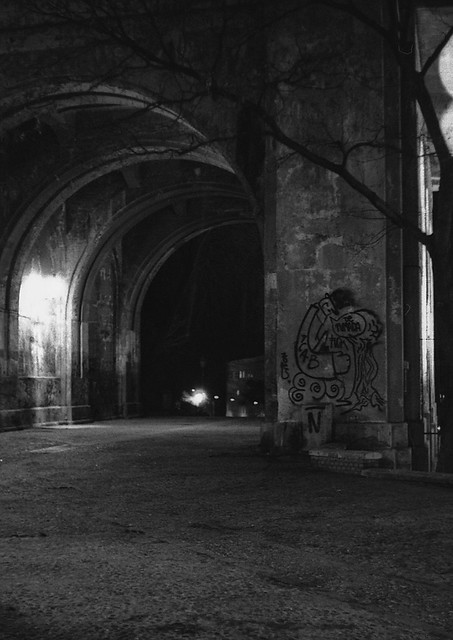
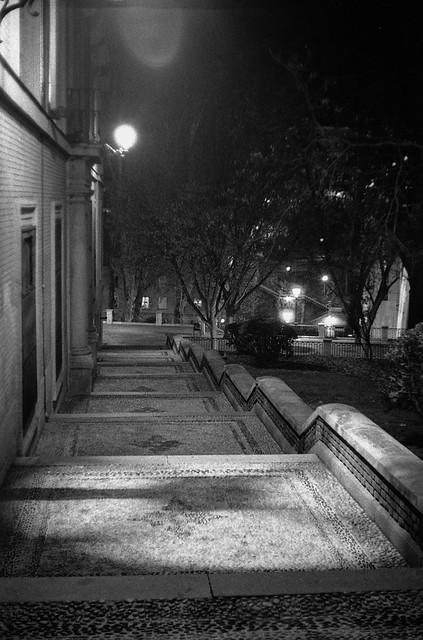
This are my examples:

madrid
by Antonio Gimeno, on Flickr


madrid
by Antonio Gimeno, on Flickr

Kodak Retina IIa
Trix@3200
Rodinal 1+100 : 120 minutes : 20 inversion first minute : 15" agitation every 30' : 20ºC

I'll look for the negative to show you how it looks like. I'd like to print it but I'm rearranging my darkroom now. I hope to do it in a couple of weeks.

Kind regards!
Antonio
 
Photrio.com contains affiliate links to products. We may receive a commission for purchases made through these links.
To read our full affiliate disclosure statement please click Here.

PHOTRIO PARTNERS EQUALLY FUNDING OUR COMMUNITY:


Ilford ADOX Freestyle Photographic Stearman Press Weldon Color Lab Blue Moon Camera & Machine
Top Bottom