• Welcome to Photrio!
    Registration is fast and free. Join today to unlock search, see fewer ads, and access all forum features.
    Click here to sign up

Howdie From Wisconsin

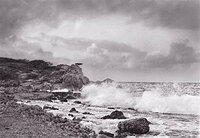
Two Waves.jpg

A
Two Waves.jpg

  • 0
  • 0
  • 20
Chinese tourists

A
Chinese tourists

  • 2
  • 2
  • 67

Recent Classifieds

Forum statistics

Threads
202,677
Messages
2,844,012
Members
101,462
Latest member
Jore Puusa
Recent bookmarks
1
Hi, Peter.

Took a quick look at your new site. Nice, clean layout. FWIW, you might want to check image file sizes, though. A number of the files are considerably larger, Kbyte-wise, than they need to be if re-sized and compressed properly. That makes download times longer than they should be - especially for people on dial-up connections.
 
Hi Ralph,

Thanks for the comments. What size should I aim for? What level jpeg compression would you suggest? (I use Photoshop CS).

Thanks,
Peter
 
Most of the 500pixelish images look way oversharpend to me. A little sharpening is typically needed afte a scan, but these seem to have had to much done to them.
 
Sjixxxy said:
Most of the 500pixelish images look way oversharpend to me. A little sharpening is typically needed afte a scan, but these seem to have had to much done to them.

Thanks for the comment. I admit that I have some difficulty with this, especially with prints from 35mm negatives developed in a high edge-effect developer, e.g. "The Boys" in the "Dogs" section. This was from a 35mm TMX negative developed in FX-1 with minimal agitation. The 8x10ish print has large grain and rather extreme edge effects. Scan look very soft pre-sharpening, but sharpening does some nasty things, I admit. I'll work on it.
 
Please send me some New Glarus Coffee Stout......
 
Peter De Smidt said:
Thanks for the comment. I admit that I have some difficulty with this, especially with prints from 35mm negatives developed in a high edge-effect developer, e.g. "The Boys" in the "Dogs" section. This was from a 35mm TMX negative developed in FX-1 with minimal agitation. The 8x10ish print has large grain and rather extreme edge effects. Scan look very soft pre-sharpening, but sharpening does some nasty things, I admit. I'll work on it.

If you want a really good sharpener, try the Dead Man Sharpener's from http://www.pinkheadedbug.com/gear/digital.html the "Deadmans Super Sharpener" action does a great job for websized images.
 
Wisconson? Okay, I need to look at a map. I had a 3rd rate NYC education so I don't know any states between Ca and NY. :smile:

I like your website. Aren't you on some mailing list I'm on? Name sounds so familiar
 
Peter,
I like the work. I also like the web layout. You might want to check the thumbnail window and make sure that it can scroll down. My screen cuts off the bottom row of images. Are you in dreamweaver? I just had to learn this one. Glad to see another LF shooter in the upper mid-west. There needs to be a view camera group in the area.
Cheers,

Nick
 
Hi Nick,

Thanks for the comments. Most of the images on the site aren't from large format, as I print most LF negatives to 11x14, and these don't fit on my scanner. There is a view camera group centered around norther IL and IN. They're called the large format asylum. See: http://www.midwestlargeformat.com/ Where are you located? Yep, I'm using Dreamweaver. I like it, but I'm really just starting to learn it.

To Eric, I'm on the Jim Brick's Pure-Silver mailing list, and Paul Roark's digital printing list. Perhaps you're on one of those?

To sjixxxy, Thanks for the the pointer to Dead Man's Sharpener's. So far, though, I haven't figured out how do use these.


Peter
 
Peter - although file size and compression efficiency will depend to some degree on the actual level of detail in the image, you should be able to get a 500 pixel (long side) image down to about 60-65KB, sometimes a bit larger. In Photoshop, I find that a value of 8 often produces a good balance between image clarity and file size. Thumbnail versions of 125-150 pixels (again, long side) should typically fall between 10KB and 15KB in size.

I wrote a brief description of some of the scanning techniques I now use after several years of poking at different workflows. It's available on my Resources page at:

http://www.rbarkerphoto.com/scanning-tutorial.html

Essentially, I've found that resizing in steps usually works best, along with a rather light touch of unsharp mask at each step. The plain Sharpen tool seems too harsh for my tastes.
 
rbarker said:
I wrote a brief description of some of the scanning techniques I now use after several years of poking at different workflows. It's available on my Resources page at:

http://www.rbarkerphoto.com/scanning-tutorial.html

Hi Ralph,

Thanks for the suggestions and the link. I'm on the way out at the moment, but it looks like some very good info.
 
Photrio.com contains affiliate links to products. We may receive a commission for purchases made through these links.
To read our full affiliate disclosure statement please click Here.

PHOTRIO PARTNERS EQUALLY FUNDING OUR COMMUNITY:



Ilford ADOX Freestyle Photographic Stearman Press Weldon Color Lab Blue Moon Camera & Machine
Top Bottom