
• Welcome to Photrio!
    Registration is fast and free. Join today to unlock search, see fewer ads, and access all forum features.
    Click here to sign up

Focusing Speed Graphic

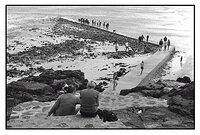
St Ives - UK

A
St Ives - UK

  • 2
  • 0
  • 53
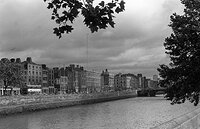
Across the Liffey

H
Across the Liffey

  • Tel
  • Feb 25, 2026
  • 1
  • 2
  • 49

Recent Classifieds

Forum statistics

Threads
202,438
Messages
2,840,882
Members
101,332
Latest member
Paul William
Recent bookmarks
3

jphotos

Member
Allowing Ads
Joined
Jun 6, 2008
Messages
26
Location
Maine
Format
Multi Format
I'll apologize in advance if this question has been covered, but seeing's how there are 198 pages, I'm taking the easy way out. (I've looked over several to no avail...)

Anyway, I've shot mostly 35mm and MF but I have this Speed Graphic that I won from eBay last year. I haven't used it yet, but I'm eager to do so. (Part of the reason is it uses the weird size film, 3.25 x 4.25). I've reviewed the Graflex website and asked some folks on another photographer website and I can't seem to figure this out. Not usually so slow-witted...but how do you focus the darn thing. I've tried using the Kalart rangefinder but it doesn't ever appear out of focus in order to bring it IN focus. Do you just set the distance and hold your breath?

Thanks.
 
Three ways, two of which need to be checked for accuracy, one of which can probably be trusted completely.

First, the ground glass. This one is the most accurate and least prone to any sort of loss calibration over time. Unless somebody messed with the spacing at some point with shims, or the removal thereof, it should be spot on.

Second is the rangefinder. This has to be calibrated to your particular lens. The rangefinder calibration procedure on the Graflex.org Website is what I used as a reference, and it worked fine.

Third is to focus using the distance scale on the bed. Before you do this, you have to make sure that it is accurate by double checking it against the ground glass.
 
Hi, when you use a rangefinder you will see a double image. As you turn the focus knob the two images will line up. When they coincide, the subject will be in focus (if your set-up is adjusted right and has the right cam for your focal length of lens). You can double check the rangefinder with the ground glass image.

Jon
 
The rangefinder doesn't show an in-focus/out of focus image the way your SLR or the ground glass does. Rather, it has small area in the center which is offset from the surrounding area. If the RF is functional, adjusted, and has a cam, then turning the focusing knob will bring the two parts of the image together. More modern rangefinders have a colored filter that makes it easier to distinguish the focus spot, but the Kalarts don't tend to have that, so it may be difficult to see. Looking at something with strong vertical features in good light will help you get accustomed to it.
The cam is a long lever attached to a shaft near the top of the camera that goes into the range finder. The other end rides on a small knob that's part of the lens standard. You should see it move as you turn the focus knobs.
 
If the rangefinder is calibrated for the lens you have, you also need to have an infinity stop (or a pair of them) that tells you where to put the front standard, so that the lens will be in sync with the rangefinder.
 
Thanks for the tips. I'll work on those suggestions. I've actually used a rangefinder on a couple of my 35mm, but for some reason the on this SpeedGraphic is so small, I can barely see--as bdial pointed out.
Thanks for this, though, all of you.
 
On a LF camera, the rangefinder also moves over a greater apparent distance, so you might be focused so far out that you can't see the second dot. Start by focusing with the rangefinder on something at infinity to get your eye coordinated with your hand on the focusing knob.
 
Ok. I actually have another related question. Talking about focusing with the ground glass or using it to confirm focus...how does one look through the ground glass when the camera back, where the film slides, covers it?

The manual I downloaded presupposes nothing's there, I think and as you can tell, I'm a LF novice.
 
Hi, there is a little door/hood covering the ground glass that pops up when you spring the latch holding it. Also need to set the curtain shutter to O, or T and trip it. And also the lens shutter to T and open it.

Jon
 
Thanks. Yeah, I had a momentary lapse of reason in my phrasing. I guess I know about the door that pops up. My problem was the glass was dark. But setting the curtain to O would help :smile: THANKS. And I'll look into the lens shutter T thing...

I'm pleased to have this assistance. It's exciting to be moving into LF.
 
To open the curtain shutter, just keep releasing the shutter until it reaches the end of the curtain (it will be at O). Your lens also has a shutter that can be set to open by tripping it once when it is set to T (release shutter again to close). Of course it may have a preview button that you could use instead. And if it only has B, you would have to use a locking cable release. Hope this helps.

Jon
 
To open the curtain shutter, just keep releasing the shutter until it reaches the end of the curtain (it will be at O). Your lens also has a shutter that can be set to open by tripping it once when it is set to T (release shutter again to close). Of course it may have a preview button that you could use instead. And if it only has B, you would have to use a locking cable release. Hope this helps.

Jon

It does help. Thank you.
 
Photrio.com contains affiliate links to products. We may receive a commission for purchases made through these links.
To read our full affiliate disclosure statement please click Here.

PHOTRIO PARTNERS EQUALLY FUNDING OUR COMMUNITY:


Ilford ADOX Freestyle Photographic Stearman Press Weldon Color Lab Blue Moon Camera & Machine
Top Bottom