
• Welcome to Photrio!
    Registration is fast and free. Join today to unlock search, see fewer ads, and access all forum features.
    Click here to sign up

exposure adjustment for change in enlarger height

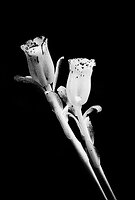
Indian ghost pipe plant.

H
Indian ghost pipe plant.

  • 0
  • 0
  • 15
2026-01-136.jpg

A
2026-01-136.jpg

  • 0
  • 0
  • 19

Forum statistics

Threads
202,930
Messages
2,847,739
Members
101,542
Latest member
Obrian29
Recent bookmarks
0

lensmagic

Member
Allowing Ads
Joined
Nov 4, 2005
Messages
153
Format
Medium Format
Hi, somewhere I have a table that does a quick approximation for the change in exposure when the enlarger is raised or lowered. I know the formula, but the table would make things easier. I have looked online and can't find one. Also, I assume that the measurement is made from the film plane to the top of the easel.
 
here's one from Ralph Lambrecht that I found a long time ago on his Darkroom Magic site
 
ooopppss Ralph beat me to it before I could upload the same image. Thanks mate!!!!:D
 
There was once a very useful table here on APUG given to us by a APUGer as a link You simply entered the before and after column heights and the original exposure and it produced the new exposure.

I bookmarked it but the site has gone, alas. Maybe the originator would consider resurrecting it, assuming he still participates here?

pentaxuser
 
A bit of mental arithmetic can achieve the same result. Suppose that you have a test filling 5x7" and want to make a print on 16" paper, the new image area is measured to be about 11 1/2"x16" (ignoring small borders). So the increase in exposure is (11 1/2x16) divided by (5x7), (184/35), which works out to 5,26 and therefore 5,26 times the original exposure time, as a starting point.

Given the large change in size you might also want an increase in contrast, and probably to change the exposure by a few tenths of a stop from the test - but the different print areas are illuminated by the same light-source, so the starting-point increase (or reduction, if making a smaller print) in time works like this.

If you make 'minimum-time-for-maximum black' style contact-sheets, and use an enlarger as the light-source, then you can also estimate a starting point for any size print from the time used for your contact-sheet.
 
The Darkroom Automation Enlarging Meter is really sexy for these types of things. Remove the negative, zero it out, raise it to the new height and meter again. The difference in stops gets set into the timer and off you go.
 
Simple law of recirpcoity. Increase enlarger height by 1.414x the original height and increase aperture by one stop. Decrease by 1.414x the original height and stop down one stop.
 
It's a simple calculation based on the fact that light intensity is inversely proportional to the square of the distance.

Example:
You have a good exposure at 15 seconds at enlarger height 18 inches (bottom of lens to paper, or your column scale). The required exposure time if you raise the enlarger height to 24 inches = 15 sec x 24squared/18squared = 15 sec x 576/324 = 15 sec x 1.78 = 26.7 sec, use 27 sec.

For lowering the enlarger head, same principle; for example, 20 seconds at initial enlarger height of 24 inches and you go to enlarger height of 18 inches: required exposure time is 20 sec x 18squared/24squared = 20 sec x 324/576 = 20 sec x 0.56 = 11.2 sec, use 11 sec.
 
No, sorry. Changes in magnification change effective aperture. See the stickey thread.^^^^
 
I think he is referring to the sticky at the top of the thread list in the Enlarging forum.
 
For those of us who don't like to think too much, I've used a slide rule-like device called the f/22 Press Darkroom Computer for about 30 years now. On the middle of three scales, you align the original picture height with the correct exposure time, then measure the new picture height and observe where it falls on the exposure time scale. So it incorporates the concept described above by mklw1954 into a slide rule scale. It is dopey but it works perfectly. I see the item on eBay every so often and am amused at the exorbitent price demanded considering its age and materials used to make it.
 
keep it simple sweetheart. 8x10 is about twice 5x7. 11x14 is about twice 8x10. 16x20 is about twice 11x14. Just starting points.. You have to run a test anyway.
 
Yeah- to get you in the ballpark, each bump in size requires an additional stop (either open the lens or double the time). Another lazy man's solution is the Ilford EM-10 enlarging meter. Place the sensor under a (preferably middle-gray) spot in your image. Adjust the dial until the over/under/on indicator lights are just showing the green "on" light. Then move the enlarger head, re-focus and re-compose, put the sensor back under the same spot you metered, and adjust the lens aperture until the "on" green light comes back. It helps to have an enlarging lens that does not have defined click-stops so you aren't forced to use half-stops only.
 
Yeah- to get you in the ballpark, each bump in size requires an additional stop (either open the lens or double the time). Another lazy man's solution is the Ilford EM-10 enlarging meter. Place the sensor under a (preferably middle-gray) spot in your image. Adjust the dial until the over/under/on indicator lights are just showing the green "on" light. Then move the enlarger head, re-focus and re-compose, put the sensor back under the same spot you metered, and adjust the lens aperture until the "on" green light comes back. It helps to have an enlarging lens that does not have defined click-stops so you aren't forced to use half-stops only.

that method works well;this little Ilford meter is highly undervalued.
 
Sicky thread is here. Always at the top of that section. (there was a url link here which no longer exists)
Maybe the moderators could move this discussion over to the existing thread.
 
Exposure is not what makes it difficult going up in size, in my opinion. Contrast is way more difficult. I always find that I have to add a little bit of contrast as I go up in size, as details in the picture are revealed it seems they need more definition sometimes, and other times not. It's a tricky balance act, for which I find there is no recipe.

Every time I go up in size, I make a new test strip anyway. Just to make sure I'm not relying on automatic formulas too much, but making sure it's still all right in my brain and heart.
 
Exposure is not what makes it difficult going up in size, in my opinion. Contrast is way more difficult. I always find that I have to add a little bit of contrast as I go up in size, as details in the picture are revealed it seems they need more definition sometimes, and other times not. It's a tricky balance act, for which I find there is no recipe.

Every time I go up in size, I make a new test strip anyway. Just to make sure I'm not relying on automatic formulas too much, but making sure it's still all right in my brain and heart.

I agree Thomas, but suggest you use the formulas/tools/rules of thumb to determine where to centre your test strip experiment.
 
There was also a very handy dial in the Kodak darkroom data guide. It works a lot like the press slide rule described above. These data guides used to be about 50¢ at book sales but they don't turn up as often.
 
Photrio.com contains affiliate links to products. We may receive a commission for purchases made through these links.
To read our full affiliate disclosure statement please click Here.

PHOTRIO PARTNERS EQUALLY FUNDING OUR COMMUNITY:


Ilford ADOX Freestyle Photographic Stearman Press Weldon Color Lab Blue Moon Camera & Machine
Top Bottom
