• Welcome to Photrio!
    Registration is fast and free. Join today to unlock search, see fewer ads, and access all forum features.
    Click here to sign up

Ektar vs Velvia 100?

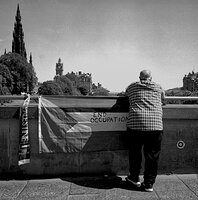
On The Mound

A
On The Mound

  • 0
  • 0
  • 15
On The Mound

A
On The Mound

  • 0
  • 0
  • 22

Forum statistics

Threads
204,417
Messages
2,868,235
Members
102,262
Latest member
Omandru
Recent bookmarks
0
Joined
Mar 3, 2011
Messages
1,619
Location
Maine!
Format
Medium Format
There are a few comparisons around, but none of them are very good IMO. Is Ektar a good replacement for Velvia?

The Pros of Veliva seem to be that: It looks like Velvia.

The Pros of Ektar would be:
MUCH more latitude.
Very fine grain.
CHEAP.
Scans well, prints better.

Would a guy be crazy for wanting to make the switch? Or will a color negative film never truly have that Umph! of a well exposed chrome?
 
What are you doing with your films?
I'm assuming you aren't projecting them.
 
What are you doing with your films?
I'm assuming you aren't projecting them.

Scanning! Most of my film gets scanned by me on a Fuji SP-3000. I do miss RA-4 printing, but if I'm being completely honest I'm pretty impressed by what I can do with my Epson R3000 & Hahnamuhle Fine Art Baryta glossy.
 
I love both of them. But if I could have only on it would be Velvia. Looking at it under a loupe on a light table is a slice of heaven.
 
Velvia has more intense colors and finer grain. It's my favorite film, but I use it a lot less than Ektar. Velvia doesn't do well with skin tones. Ektar, while no Portra, does a pretty fine job with skin tones. Ektar also has a much wider latitude, which I find useful for landscapes. If you have a good scanner, Velvia scans better. You don't have to mess with the color balance near as much as the film base is nearly clear. If your scanner can't capture the full range of Velvia, Ektar is easier to deal with. Though it also has a wide range and it can be a pain to get the full spectrum of all of the colors captured in a scan (though usually doesn't punish you as bad if you can't). Velvia is really hard to traditionally print from, being a positive, obviously. I still use both and wouldn't recommend a full on switch. But I'd definitely give Ektar a try for a while and see how you like it. For me, it can't replace Velvia entirely, but generally the pros outweigh the cons for most real world situations I run across.

Since I usually shoot large format, I often take with me 6 sheets of Ektar and 2 sheets of Velvia (plus some various B&W sheets). I need to incorporate a holder of Portra 400 for the speed benefit, but that stuff is expensive, and I have too many different kinds of film in my bag as it is.
 
Velvia has more intense colors and finer grain. It's my favorite film, but I use it a lot less than Ektar. Velvia doesn't do well with skin tones. Ektar, while no Portra, does a pretty fine job with skin tones. Ektar also has a much wider latitude, which I find useful for landscapes. If you have a good scanner, Velvia scans better. You don't have to mess with the color balance near as much as the film base is nearly clear. If your scanner can't capture the full range of Velvia, Ektar is easier to deal with. Though it also has a wide range and it can be a pain to get the full spectrum of all of the colors captured in a scan (though usually doesn't punish you as bad if you can't). Velvia is really hard to traditionally print from, being a positive, obviously. I still use both and wouldn't recommend a full on switch. But I'd definitely give Ektar a try for a while and see how you like it. For me, it can't replace Velvia entirely, but generally the pros outweigh the cons for most real world situations I run across.

Since I usually shoot large format, I often take with me 6 sheets of Ektar and 2 sheets of Velvia (plus some various B&W sheets). I need to incorporate a holder of Portra 400 for the speed benefit, but that stuff is expensive, and I have too many different kinds of film in my bag as it is.

But couldn't it be said that once you reach 120 the finer grain of Velvia begins to be a bit of a moot point?
 
They're very different in my opinion. Velvia has a lot more punch, particularly when viewed directly on the light table or projected.
 
I do miss RA-4 printing, but if I'm being completely honest I'm pretty impressed by what I can do with my Epson R3000 & Hahnamuhle Fine Art Baryta glossy.

How do you find the R3000 and hanhamule vs a traditional RA-4 print, and vs say a cheap commercial inkjet print?
 
The Pros of Veliva seem to be that: It looks like Velvia.

The Pros of Ektar would be:
MUCH more latitude.
Very fine grain.
CHEAP.
Scans well, prints better.

Fuji and Kodak are two distinctly different flavours (and types!) of film. Why should people expect one to look like the other, or indeed one stand in as a substitute?

Any/all Velvia emulsions print supremely well — always have and always will. The problem out there is that so many 'togs don't know or follow the correct process. That's a problem for them, not for Velvia!

Ektar has generous latitude because it is a C41/negative film, so it doesn't have a seemingly alien exposure methodology — use it anywhere, anytime, any reason. But that doesn't necessarily apply to any of the Velvia films. There isn't a slide film on the market today that won't give you the generous latitude of negative film, and that's intentional.

In regard to pricing, all Fuji films have been expensive, all the time, and relatively readily available, compared to searching high and low for missing (and CHEAP) Kodak films.

Scans (and direct-to-print masks) from RVP have printed extraordinarily well over the decades, either through Ilfochrome Classic or latterly hybridised RA-4 and giclée means (be it noted that Portra was at one time here printed to Ilfochrome Classic and people were very, very disappointed). The type of media also has bearing on the visual quality of the print. So...as with so much in the market, there is something for each and everybody, but they should know how, why and when to use them.
 
Ektar in my experience offers pretty 'accurate' reproduction of colour but significantly bumps the saturation whereas Velvia tends to slightly alter colour balance along with bumping up the saturation. Ektar might be slightly finer grained than the Portras, but Portra 160 is a touch higher resolving - data sheets and my own experience tally in this regard - and having scanned quite a lot of both, it can become surprisingly visible from about 3000ppi upwards on a high-end machine - not sure what the SP3000 runs at ppi-wise on 120. Some minilab scanners can be funny with Ektar (over the top red in skin tones I recall), no idea if this is a software, hardware or operator issue. For what it's worth, I liked Astia best out of the Fuji E6's, but vastly prefer the current Kodak neg films.
 
Agree with the last two points, Ektar seems to have remarkably accurate colour IMHO once one adjusts the hue correctly. One thing it has in common with Velvia 50 is the ability to pick out subtle changes in hue. I do project 6x6 but honestly given how non general use all of the available E6 choices are currently I don't think I would bother if it wasn't for the projection, Ektar has really fantastic punchy colours and of course one can print it in their darkroom without having to do scanning stuff.
 
I am personally a big advocate of Velvia 50. So purely selfishly I would say, use Velvia: the more we are using it, the less likely Fuji is to discontinue it. But in my humble opinion: if your ultimate goal is to (wet-)print, go with Ektar. If you want to project, Velvia. As simple as that. From what I could tell (but I am no expert) both scan and will accommodate a hybrid workflow equally well. Both have vibrant, saturated color, hence good for landscape, nature colors etc. Neither are really good for portraits.

On the difference side: Velvia has certainly less latitude (I didn't test this scientifically, though). This can be put to great use for artistic effects. Velvia has a typical reversal film response i.e. highlights are easily burnt. It also requires a much more precise exposure, down to half or even a third of a stop if possible. A spot meter is highly recommended! As a slide film, it can also be enjoyed on a light table, which is a great pleasure (particularly with medium format or larger), but still nothing short of projecting. Give medium format slide projecting a try if you can, you will not regret it. Projectors are cheap those days.

A side note about Velvia 100, as you specifically asked about it. I personally much prefer Velvia 50. I do not like how Velvia 100 renders darker "brownish" tones, which tend to have a purple tint. Never saw this with Velvia 50. I once made the mistake of taking Velvia 100 with me on a winter nature trip, thinking that the extra stop would help me in the typical lower light conditions of winter. Big mistake. Use Velvia 50, put your camera on a tripod and call it a day. Note that the older pre-2009 Velvia "RVP" (of which I still have a freezer full of 120 rolls) and the new re-formulated one (called Velvia 50, "RVP50") are pretty much identical in terms of color rendering. The new one has better reciprocity characteristics.

Hope this helps :smile:
 
Poisson - what's the best way to print velvia in 2017 - hybrid ra4 ?
 
There are a few comparisons around, but none of them are very good IMO. Is Ektar a good replacement for Velvia?

The Pros of Veliva seem to be that: It looks like Velvia.

The Pros of Ektar would be:
MUCH more latitude.
Very fine grain.
CHEAP.
Scans well, prints better.

Would a guy be crazy for wanting to make the switch? Or will a color negative film never truly have that Umph! of a well exposed chrome?

I wouldn't say Ektar prints any better...and I find the grain of Velvia to scan finer. I use both as they are very different in look.
 
Poisson - what's the best way to print velvia in 2017 - hybrid ra4 ?

Yes. But whoever does this, if not for yourself, must be familiar with the custom profiling (colourimetrics) that Velvia requires (neither Adobe or sRGB — I think it is a modified ProPhoto/AdobeRGB mix [ ? ]).

Wet (machine/LED exposure) RA-4, or giclée to quality media e.g. Canon BFK Rives textured or Ilford Galerie Smooth Pearl, or even one of the pricey Hahnemuhle stocks). The lab's recommendation should be followed for recommended media based on presentation of the image, the scan and intended output. I am very partial to Kodak Supra Endura Metallic as it catches spot illumination and gives water the expected sparkle (but of course, you have never seen water that does not sparkle, have you!? :laugh: ; of course, you could always use a Leica lens for added sparkle...now, whoever said that??)

When specifically intended for RA-4 or giclée printing, Velvia benefits from slight over-exposure (but, overexposure is not recommended when there is a balance required of recording both highlight and shadow detail). I typically give +0.5 stop. But one specific person's practice for RA4/giclée is not necessarily across-the-board gospel — there are a couple of others I know of who give 1 stop additional exposure, and this is for large format, perhaps a limitation of the equipment. Seek advice from the lab you are dealing with, or if home printing, bracket the same scene + / 0 / (0.5 steps) so you can immediately see the effect of deliberate (small) over- and under-exposure on the lightbox (underexposed trannies will print darker; trannies with slight overexposure will print well, so you will need to experiment).

My steps have for a long time been 0.5 Steps of 0.3 is usually too little or too much e.g. +0.6 — resulting in gross overexposure of highlights — gross overexposure is not recoverable in post or printing and it is a travesty to resurrect solid shadows. The best practice is to master exposure in-camera, and not on a computer screen.

With the exception of the long-dead Ilfochrome Classic, I have not seen Velvia or Provia printed in a traditional darkroom for many years — probably around 1995 or '96 (which is about when I last had a darkroom!).

 
I am just getting back into film with my Pentax 67II, scanning with a Nikon Coolscan LS 9000, and printing on an Epson 24" 7880. I used to ADORE Velvia and Provia 100 and I used to do Ciba (Ilfo) Chrome back in the day, but that's long gone., I decided to start developing film again and (selectively) printing via traditional darkroom. I'll be using a CPP2 I just picked up for film development, an LPL 6700MXL enlarger, and developing RA4 with a 14" Fujimoto CP32 print processor for the wet process. While Velvia certainly has greater color saturation, the Ektar, scanned on the LS9000 using VuScan can directly yield .DNG files that natively sail through Adobe Camera Raw - negating the need for Velvia's extra color saturation and getting all of the benefits of the wide latitude and more natural base colors of shooting film as well as and far easier to develop with C41 and (traditional) enlarge/print with RA-4.

MFL
 
I do feel that pull to shoot chrome stocks due to the "don't want them to go away". OTOH, I seem to get better results with Ektar, more easily. I'm actually finding chrome slightly challenging to scan in some situations. At least with my Fuji SP-3000. With my desktop scanners that have a higher dmax I can do a little better.
 
There are a few comparisons around, but none of them are very good IMO. Is Ektar a good replacement for Velvia?

The Pros of Veliva seem to be that: It looks like Velvia.

The Pros of Ektar would be:
MUCH more latitude.
Very fine grain.
CHEAP.
Scans well, prints better.

Would a guy be crazy for wanting to make the switch? Or will a color negative film never truly have that Umph! of a well exposed chrome?

both are nice ..
but since the end product will be a scan and enlargement from that,
why not not cost yourself an arm and a leg ?
sure, chrome film is nice to look at, velveeta is nice
but if you like a little bit of wiggle room and a few more ¢ in your wallet
why not try ektar and see how it works for you, if after a handful of rolls, you
decide you want to try the velveeta buy a few rolls and after a few rolls compare
how you liked shooting them, and scanning them since you will have had an equal amount of time with both

for me, while i like slide film, the cost involved just for my personal " i shot it on slide film " isn't worth much
but i have to admit, I have been revisiting some scanned slides i took in the past handful of years and i gotta say they have
some sort of IDK " je ne sais quois " to them that print film doesn't have ...

go for the velvia ...
 
I do feel that pull to shoot chrome stocks due to the "don't want them to go away".

Chrome film will go away much quicker if people constantly come up with excuses not to be using it!
The reason there are photographers using it and getting the best results through printing, is that they are hanging on to a reprographic skill that was very common, every-day before the advance of digital (the process actually has not changed much at all). Magazines specified transparency film for covers and content; if you submitted negative film (without a very high quality proof sheet included), there was usually a very good chance your submission would be punted back with a yellow slip ('rejection'). Reason: editors wanted the clear and unambiguous, straightforward presentation of transparencies on the lightbox for instant validation of the quality of the work, rather than fiddle around with negatives. That's one of my guiding philosophies, too. I can't stand looking at negatives! :laugh:

That scanner you quoted ... isn't it a Fuji Frontier thing in Kiosks/mini labs?? If so, it is hobbled by its lack of controls in bringing the best out of film — any film, not least chrome film.
 
I have been revisiting some scanned slides i took in the past handful of years and i gotta say they have
some sort of IDK " je ne sais quois " to them that print film doesn't have ...

+1

sort of an apples and oranges comparison. all else equal, there is "something" transparencies have that color negative film does not. that being said, i have seen a lot of really nice photos made with ektar. imo, a skilled photographer can get a lot out of ektar... just wish i were one of those.

i like the the suggestion made to shoot a number of rolls of ektar and then shoot a number of rolls of velvia 100. the results will let you know how your process works with each and give you the answer you are looking for. maybe you could post your results?
 
Last edited:
This is an apples versus oranges question. Do you want what hypothetically looks best using a slide projector, or something far more cooperative making a print. I've shot em and printed them both in formats all the way from 35mm to 8X10. Both have real idiosyncrasies.
 
I like scanning Velvia 50 over Ektar 100. I seem to get easier and more consistent results. I'm using a V600 scanner. I don't print much. All my old Velvias were reshot in the old days with negative 4x5 film and printed from those. I also like the ability to see what I got rather than deal with negatives which need so much correction after the scan. With chromes, you an look at them and just scan the one that's correct out of the camera.
 
Photrio.com contains affiliate links to products. We may receive a commission for purchases made through these links.
To read our full affiliate disclosure statement please click Here.

PHOTRIO PARTNERS EQUALLY FUNDING OUR COMMUNITY:


Ilford ADOX Freestyle Photographic Stearman Press Weldon Color Lab Blue Moon Camera & Machine
Top Bottom