
• Welcome to Photrio!
    Registration is fast and free. Join today to unlock search, see fewer ads, and access all forum features.
    Click here to sign up

Dust on prints

MIT. 25:35

MIT. 25:35

  • 0
  • 0
  • 52
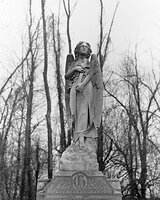
Lutheran Cemetery Angel

H
Lutheran Cemetery Angel

  • 0
  • 0
  • 38

Recent Classifieds

Forum statistics

Threads
202,952
Messages
2,848,050
Members
101,553
Latest member
JasonGoh
Recent bookmarks
1

ParkerSmithPhoto

Member
Allowing Ads
Joined
Jan 16, 2010
Messages
1,685
Location
Atlanta, GA
Format
Medium Format
Working in the basement is a constant battle against dust. I printed some beautiful work the other day, dried them face down on screens which had apparently gotten a bit dusty, and when I looked at the print (MG Warm Tone) there were dozens of microscopic hairs embedded in the surface.

Is there any way to remove these without destroying the print? I used a PecPad on one print and it left very fine scours in the glossy surface. Seriously thinking of trying the semi-matte, although I prefer glossy.
 
Can't you just rewash them?
 
You should be able to rewash the prints. Don't store your drying screens horizontal, stand them on edge out of the way some where, and maybe cover them with plastic.
 
Rewashing should work.
I generally put my prints on screens face up, as I've had problems in the past with the screen leaving an impression in some emulsions.
I've not noticed any difference in curling tendencies drying face up or face down, YMMV.
 
What Rick says...

That's almost exactly how I do it. Vertical storage of screens under a cloth dust cover. Also, I normally run a dehumidifier at 50% when I'm not using the (also basement) darkroom. But I turn it off during film and print processing, letting the humidity rise to damp down the dust. For both film and prints this means off overnight so the materials dry slowly and evenly.

Rewashing should do the trick if the dust remained right on the surface. If not, I think it may be a problem, as the surfaces of photographic paper (my standard is MGIV air-dried glossy) can be much more delicate than I believe most people realize. Especially if one doesn't use a hardening fixer in order to make toning and washing more efficient.

Also agree with 'bdial' in that I dry prints face-up. And for the same reason as his.

Ken
 
Last edited by a moderator:
I air dry Ilford MGIV fiber face up on screens. My darkroom is part of our house (no basements in Miami) so it is air conditioned but I keep a foam filter over the vent. The configuration of my sink is such that I can stack the screens completely under the sink with very little clearance from the bottom of the sink. I have never had dust settling on prints. You might consider setting up something on that order perhaps using a folding card table or even drying in a different room in your house/business where dust is easier to control. Try rewashing as suggested.

http://www.jeffreyglasser.com/
 
In addition, you could put a screen over the top covered with paper. The framed screens should have enough clearance so the emulsion won't touch.
 
Wow, rewashing did the trick, removed the dust and even the fine scratches caused by the PecPad. Very surprised. I was convinced I had ruined these.

Thanks, people.
 
I've generally had very good luck removing this kind of yuck, on the rare occasions I've had it, by re-washing, and if necessary _gently_ wiping the surface. Almost always the yuck comes off without damaging the surface or the image.

I too always dry face up. I never worry much about it with prints and don't have problems. Film is a different matter and I take a lot more pains to avoid dust during drying.
 
Photrio.com contains affiliate links to products. We may receive a commission for purchases made through these links.
To read our full affiliate disclosure statement please click Here.

PHOTRIO PARTNERS EQUALLY FUNDING OUR COMMUNITY:


Ilford ADOX Freestyle Photographic Stearman Press Weldon Color Lab Blue Moon Camera & Machine
Top Bottom
