


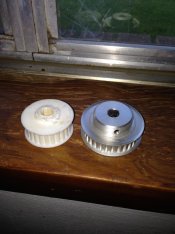
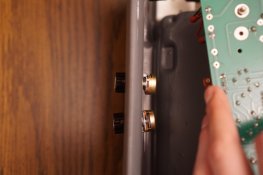
I bought this on ebay. The seller said he had "modified the unit with a variable speed motor so you can run the unit at any desired RPM or print/roller speed". But the rollers are moving in the wrong direction. When I stick paper in it spits it out instead of sucking it in. There's 2 black knobs on the back of the machine. I'm assuming he added these because I don't see them on photos of other machines. Turning them doesn't seem to do anything. The seller isn't responding to my messages. Anyone know how to get it to turn the right way? It came with these wheels. It looks like the white one is the original because of the marks on it and the silver one is a new one. I haven't opened it up but it sounds like something inside is scraping against the cover as it's turning.

-
Welcome to Photrio!Registration is fast and free. Join today to unlock search, see fewer ads, and access all forum features.Click here to sign up
Durst rcp 20 that moves backwards?
-
A
- Thread starter jacnorectangle
- Start date
Recent Classifieds
-
For Sale Calumet CC-400 Monorail 4x5 Camera
- Started by Jon Shiu
-
For Sale Nikon W-NikkorC 2.5cm F4 LTM / L39 / M39 Leica Thread Mount
- Started by RoboRepublic
-
For Sale Hermagis Eidoscop #2 385mm 15" f4.5 Soft Focus Poor Mans Pinkham IV
- Started by jimgalli
Forum statistics
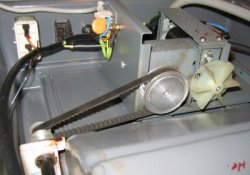
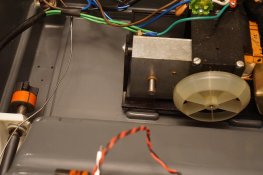

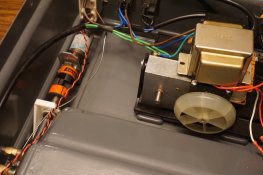
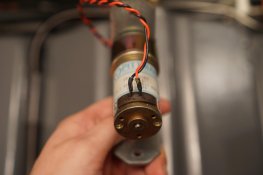
 But I'm not sure if it's going fast enough for ra4. I tried to time it but it was hard to tell when the paper was reaching the developer. It took about 60 seconds to make it through.
| Photrio.com contains affiliate links to products. We may receive a commission for purchases made through these links. To read our full affiliate disclosure statement please click Here. |
PHOTRIO PARTNERS EQUALLY FUNDING OUR COMMUNITY:  |