

• Welcome to Photrio!
    Registration is fast and free. Join today to unlock search, see fewer ads, and access all forum features.
    Click here to sign up

Dumb Questions

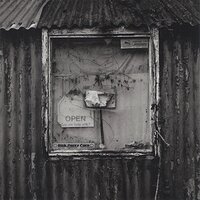
Old shed

Old shed

  • 1
  • 0
  • 4
Marloes

A
Marloes

  • 1
  • 0
  • 7

Forum statistics

Threads
204,383
Messages
2,867,722
Members
102,241
Latest member
leoxiaowoniu
Recent bookmarks
0
My question about combining 2 curves into one had no relation to your brush burning.

Hi, Ced:

If you want to combine 2 curve by themselves, use actions. Save the curves and create an action recalling the two curve with opacity turned to 50% for making the average. Then you can play the action on any image. If you do not want to save the curves, create them from scratch while in actions. The problem occurs if you want "graduated" curves, which I take it to mean with masks. The masks can be incorporated in the action but they won't be applicable, I think, across the board to other images with different pixel dimensions.

:Niranjan.
 
For Bob, have you tried using lens correction function the "vignette' option instead of brush burning to darken your edges?
My question about combining 2 curves into one had no relation to your brush burning.
No but I will try, where do I find this .
 
Photrio.com contains affiliate links to products. We may receive a commission for purchases made through these links.
To read our full affiliate disclosure statement please click Here.

PHOTRIO PARTNERS EQUALLY FUNDING OUR COMMUNITY:


Ilford ADOX Freestyle Photographic Stearman Press Weldon Color Lab Blue Moon Camera & Machine
Top Bottom
