
• Welcome to Photrio!
    Registration is fast and free. Join today to unlock search, see fewer ads, and access all forum features.
    Click here to sign up

Digital Neg Not Same Size As Original...

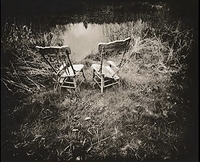
Old Chairs

A
Old Chairs

  • sly
  • Feb 9, 2026
  • 10
  • 3
  • 68
Overlook

H
Overlook

  • 1
  • 0
  • 84

Recent Classifieds

Forum statistics

Threads
202,262
Messages
2,837,279
Members
101,185
Latest member
minolta101
Recent bookmarks
0

Andrew O'Neill

Moderator
Moderator
Joined
Jan 16, 2004
Messages
13,057
Location
Coquitlam,BC Canada
Format
Multi Format
What I mean by that is, the printed out inkjet negative, when laying it on top of the in-camera negative, it is off by a few mm, in both directions. I've never noticed this until now. I've checked to make sure that no resizing is happening, and that it should print the negative at 100%. I was as careful as I could be at the scanning end of it, in that I was telling the scanner to only scan the negative, and not the area outside, via frame lines... Any ideas?
 

koraks

Moderator
Moderator
Joined
Nov 29, 2018
Messages
27,555
Location
Europe
Format
Multi Format
Go through the chain and see where things start to shift around. You know the scanning resolution so compare the scanned image dimensions and calculate those back to mm based on the dpi of the scanner and see if there's a difference there. Then do the same for the print. There's probably a small error in both steps. Perhaps if you post some numbers we can work out what the likely culprit is.
But this is a fundamentally challenging issue; it's not you!
 
OP
OP
Andrew O'Neill

Andrew O'Neill

Moderator
Moderator
Joined
Jan 16, 2004
Messages
13,057
Location
Coquitlam,BC Canada
Format
Multi Format
I've measured the actual size of the negative, and made sure that that jives with PS. Scanning rez also jives with PS. It's weird...
 

koraks

Moderator
Moderator
Joined
Nov 29, 2018
Messages
27,555
Location
Europe
Format
Multi Format
Can you post some numbers? I.e. a small image of the scan with some information of which dimension you've measured and the pixel dimensions of that section of the full-size scan.
What printer do you use? What print settings?
 

fgorga

Member
Joined
Aug 31, 2015
Messages
858
Location
New Hampshire
Format
Multi Format
Just a weird thought...

Some printers have a setting for expanding an image slightly. This is used to ensure that there are no thin white border when one prints a borderless image.

You would hope that this would only be applied when you actually tell, the printer to make a borderless image. However, this may not be the case. Stranger thing have happened with software!

Thus you might try to disable this feature of the printer driver even though you are presumably not printing borderless.

As I said, an off the wall thought but stranger things have been known to occur .
 

Carnie Bob

Member
Allowing Ads
Joined
Nov 5, 2023
Messages
489
Location
Toronto , Ont Canada
Format
4x5 Format
I have found when printing separation negatives through print tool if I put one separation on the canvas vertically and the other horizontally I will see a discrepency in size.
Also if the image size is too close to canvas size you will find some clipping occurring which may change the size.
 

Baxter Bradford

Member
Allowing Ads
Joined
Nov 17, 2004
Messages
797
Location
Lymington, S
Format
4x5 Format
I'm a new user of Print tool and suffered the same issue with the negative being a few mm smaller than intended size. I found out this was caused by adding the image file but it was wrong orientation for the page setup. Having rotated the image so it showed correctly on the page, I noticed that in the 'Position and scaling' section, it was showing 97.4% instead of 100%. Changing this figure to 100% then gave the correct size negative. I too got the clipping warnings. Rotating and saving file in PS stopped the issue too.
 

Dan Pavel

Member
Joined
Sep 11, 2017
Messages
248
Location
Constanta, Romania
Format
Multi Format
Mr. Bradford, I think you nailed it. I wrote a small app to automatically resize the negatives in multi-layers prints (due to paper shrinking from layer to layer) and sometimes I noticed some dimensional inconsistencies I couldn't explain. I am now sure that the paper orientation in print/scan creates the issue. Thanks, you might have solved my problem.
 

Baxter Bradford

Member
Allowing Ads
Joined
Nov 17, 2004
Messages
797
Location
Lymington, S
Format
4x5 Format
Mr. Bradford, I think you nailed it. I wrote a small app to automatically resize the negatives in multi-layers prints (due to paper shrinking from layer to layer) and sometimes I noticed some dimensional inconsistencies I couldn't explain. I am now sure that the paper orientation in print/scan creates the issue. Thanks, you might have solved my problem.

Glad it has worked for you Dan What you're doing sounds highly sophisticated!
For me, new to Print tool, QTR, Data tool. Stepwedge tool and QC-DN, plus a new printer with unfamiliar driver all at once, I was having to go very slowly and despite this, as was expected, still making a few rookie errors!
 

Carnie Bob

Member
Allowing Ads
Joined
Nov 5, 2023
Messages
489
Location
Toronto , Ont Canada
Format
4x5 Format
For Gum over Silver Gelatin precise measurment of a flattened print would be the key, I would be interested in how you solve this,
I have been trying to figure out how to make separation negatives that match size using silver prints as the main exposure or layer,
then using secondary separation negatives for colour. I do this with pt pd now as we preshrink the paper and it stays flat, silver drys
differently and some research on my part will come up with my answer.
 
OP
OP
Andrew O'Neill

Andrew O'Neill

Moderator
Moderator
Joined
Jan 16, 2004
Messages
13,057
Location
Coquitlam,BC Canada
Format
Multi Format
@Carnie Bob I'm making digital unsharp masks that will be taped to an in-camera 8x10 negative (just as I do with film unsharp masks), to then print directly onto sensitised paper for an Alt. process. The problem is that the printed out unsharp mask is not the same size (larger) as the in-camera negative.
 

Dan Pavel

Member
Joined
Sep 11, 2017
Messages
248
Location
Constanta, Romania
Format
Multi Format
@ Carnie Bob
I tried to automate this through a small application.
I print some marks on the edges of the negative and, after the first layer is printed on paper, I scan the paper at the same resolution with the one used to the negative. I open in my small app both the negative and the scanned image of the printed layer, zoom-in at pixel level at the marks on both and mark those marks in my program. Then the program, comparing the distance between the marks on the negative and the distance between the marks on the scanned image (printed with that negative), can count how much the paper shrank and how to resize the negative of the next layer to match. Then it commands Photoshop to resize the next layer accordingly. The good part is that the shrinking is computed with high precision, at pixel level. However, at times it showed some unexplainable small dimensional inconsistencies and Mr. Baxters' remarks about the paper orientation may solve it.
 

Carnie Bob

Member
Allowing Ads
Joined
Nov 5, 2023
Messages
489
Location
Toronto , Ont Canada
Format
4x5 Format
@Carnie Bob I'm making digital unsharp masks that will be taped to an in-camera 8x10 negative (just as I do with film unsharp masks), to then print directly onto sensitised paper for an Alt. process. The problem is that the printed out unsharp mask is not the same size (larger) as the in-camera negative.

I get this, we would have used an 1000's of inch ruler for this type of exact measurment. as I stated above we have had the same problem, sometimes due to incorrect orientation when printing through print tool, or image size clipping on canvas size. I have a 24 inch printer and this problem happens when I make the short side 23.75 inches but goes away when I change to 23.5 inches.
 

Carnie Bob

Member
Allowing Ads
Joined
Nov 5, 2023
Messages
489
Location
Toronto , Ont Canada
Format
4x5 Format
@ Carnie Bob
I tried to automate this through a small application.
I print some marks on the edges of the negative and, after the first layer is printed on paper, I scan the paper at the same resolution with the one used to the negative. I open in my small app both the negative and the scanned image of the printed layer, zoom-in at pixel level at the marks on both and mark those marks in my program. Then the program, comparing the distance between the marks on the negative and the distance between the marks on the scanned image (printed with that negative), can count how much the paper shrank and how to resize the negative of the next layer to match. Then it commands Photoshop to resize the next layer accordingly. The good part is that the shrinking is computed with high precision, at pixel level. However, at times it showed some unexplainable small dimensional inconsistencies and Mr. Baxters' remarks about the paper orientation may solve it.

Hi Dan - I am making large prints and do not have a scanner large enough for this wonderful application you describe.
 

Carnie Bob

Member
Allowing Ads
Joined
Nov 5, 2023
Messages
489
Location
Toronto , Ont Canada
Format
4x5 Format
But thinking this through a bit one could put a scale on the side of the canvas that one is printing and scan a section that contains the scale.
I would love to hear more about this application .
 

Dan Pavel

Member
Joined
Sep 11, 2017
Messages
248
Location
Constanta, Romania
Format
Multi Format
Yes, I don't have a large scanner, as well, and had the same problem with larger prints. I tried to put side marks so that they match the scanner dimension but the larger paper can't be positioned flat on the scanners' glass due to the frame of the glass. The solution I came with was to prick the paper with pins instead of markings and, with a 0.3 mm. pen to mark a sheet of paper through the pin holes. The positions of the holes will fit an A4 paper. Then I scan the A4 papers for each layer and compare the distances between those marks made with the pen. It worked this way but sometimes it's almost perfect and sometimes it's not.
Another trick is to align the negative on the pervious printed layer in the center and not in the corners. This way one has a perfectly aligned center and the small misalignments will be in the corners, where they are less noticeable.
 
Last edited:

Carnie Bob

Member
Allowing Ads
Joined
Nov 5, 2023
Messages
489
Location
Toronto , Ont Canada
Format
4x5 Format
Yes, I don't have a large scanner, as well, and had the same problem with larger prints. I tried to put side marks so that they match the scanner dimension but the larger paper can't be positioned flat on the scanners' glass due to the frame of the the glass. The solution I came with was to prick the paper with pins instead of markings and, with a 0.3 mm. pen to mark a sheet of paper through the pin holes. The positions of the holes will fit an A4 paper. Then I scan the A4 papers for each layer and compare the distances between those marks made with the pen. It worked this way but sometimes it's almost perfect and sometimes it's not.
Another trick is to align the negative on the pervious printed layer in the center and not in the corners. This way one has a perfectly aligned center and the small misalignments will be in the corners, where they are less noticeble.

Another trick is to align the negative on the pervious printed layer in the center and not in the corners. This way one has a perfectly aligned center and the small misalignments will be in the corners, where they are less noticeble.

This is exactly how we register on light table, center of image first and formost, never on cropmarks outside.... This is a old photo comp trick we used in the 80's
 
Photrio.com contains affiliate links to products. We may receive a commission for purchases made through these links.
To read our full affiliate disclosure statement please click Here.

PHOTRIO PARTNERS EQUALLY FUNDING OUR COMMUNITY:


Ilford ADOX Freestyle Photographic Stearman Press Weldon Color Lab Blue Moon Camera & Machine
Top Bottom
