• Welcome to Photrio!
    Registration is fast and free. Join today to unlock search, see fewer ads, and access all forum features.
    Click here to sign up

Development and VC printing with Tri-x in PMK

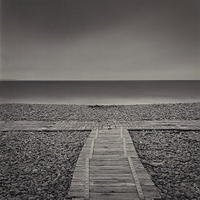
Boardwalk

A
Boardwalk

  • 1
  • 1
  • 15
Speculative Silence

D
Speculative Silence

  • 1
  • 0
  • 15

Recent Classifieds

Forum statistics

Threads
202,111
Messages
2,835,272
Members
101,121
Latest member
artworldmaintenance
Recent bookmarks
0

Vania

Member
Joined
Sep 12, 2010
Messages
148
Format
Medium Format
Hi everyone,

I have been struggling to find proper development time with PMK, but it prints so oddly that I’ve reach a point where I can’t figure out if I should develop more or less. The film I use is TX400 120 shot at 320, sometime 250.

The best result I’ve got so far was with development around 12 minutes (+/-30sec) @ 21°C for 1 :2 :100 (4,5ml part A + 9ml part B + 450ml H20). 30 sec inversion and then 2 inversion every 20sec. No after-bath. I make a 0,5 % acetic acid stop bath (a necessity for me to avoid streaks) and an alcaline fixer (berfix 2) for 4,5 minutes.
The recommended 14min was producing horribly long printing times of around 3 min at one stop down from full aperture for small 11x14 prints (the good images usually end up being printed on 20x24). My enlarger is a Durst M805 with condenser head and a semi-directed 150W opale light bulb.
11 minutes of development was starting to give me negs that I had to print almost exclusively with the G5 filter (Ilford). Hence time was still quite long… Printing with a G2 filter, times was quite normal but the prints looked very dull and lifeless.
At around 12 minute I get a sort of compromise. Base printing time is quite normal (less than 30 sec) but has to be made on G3,5 filter (quite high in my opinion) and burning-in times are really crazy and I have to use the G5 filter for about 1-2 minutes to avoid flat mid tones. Even the sky must be burn-in with a high filter so it’s not too dull.
So I’m really confused. Basically the contrast of my negatives tells me to develop for more, but if I do so, they become so thick that it’s almost impossible to print.
The main problem is darkening to mid tones while preserving good contrast and spark. It almost seems like the tone you get with PMK when you shot is how they are meant to print. If you try to alter that, you will need to burn-in like a mad man, and of course leave some tell-tell signs.
I’ve included an exemple. The first print comes easily on a 8X10 foma 112 paper at about 10 sec with G3,5, two stop down. And a few reasonable burning and dodging. But the image as such is uninteresting. I’ve made a quick and dirty photoshop of the image as it should print. I haven’t manage to get it right for now because of the long printing time. But according to my test stips, I should add alomost 2 minutes of G5 on the ground and about 1,5 minutes with a high grade (no defined yet) in the sky. AND THIS FOR AN 8X10 !!! It’s not a camera/lightmeter issue. The camera has been CLA by hasselblad and the spotmeter is brand new and it’s reading matches my older one.
Given this, how would you alter development to get printable negs ? In the mean time, I’m back to HC110, which is a shame since even though printing with my PMK negs is a nightmare, some results has been stunning, but it’s too frustating not to be able to print them on 20x24, unless I’d be willing to make 10 minutes long prints…

Any help from PMK experts would be greatly appreciated !

Thank you.
Vania


ArChi_TX%40320_PMK_11min45006-1-2.jpg


ArChi_TX%40320_PMK_11min45006-1.jpg
 
Last edited by a moderator:

Zathras

Member
Allowing Ads
Joined
Nov 9, 2004
Messages
823
Location
SF Bay Area
Format
Multi Format
I have had very unpredicable results with Tri-X, PMK and VC papers. Awesome results when it worked, but very frustrating when it didn't work. I think part of the reason is that with Tri-X in PMK, the stain takes on a very strong yellow color that acts as an exaggerated low contrast filter with VC papers. This is because the stain blocks blue light, which is needed for the high contrast emulsion component, and passes lots of green light, which is what exposes the low contrast component of the emulsion. Increasing the development time with TX, PMK and VC papers makes the effect even worse with a condenser enlarger, at least in my darkroom.

Oddly enough, I have printed Tri-X PMK negs on VC paper using a cold light head and no filtration and got mind blowing results. These negs had a huge brightnes range and I think that the heavy stain in the areas of higher exposure coupled with the blue color from the cold light boosted the shadow area contrast while keeping the highlights under control. Doesn't always work, but amazing when it does work.

PMK probably works best with graded papers, requiring shorter developer times because of the color sensitivity of the graded paper emulsions.
 
OP
OP

Vania

Member
Joined
Sep 12, 2010
Messages
148
Format
Medium Format
Thanks for sharing Zathras. Your experience seems to match mine, except I wouldn't say I have unpredictable results. It's actually very predictable. I know I have to print with high contrast grade filter with this combo, but due to the stain, it results in unmanageably long printing times. If I overcome this inconvenience and make the print anyhow, with tons of dodging and burning, wasted paper and time spent, the result can be quite beautiful. But printing sessions become a hell and cost an unreasonable amount of time and paper. The answer should appear to develop more in order to print with a lower grade filter (hence having shorter printing time since a more yellow/low contrast filter should work along and not against the color of the stain), but this seems to produce bullet proof negs that are so thick that printing times are still very high. And that would actually make my main problem worse, which is darkening the mid tones while preserving local contrast. To my knowledge this can only be achieve with high grade filters.
Although I must admit, I haven't try development times above 14 minutes, so maybe I should try that, but I would love some insight from people with experience with PMK before I go through more testing and film waste.
Thanks!
 
Last edited by a moderator:

jp498

Member
Allowing Ads
Joined
Oct 5, 2009
Messages
1,525
Location
Owls Head ME
Format
Multi Format
Hold your negatives up to a window and post a photo of them. Can't tell a whole lot for certain about negatives from a print unfortunately.

I'm getting awesome results printing TMY2+PMK+VC paper.
 

Zathras

Member
Allowing Ads
Joined
Nov 9, 2004
Messages
823
Location
SF Bay Area
Format
Multi Format
I have noticed that Tri-X does get bullet proof easily with PMK and the stains go quite yellow. This is what is causing the low contrast prints. The yellow stain acts as a low contrast printing filter, passing primarily green light, while filtering out most of the blue light needed to produce good contrast with VC paper. Adding a high contrast filter only makes it worse as it really jacks up the required exposure time.

With Tri-X and PMK and a condenser enlarger, the stain can work against you when using VC papers. This is completely opposite to how the stain works with graded papers. Graded papers are usually sensitive to blue light only and a properly exposed and developed negative from Tri-X and PMK actually looks somewhat lower in contrast, and will print with more contrast on graded paper than a properly exposed and developed Tri-X neg developed in a non staining developer.

Ilford films have a different stain color, more like olive green, and the contrast loss with VC papers is not as severe. I find that I still usually need to use a number 3 to 3.5 filter to get the contrast I want from Ilford FP4+ or HP5+ developed in
PMK.

Remember, the yellow stain increases as the film developing time increases. This has the effect of increasing the strength of the low contrast filter. A high contrast filter is magenta colored, it passes blue light and blocks green light. With a pyro developed negative that has a strong yellow stain, more blue light needed for contrast is being blocked by the yellow stain and your exposure times need to be greatly increased. You might want to try split filter printing, using the lower contrast filters to get the highlights and midtones where you want them, and then use a number 5 filter to bring in the blacks. I have used my number 0 through 2.5 filters for the highlighlights and midtones, then changing to a number 47B gel filter and making second exposure through that filter to bring in the blacks. It has produced usable results.
 

Sirius Glass

Subscriber
Joined
Jan 18, 2007
Messages
50,864
Location
Southern California
Format
Multi Format
What about forgetting development times completely and developing to completion?

5 minutes in Solution A
10 minutes in Solution B

Development in Solution B stops when Solution A is exhausted. That way, you do not have to worry about time or temperature. That would simplify your development. All films could be mixed and handled the same way.

Just a thought. YMMV.

Steve
 

Zathras

Member
Allowing Ads
Joined
Nov 9, 2004
Messages
823
Location
SF Bay Area
Format
Multi Format
What about forgetting development times completely and developing to completion?

5 minutes in Solution A
10 minutes in Solution B

Development in Solution B stops when Solution A is exhausted. That way, you do not have to worry about time or temperature. That would simplify your development. All films could be mixed and handled the same way.

Just a thought. YMMV.

Steve

Would this work with PMK?
 
Joined
Jan 21, 2003
Messages
15,715
Location
Switzerland
Format
Multi Format
The idea that PMK creates a stain that alters the contrast in the final print is a very likely offender.

Two ideas:
1. Try some graded paper. Fotokemika Emaks, Ilford Galerie, Foma, Slavich...
2. Use a less specialized developer. How about some D76 or Ilfotec DD-X?

- Thomas
 

Nicholas Lindan

Advertiser
Advertiser
Joined
Sep 2, 2006
Messages
4,316
Location
Cleveland, Ohio
Format
Multi Format
The yellow-brown stain of pyro developers doesn't change VC paper contrast. It is the wrong shade of yellow.

Here is an image of Kodak polycontrast filters for #2, 0 and -1. The fourth 'filter' is a uniformly exposed pyro developed negative with all the silver bleached out.

pyrovcmgivfilt.jpg


The color of pyro is the same as the color of a #2 filter - all it adds is density.

There was an interminable thread on the subject:

(there was a url link here which no longer exists)

Many do adamantly believe that the stain does change contrast - it is not a matter of any consequence as beliefs go.
 
Joined
Jan 21, 2003
Messages
15,715
Location
Switzerland
Format
Multi Format
Very interesting, Nicholas. I thank you for the correction.

I do, however, subjectively feel that my pyro negatives (Tri-X film) print with higher contrast on graded paper than VC paper. I used Kentmere Bromide for quite a bit when it was available and feel that those prints exhibited a clearer and higher contrast tonality than the same negative on Kentmere Fineprint VC.
I've never really made any direct comparison with the same negative, but perhaps I should when I get around to printing them again.

So if you took the piece of fixed out pyro unexposed negative and put it in the light path while printing on VC paper, it would just take longer, but you'd get the same contrast? I'd love to see the comparison print if you have it.

- Thomas
 

Bob Carnie

Subscriber
Allowing Ads
Joined
Apr 18, 2004
Messages
7,735
Location
toronto
Format
Med. Format RF
I have been making prints with Tri-x and PMK on VC papers for clients now over 18 years, works well in my darkroom.
I have had very unpredicable results with Tri-X, PMK and VC papers. Awesome results when it worked, but very frustrating when it didn't work. I think part of the reason is that with Tri-X in PMK, the stain takes on a very strong yellow color that acts as an exaggerated low contrast filter with VC papers. This is because the stain blocks blue light, which is needed for the high contrast emulsion component, and passes lots of green light, which is what exposes the low contrast component of the emulsion. Increasing the development time with TX, PMK and VC papers makes the effect even worse with a condenser enlarger, at least in my darkroom.

Oddly enough, I have printed Tri-X PMK negs on VC paper using a cold light head and no filtration and got mind blowing results. These negs had a huge brightnes range and I think that the heavy stain in the areas of higher exposure coupled with the blue color from the cold light boosted the shadow area contrast while keeping the highlights under control. Doesn't always work, but amazing when it does work.

PMK probably works best with graded papers, requiring shorter developer times because of the color sensitivity of the graded paper emulsions.
 

PhotoJim

Member
Allowing Ads
Joined
Oct 9, 2005
Messages
2,314
Location
Regina, SK, CA
Format
35mm
I use HP5 Plus more than I use Tri-X, but the Tri-X I've processed in PMK has been perfectly printable.

Suggestions (some already made):

- try HP5 Plus and see if it works for you. It is similar to Tri-X in many ways, although not as pushable (but PMK isn't the best choice for pushing anyway).
- try a different VC paper.
- try graded paper.
- reduce the EI at which you shoot the film (e.g. try EI 160 or 200) and reduce development accordingly to get a more reasonable density
- live with the long exposures. Ten minutes of exposure time is nothing compared to the decades of life your final print will have on somebody's wall.

Somewhere in these answers is your solution. Keep experimenting.
 
Joined
Jan 21, 2003
Messages
15,715
Location
Switzerland
Format
Multi Format
Speaking from a strictly print making process, it seems to me that you don't have enough contrast in your negatives, if you have to print at Grade 5, and for a long time.
If Nicholas is correct, (which I think he is, because he almost always is), all the pyro stain does to VC paper printing is add density, which equals longer exposure times.

If you wish to continue using the film/chemistry combination that you are using, you need to try to build more contrast in your negatives. Judging by the prints, you have more shadow detail than you need, which means you don't have to give MORE exposure to your negatives, but rather less instead. Then, in processing, to build more contrast, you need to develop longer, or agitate more often, to get highlight sparkle.

Have you done a film speed test? Bracket your exposures, develop normally. Print each negative in the bracketing sequence. See which print gives you ENOUGH shadow detail (capitalized because it's a subjective term). Shoot your film at that speed. Now you can start to mess with developing time to make the rest of the grayscale, all the way to almost paper white, print well.

If you don't like the extra exposure time that PMK causes, you really should contemplate using a non-staining developer. Or get a stronger light source for your enlarger. In the past I did a lot of printing of very dense negatives. I used a 250W bulb in a condenser enlarger, and got around the problem that way.

Summary:
1. Contrast - it seems you need more.
2. Print speed - the added stain that PMK gives will slow you down.

Good luck,

- Thomas
 

pgomena

Member
Allowing Ads
Joined
Jun 25, 2003
Messages
1,391
Location
Portland, Or
I would do as PhotoJim suggested above - try a different brand of VC paper. Try Ilford with Ilford filters. Your paper's spectral response may not be giving you the contrast you need.

Peter Gomena
 

puptent

Member
Allowing Ads
Joined
Apr 2, 2011
Messages
62
Location
Walnut Grove
Format
35mm
I'm new at PMK (and caffenol, too), but I've got a couple of questions, and observations. 1. In Gordon Hutchings book he says that a water stop bath is preffered to an acid stop bath that might interrupt the staining process. I have used tap water for my stop bath and have had reasonable results. Couldn't distilled be used as a series of washes if tap water, even filtered, is unsuitable? 2. Gordon also suggest putting the film back into the exhausted developer after fixing (non hardening) to finish the staining process, before washing and final rinse, I'm not sure the OP is including this step in his process, and I wonder if it's helpful, necessary, or of benefit? (My Ilford film does have a greenish/bluish stain) Personally, I'm not a big fan of VC papers (or Resin Coated when it comes to that) And I guess what I'm wondering about here is if a staining type negative development process is less compatible with VC papers, or if another process might be more compatable with the VC papers? I've been using mostly Ilford film HP4, HP5, but I'm about to experiment with the Arista film from Freestyle; can any body let me know how my PMK and Caffenol experiments will go with that brand? I'm going to try the solution A, then solution B developement soon, I think that's a very interesting twist in the process.
 

jp498

Member
Allowing Ads
Joined
Oct 5, 2009
Messages
1,525
Location
Owls Head ME
Format
Multi Format
I won't slam you, but I will disagree. In an effort to simplify, I shot MF and LF TMY2 and stuck with PMK for a developer for most of a year and had great results. Better results than anything else I've tried for outdoor photos or photos shot in medium or high contrast light. It's a little more versatile than diluted xtol in high contrast situations. In lower contrast images, I just turn up the magenta one grade when printing if the results warrant it.

Michael, I think PMK works well for general purpose photography. I've used it for LF, MF, and 35mm. It seems to be a pretty fine grain developer at least with my choice of film. Made some nice 8x10's from the 35mm negatives, some nice 14x14's from 120 film, and grain isn't really an issue with LF. It is much finer grain than Caffenol-c. I won't compare it to xtol but will say they are both good as I'm not a pixel peeping scanner/microscope analyst.

I skip the wash-in-used-developer step that's supposed to be after fixing. I don't find it to be too much denser than a normal exposed negative developed in xtol. A small amount denser, but not extreme. If it's extremely dense, either the time, agitation, or temp was too much. I use a water stop bath, changing the water twice for tanks. I developed in patterson reels/tanks, combiplan tank for 4x5, and some trays for 8x10. I invert the patterson or combiplan slowly once every 30s for agitation.

I print my TMY2/PMK negatives on dichroic enlargers, an Omega Chromega-B for small and a Beseler cb7 with dichroic head for 4x5. And I contact print, cyanotype print and van dyke print some of the MF/LF stuff as well. I also scan with an epson v700.

To the OP, I'd suggest perhaps your print developer or paper is failing you if you can't get the contrast you want; try a known non-pmk negative to make sure things are working right. Also perhaps there are water quality problems affecting your film developer? My water is not perfect, so I mix the concentrate with distilled water, but I can get away with normal water for the working solutions. I image some people might not be able to use tap water for any part of developing.
 

Sirius Glass

Subscriber
Joined
Jan 18, 2007
Messages
50,864
Location
Southern California
Format
Multi Format
What about forgetting development times completely and developing to completion?

5 minutes in Solution A
10 minutes in Solution B

Development in Solution B stops when Solution A is exhausted. That way, you do not have to worry about time or temperature. That would simplify your development. All films could be mixed and handled the same way.

Just a thought. YMMV.

Steve
Would this work with PMK?

It works with Rollo Pyro, so I would think it would. It is standard for two step development.

Steve
 
OP
OP

Vania

Member
Joined
Sep 12, 2010
Messages
148
Format
Medium Format
I have been making prints with Tri-x and PMK on VC papers for clients now over 18 years, works well in my darkroom.

Just curious, what's your development procedure ? Time, agitation, temperature. Do you process manually ? Thanks.
 
OP
OP

Vania

Member
Joined
Sep 12, 2010
Messages
148
Format
Medium Format
Thanks for all the replies. I use some HC-110 with fair success, and it prints all right, but I'm really looking forward to exploit more of that snap that PMK provides in my opinion. It's really a matter of finding proper developing time, but it seems like with PMK things are not as straight forward as with standard developers. Specifically because of this density/contrast issue. It's hard to solve it because in two words if I develop more I get negatives that are way too dense and if I develop less they will be less dense but contrast will be too low. I guess I'll try developing for 16 minutes and 8 minutes and see from there. Going to such extremes might give me some clue I hope...
 
OP
OP

Vania

Member
Joined
Sep 12, 2010
Messages
148
Format
Medium Format
Thanks Thomas for the thorough thinking as always. I did some speed test before using PMK and it ends up being ok around 250-320. 200, if I want lots of shadow details. But I think I get it all wrong somehow because from what I read from most PMK users printing time should not be longer while I need to add 1,5 stop (more would be fully open) on the enlarging lense + extra extra long burning time compare to standard developers. This is more true for landscapes where maybe I tend to overexpose a bit.

Speaking from a strictly print making process, it seems to me that you don't have enough contrast in your negatives, if you have to print at Grade 5, and for a long time.
If Nicholas is correct, (which I think he is, because he almost always is), all the pyro stain does to VC paper printing is add density, which equals longer exposure times.

If you wish to continue using the film/chemistry combination that you are using, you need to try to build more contrast in your negatives. Judging by the prints, you have more shadow detail than you need, which means you don't have to give MORE exposure to your negatives, but rather less instead. Then, in processing, to build more contrast, you need to develop longer, or agitate more often, to get highlight sparkle.

Have you done a film speed test? Bracket your exposures, develop normally. Print each negative in the bracketing sequence. See which print gives you ENOUGH shadow detail (capitalized because it's a subjective term). Shoot your film at that speed. Now you can start to mess with developing time to make the rest of the grayscale, all the way to almost paper white, print well.

If you don't like the extra exposure time that PMK causes, you really should contemplate using a non-staining developer. Or get a stronger light source for your enlarger. In the past I did a lot of printing of very dense negatives. I used a 250W bulb in a condenser enlarger, and got around the problem that way.

Summary:
1. Contrast - it seems you need more.
2. Print speed - the added stain that PMK gives will slow you down.

Good luck,

- Thomas
 
OP
OP

Vania

Member
Joined
Sep 12, 2010
Messages
148
Format
Medium Format
Great link thanks! The OP seems to explain what I'm going through since I'm always aiming at high contrast :
Obviously, with the pyro-stain negative/filter in place extra exposure needed to be given to compensate for the pyro stain. What is very interesting is that increasing amounts of extra exposure need to be given as the contrast grade of the VC filter increases.
Although it's much less than what I'm experiencing.

The yellow-brown stain of pyro developers doesn't change VC paper contrast. It is the wrong shade of yellow.

Here is an image of Kodak polycontrast filters for #2, 0 and -1. The fourth 'filter' is a uniformly exposed pyro developed negative with all the silver bleached out.

pyrovcmgivfilt.jpg


The color of pyro is the same as the color of a #2 filter - all it adds is density.

There was an interminable thread on the subject:

(there was a url link here which no longer exists)

Many do adamantly believe that the stain does change contrast - it is not a matter of any consequence as beliefs go.
 
Last edited by a moderator:

Bob Carnie

Subscriber
Allowing Ads
Joined
Apr 18, 2004
Messages
7,735
Location
toronto
Format
Med. Format RF
Vania

I try to follow Gordon Hutchings fromula to the letter.

Though
We use rotary processing, We do not use a presoak, we manually agitate for the first 15 seconds if we have a lot of neutral grey areas in the scenes, We use a split Developer method- 7 minutes with 1000ml of dev, dump into container, 7 minutes second developer with 1000ml of dev, water stop, then fix, wash, stain with first developer, then wash, wetting agent small amount , hang dry in cabinate.

Split time development- we split the time so that we are using fresh chemicals for the whole 14 min dev, which in our lab is normal time, We found better results using this method over 14 min's continuous development.{ Tri X rated at 200 ISO for our lab conditions}

Temp- as recommended , usually around 70.

Agitation for first 15-25 seconds- we will do this with critical work that has backgrounds that may mottle{grey skys, grey backdrops, scenes with lots of neutral areas. For some reason about 8 years ago we were getting very bad road ruts in our film , this was after 8 years of no problem using the Jobo, we had just moved to another location in town and had to shut down our line until we figured out the problem.. my best guess was the agitation, so against all Jobo principles we hand agitated before putting on the roller and problem gone.

Manual Processing - To this day I think the best way to process mf 35mm film is to use stainless reels and tanks and make the photographer YOU process the film with good agitation, inversing and twisting, using fresh chemicals and good drying conditions. Since you have a vested interest in the quality of the film you will be careful and not pick up sloppy habits. We moved to Jobo systems early in my business processing films for others as I could not find people who would dedicate 8 hours a day {we were processing 7 days a week} to stand in a small room and hand process film all day, there were always great young hands that could do it, but to make a career standing and processing was too much to ask. Therefore we went to semi auto Jobo and our technicians liked it better as they got a break from the small dingy , stinky room.{personally I did not blame them for not liking the job}
Today its a different story we may process film once a day for a few hours every week our staff who process our film are professionals who I trust and since I see every frame that gets processed we get good results.. We are not a volume lab like 15 years ago therefore we charge an appropriate price for our staff to do it well and take care, in each step.
When our main film clients come in with days of processing I split the chore up with about 4 really good techs who I know and bring in and the job gets done quite nicely.

I read a lot of advice to replenish stretch out the chems, get your value out of the chemicals, I really question this logic and IMO if you are mixing your own or even buying off the shelf the chemicals are cheap compared to ruined film and re doing a job. I see no mileage in this , we use one shot for all film processing and when printing use fresh chemicals each day.

Bob


Just curious, what's your development procedure ? Time, agitation, temperature. Do you process manually ? Thanks.
 
OP
OP

Vania

Member
Joined
Sep 12, 2010
Messages
148
Format
Medium Format
Thanks Bob for the detailed answer! Correct me if I'm wrong but from using a jobo extensively some time ago while running a lab, I had to calibrate all films and development (scary considering, I know..., but I actually did a good job with a proper densitometer...) for Xtol. Development times were somewhat shorter than with hand processing (if I remember correctly around 10-15% for most films, but it was not a systematic rule). So it just makes me think that maybe your 14 minutes might be a little longer if hand process. Since you did both, could you comment on that please ?
Anyway that's the path I choose to experiment and did a 16 minutes development @ 21°C for 120 tx400 @320. I was surprise to see that general stain and density didn't go up very much and neither my base printing time. Which leads me to think that maybe, as with normal developers it is over-exposure that leads to too much density. And probably PMK is much less forgiving in that way.
Very interesting results. I shot my favorite test subject, the view from my window on the backyard going from -2 1/3 (some leafs on the wall and in the shade) up to +3 (white wall with direct sunlite). The sky being mostly between Zone VII & VIII. And Zone V being the shade on the white wall.
So, printing on G2 for the b+f first paper black I got almost pure white and hardly distinguishable zones VII & VIII, but sparkling shadow details. On G1 (adjusting exposure +1/2 stop for b+f 1st blacks) shadow detail is still there (I can even see some details through an open window of the appartement 20 meters away), but not the spark. On the other hand highlights were amazing! I got a sky full of details in clouds that I couldn't even see when I took the picture. Mid tones are pushed up the scale especially zone VI and requires here again some high contrast burning. But this is were I think I'm better off this way : considering the higher contrast of the neg, I can probably burn with a G3 or G3,5 for a much shorter time than G5 and probably avoid muted mid tones, keeping them sparkly. This would be in reference to the link posted by Nicholas which seems to confirm that higher grade with PMK leads to much longer exposure times. Overall the neg seems like a good candidate for split grade printing but maybe not the conventional way (probably using a G3,5 and G0 instead of G5 and G00)
All this is very speculative for the time being, and need to be confirm by real life shooting, but I think I will probably end up with a development time around 15-16 minutes.
This leads to another question : I know that a 4% time adjustment per degree only is needed with PMK, but does anyone know if it's °F or °C ? 16 minutes being a bit long I'd rather go for 24°C instead of 21.
Thanks.
 
OP
OP

Vania

Member
Joined
Sep 12, 2010
Messages
148
Format
Medium Format
Mid tones are pushed up the scale especially zone VI and requires here again some high contrast burning.
Actually after the dry down mid-tones are pretty damn good on G1. Zone VI might be slightly up but it's rather pleasing.
 

Bob Carnie

Subscriber
Allowing Ads
Joined
Apr 18, 2004
Messages
7,735
Location
toronto
Format
Med. Format RF
Vania

Yes in most cases the jobo times were shorter, but if you use a very good agitation technique maybe not.

Re split filter printing and pyro negs.

I use a mid to low filter as my base and always use a % hit of 5 for sanity's sake
I have described the method here on APUG and won't repeat the whole method here.

I personally rate my Tri X at 160ISO and drop the time to 11 or 12 min with split development .
I do this as I shoot a lot of C41 160 ISO and since I use the sunny f16 rule it becomes pretty easy to expose for the shadows.
This way the densitometer in my head does not have to be reset for different films.
Another wicked combo is FP4 at 25-40 ISO and drop process in pyro.
 
Photrio.com contains affiliate links to products. We may receive a commission for purchases made through these links.
To read our full affiliate disclosure statement please click Here.

PHOTRIO PARTNERS EQUALLY FUNDING OUR COMMUNITY:


Ilford ADOX Freestyle Photographic Stearman Press Weldon Color Lab Blue Moon Camera & Machine
Top Bottom