

• Welcome to Photrio!
    Registration is fast and free. Join today to unlock search, see fewer ads, and access all forum features.
    Click here to sign up

colour head for split grade

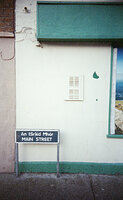
An tSráid Mhór

A
An tSráid Mhór

  • 0
  • 0
  • 16
IMG_1285.jpeg

D
IMG_1285.jpeg

  • 0
  • 0
  • 24

Forum statistics

Threads
203,124
Messages
2,850,181
Members
101,688
Latest member
linie4
Recent bookmarks
0

sly

Subscriber
Allowing Ads
Joined
Nov 12, 2006
Messages
1,677
Location
Nanaimo
Format
Multi Format
This has got to be on the site somewhere, but I can't find it. A friend of mine would like to try split grade printing. She uses a colour enlarger for her B&W prints. What would be the colour requivalents of 00 and 5 with a colour head?
(Yes, I am encouraging her to join APUG and ask her own questions)
 
What would be the colour requivalents of 00 and 5 with a colour head?

Maximum yellow for 00 (soft) and maximum magenta for 5 (hard). Different heads have different ranges, e.g., one will go to 150, another to 175, another to 199, etc. And, there are all kinds of opinions about whether or not one can achieve a "true" 0 or 5 with dicroic filters. But the bottom line when using this type of emlarger is to dial the yellow and magenta to their highest amount.

Good luck! :smile:
 
It really doesn't matter. Just use the max "yellow" for soft and the max magenta for "hard". In split grade printing the "actual" grades become a bit meaningless.

There are 2 "modern" subtractive color standards, Kodak and Durst. The major difference is the size of the density steps. If she really wants to know what max contrast ranges she is approximating, just research the standard used by the head. Most heads will give 00-0 soft, but only 4-4.5 hard. But again, the split grade concept makes this rather academic.

Cheers,
Geary
 
The Beseler Dual Dichro S head I use, IIRC, will only cover a contrast range from 1 to 4.5. If you check the manual usually you will find what color standard it uses and what filtration to give for various grades.
 
There should be a paper slip which comes with the box of paper which tells you the amount of yellow and/or magenta to use for each grade. The numbers are usually specified for several enlarger makes.
 
As mentioned crank yellow all the way for soft. Crank magenta for hard. Just spin the dials all the way.
 
I use 90 yellow for Grade 0 and 198 magenta for Grade 5 based on a conversion chart I found somewhere on the web. No filtration, 0y-0m-0c, equals Grade 2.
 
When trying split grade on the color head I actually preferred to use the 00 and 5 polycontrast filters. Moving the two color wheels back and forth was a pain in the @55. Switching the under lens filters is easier.
 
WBM

Sly,

To misquote Rumsfeld, your question to me was an "unknown unknown." I didn't know that I didn't know what "split grade printing" was until you asked the question. Anyway, this is what I found googling "Dead Link Removed" Thanks for asking, now I am desperately looking for Way Beyond Monochrome so I can learn more.

Terry
 
This has got to be on the site somewhere, but I can't find it. A friend of mine would like to try split grade printing. She uses a colour enlarger for her B&W prints. What would be the colour requivalents of 00 and 5 with a colour head?
(Yes, I am encouraging her to join APUG and ask her own questions)
It's been my experience working with several different enlargers with different dichro heads that grade 5 contrast can't be matched by setting maximum magenta filtration that one can get by using grade 5 VC filters.

One can still do split filtered printing with dichro heads but without the range of contrast expected with VC filtration.

But I have to say that split filtered printing really isn't necessary.
 
Photrio.com contains affiliate links to products. We may receive a commission for purchases made through these links.
To read our full affiliate disclosure statement please click Here.

PHOTRIO PARTNERS EQUALLY FUNDING OUR COMMUNITY:


Ilford ADOX Freestyle Photographic Stearman Press Weldon Color Lab Blue Moon Camera & Machine
Top Bottom
