
• Welcome to Photrio!
    Registration is fast and free. Join today to unlock search, see fewer ads, and access all forum features.
    Click here to sign up

Can you adjust the dof while enlarging by curving the paper?

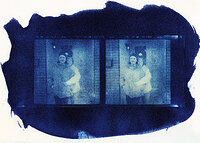
Cyanotype stereo card

A
Cyanotype stereo card

  • 0
  • 0
  • 0
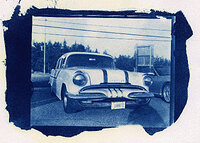
IMG_0025.jpeg

A
IMG_0025.jpeg

  • 0
  • 1
  • 0

Forum statistics

Threads
203,125
Messages
2,850,240
Members
101,690
Latest member
nisherii
Recent bookmarks
0

snay1345

Member
Allowing Ads
Joined
Dec 25, 2009
Messages
96
Location
Joshua Tree
Format
Medium Format
I have been seeing this craze of adding strange dof to digital photos which makes items look miniature and I was wondering if this is a technique that can be replicated while printing traditionally? I was wondering if I were to not put my paper in an easel and just let it sit there curved if I would achieve the same look with a regular negative. Just wondering if anyone has done this before I start blowing through paper. Or if it is not doable. Searching the internet has not turned up much. Here is a photo example and link of what I am talking about.

http://en.wikipedia.org/wiki/Miniature_faking

I just think it would be pretty cool to experiment with this if it is possible. Thanks for any advice on the subject.
 
Well, kind of, but not really.

If you put paper on curbed surface or even on un-even ground, then parts of the image will go out-of-focus but the image will also be projected (sort of) side way causing distortion. Also, depth of focus at the baseboard is quite deep. You'll have to make relatively large difference to make it look plausible.

I don't think you'd be pleased with the result. The way I would approach this would be to put paper on a level baseboard, put a plate of glass on top of that, and put something like Vaseline on portion where I don't want sharp focus.

I'd try it myself but I don't have any suitable negatives to do this kind of thing. If you do, why don't you try it??
 
It won't look exactly like that, but you can place a piece of glass over your paper, then put Vaseline on the areas you want to blur, before exposing.
 
Wow.... someone had an identical idea at the same time!
 
Focus is achieved by adjusting the distance between the nodal point of the lens and the film plane. The distance between the lens and the paper/easel is almost irrelevant with regard to focus.

You could simulate a shallower depth of field by curving the FILM in the gate. This is something that occurs in cinema projectors, although it is an undesirable effect in the cinema. If the film moves out of the focal plane of the lens while it is moving through the projection gate the focus will tend to drift. This can happen for several reasons. One common reason for this is the radiant energy of the lamp causes the film to "flutter" due to heating. This will cause the focus of the image on-screen to flutter as well. I surmise that the heat of the enlarger lamp could cause a similar effect, too.

So, by extension, you could probably cause part of your image to go out of focus by, somehow, curving the film. However, I do not believe that there is a way to bring anything back INTO focus which was not focused on the film when the image was shot.

In other words, you MIGHT be able to shorten the depth of field but you will not be able to increase it.
 
I have been seeing this craze of adding strange dof to digital photos which makes items look miniature and I was wondering if this is a technique that can be replicated while printing traditionally?

Sure, I have been doing this for some time. You can do it not only to play with apparent DOF but also to correct perspective.

Here is an example; in this case, a colour slide was enlarged to b&w film...

Original slide (sorry for the bad scan)

(there was a url link here which no longer exists) (from a b&w dupe of the colour slide. This is a really lousy shot of a large print that I couldn't scan)

For perspective correction, you can just incline your paper if you wish, and stop down a lot (if you don't want so much OOF blur)

Another example, also starting from a colour slide; in this case a minor tilt was applied to put a little bit more emphasis on the subject:

(there was a url link here which no longer exists)

(there was a url link here which no longer exists)

These examples aren't so good, it isn't something I have done much of, but it is really straightforward.

Note that when contact printing an LF neg, you can easily lift the corners of the neg one way and then another, during exposure. Thus you can get all kinds of focus effects. You can of course also tilt the paper or the enlarger head etc.

Experiment and have fun.
 
Last edited by a moderator:
How about using a Lensbaby on an enlarger? Or even Shoot with one? http://lensbaby.com/

I'm a pragmatist and would do it electronicly.
 
You don't technically change the "depth of field" by doing that, but yes, you can simply throw everything but the uncurved part out of focus. One person in particular, by the name of Arthur Fellig (Weegee), is well known for using easel tricks for goofy effects.
 
some enlargers allow you to tilt and mess with the lens-stage,
(to correct paralax tilt the paper, and tilt the lens )
this can do the opposite as well
and allow you to make believe you have a view camera + do the razor thing dof + mini effect.
it works well if you take the photograph with a lens that compresses ... like a telephoto lens

have fun !

john
 
P.S. apologies, I just realized that the first slide scan that I linked to in the post above was perspective corrected, alas by electronic means that we don't discuss here :wink: But the b&w print was 100% analogue, as were the others.

 
My sincere apologies for mentioning the cheats way of bluring :wink:
 
Photrio.com contains affiliate links to products. We may receive a commission for purchases made through these links.
To read our full affiliate disclosure statement please click Here.

PHOTRIO PARTNERS EQUALLY FUNDING OUR COMMUNITY:


Ilford ADOX Freestyle Photographic Stearman Press Weldon Color Lab Blue Moon Camera & Machine
Top Bottom