• Welcome to Photrio!
    Registration is fast and free. Join today to unlock search, see fewer ads, and access all forum features.
    Click here to sign up

C-41 B\W Film

2break

H
2break

  • 4
  • 2
  • 54
Autumn

A
Autumn

  • 2
  • 1
  • 52

Recent Classifieds

Forum statistics

Threads
202,577
Messages
2,842,624
Members
101,385
Latest member
Spekplant
Recent bookmarks
0

MDa Re

Member
Allowing Ads
Joined
Dec 20, 2006
Messages
10
Format
35mm RF
Hello, I've been reading the online forums for quite some time now and have learned many things. But now I finally have a question. I use a lot of Kodak bw400cn film. Then I have it developed at Wal-Mart, Walgreens or wherever.
I then scan my negatives, do any necessary adjustments with GIMP and print the ones I like. So my question is. Is c-41 a standard for developing color negative film or is there a setting when they develop it for B/W? If there is no special setting then when I get my negatives back aren't they still just a color negative? And if that's the case what's the difference if I scan Kodak bw400cn at gray scale or Kodak Gold 200 at gray scale? I've tried this on some of the older Kodak Gold negatives I have and they don't look that bad considering the pictures aren't that great.

Michael
 
So my question is. Is c-41 a standard for developing color negative film

Yes. Same C-41 process .

If there is no special setting then when I get my negatives back aren't they still just a color negative?

In a sense yes.

And if that's the case what's the difference if I scan Kodak bw400cn at gray scale or Kodak Gold 200 at gray scale? I've tried this on some of the older Kodak Gold negatives I have and they don't look that bad considering the pictures aren't that great.

Michael

The answer here is to test or experiment to see what works best for you and your equipment/software. For K400CN I scan with Vuescan in 48 bit RGB and use the Green channel to make gray in VueScan.
 
The Kodak has that orange film color to it, might be an idea to try something like XP2 which has less color to the film stock. Though you may find that a lot of people dye there B/W film so that they can get extra detail out of the thin parts with an RGB scan, then remove the colorcast in their editing software.
 
The Kodak has that orange film color to it, might be an idea to try something like XP2 which has less color to the film stock. Though you may find that a lot of people dye there B/W film so that they can get extra detail out of the thin parts with an RGB scan, then remove the colorcast in their editing software.
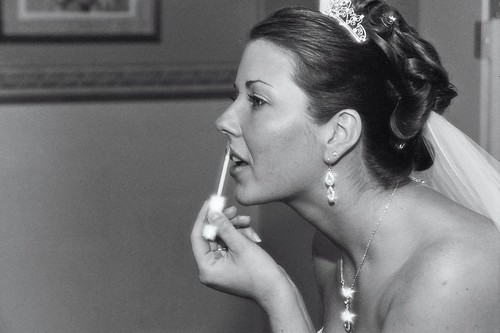
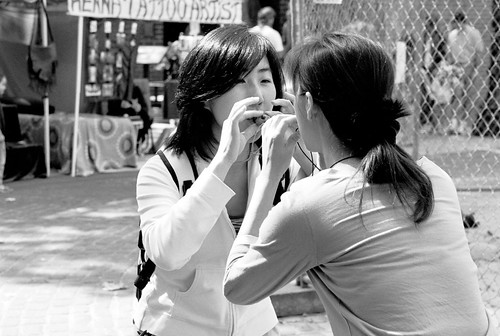
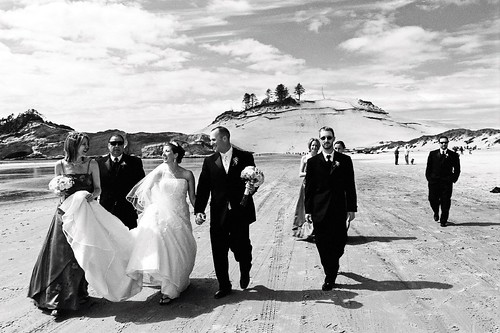
So then you still have to convert the Ilford to black and white to get rid of what color the film stock has? The same as the Kodak I'm assuming. My setup isn't as good as a lot of people. I use an Epson Perfection v200 Photo scanner so I can only get 16 bits out of it. But here are photos from three different films I tested.
The photos aren't the best so blame the photographer.

showimage.php

showimage.php

showimage.php


Michael
 
I use mostly C-41 process B&W 120 film for street photography and results, it does not have the technical tonal range of some more traditional films but it is virtually grain-less and scans & enlarges very well ...In my most humble opinion.

:wink:
 
Michael, why not just shoot with real B&W film, and develop it yourself at home. I started doing this about a month ago, and I find it is easy, fast and cheap, and the upside is that one can use real B&W, and the film backing is clear, or very near clear. I shoot with Arista B&W ISO 100 & 400, and this film is fantastic. At $1.89 per 36 exp. roll, you can't beat it. Check out FreeStylePhoto dot com for more information. In addition, I read that true B&W film has a bit wider dynamic range then the C-41 B&W film...but can anyone nay or yay this?

A basic B&W development kit for home use can be had for under $100.
 
The Kodak has that orange film color to it, might be an idea to try something like XP2 which has less color to the film stock. Though you may find that a lot of people dye there B/W film so that they can get extra detail out of the thin parts with an RGB scan, then remove the colorcast in their editing software.

The orange cast is so that colour printing machines can produce acceptable, but still B&W prints from it on colour paper, without needing separate settings for the B&W film. The Ilford is better suited for printing on traditional B&W printing materials. For scanning there really is no difference. I usually scan B&W materials as B&W, then convert to RGB for editing, so the colour balance of the scanned image doesn't make any difference.

I find that the easier it is to produce a good wet print from a negative the easier it is to produce a good scan. That means negatives need to be well exposed and processed, a negative that is poorly exposed and improperly processed, is going to be hard to wet print, and hard to scan as well.

Just because you use C41 and a lab doesn't mean the processing is good, chemistries cost money, and the guy who manages the minilab and wants to save a few bucks, can always skimp on chemistry changes. If most of their work is disposable cameras, they are more likely to do this, then if most of their work is for professional photographers, who need good results.
 
When I take C-41 color film and C-41 B&W film to my local lab for development they always ask to separate the two since they apparently don't run the two types together. I thought it could all be developed together?


Sandy King
 
When I take C-41 color film and C-41 B&W film to my local lab for development they always ask to separate the two since they apparently don't run the two types together. I thought it could all be developed together?


Sandy King
I run it together in a Jobo - no issue.
 
When I take C-41 color film and C-41 B&W film to my local lab for development they always ask to separate the two since they apparently don't run the two types together. I thought it could all be developed together?


Sandy King

Yes it can be processed all together with no processing issues. They may wish to segregate the films for batching during the printing stage (though you may not want prints).

Don Bryant

PS C-41 is so easy to process I just do it myself. I use Unicolor K3 chemistry and only mix 300 ml of developer at a time. That way the color developer doesn't go to waste. I did this because finding a local processor that will develop 120 C-41 is almost impossible to find and when one is found the processing charge is way to much for me to pay.
 
Don,

I must be lucky. There is a lab here in Greenville located only about ten minutes from my house and the charge is less than $4 per roll for 220 film.

Sandy


Yes it can be processed all together with no processing issues. They may wish to segregate the films for batching during the printing stage (though you may not want prints).

Don Bryant

PS C-41 is so easy to process I just do it myself. I use Unicolor K3 chemistry and only mix 300 ml of developer at a time. That way the color developer doesn't go to waste. I did this because finding a local processor that will develop 120 C-41 is almost impossible to find and when one is found the processing charge is way to much for me to pay.
 
Don,

I must be lucky. There is a lab here in Greenville located only about ten minutes from my house and the charge is less than $4 per roll for 220 film.

Sandy
Well I find a lab downtown that will process 120 C-41 for $2.75 per roll but thats a 70 mile round trip for me. It's closer to the SC state line from my house than driving to downtown Atlanta.

Don
 
(Old post revival, been awhile since I've read forums)

You can develop the C-41 Kodak B&W in regular BW chemicals. I use D76 (68F, 14 minutes, Kodak recommended inversions) and Kodak fixer (5 minutes). It will be difficult to print using traditional BW paper because of the purple mask. Scans easily.
 
Is c-41 a standard for developing color negative film or is there a setting when they develop it for B/W?

C-41 is a standardized process. There are no changes for the B&W C-41 films -- they can be (and almost always are) processed side-by-side with color negative films.

If there is no special setting then when I get my negatives back aren't they still just a color negative?

Nope. The process is standard. The structure of the film is very different. It's not a color negative at all. It's a B&W negative where the image is made from dyes, not metallic silver.

And if that's the case what's the difference if I scan Kodak bw400cn at gray scale or Kodak Gold 200 at gray scale? I've tried this on some of the older Kodak Gold negatives I have and they don't look that bad considering the pictures aren't that great.

This unfortunately usually devolves into a religious argument. You could use nothing but color films and use an image editor like Photoshop to create grayscale images from your color capture. The digital capture people have no choice but to do this if they want a B&W print. And there's lots of discussion, still, about how best to accomplish the transition from color to B&W.

But, say you run an experiment. You make a photograph using same ISO rating films, one color negative and one B&W negative. When you compare the two, you'll find that the B&W negative is sharper, less grainy (how much depends of course on how the B&W negative was processed), has a different spectral response, etc. Is one better than the other for your work? No one can answer that question but you.

I'm not saying it's good or bad. It's just a choice you get to make.
 
I've always gotten flat & lifeless negs form Kodak C-41 B/W films. I have seen excellent results from it, but I haven't gotten it. I do love the Fuji Neopan 400CN & Ilford XP-2 films. Great tonality, fine grain and wonderful flesh tones. They also scan very well.

271926638_d8da5cd91e.jpg

XP-2

271965541_4deff56976.jpg

Neopan 400CN

3021673218_743bc9661f.jpg

Neopan 400CN
 
no darkroom

Since retiring and moving to an apartment on the beach, I don't have room for my c700 or c3. I'm thinking of using the c41 bw films. my question is this; will I get the same effects from my red, yellow, and green filters I got with tri-x?
 
Since retiring and moving to an apartment on the beach, I don't have room for my c700 or c3. I'm thinking of using the c41 bw films. my question is this; will I get the same effects from my red, yellow, and green filters I got with tri-x?

Nikon Collector

Yes, the B/W C-41 films respond well to in-camera filtering. I commonly use a deep yellow #15 when shooting B/W outdoors. Here is a sample snap made with this filter. Which beach are you living on?
272288039_07a64e9ac5.jpg

Deep yellow filter (#15) on Neopan 400CN film. No post processing.
 
I was shooting XP-2 and having CostCo develop it. However our CostCo quit on film last week, so I am switiching to T-Max and will go the mail order route for processing. I found a place that will scan the film and place it on-line and then mail back the negs.
 
Photrio.com contains affiliate links to products. We may receive a commission for purchases made through these links.
To read our full affiliate disclosure statement please click Here.

PHOTRIO PARTNERS EQUALLY FUNDING OUR COMMUNITY:


Ilford ADOX Freestyle Photographic Stearman Press Weldon Color Lab Blue Moon Camera & Machine
Top Bottom