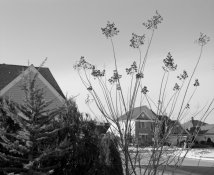
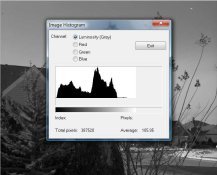
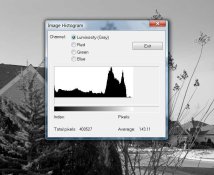
Bill: Thanks for you response but it's not that easy. I'm using B+W Schneider filters that are not listed in the equivalent Wratten numbering equivalent. B+W has two red filters- a light 090 filter factor 5 (the one I used) and a dark red 091 filter factor 8.
Alan, it IS that easy, in this case. If you can find your way to "
Filter Handbook; B+W FILTERS," on page 35 you'll find these two line-items, which seem to link the B+W numbers (090 and 091) to the Wratten 25 and 29 respectively.
"B+W Light Red Filter 090 (25)", and
"B+W Red Filter 091 (29)"
Knowing this equivalency, you can use your B+W 090 according to the Kodak Wratten 25 factors, which I just listed (post #22).
ps: You can find the "handbook" here:
https://www.schneideroptics.com/pdfs/filters/BWHandbookFull.pdf
But it's the filter manufacturer that provides the factor. Since they test their filters, they would know how much light their filters block? Hense they provide the filter factor in their spec sheets as follows...
Well sure, they (ought to) know what their filters block. The problem is that they don't know what photo materials (and light) YOU are using.
Let me demonstrate why this matters. We now know that your B+W 090 (light red) is equivalent to Wratten 25, right? Looking at two Kodak film data sheets, T-max 100 and the obsolete Tech-pan, here are Kodak's filter factors:
Wratten 25 (red), Daylight: T-max factor = 8 (3 stops), Tech Pan factor = 3 (1.6 stops)
Wratten 25 (red), Tungsten light: T-max factor = 4 (2 stops), Tech Pan factor = 2 (1 stop)
So Kodak, who ought to be the most knowledgeable about their own films and filters, have the filter factor for this one specific filter anywhere from 2X to 8X. In other words, the exposure correction should be somewhere from 1 stop to 3 stops, DEPENDING on the film and light source. THIS IS WHY THE FILTER MAKER CANNOT PUT A (reliable) BLANKET FACTOR ON THIS FILTER. (If your only data is from the filter maker, intial exposure tests are probably worthwhile.)