
• Welcome to Photrio!
    Registration is fast and free. Join today to unlock search, see fewer ads, and access all forum features.
    Click here to sign up

Black frames. What about the negative

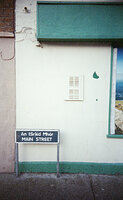
An tSráid Mhór

A
An tSráid Mhór

  • 0
  • 0
  • 8
IMG_1285.jpeg

D
IMG_1285.jpeg

  • 0
  • 0
  • 24

Forum statistics

Threads
203,124
Messages
2,850,171
Members
101,688
Latest member
linie4
Recent bookmarks
0

mortenbangjustesen

Member
Allowing Ads
Joined
Oct 7, 2009
Messages
1
Format
35mm RF
Hi Guys

Im pretty new to all this darkroom stuff, so maybe this is a pretty novice question.

I have seen some pictures with a black frame around the picture, where the carrier has been filed a bit in the edges. But I simple can't get understand, what to do with the negative. Do I have to cut it out of the strip, or how is it posible to get that border.


Best regards
 
Well, you've answered your question: The negative carrier is filed and it's mask is larger than what is normally. Another possibility is that the negative carrier has masking blades, so you can make a variety of masks. That produces the black border you see etc. You don't do anything with the negative strip, and you certainly don't want to do anything. Just place it in the negative carrier and print as usual.

BTW, welcome!
 
I'm not sure if I've understood the question but if all you want is a black border round your print then why not accurately cut a piece of card slightly smaller than your print and then expose the uncovered edges.
 
Filing out the negative carrier will do the trick at the risk of scratching negatives later unless you can really get the wider opening very smooth. Then you will go spend more money on a new negative carrier to replace the filed out one because you have burnt yourself out printing the rebate [film edge] and want the negative to have the support on all sides, the way it was meant to be.

Steve
 
I have seen some pictures with a black frame around the picture, where the carrier has been filed a bit in the edges.

Some of my friends used to refer to this as the "snob line". That is the slightly fuzzy black area at the edge of the image. I think in some arts photography circles, this was done to prove that the image was not cropped. All it takes is filing out the negative carrier so light gets to part of the clear, unexposed film outside of the image.

I've mostly seen this in 35mm film. With larger film, it is even harder to support the negative on the remaining contact area.
 
There are a couple of ways to make a black outline around a print. The easy way is to use a larger size glass negative holder. Unfortunately, that usually leaves evidence of the film edges.

The second way is much more complicated. First you cut a piece of opaque cardboard to the size of the desired image (e.g, 7-1/2 by 9-1/2 for an 8X10 print with 1/4 inch boarders). Next you set up the enlarger to make the print, using a boarderless easel. If you do not have a boarderless easel, mark the paper position on the easel so that you can place the paper in the right spot for a boarderless print, attaching it with removable 2-sided tape. Put the paper in place, and make the exposure. Place the opaque cardboard over the image area, remove the negative, and make another exposure long enough to fog the boarders. Process as usual. This may take a couple of tries to get the alignment right.
 
When I put a black border on a photograph I do it the easiest way I know. The key item is a bit of opaque card 1 millimetre smaller (assuming a 1 mm border!) in width and depth than the picture area.

First make the picture exposure as normal. Then push the card into the upper left corner of the paper easel. Hold it down and flick the main room light on/off for a second or so. Move the card into the lower right corner of the paper easel and do the room light thing again. Now, back under safelight, process the paper normally.

Voila, perfect 1mm black border!
 
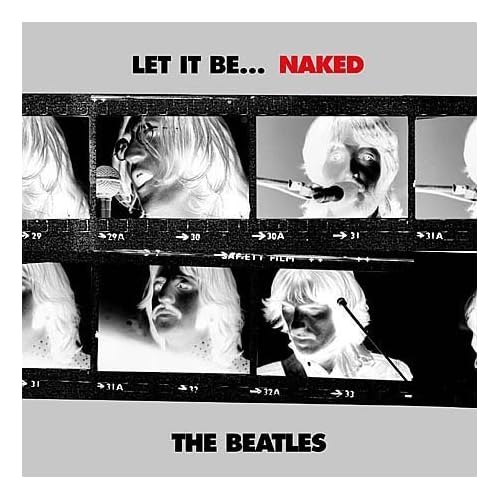
one of my reasons for b/w

51RjDRAMh6L._SS500_.jpg


it's such a neat cover
 
Photrio.com contains affiliate links to products. We may receive a commission for purchases made through these links.
To read our full affiliate disclosure statement please click Here.

PHOTRIO PARTNERS EQUALLY FUNDING OUR COMMUNITY:


Ilford ADOX Freestyle Photographic Stearman Press Weldon Color Lab Blue Moon Camera & Machine
Top Bottom