
• Welcome to Photrio!
    Registration is fast and free. Join today to unlock search, see fewer ads, and access all forum features.
    Click here to sign up

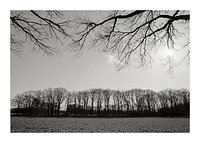
B&W Winter Prints

2break

H
2break

  • 4
  • 2
  • 50
Autumn

A
Autumn

  • 1
  • 1
  • 47

Recent Classifieds

Forum statistics

Threads
202,574
Messages
2,842,608
Members
101,385
Latest member
Spekplant
Recent bookmarks
0

David Ruby

Member
Allowing Ads
Joined
Sep 17, 2003
Messages
203
Location
Boise, Idaho
Format
Multi Format
Hello all. I've just developed some black and white shots I took a month ago with some great snow and frost on the local river. I don't think I've ever printed snow scenes and was wondering if anyone had any hints or tips on how to get good results.

I'll have to contact the negs tonight to see if I have something to work with. When I first saw the negs come out of the tank, I thought I had way overexposed them cause they were very dark. The more I look at them though, the more I'm thinking they look just like they're supposed to with all the white in the scene. I guess I'll find out soon enough. Thanks.

In case anyone cares, I shot them with a twin lens Ricohmatic, 120, Kodak TMAX 100 with a yellow filter.
 
Beware of drydown! Those delicate light tones can turn into mud when dry.

You are right, the negs should look rather dark in order to render the white snow properly.

Best of luck. Be sure to post the results.
 
By drydown, are you saying that when the print dries it will look darker? So to compensate, you really need to make sure your proofs are dry before deciding on the proper exposure etc. right? Thanks.
 
You can also calculate a dry down percentage for a particular paper. Then just print your finals at that percent less. For most fiber papers I think 6% to 15% is the normal range. Most of my papers come out at 10%. Just compare wet prints to dry prints made at x percent less and see which factor looks the same. You can use a microwave to speed up the drying of the prints. There are much beter descriptions of testing this on the web, but I don't have any links right now.
 
David Ruby said:
By drydown, are you saying that when the print dries it will look darker? So to compensate, you really need to make sure your proofs are dry before deciding on the proper exposure etc. right? Thanks.

Yup, you got it. This is most noticeable when printing on fibre papers; RC paper will exhibit either no drydown, or very little. There's another thread currently undereway that is discussing drydown, btw.

A very simple way to avoid drydown is to inspect your work prints under a dimmer-than-normal inspection light. If your inspection light it too bright, then you'll be forced to print the highlights darker to get detail. Using a dimmer inspection light will help you avoid this effect.

Regarding exposure, I've never used times for creating proofs for determining exposure times for larger prints - the enlarger is almost certainly at a different height, for one. Contrast is generally different as well (contract printing vs. enlargement); the exposure for your proofs is therefore not really applicable to your real enlargements. Instead, setup your enlarger, and take a stab at what the exposure will be. After a while, you'll be quite good at zeroing in on the right exposure, or close to it.
 
And it seems to affect the highlights most noticably so it can mean quite a visual change in the appearance of a snow scene where so much of the print is occupied by the lightest tones.
 
By drydown, are you saying that when the print dries it will look darker? So to compensate, you really need to make sure your proofs are dry before deciding on the proper exposure etc. right? Thanks.

Yes, but be aware that this pertains to prints on fiber paper. RC paper has little, if any, drydown. I use mostly Ilford fiber paper, and drydown is 2-3 days! So, if you're using fiber, print something with little or no detail in the highlights. Then, be patient. Let it drydown completely and see what you've got.
 
First time there is an advantage of living in a dry climate. Drying fiber here takes a matter of hours before it is completely dry.
 
My prints seem dry on screens over night. They dry pretty flat also. I sqweegee the prints before I lay them down on the screens as the last thing before going home and the next morning they are dry.

lee\c
 
I've actually got a condensor enlarger, and I use Kodak filters for contrast.

This ought to be a fun exercise, and I'm sure I'll learn a whole lot trying to get these to look good.

I'm hoping to get time to try printing them in the next day or so, so I'll post some results and hopefully something in the gallery so you can all see what I'm talking about. Thanks. I'm off to read up on flashing (paper that is).
 
I've spent the last couple of printing sessions mainly doing snow pictures. I have found them to be very critical as far as exposure which really tests your burning/dodging abilities. I feel that my printing skills have improved as a result of just a few hours of working with these negs.

Best of luck.
 
I have shot many snow scenes and learned that good negatives will make your life much easier.

Many people fight with the blocking of the highlights and try compensating by burning the crap out of em. I find developing my negs minus 25% of normal time keeps your shadow details also keeps the highlights from blocking up. To get that extra umph, print on a number 3 paper or use a vari cont paper.
 
Photrio.com contains affiliate links to products. We may receive a commission for purchases made through these links.
To read our full affiliate disclosure statement please click Here.

PHOTRIO PARTNERS EQUALLY FUNDING OUR COMMUNITY:


Ilford ADOX Freestyle Photographic Stearman Press Weldon Color Lab Blue Moon Camera & Machine
Top Bottom
