
• Welcome to Photrio!
    Registration is fast and free. Join today to unlock search, see fewer ads, and access all forum features.
    Click here to sign up

Attention APUG-Gallery Sellers

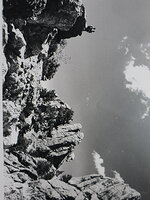
IMG_1779.JPG

H
IMG_1779.JPG

  • 0
  • 0
  • 32
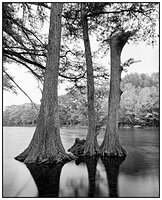
Frio River

A
Frio River

  • 5
  • 0
  • 63

Recent Classifieds

Forum statistics

Threads
203,579
Messages
2,856,711
Members
101,911
Latest member
Safelightlabs
Recent bookmarks
0

Sean

Admin
Admin
Allowing Ads
Joined
Aug 29, 2002
Messages
13,835
Location
New Zealand
Format
Multi Format
For those who have started uploading to the gallery Dead Link Removed I have found and resolved an issue. Buried in the gallery code was an image quality upload setting of 80%. I believe this is why many of the images uploaded to the gallery suffer image quality problems. I have now set this quality setting at 100% and have done a few tests and the improvement in quality is substantial. Unfortunately you will have to login, go to manage your prints link, and re-upload your images to take advantage of the new settings. For the absolute best quality possible prepare your images at 460pixels wide and 72dpi. Re-uploading is optional, if you think your images look ok you can leave them, but for those who want theirs to look better I suggest re-uploading. Apologies this was not caught earlier. Thanks, Sean
 
ok, the link "View/Edit Photos I have for sale" does not appear to give the option to re-upload a new image. I may try to get this added to the code, stay tuned..
 
I should have also been more clear about the 460 pixels wide setting. You should save your files at 460 pixels wide in all cases. If you save it at less than 460 pixels wide the system will enlarge it to 460 pixels which could reduce quality. I will try to recode it so it will not stretch images under 460 pixels wide but this will take a little time. Thanks
 
Just a thought Sean, but 460 pixels seems pretty small. I don't know about disk space and other requirements, but a lot of images really need to be much bigger in order to get any sense of the image.
 
roteague said:
Just a thought Sean, but 460 pixels seems pretty small. I don't know about disk space and other requirements, but a lot of images really need to be much bigger in order to get any sense of the image.
The pictures are displayed in the gallery at that size at present are, I think, of an acceptable size. It’s not just storage capacity, but download speed that must be a consideration.
 
The main reason I don't want to go larger than 460pixels wide is because many scans are poor quality and 460 keeps them looking ok even if they are poor quality. If someone uploads a bad scan at 800 pixels then the customer will end up with a huge eyesore on their screen. I could put an option on the upload page "larger image scan available on request", then if a client really wants to see a larger one I can contact the photographer for it..
 
Photrio.com contains affiliate links to products. We may receive a commission for purchases made through these links.
To read our full affiliate disclosure statement please click Here.

PHOTRIO PARTNERS EQUALLY FUNDING OUR COMMUNITY:


Ilford ADOX Freestyle Photographic Stearman Press Weldon Color Lab Blue Moon Camera & Machine
Top Bottom
