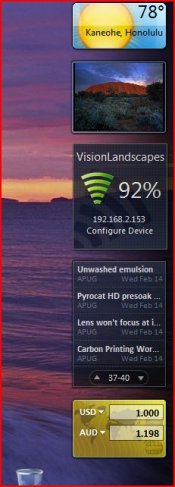

Widgets are little applications that run on your computers desktop. I chose to use Yahoo's widget system because I find it very easy to use and it is cross platform for windows and mac.
1. download and install yahoo's widget application here:
http://widgets.yahoo.com/index.php
***Updated***
I highly recommend using this widget here if you have Yahoo widgets installed:
http://widgets.yahoo.com/gallery/view.php?gbw=1&widget=42031
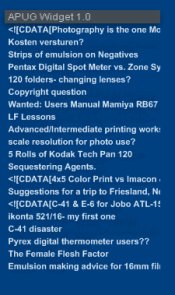
you can add multiple sites, configure number in the list, refresh times and it shows a text preview of the thread on mouse over. Here is a screenshot:
Dead Link Removed
To add apug to the widget specify this as the feed:
(there was a url link here which no longer exists)
*you can right click on the widget to adjust color and opacity and additional options
1. download and install yahoo's widget application here:
http://widgets.yahoo.com/index.php
***Updated***
I highly recommend using this widget here if you have Yahoo widgets installed:
http://widgets.yahoo.com/gallery/view.php?gbw=1&widget=42031
you can add multiple sites, configure number in the list, refresh times and it shows a text preview of the thread on mouse over. Here is a screenshot:
Dead Link Removed
To add apug to the widget specify this as the feed:
(there was a url link here which no longer exists)
*you can right click on the widget to adjust color and opacity and additional options
Last edited by a moderator: